Best root cause analysis tools for SRE teams in 2026
TL;DR: The right root cause analysis (RCA) tool depends on where your incident time goes. If coordination and post-mortem write-up are the bottleneck, an incident management suite like incident.io captures the timeline in Slack as you work, then drafts the post-mortem from it. Favor cut Mean Time To Resolution (MTTR) by 37% with incident.io. If you are standardized on one observability platform, such as Datadog with Watchdog and Bits AI, its native correlation may cover detection-stage RCA. Standalone AI SRE tools, such as Resolve.ai and Cleric, add a separate tool to your stack. Check the all-in price, including on-call and any AI add-ons, before you shortlist.
MTTR covers more than the fix. Team assembly, context gathering, troubleshooting, mitigation, and cleanup all compete for the clock. Assembly and context gathering are overhead before anyone touches the problem. Reconstructing the post-mortem from Slack threads days later adds more on top.
The RCA tool you choose either attacks that overhead directly or introduces another context switch into your incident workflow. This comparison breaks down the three strategies (standalone AI SRE and RCA tools, incident management suites, and observability-native features) so you can shortlist based on where your team works, not vendor marketing.
Root cause analysis for SRE teams
Root cause analysis aims to identify the underlying technical or process failure that caused an incident, distinct from the immediate symptoms you mitigated to restore service. In practice, RCA answers "why did this break" and "how do we prevent it from breaking again," not just "what did we do to fix it."
The distinction matters because mitigation and analysis require different data. Mitigation needs fast access to logs, metrics, and traces to stop the bleeding. Analysis needs a complete timeline of who did what when, what hypotheses were tested and ruled out, and what the trigger was, whether that's a deploy, a config change, or a resource limit.
Comparing RCA and post-mortems
RCA identifies the technical root cause, while a post-mortem typically documents the full incident lifecycle: timeline, impact, root cause, and action items to prevent recurrence. You can complete RCA without writing a post-mortem, but a thorough post-mortem generally depends on completing RCA first.
The tools that handle RCA well capture investigation data automatically as you troubleshoot. The tools that handle post-mortems well draft the narrative from that captured data. Check whether a tool covers both.
Correlating data for faster RCA
Effective RCA typically involves correlating several kinds of data: telemetry (metrics, logs, traces), change events (deploys, config updates, feature flags), and human actions (who ran what command, who changed what setting). Manual correlation means opening several browser tabs and trying to remember the sequence of events.
Reducing incident toil with RCA tools
RCA tools reduce toil by automating the manual work around incidents: timeline reconstruction (scrolling through Slack to remember what happened), data correlation (connecting the alert to the deploy that caused it), and post-mortem drafting (writing the narrative from scratch). Uncoordinated response slows teams down. In an incident example in Google's SRE Book, "Nobody knew what actions their coworkers were taking." Post-mortem reconstruction is similarly time-consuming when done manually.
Automated timeline capture cuts much of that reconstruction work by saving incident updates as they happen. The post-mortem then starts from that record.
The 3 primary RCA tool strategies
RCA tools fall into three architectural strategies, each with distinct trade-offs around data capture, integration depth, and workflow overhead.
| Strategy | Examples | Best for | Key trade-off |
|---|---|---|---|
| Standalone AI SRE and RCA tools | Resolve.ai, Cleric, Struct | Teams that already have incident coordination solved | Adds another tool and data source to maintain |
| Incident management suites | incident.io, PagerDuty, Rootly, FireHydrant | Slack-native teams wanting unified workflows | Analysis depth varies by vendor |
| Observability-native features | Datadog Watchdog and Bits AI, New Relic errors inbox | Teams already standardized on one observability platform | Coordination and post-mortem workflows are narrower than dedicated incident platforms |
The right choice depends on where the bottleneck sits in your current process. If it's investigation depth, a dedicated RCA platform may be worth evaluating. If it's coordination overhead and post-mortem reconstruction, incident management suites attack that directly. If it's data correlation within a single observability platform, native features might be enough.
Evaluating standalone RCA platforms
Standalone RCA platforms focus specifically on investigation and analysis workflows. Evaluate them on depth and integration. Ask how far the causal analysis goes beyond correlation, then check which data arrives automatically. Any data you import by hand means another context switch during a live incident. incident.io eliminates that import step for coordination data by capturing the timeline as your team works in Slack.
Using incident management suites for RCA
Incident management suites integrate RCA into the full incident lifecycle, from alert through resolution and post-mortem. Instead of exporting data to a separate analysis tool, the suite captures timeline events, correlates data from integrated tools, and drafts the post-mortem automatically.
incident.io auto-creates a Slack channel when an alert fires. The timestamped timeline starts capturing severity changes, status changes, and pinned Slack messages. On resolution, it drafts a post-mortem from that captured data. Favor reduced MTTR by 37% using this approach.
Building RCA into monitoring workflows
Observability platforms like Datadog and New Relic embed RCA features directly into their monitoring UI. Datadog's Watchdog feature, for example, can surface and correlate anomalies across services if you already send metrics, logs, and traces to Datadog. Treat automated correlation as a lead to confirm, because coinciding anomalies are not always causally linked. Also check whether it sees code changes or runbooks stored outside Datadog.
The advantage is zero additional tooling if you're already standardized on one observability platform. The gap is that detection features like Watchdog stay anchored to that platform's own data: Datadog, for instance, can create incident channels in Slack and generate post-mortems, but Watchdog's correlation works on the telemetry you send to Datadog. incident.io adds Slack-native coordination and post-mortem drafting on top of your existing observability tools.
Core RCA capabilities to evaluate
Whichever strategy you pick, evaluate tools on four capabilities: how they build timelines, what observability hooks they provide, how they handle AI accuracy, and how they automate post-incident work.
Building incident timelines
Timeline capture separates useful RCA tools from glorified note-taking apps. The best tools capture events from Slack messages, alert webhooks, and status page updates without requiring manual entry.
incident.io builds the timeline from incident updates, such as severity or status changes, plus pinned Slack messages and images shared in the channel, such as Datadog graphs. Responders can also add role changes, actions, and other detected events from the incident activity log, and timeline items can be edited or deleted as needed.
Assessing native observability hooks
RCA tools should go beyond alert ingestion. Look for tools that can query your dashboards, pull recent deploys from GitHub, and surface similar past incidents based on alert attributes.
incident.io's Investigations feature gathers context from across your stack when an incident is declared, including telemetry, code changes, and past incidents, and surfaces a likely root cause with supporting evidence in the incident channel and drafts a fix PR for human review. Investigations is a paid add-on that no plan includes. It requires Response and is available on Pro and Enterprise only.
Reducing AI hallucinations in RCA
AI-driven RCA fails when the tool hallucinates a root cause based on insufficient data or generic patterns. The guard against hallucination is requiring the AI to show its work: cite the specific log lines, metric anomalies, or code changes that support its hypothesis.
Investigations handles the first 80% of incident response by analyzing telemetry, code changes, and past incidents to surface likely root causes and draft fix PRs. The workflow is designed for a human to review and merge the PR, so the AI isn't acting on production systems without approval. Investigations posts the evidence behind each root cause into the incident channel, so responders can check its reasoning before acting.
Automating post-incident tasks
Post-incident automation covers three workflows: drafting the post-mortem, creating follow-up tickets, and updating the status page. The best RCA tools draft the post-mortem from captured timeline data so you edit a draft instead of reconstructing from memory.
incident.io auto-drafts post-mortems from the captured timeline, pulling from Slack threads, PRs, and custom fields. The platform shifts post-mortem work from lengthy manual reconstruction to an AI-assisted review and edit. Follow-up tasks can sync to Jira or Linear, and status page updates can be published as part of your configured workflow.
Blameless post-mortems are a tenet of SRE culture, according to Google's SRE Book. incident.io's post-mortem templates keep that structure consistent from one incident to the next.
Incident management suites with built-in RCA
Incident management suites earn their place during the incident itself, when every hand-off between tools costs time.
Running end-to-end incident response flows
The full incident lifecycle includes alert triage, team assembly, investigation, mitigation, resolution, and post-incident analysis. Suites that handle the full lifecycle cut the hand-offs between tools.
incident.io runs the entire flow in Slack. It pages the on-call engineer into the incident channel, where the team coordinates with /inc commands (/inc role, /inc severity, /inc status, /inc resolve). Once a customer turns on Scribe, it transcribes incident calls so decisions made verbally make it into the record.
PagerDuty's alerting is more customizable, which suits organizations with complex alerting requirements. incident.io is built around chat-native coordination, so the entire incident lifecycle runs in chat rather than requiring you to toggle between PagerDuty for alerting, Slack for coordination, and a separate tool for post-mortems.
Reducing context switching during incidents
Context switching costs you investigation time. Psychologist David Meyer, cited by the American Psychological Association in 2006, has said that even brief mental blocks created by shifting between tasks can cost as much as 40 percent of someone's productive time. Each switch between Slack, a monitoring dashboard, PagerDuty, and a shared doc breaks focus. It raises the risk of missing a key detail or re-attempting a fix that was already ruled out.
Slack-native incident management cuts context switching by keeping coordination, the timeline, and post-mortem drafting in the incident channel, next to the dashboards you still open for investigation.
Observability tools for faster RCA
Observability platforms provide the raw data for RCA: metrics, logs, traces, and anomaly detection. Their native RCA features work well for correlation within that platform's data, though their coordination and post-mortem workflows tend to be narrower than dedicated incident platforms.
Automating data correlation for RCA
Automated correlation connects the alert to the likely trigger: a recent deploy, a config change, a resource limit, or a dependency failure. Observability platforms correlate anomalies across services within their own data.
Datadog Watchdog surfaces anomalies across services if you already send metrics, logs, and traces to Datadog. Datadog also sells Bits AI, an AI agent that investigates alerts and surfaces likely root causes.
Linking traces to metric data
Distributed tracing shows the request path through your microservices. Linking traces to metrics (latency, error rate, resource saturation) identifies which service in the chain introduced the problem.
New Relic's errors inbox groups related errors and uses error profiles to help identify root causes, which suits application-level errors. Coordination still needs an on-call or incident management layer.
Closing RCA platform integration gaps
Observability platforms excel at data correlation. Even when you identify the root cause in Datadog, coordination often still spans your alerting tool, Slack, and your issue tracker.
incident.io takes alerts from observability platforms like Datadog, Prometheus, and Grafana. The originating alert lands on the incident timeline, as do any graphs or dashboard links the team pins in Slack. The observability platform provides the data, and incident.io provides the workflow.
Key criteria for choosing RCA software
Evaluate RCA tools on six criteria: telemetry gaps, timeline capture, integrations, speed to first incident, ROI, and budget.
Analyzing gaps in your telemetry pipeline
Identify what data you're missing during incident investigation. Common gaps include: no link between alerts and recent deploys, no record of who ran what commands during troubleshooting, and no connection between this incident and similar past incidents.
Map your current incident workflow and note where you context-switch or manually copy data between tools. Each hand-off is a potential failure point and a source of toil.
Automating incident timeline capture
Timeline capture should happen automatically as the team works, not as a separate documentation task. With incident.io, no one has to act as the dedicated note-taker.
Choosing integrations for RCA workflows
Essential integrations include your monitoring platform (Datadog, Prometheus, New Relic), alerting tool (such as PagerDuty), code repository (GitHub), and task tracker (Jira or Linear). The RCA tool should pull data from these sources automatically, not require manual export.
incident.io syncs follow-ups both ways with Jira, Linear, and GitHub. Datadog monitors can create incidents, and the originating monitor lands on the incident timeline. With PagerDuty, you can attach related PagerDuty incidents and use PagerDuty as an alert source that creates incidents. Schedule mirroring pushes incident.io on-call schedules to PagerDuty for teams running both tools.
Measuring speed to first incident resolution
Time-to-value matters most for teams under a hiring freeze or recovering from a bad incident. Look for platforms that get you operational in days, not weeks of professional services and custom configuration.
incident.io's opinionated defaults get teams operational in days. incident.io is SOC 2 Type II certified, with SAML SSO on Pro and Enterprise.
Calculating true tooling ROI
RCA tool ROI comes from three sources: reduced MTTR (faster incident resolution), reclaimed engineering time (fewer hours on manual reconstruction), and improved incident pattern data (spotting which services fail most often).
Favor reduced MTTR by 37% and increased incident detection by 214% after automating incident coordination with incident.io, cutting the 20-30 minutes of manual coordination that used to delay troubleshooting.
Budgeting for RCA platform needs
Pricing models for standalone RCA platforms vary, so ask for a written all-in quote. Incident management suites usually charge per user per month, with some features sold as add-ons.
incident.io pricing is transparent: Pro is $45/user/month with on-call ($25 base + $20 on-call add-on). Team is $25/user/month with on-call on annual billing ($15 base + $10 on-call add-on). PagerDuty has published per-user pricing with AI and status pages sold as add-ons on its Professional plan, and Opsgenie shuts down in April 2027, making it non-viable for new commitments.
The hidden cost is often the on-call add-on. Check whether on-call scheduling and alerting are in the base price or sold separately. incident.io lists the on-call add-on next to the Team and Pro prices.
RCA tool comparison for SRE teams
The RCA tool comparison comes down to architecture: where does the tool sit in your incident workflow, and what manual work does it eliminate?
| Tool | Category | Timeline capture | Slack integration | AI assistance | Pricing |
|---|---|---|---|---|---|
| incident.io | Incident management suite | Automatic from incident updates and pinned Slack messages | Native, full lifecycle | Investigations, first 80% of response | $45 Pro, $25 Team annual (with on-call). Investigations is a paid add-on on Pro and Enterprise |
| Rootly | Incident management suite | From Slack commands, message actions, and pin reactions | Native, incident channels and commands | AI SRE, priced on request | Approximately $20 Incident Response, $20 On-Call |
| Datadog | Observability-native | Incident Management timeline, with Slack messages mirrored or pinned | Incident channels in Slack | Watchdog anomaly detection, Bits AI | Incident Management from $30/seat/mo (annual), sold separately |
| PagerDuty | Incident management suite | Auto-built in post-incident reviews | Slack integration, web-first | PagerDuty Advance, an add-on on Professional and included on platform plans | $21 Professional (annual), with AI and status pages as add-ons. Platform plans from $2,800/year |
| Resolve.ai, Cleric, Traversal | Standalone AI SRE | Investigation trail with cited evidence | Delivers findings in chat tools | Autonomous alert investigation and root cause | Varies, ask for a written quote |
Once a tool is in place, pattern analysis shows recurring failure modes across multiple incidents: this service fails when we deploy on Fridays, this alert always precedes a database failover, this error rate spike correlates with a specific feature flag. incident.io's Insights dashboard tracks MTTR trends and incident patterns across services, so you can answer "why are we having so many incidents in this service" without manually exporting and correlating data across disconnected tools.
Next steps for choosing an RCA tool
Start by mapping where your incident time goes. If coordination and post-mortem write-up are the bottleneck, an incident management suite like incident.io targets that work directly. If your team is standardized on one observability platform, its native correlation may cover detection-stage RCA. Standalone platforms make sense once coordination is already solved.
Book a demo of incident.io to see a real incident coordinated in Slack with automated timeline capture and post-mortem drafting.
Key terms glossary
Root cause analysis (RCA): The process of identifying the underlying technical or process failure behind an incident, as opposed to the symptoms mitigated to restore service.
Timeline capture: Automatic recording of incident updates, such as severity or status changes, plus pinned Slack messages, as they happen. It eliminates the manual reconstruction step when writing the post-mortem.
MTTR: Mean Time To Resolution measures the average time from when an incident is detected to when service is fully restored. It typically spans detection, team assembly, investigation, mitigation, and cleanup time.
Post-mortem: A post-mortem documents the full incident lifecycle: timeline, impact, root cause, and action items to prevent recurrence. Blameless post-mortems focus on systemic issues and process improvements, not individual mistakes.
Observability correlation: Observability correlation connects anomalies across metrics, logs, and traces to identify patterns and probable causes. Correlation shows that events coincided. Causation shows that one event caused another.
FAQs

See related articles
Introducing Investigations, powered by Nexus.
Today we're launching Investigations: agentic root cause analysis that starts the moment you're paged, figures out what broke and why, and works with your team through to resolution. Here's what we built, what's powering it, and why it took some time to get right.

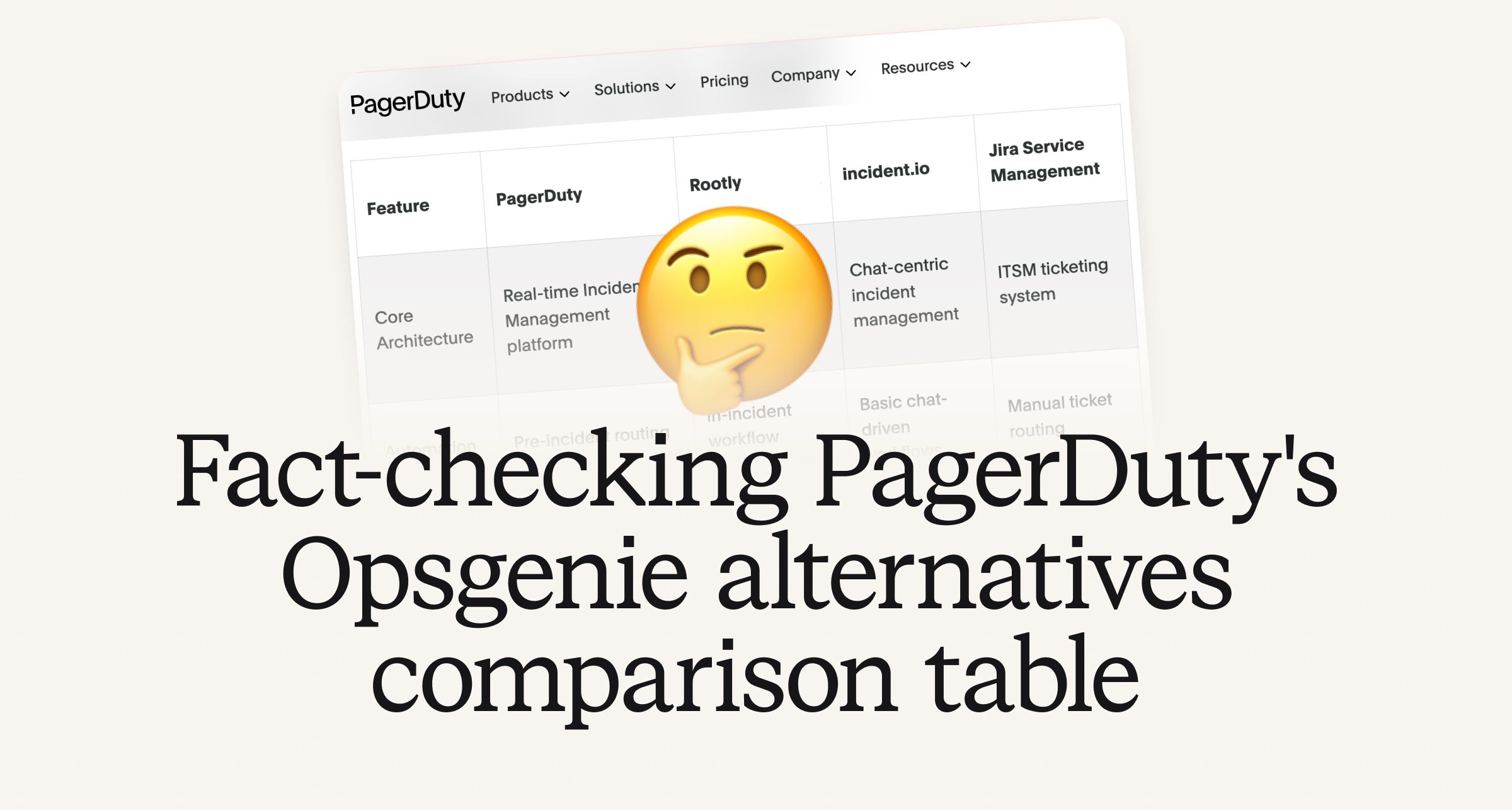
Fact-checking PagerDuty's Opsgenie alternatives comparison table
PagerDuty published a new comparison table about incident.io. Once again, it describes a product we don't recognize. So once again, we're correcting the record, row by row, with receipts.

Your genie is vanishing: introducing the Opsgenie rescue program
Today, we're launching the Opsgenie Rescue Program to make that landing soft: simplified migration and free overlap so you never pay two vendors at once.
So good, you’ll break things on purpose
Ready for modern incident management? Book a call with one of our experts today.
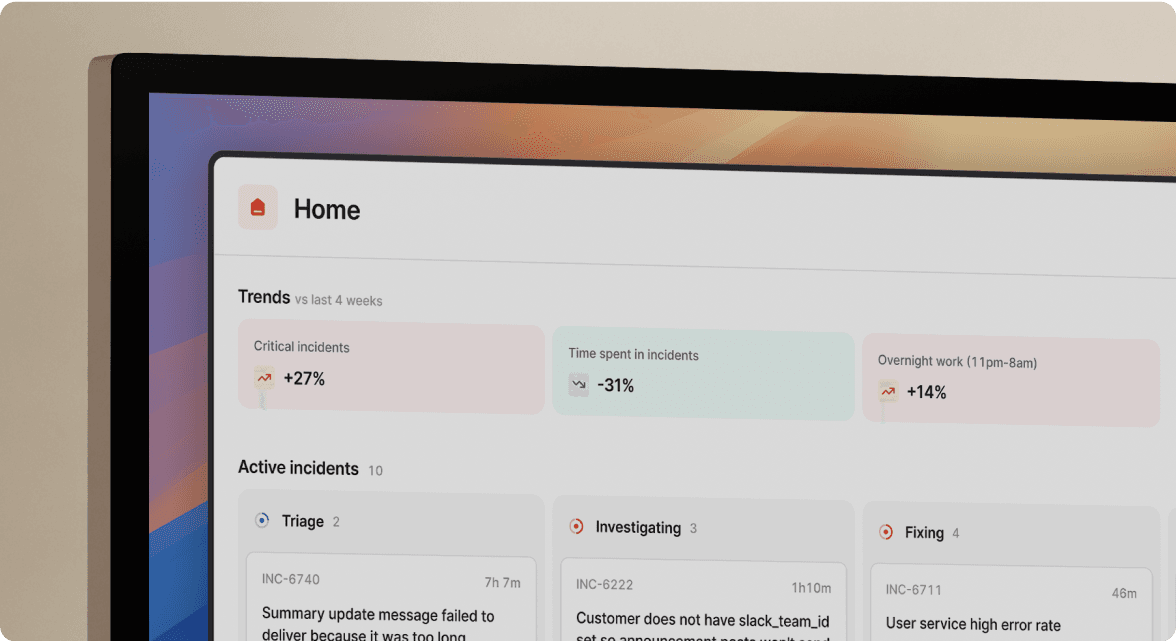
We’d love to talk to you about
- All-in-one incident management
- Our unmatched speed of deployment
- Why we’re loved by users and easily adopted
- How we work for the whole organization