How it feels to run an incident with Investigations
April 23, 2026 — 9 min read
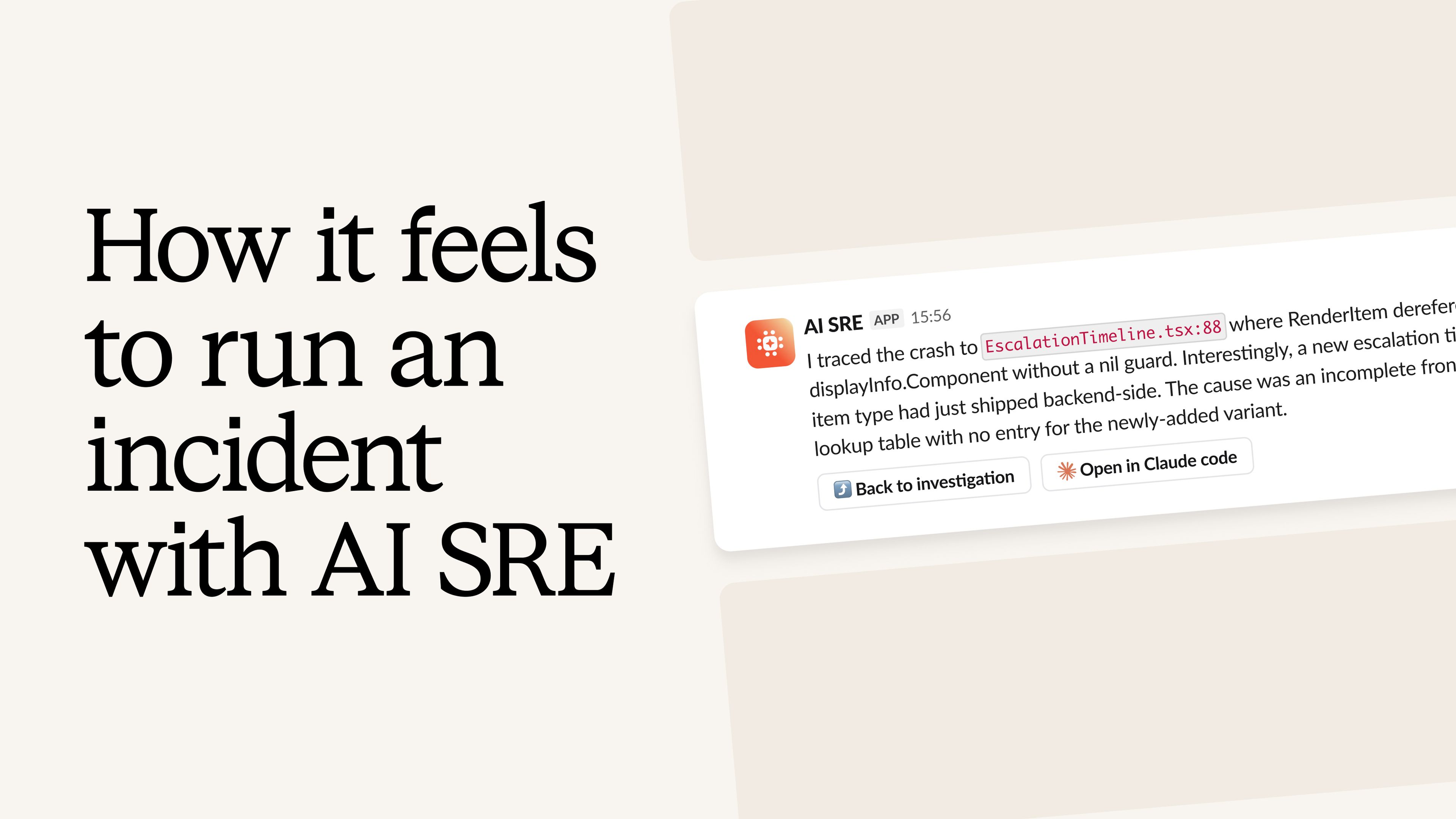
We've been building the broader incident.io platform for several years now, and one thing we've learned is that UX matters more here than almost anywhere else. When an incident fires, there's no room for poorly designed interfaces or fumbling through features you haven't touched in a while — every second of the incident response lifecycle counts.
The product has to be ergonomic: easy to pick up, easy to navigate, with the right things at your fingertips at exactly the right moment. We've put a lot of effort into this over the last 5 years.
For the last 18 months, we've been building Investigations. The brain behind it, which you can think of as an investigation engine and intelligence layer, has come a long way.
Despite this, we've been struggling to get the UX to click in a way that feels as natural as the rest of the product. An agent that does impressive things behind the scenes doesn't count for much if the experience of using it feels jarring and easy to move past, both of which are things we’ve felt as we’ve been building it.
This week, I used Investigations to run a real incident, and I think we're right on the edge of nailing the whole flow. I’m going to use this post to walk you through it end-to-end.
The actual incident
To set the scene, I was testing a new feature we've just built: delay nodes in escalation paths — one of many tools for refining your on-call scheduling.
It’s not critical to this story, but it lets you add custom delays into on-call escalations, for example holding low severity pages overnight and delivering them first thing in the morning — a capability native to incident.io's on-call software.
The delay node feature had just shipped and was only enabled on demo accounts, so a few rough edges were expected. Midway through testing, I clicked into the escalation details page, and the whole page crashed. Just an error screen with nothing illuminating in the console or network tab of Arc.
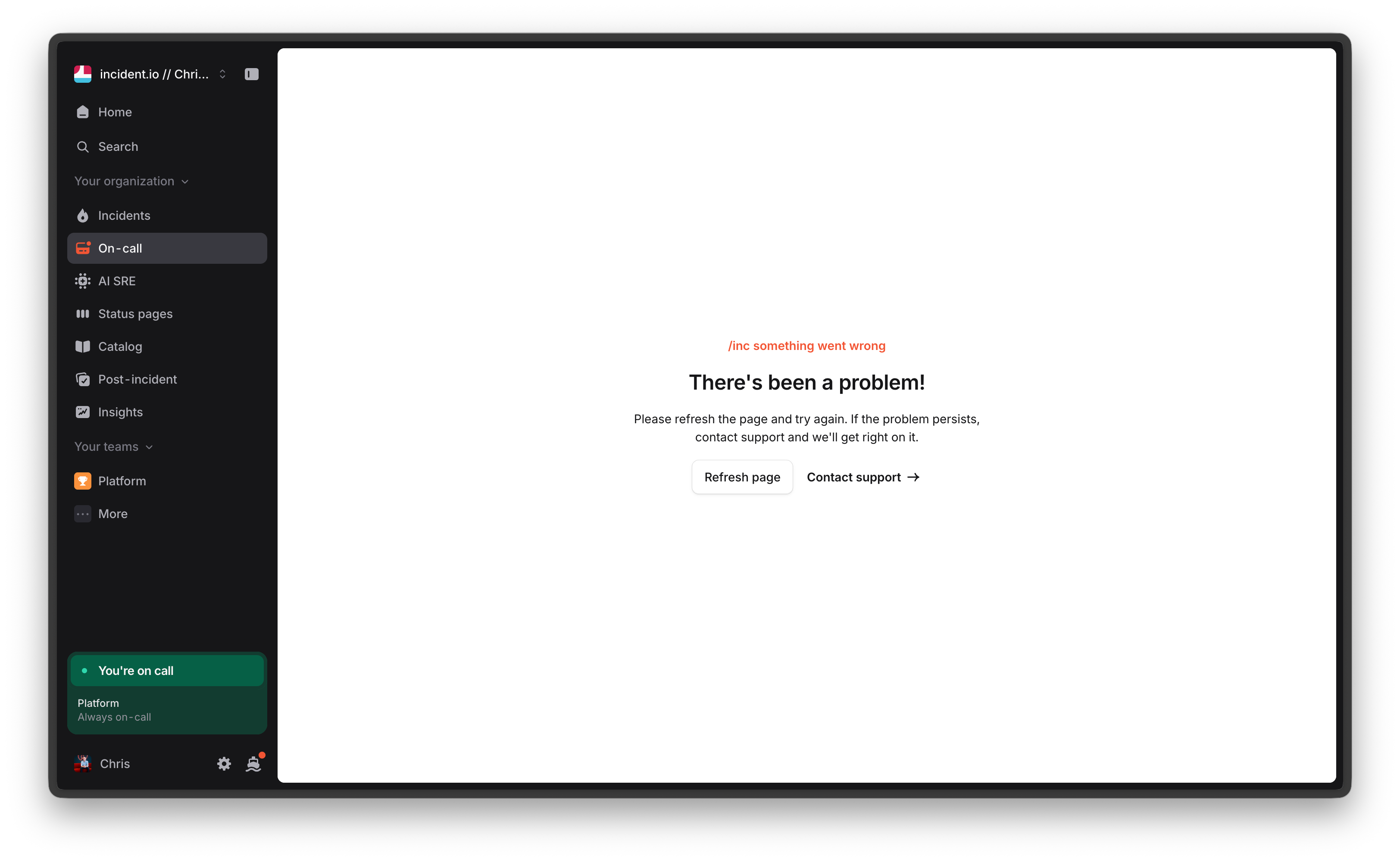
As is pretty routine for us at incident.io, I reported this as an incident to investigate — consistent with the principle of declaring early, declaring often.
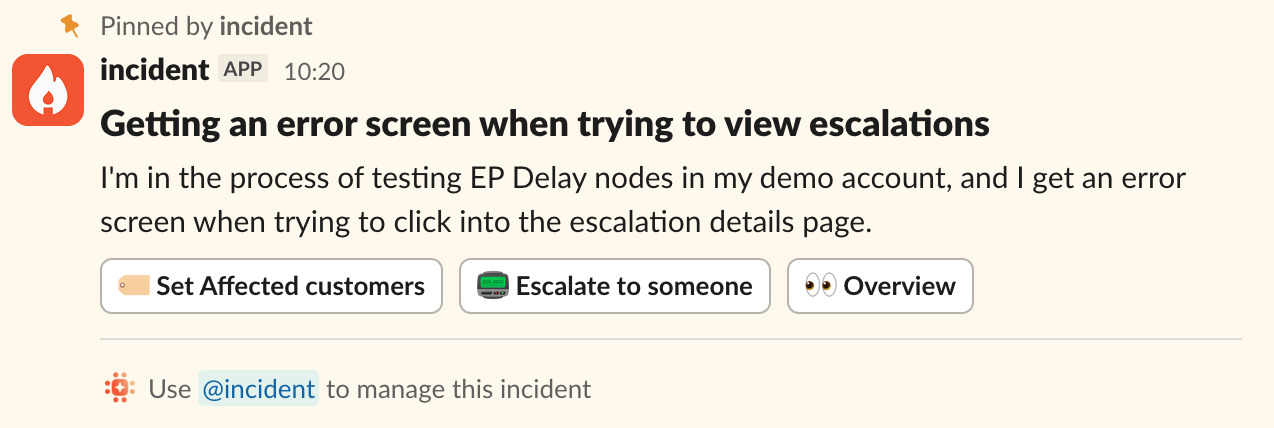
Investigations gets to work
To set some context: as soon as an incident is declared, Investigations kicks in and starts addressing the issue on your behalf.
In practice, this means things like:
- Looking at recent deploys
- Digging into telemetry and errors
- Searching through past incidents
- Investigating the code, looking for any smoking guns
- Checking whether there's any other context in Slack
All the kinds of things a human would do if they were responding to an incident themselves, but much faster and in parallel.
From Slack to desktop
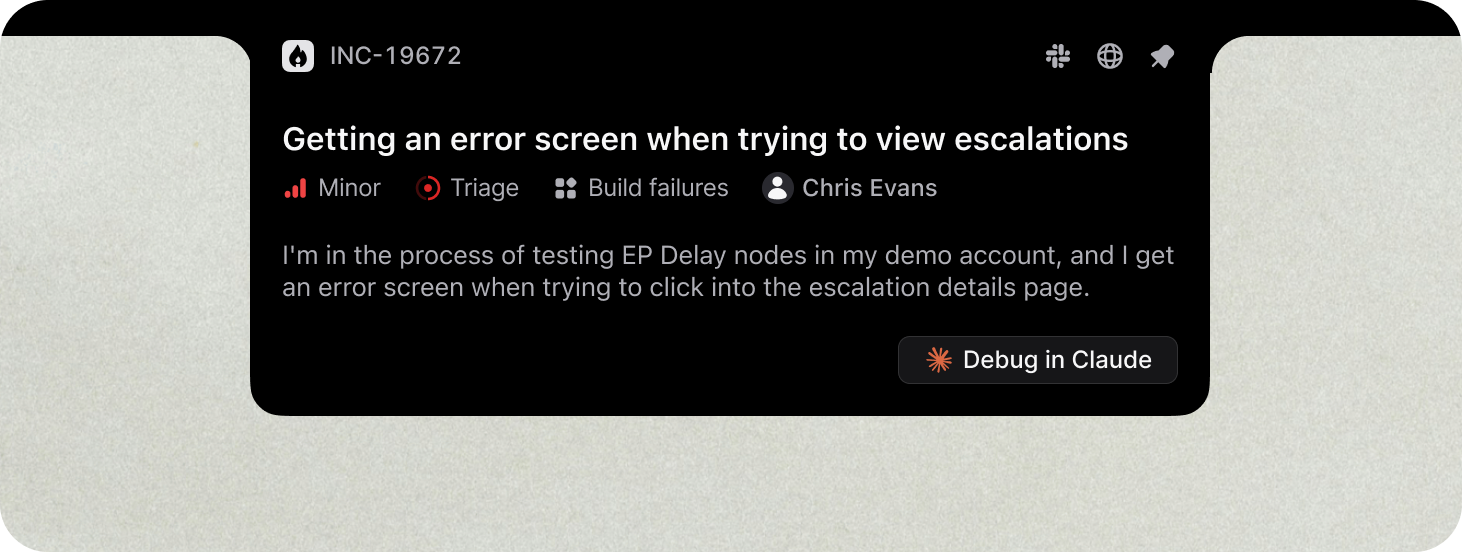
Whilst the investigation was ongoing, I was nudged in Slack to "pin" the incident — a reminder of how central slack-native incident response has become to the modern workflow — in the incident.io macOS desktop app.
We've recently shipped this new product surface (it’s beautiful!), and pinning an incident turns the notch on your Mac into a live and interactive view of the incident, and an easy way to jump straight into Claude, Cursor, or your agentic coding platform of choice.
Jumping into Claude Code
From there, I jumped into Claude Code with the /incident INC-19672 command, connecting my Claude Code session directly back into the incident, and synchronizing all of the investigation from Investigations into the context.
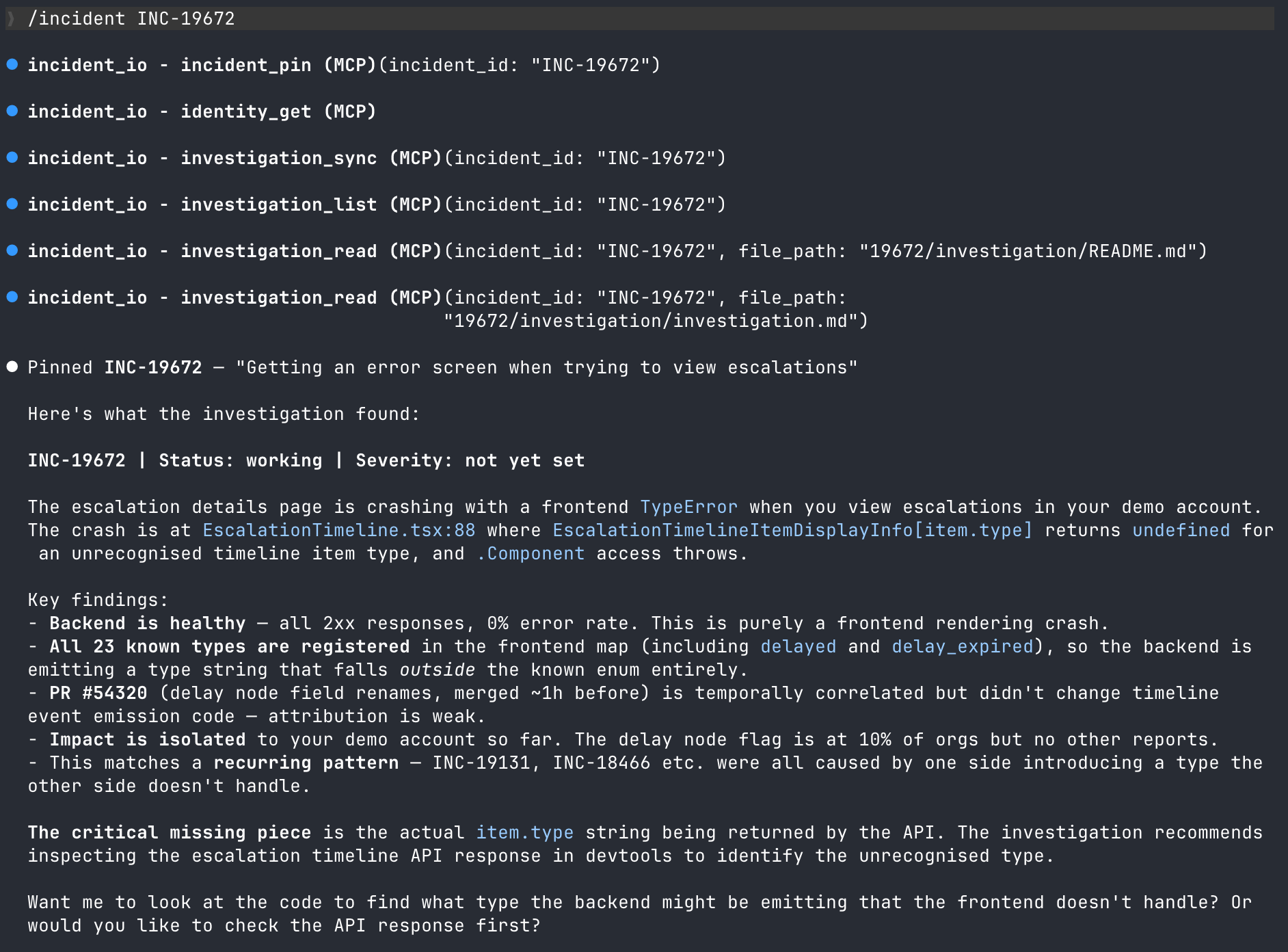
By the time I'd done that, the first pass of the investigation was complete, and had narrowed down the cause to a frontend rendering crash: a map returning undefined for a type the frontend didn't recognize. It even identified a recurring pattern from previous incidents where one side introduces a type that the other side doesn't handle – we’re now looking into this!
What’s notable here is that I didn’t have to dig through logs, check Grafana, or read through code; the investigation from Investigations did that for me. I also have zero familiarity with this part of the platform, but I had enough info at this point to verify the conclusion as plausible and proceed to work with Claude.
Letting Claude cook
Despite the investigation looking good, there’s no need to blindly trust it. The Claude/Investigations combo got to work, validating it against the codebase.
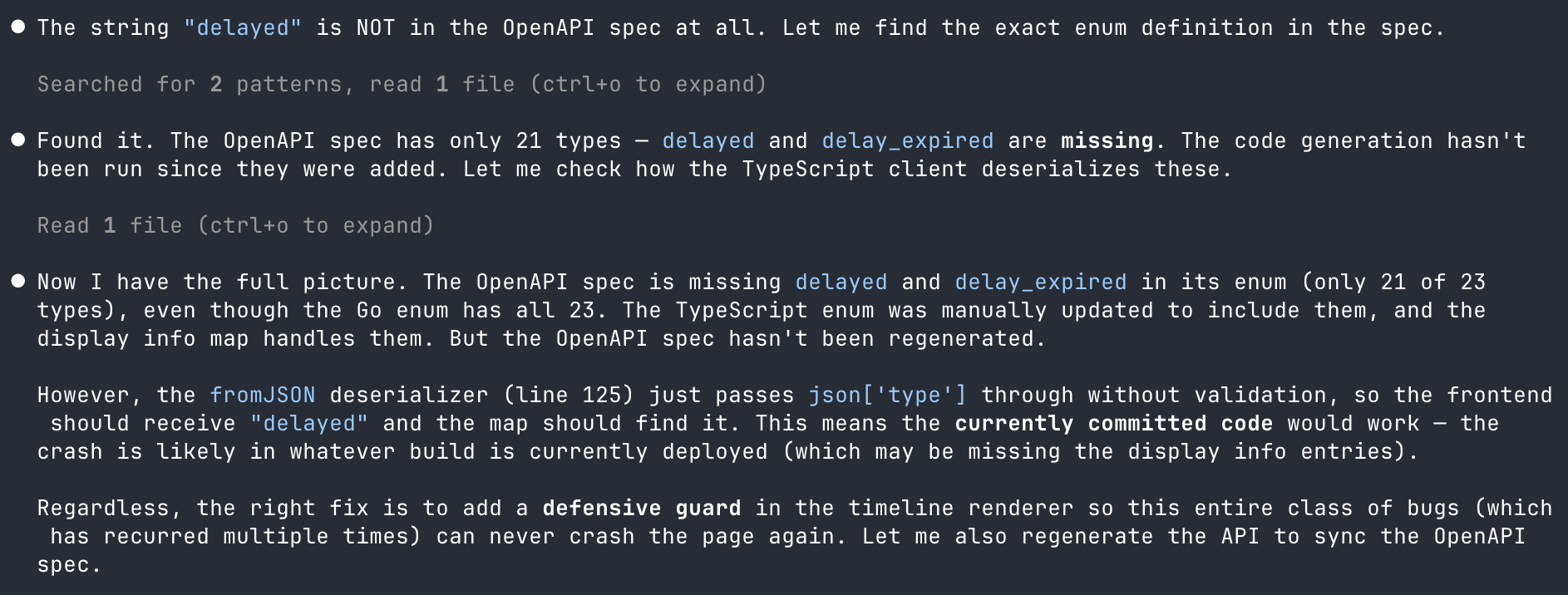
You can see here that it checked the OpenAPI spec and found the problem. I daren’t think how much time it would have taken me to get to the same point, but here it took a few minutes.
A subtle but important point in this flow is that it lets responders and Claude move ahead and investigate independently, exploring while Investigations continues in parallel behind the scenes. That means there’s no waiting around; as new intel comes in, we automatically connect the dots, keeping both agents aligned on the state of the investigation.
The fix, ready to ship
With the root cause nailed down, Claude proposed the fix: gracefully skipping rendering an item instead of crashing the whole page.
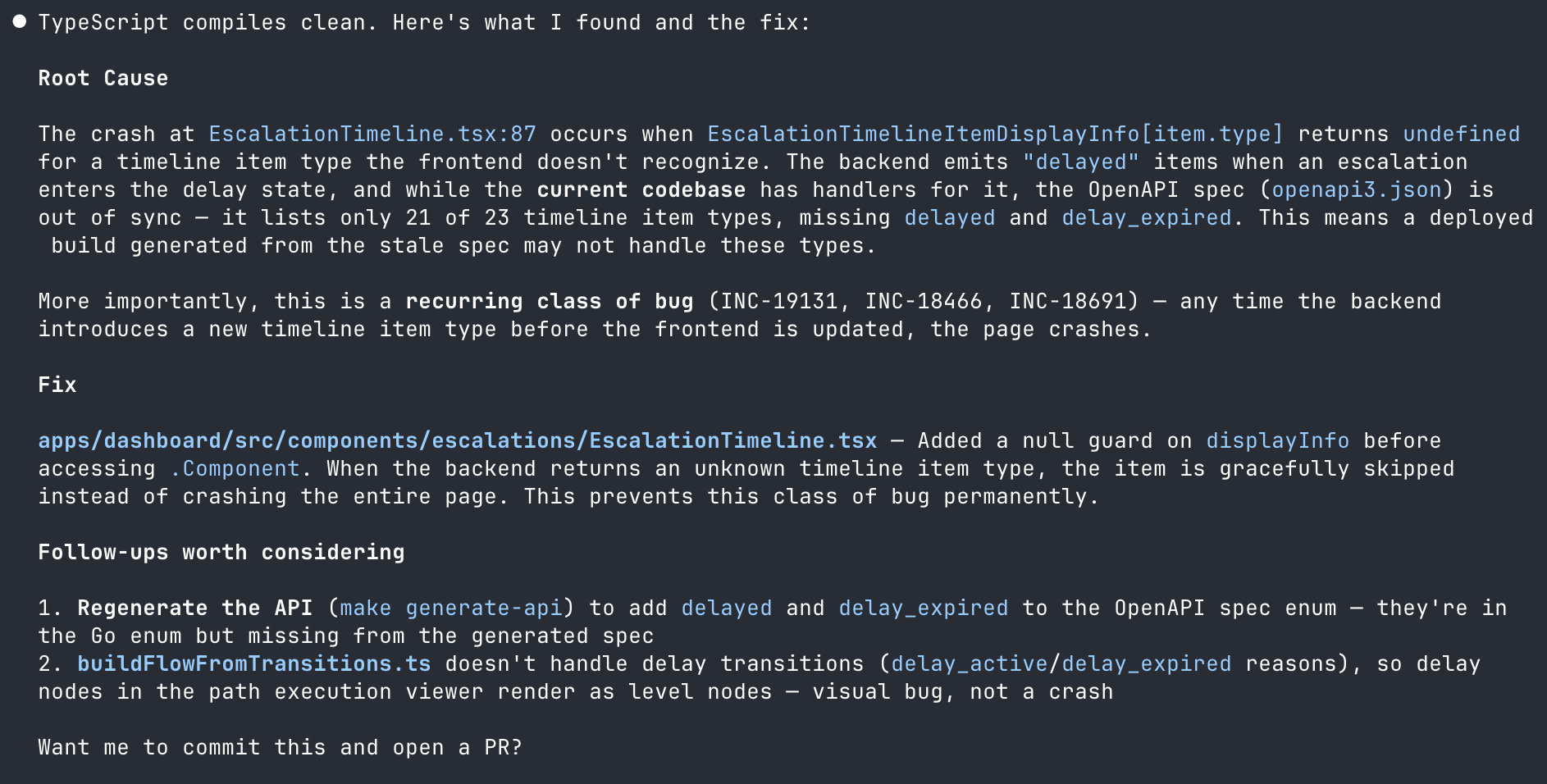
"Want me to commit this and open a PR?"
Yes. Yes, I do.
PR opened and channel updated, without leaving my terminal
This is where the experience felt like it really clicked. Claude opened the PR, then used the incident.io MCP to post an update into the incident channel, including what was found, what the fix is, and a link to the PR.
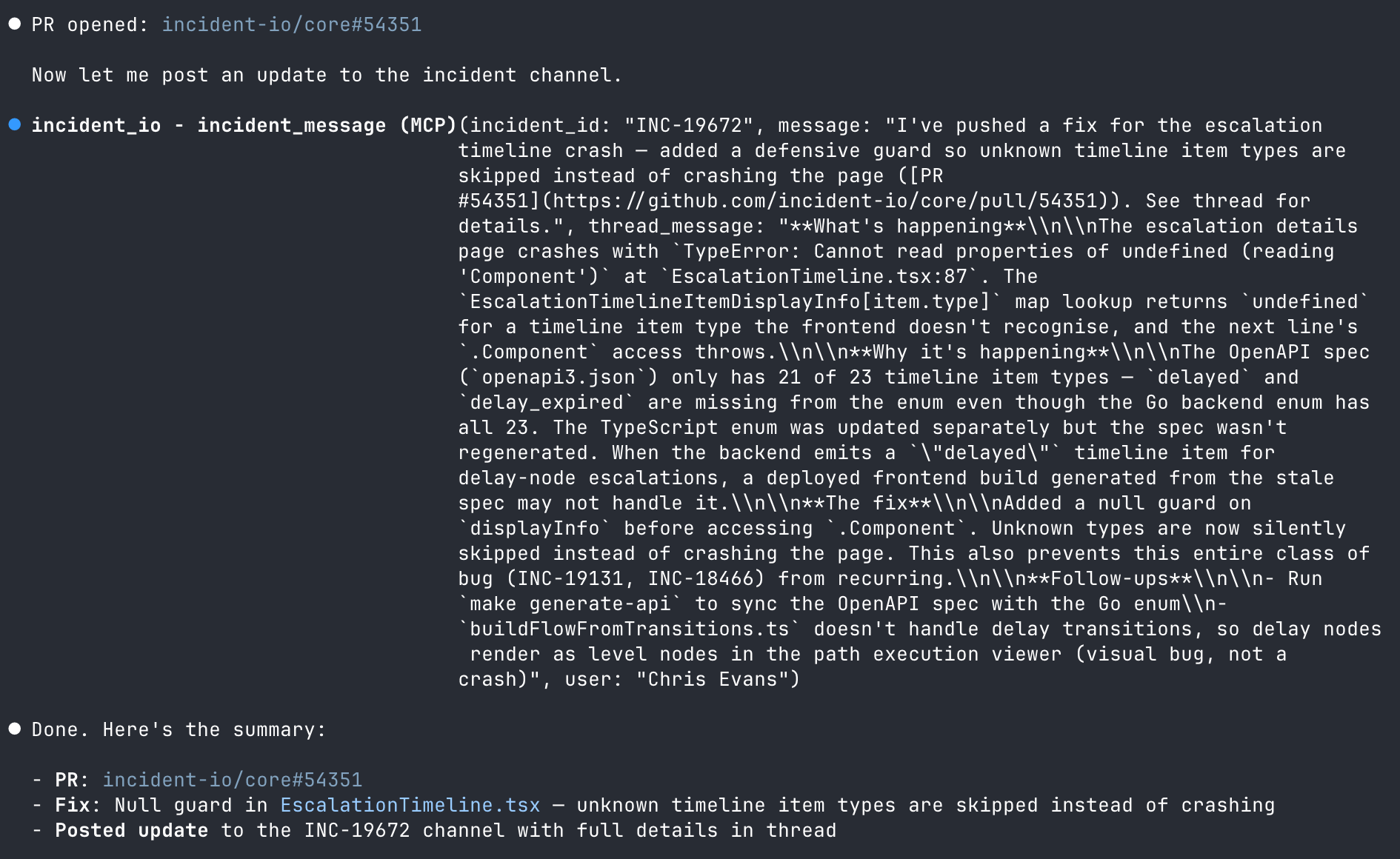
Most notably, I didn't have to switch to Slack to type an update. I didn't open GitHub to create the PR. I didn't go back to incident.io to change the status. All of it happened from the same place I was writing the fix.
It’s worth calling out that everything you do in Claude and post back to the channel gets reverified by Investigations. If you’ve made a mistake or forgotten something, it’ll nudge you about it, but it’ll also update its understanding and ensure anyone in the channel knows what you did and where we landed.
Meanwhile, the incident.io desktop app is sitting there on my Mac, pinging me with updates as things progress. So I’m always plugged into the latest context without having to go looking for it.
Verified and resolved
At this stage, it was all smooth sailing. The PR was merged, the deploy went out, and an engineer checking in on things shot me message to re-test.
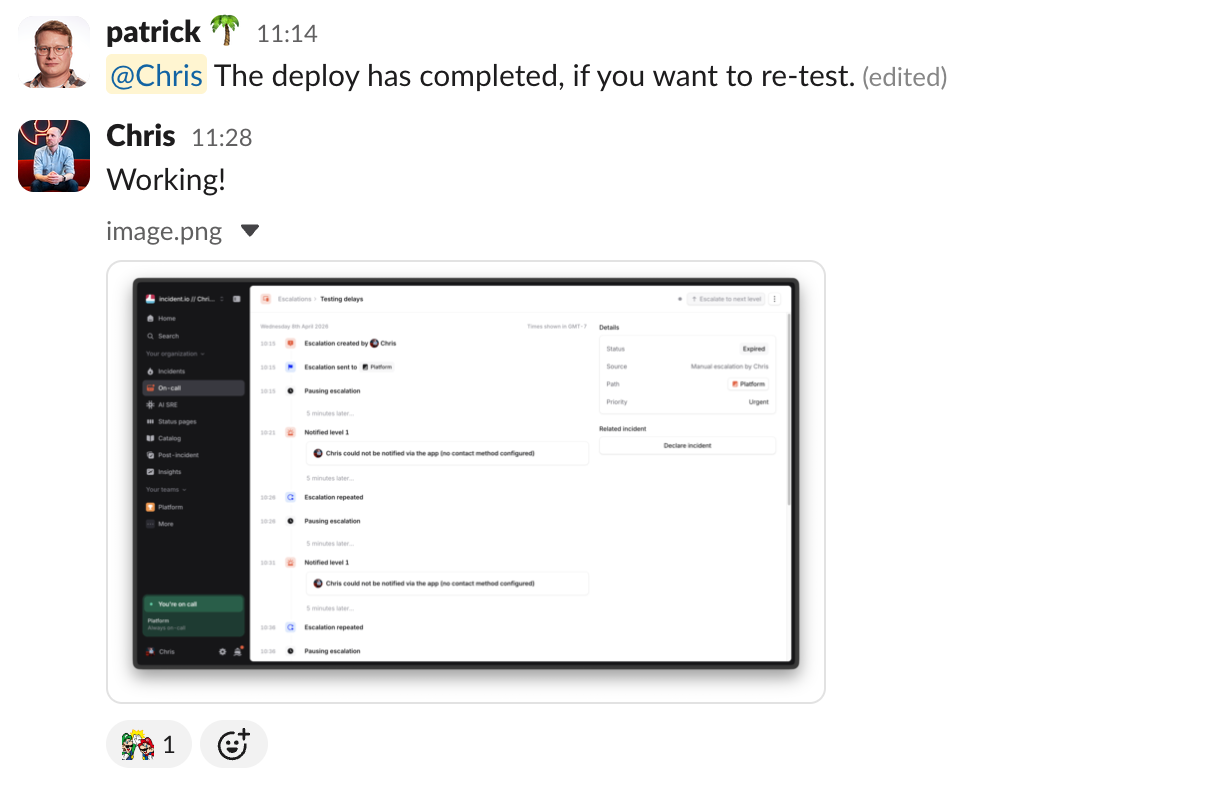
A singular, portable context for every incident
Wrapping up an incident has become pretty delightful on incident.io, too. Simply ask us to do it, and we'll incorporate all of the context from what's happened in Slack, any conversations that have happened on Zoom or Google Meet, and now all of the context of what's happened whilst you were coding up a fix too.
The job of closing out and providing a final update is as simple as a one-liner to ask @incident to take care of it.
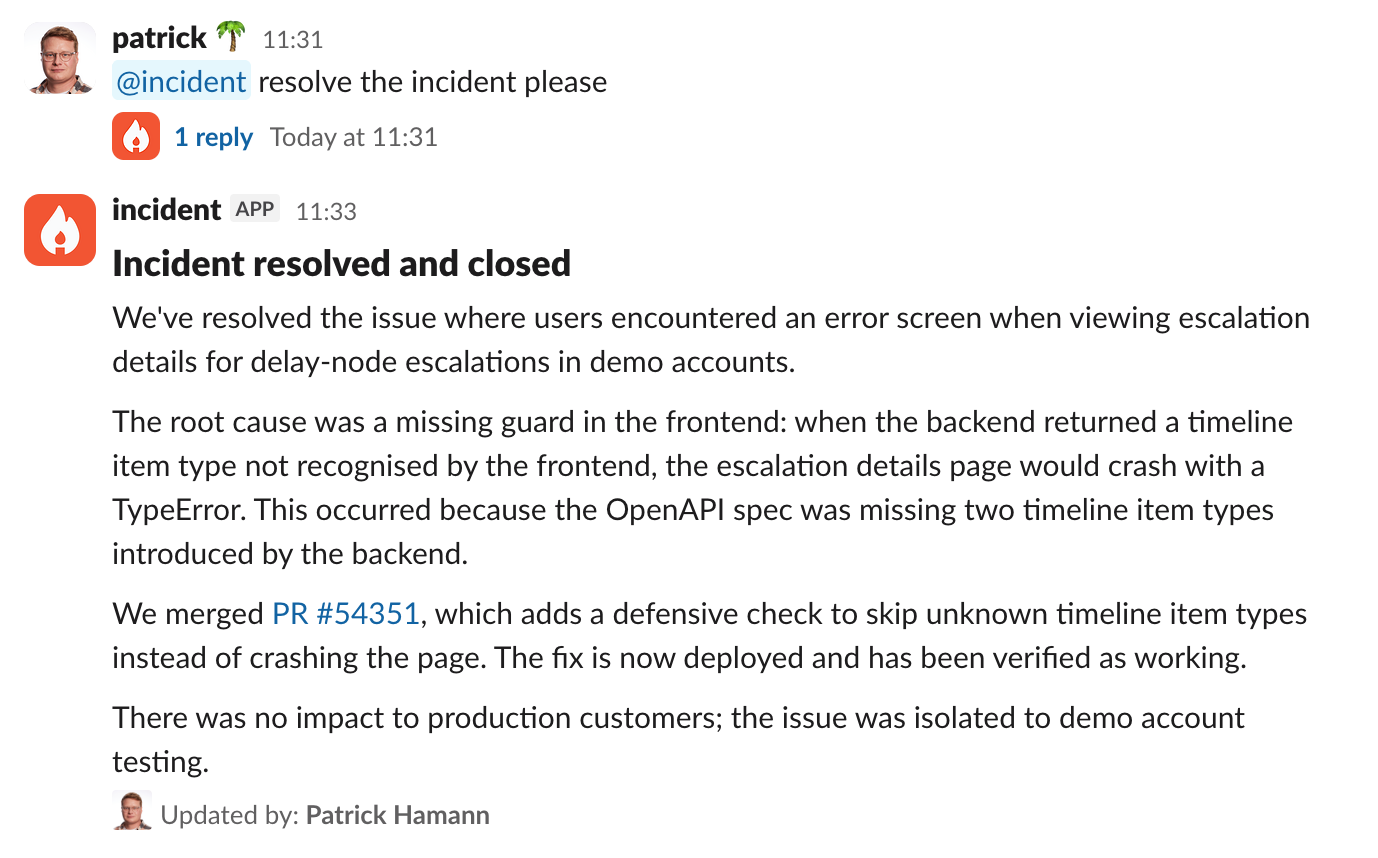
Finally, while I wouldn’t normally spend much time debriefing an incident like this, a nice side effect of Investigations is that all the context can be turned into a structured write-up — a strong foundation for running a proper incident debrief with the team.
What you see here is entirely AI-generated, and it’s a much more accessible way for anyone revisiting this incident to understand what happened.
A better flow for resolving technical incidents
I've responded to hundreds of incidents over the years, and the friction has always been the same: too many tools, too much context switching, too much time spent just figuring out what's going on before you can start fixing it — see AI SRE explained for how this is changing.
I think we're really close to fundamentally changing this.
The whole process here, from incident declaration to resolution, took minutes. And most of that was waiting for the deploy.
We've still got a little way to go (which is why we haven't fully launched yet!), but I have incredibly high conviction that this isn't just a small improvement, but a markedly better way to run incidents.
And seeing how far we've come on the user experience side validates our decision to build something that genuinely fits into an engineer's workflow, and not rushing it out the door.
Incidents are tough enough as it is, so it's better to be right than first. For teams building these workflows, incident management best practices is a useful reference for the human side of the process.
If you’re curious to learn more, start a free trial.

Chris Evans
Co-Founder & Field CTO
I'm one of the co-founders, and Field CTO here at incident.io.
See related articles

Introducing Investigations, powered by Nexus.
Today we're launching Investigations: agentic root cause analysis that starts the moment you're paged, figures out what broke and why, and works with your team through to resolution. Here's what we built, what's powering it, and why it took some time to get right.

August 5, 2026

Fact-checking PagerDuty's Opsgenie alternatives comparison table
PagerDuty published a new comparison table about incident.io. Once again, it describes a product we don't recognize. So once again, we're correcting the record, row by row, with receipts.

July 28, 2026

Your genie is vanishing: introducing the Opsgenie rescue program
Today, we're launching the Opsgenie Rescue Program to make that landing soft: simplified migration and free overlap so you never pay two vendors at once.
July 9, 2026
So good, you’ll break things on purpose
Ready for modern incident management? Book a call with one of our experts today.

We’d love to talk to you about
- All-in-one incident management
- Our unmatched speed of deployment
- Why we’re loved by users and easily adopted
- How we work for the whole organization



