Microsoft Teams delight
February 17, 2026

We’ve spent some time improving the experience for our Microsoft Teams customers, including adding:
- Chat with incident in the dashboard
- Configure announcement posts
- Post updates to status page from Teams
- and more!
There are also a bunch of quality of life improvements for our On-call customers as well!
Chat with incident in the dashboard
Our Microsoft Teams customers can use all chat with incident features in the dashboard, to do things like:
- summarize the incident
- assign roles, draft or post an update, manage actions and followups
- ask questions about the incident
In the dashboard, these chats are private, which makes them particularly useful if you are asking for long prose answers or wanting to stay out of the way during a busy chat/channel during an incident.
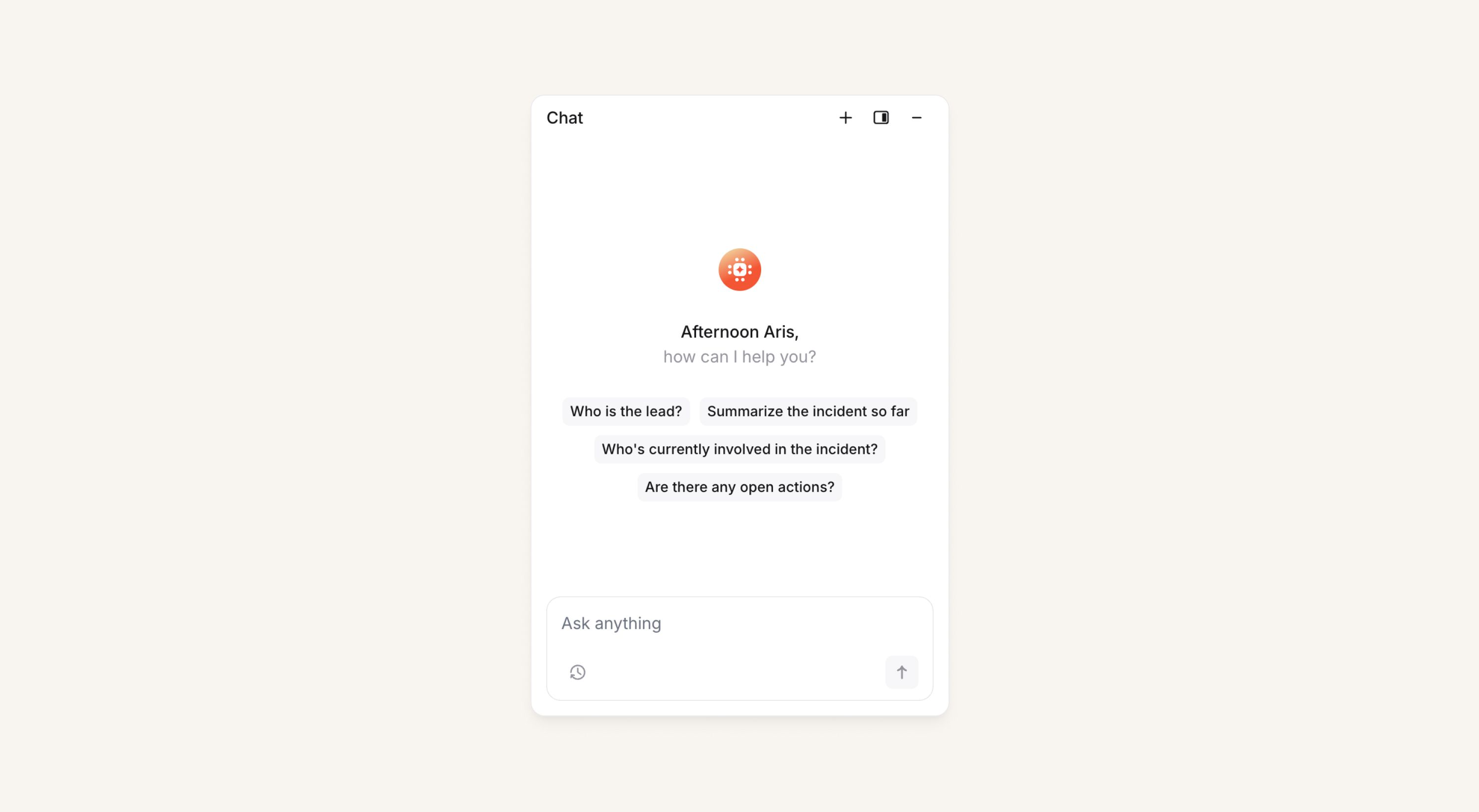
Note, just like for Slack customers, Teams customers will need to enable Store all messages in Settings → Security to get access.
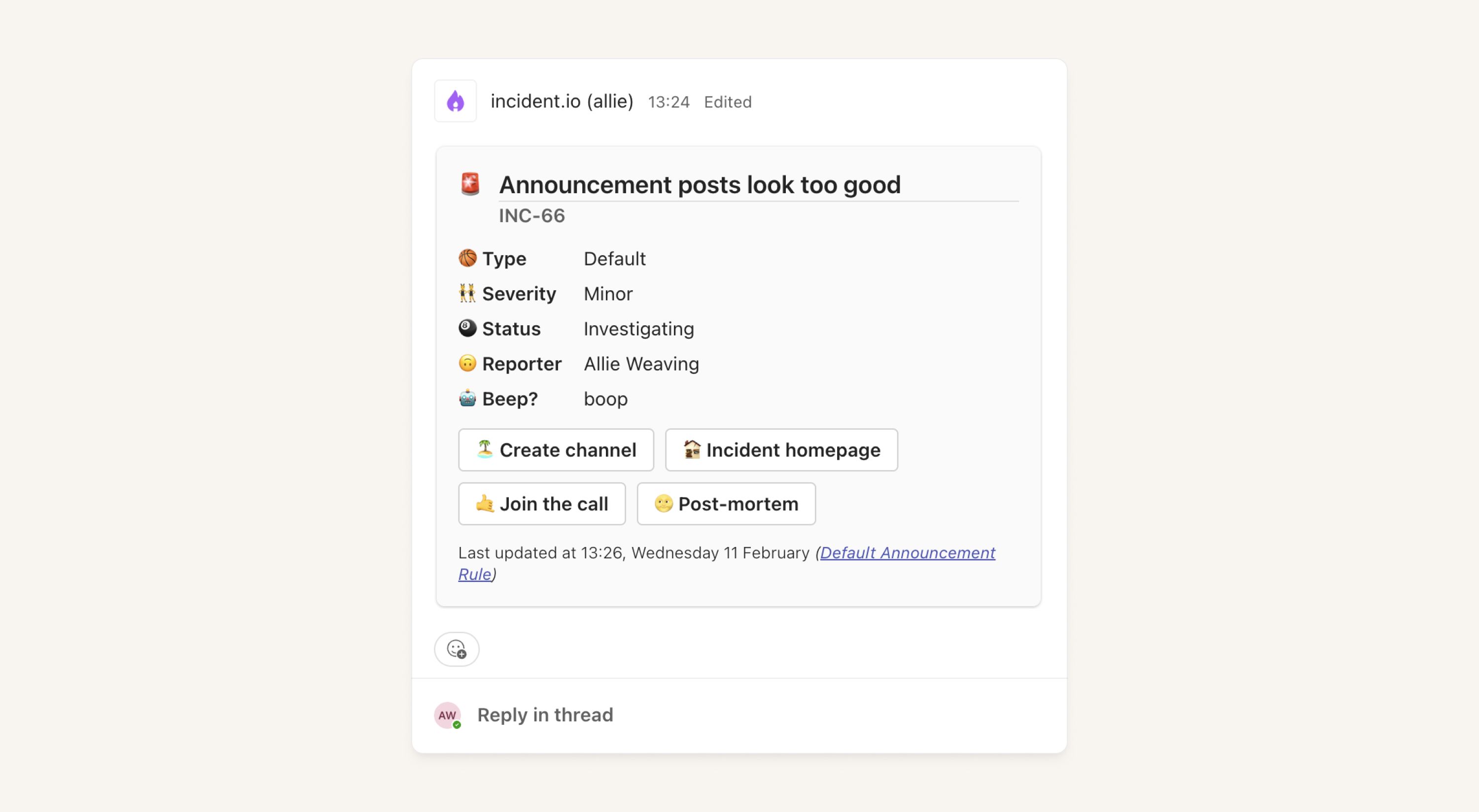
Configurable announcement posts for Teams customers
Teams customers can now personalize their announcement posts by choosing which fields, actions, and emojis to include in the post. Posts can also now link to status pages, alerts, and post-mortems.
Simply head to Settings → Announcements to get started!
Status page support within Teams tab
Customers can now create and update status page incidents directly from within the incident.io tab in Microsoft Teams, rather than having to leave the Teams app to do this in the dashboard.
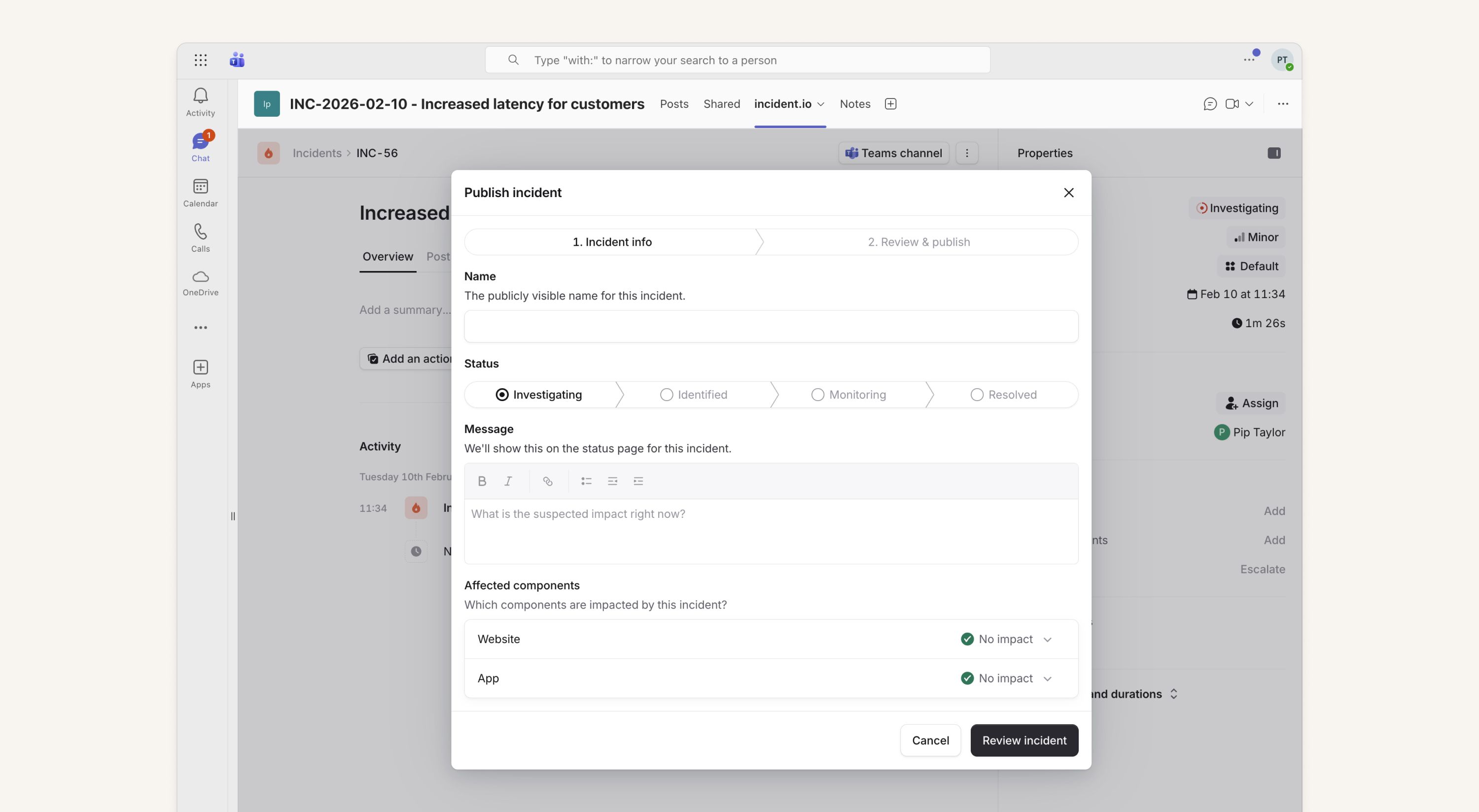
This also means you can post to a status page directly from the incident homepage in the dashboard for Slack customers too.
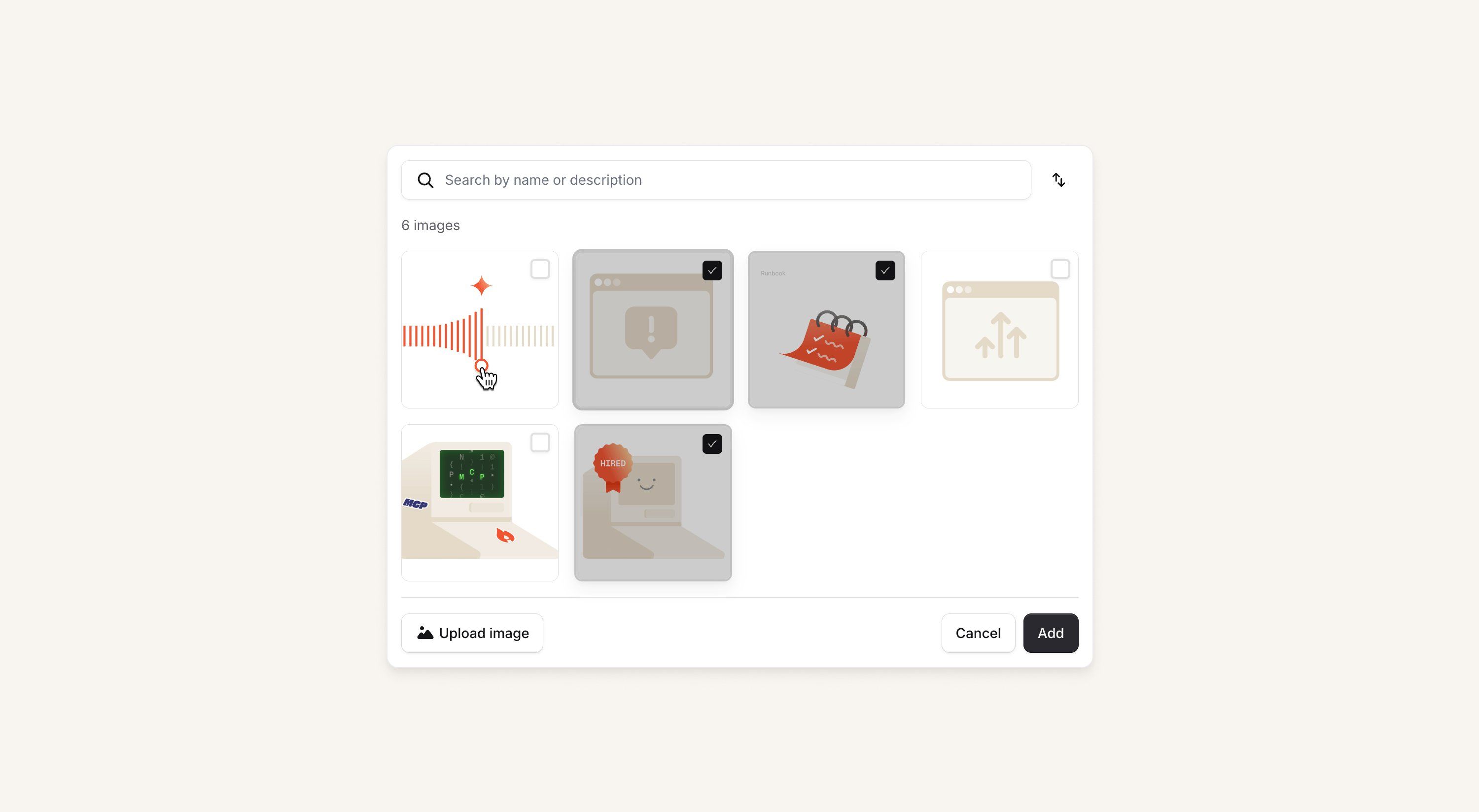
Adding images to post-mortems
You can now add images to a post-mortem directly from the incident's Slack or Teams channel — no more downloading and re-uploading. Search by description, multi-select, and insert in one go!
What else we've shipped
New
- Escalation paths can now be listed from our public API
- On-call engineers can now receive a notification when they complete an on-call shift
- You can now view all alerts related to an incident directly from Slack by running
/inc alertsin the incident channel. - New, more private iOS contact sync that doesn't require incident.io to read user's contacts
- You can now manually select whether you want your responders to be emailed when you onboard and import a new schedule
- Saved views for alerts now also save the columns you've customized for display
- Status page incidents and maintenance windows can now be listed in our public API
- Canceled and deleted Jira tickets will now trigger "resolved” alerts
- We now require fewer permissions for Microsoft Teams installs
Improvements
- We've made some improvements to our on-call email notifications to improve grouping and add more information
- We gave a tiny bit of polish to the grouping selection in an alert route
catalog-importernow respects proxy environment variables, if you use them- We've made some improvements to our AI-powered alert attribute suggestions to favor simpler expressions
- Make the "set timestamps" post-incident task flow in Slack consistent with the dashboard
- We now show you a nice error message if you try to press an old
Escalatebutton from Slack after you've uninstalled all paging tools - You can now resize the sidebar of the alerts page
- We gave the mobile app homepage a new look: we improved the experience of receiving escalations and polished the list of escalation paths!
- Show exact date on hover in policies
- Improve consistency of escalation states in web and mobile
Bug fixes
- Currencies with no decimals now show correct values in the holidays list view in the pay calculator
- We fixed a bug where you couldn't scroll an alert's labels from the tooltip in the table view
- We fixed a bug where deleting an alert route would attempt to take you to that alert route's page
- The On-call
Nextview in a team's page now always shows the correct upcoming next shifts when you've got multi-rotation schedules - The mobile app will no longer show an error message when you attempt to filter incidents by ones you've participated in
- Fixed a bug where we were incorrectly still showing acknowledge buttons on cancelled escalations
- Fixed a bug where users could not close incidents from Slack when offered the option to opt into the post-incident flow
- Fixed an issue where the working hours input on schedules was incorrectly wrapping onto multiple lines
- Fix WorkOS directory sync for orgs with >100 groups or directories
- Work around rare error when syncing with Zendesk
So good, you’ll break things on purpose
Ready for modern incident management? Book a call with one of our experts today.

We’d love to talk to you about
- All-in-one incident management
- Our unmatched speed of deployment
- Why we’re loved by users and easily adopted
- How we work for the whole organization



