Chat to incident in the dashboard
September 4, 2025
You can now ask incident.io questions directly in the incident dashboard. On an incident overview page, simply open chat to draft updates, create follow-ups, pause incidents or answer any questions about the incident, just like you can with @incident in Slack.
In the dashboard, these chats are private, which makes them particularly useful if you are:
- Asking for long prose answers like summaries, which are easier to read in the web
- Wanting to ask questions without making noise in a busy incident channel
- Wanting to ask about an old incident, which might have an archived Slack channel
Click one of our starter questions or chat to us and we’ll do the rest:
Note: this is available to Pro & Enterprise customers in Slack who already have access to our AI features like, @incident. You can learn more about @incident in this help centre article: Using @incident.
All new Suggested Summaries and Follow-ups
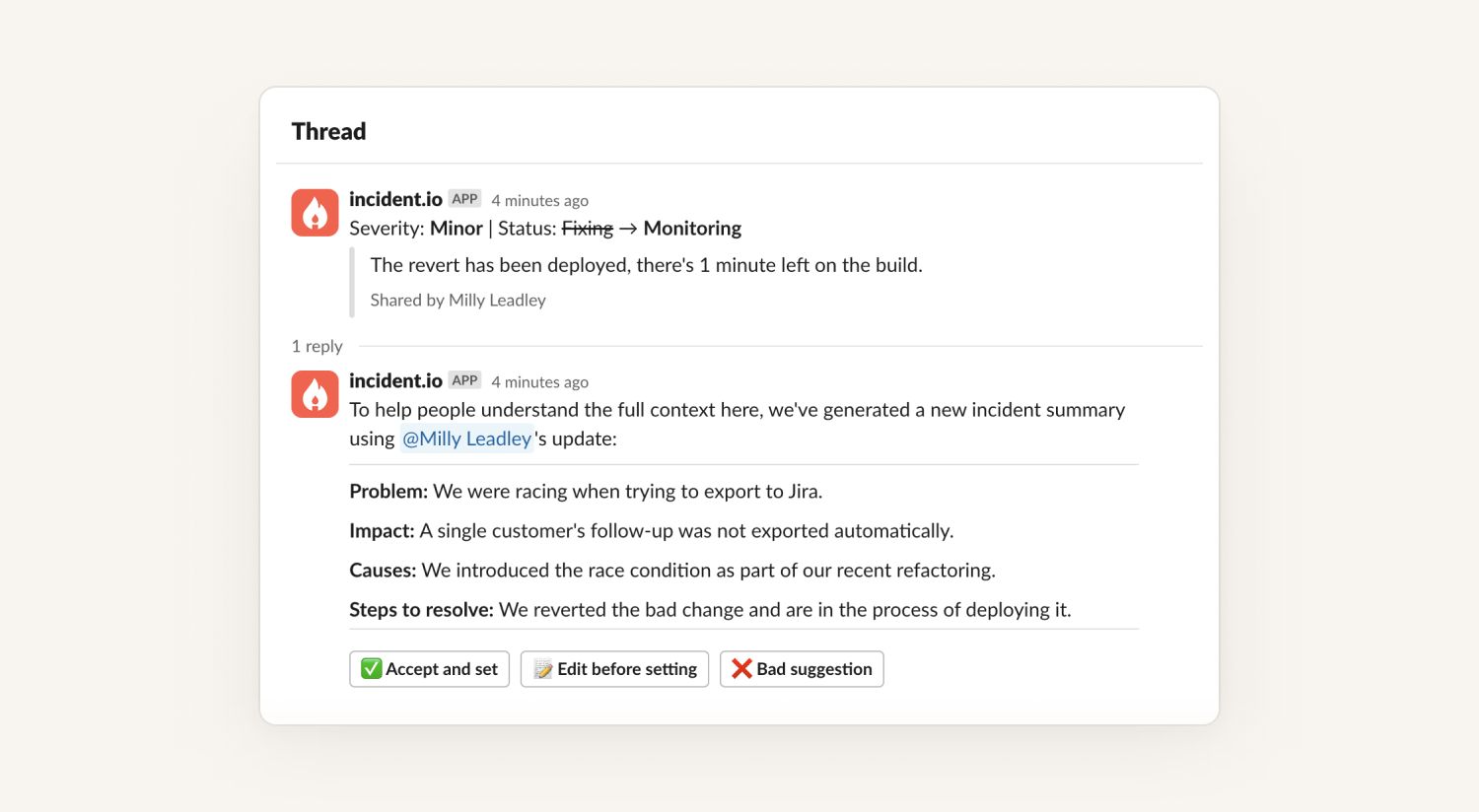
Suggested Summaries and Follow-ups are amongst our oldest, and most loved AI features. They were first developed in 2023, and AI has come a long way since then.
We’ve now rebuilt them from the ground up to significantly improve the quality of the summaries and follow-ups produced. This new version also comes with some specific additions:
- It includes information from the notes that Scribe takes in your incident calls;
- It analyses images shared in the channel, and includes context from them;
- You can respond to suggestions to modify them in natural language. i.e. "Change the summary to mention only 2 clients were affected", "Assign that follow up to Alex".
To access the latest updates to Suggested Summaries and Follow-ups, or to get access to @incident, you'll need to update your message storage settings to 'Enabled' at Settings → Security.
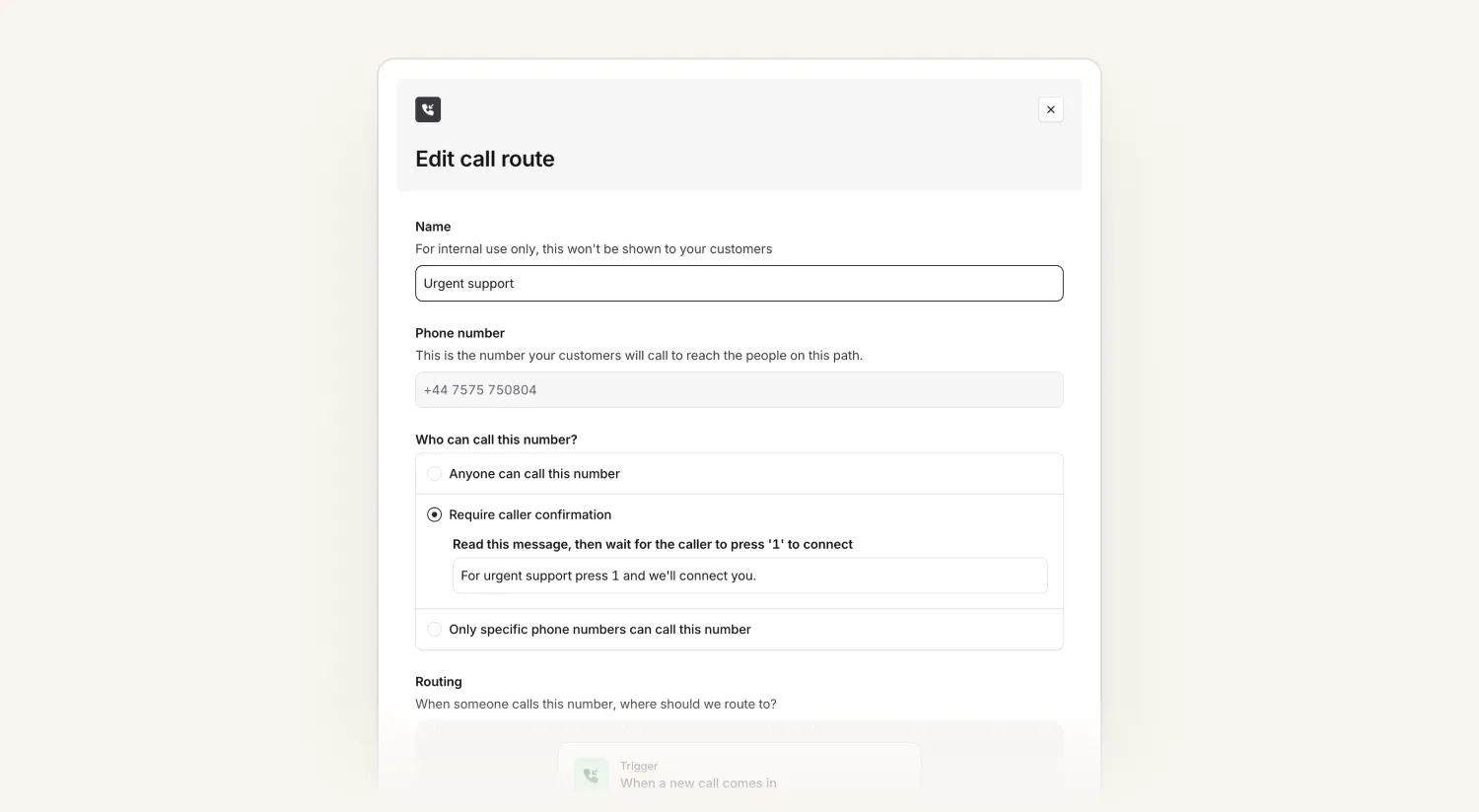
Press 1 to connect
Phone spam is real: call routes can end up receiving really annoying spam calls. To make sure the person calling in is actually a person and not a robot, we now support "press 1 to connect". You can also customize the message that's read out to the caller.
If we don't get a keypress, we'll screen the call as spam.
What else we’ve shipped
New
- Added support for Zendesk's new OAuth authentication
- You can now tap on links in the mobile app to open them
Improvements
- Selecting incidents, alerts, and escalations now supports selecting a range by holding shift
- If you're on lots of escalation paths, the cards in the bottom-left of the dashboard now scroll
- In the mobile app, you can see which incidents might be related to an escalation, if it's not yet confirmed to be related to one
- If you're using multiple grouping keys, we will now group alerts into incidents even if some of them are not set for an alert
- Added padding to the schedule mirroring warning banner
So good, you’ll break things on purpose
Ready for modern incident management? Book a call with one of our experts today.

We’d love to talk to you about
- All-in-one incident management
- Our unmatched speed of deployment
- Why we’re loved by users and easily adopted
- How we work for the whole organization



