@incident
July 22, 2025
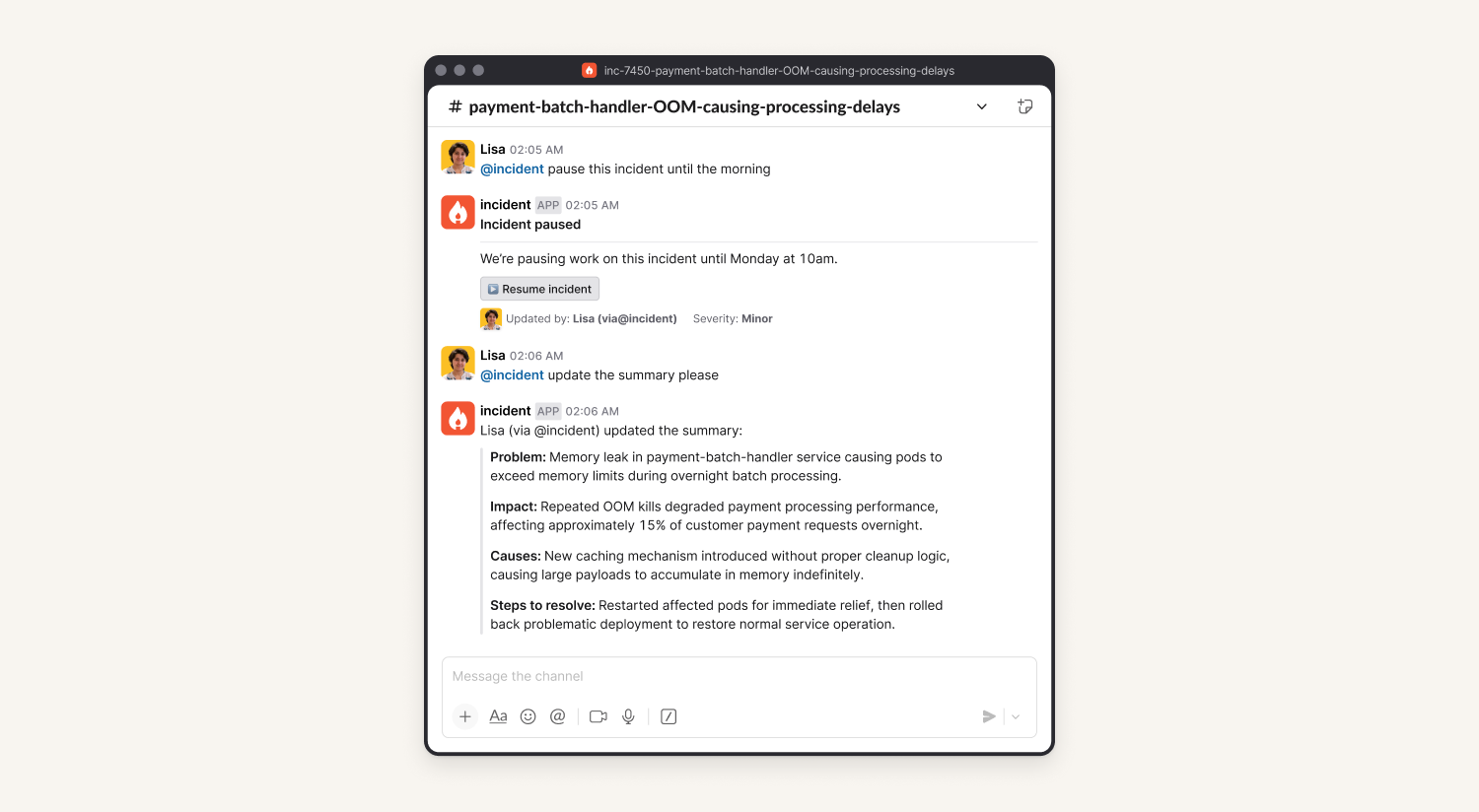
You can now tag @incident in any incident channel and chat with us directly. Simply ask @incident to draft updates, create follow-ups, pause incidents and answer questions about the incident. No need to remember a long list of slash commands, fill in forms, or click through menus.
This feature is now in public beta: @incident is available to all pro and enterprise customers in Slack.
What to ask @incident
We’re really excited to see how people use this new way of interacting with the product. To get you started, here are a few common use cases our team have found particularly helpful:
- “@incident can you summarise what’s happened so far?”
- “@incident what’s the status of this incident and is it correct?”
- “@incident draft some Slack comms appropriate for sharing with customers”
- “@incident turn the following bullets into actions and assign them to me”
- “@incident create all the actions from the Scribe call we just wrapped up”
- “@incident pause this incident until the morning”
- “@incident decline this incident, create a follow-up and assign it to Alex”
Just tag @incident in an incident channel to get started:
Note: @incident is not AI SRE. To learn more about AI SRE please reach out to your account manager.
What else we’ve shipped
New
- Added a new Incident Relationships endpoint to our API to allow you to pass in an incident ID, and get related incident data
- You can now bulk select escalations to acknowledge from the web dashboard
- You can now bulk merge incidents together from the web dashboard
Improvements
- We'll now signpost you to both the dashboard URL and the source URL from an alert's details page
- Don't show previous trial accounts in the organisation switcher
- Show helpful error message when trying to access Slack-specific settings in a Microsoft Teams organisation
- We've released a new version (2.7.1) of our catalog importer, which contains updates versions of various third party packages
Bug fixes
- Don't show warning navigating away from incident ticket form when changes have already been saved
- Fix a bug where the privileged Slack access flow couldn't be completed
- Fix a bug where the next on-call user wouldn't be shown in some cases in the schedules list
- We've fixed an issue where the alert route filtering preview was sometimes not filtering correctly
- Fixed a bug where editing the admin role's permissions could remove the audit log permission
- Fixed an issue where new alert sources could fail to create when referencing a catalog type by external ID
- We've fixed an issue where push notifications on iOS might fail to perform quick actions (such as acknowledging a page) if your phone was locked at the time
- Fixed a bug that let you get in a state that would prevent alert attributes from being edited or deleted
- Fixed a small bug where a user could submit an invalid email address to access a customer status page
So good, you’ll break things on purpose
Ready for modern incident management? Book a call with one of our experts today.
We’d love to talk to you about
- All-in-one incident management
- Our unmatched speed of deployment
- Why we’re loved by users and easily adopted
- How we work for the whole organization