Loads of improvements to @incident
March 3, 2026
We’ve been hard at work improving our chat experience with incident over the past months, most recently making it accessible for our Microsoft Teams customers.
We are excited to share some additional chat improvements which provide the ability to:
- Leverage Slack’s new assistant sidebar
- Manage your schedules
- Declare incidents
Slack’s assistant sidebar
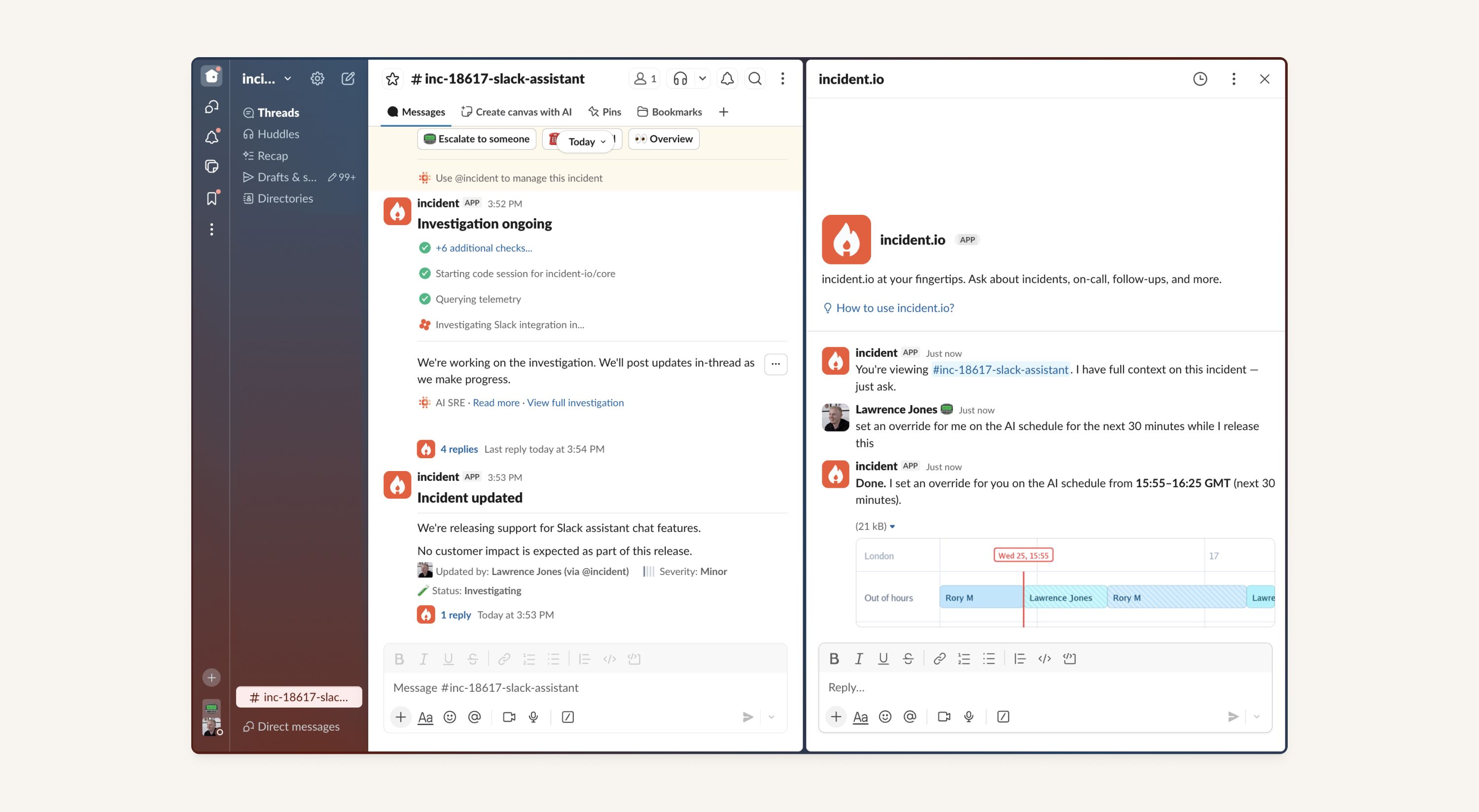
Slack has a new first-class surface for AI agents called the assistant sidebar: it’s the icon in the top-right of your workspace. With this new functionality, you can interact with the incident bot directly from Slack without having to tag it explicitly within the incident.
If you activate the assistant from an incident channel, the thread will be tied to the incident. This is a great way to ask questions about the incident without disrupting the flow of the incident channel discussion. While outside of an incident you’ll speak to our ‘general’ agent, which can answer things like who is on call, search past incidents or declare new ones.
Note: In order to enable the agent in your Slack workspace, head to Admin → Apps and Workflows → incident.io → App settings → enable “AI agent experience.” Individual users can opt in/out via Preferences → Navigation → App agents & assistants (see https://docs.incident.io/ai/slack-assistant)
Manage your schedules
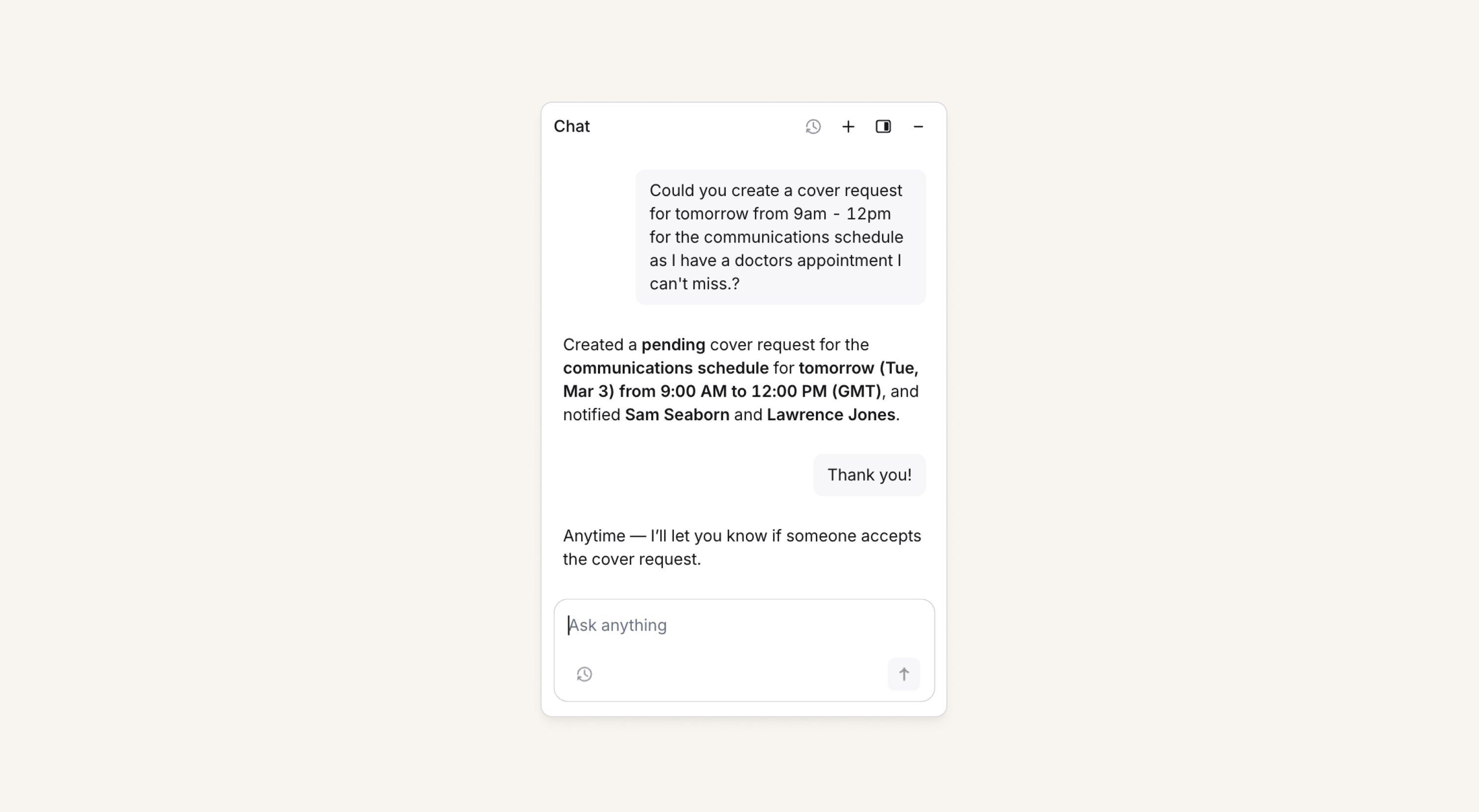
We’ve bolstered chatbot support to make it even easier to manage your on-call schedules, including setting overrides, requesting cover, etc. Plus, we’ve connected the bot with our product documentation to better answer things like: “how do escalation paths work?”
This is available both in Slack and in the dashboard (for both Slack and Microsoft Teams customers).
Declare incidents
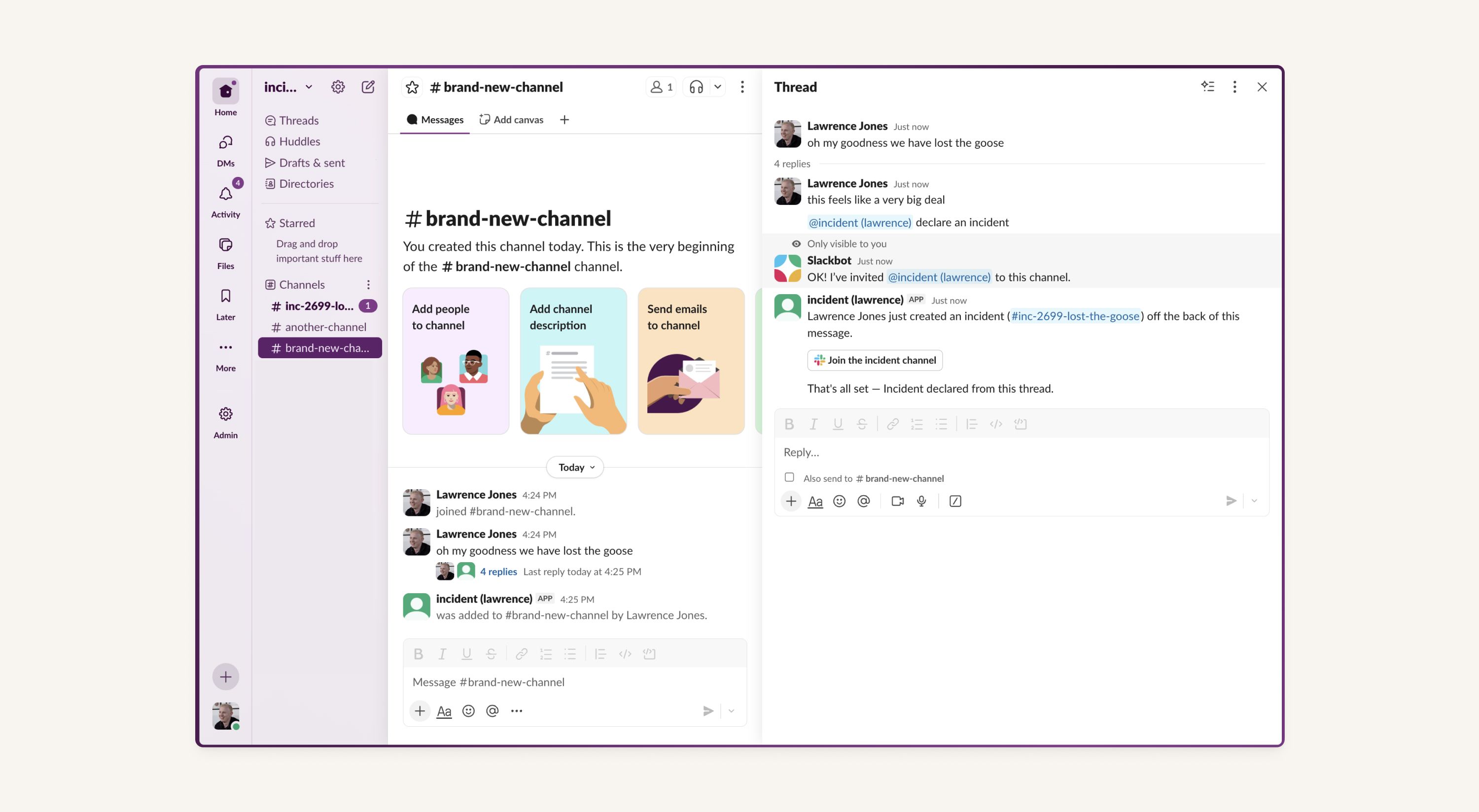
You can now declare incidents with the bot! You can do this via the Slack sidebar assistant, from any Slack channel or thread, or you can do this within the dashboard UI (again for both Slack and Microsoft Teams customers).
This is great for escalating a threaded discussion about a potential incident that happens outside the incident channel without losing all the context that lives in the thread.
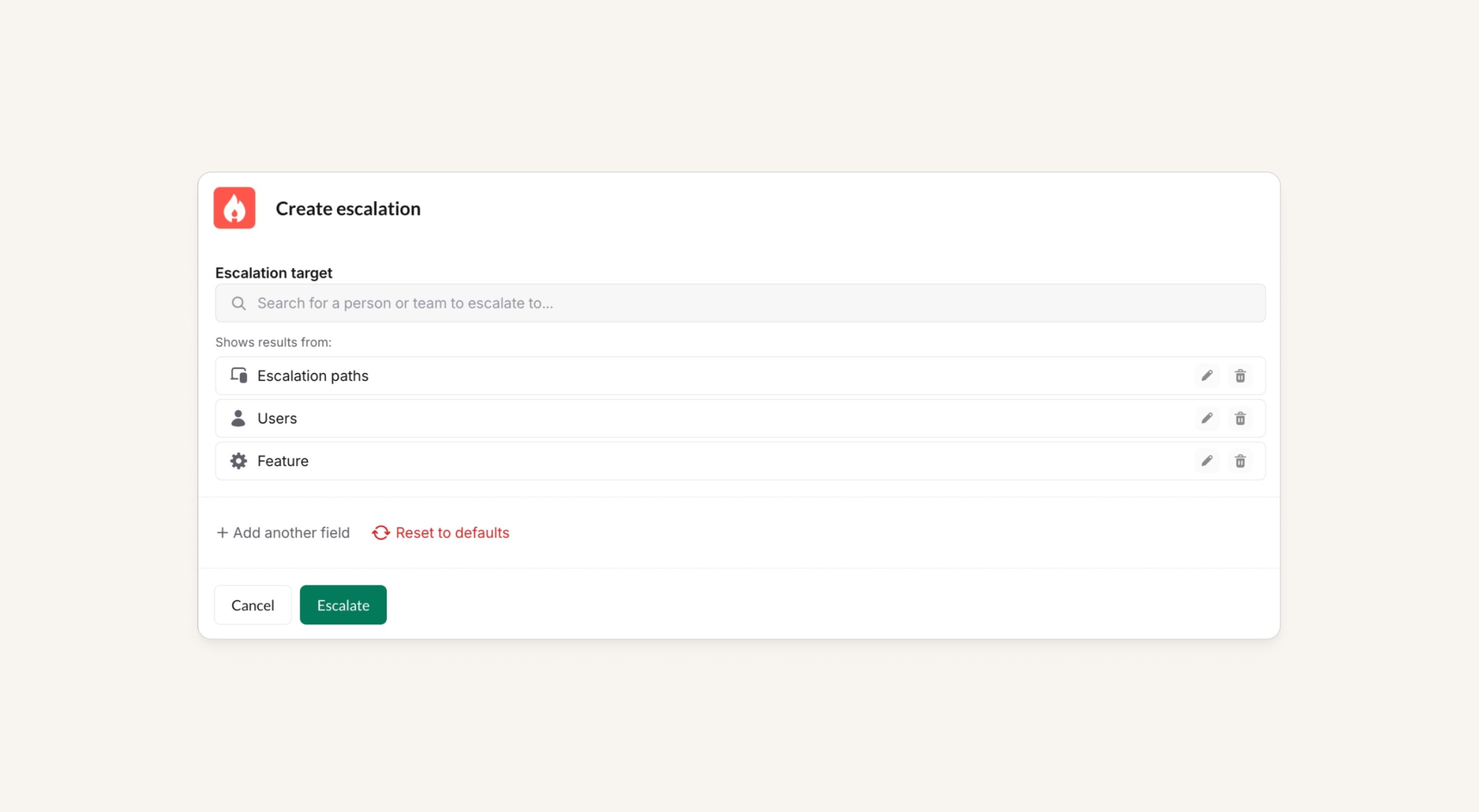
Single search box for escalating (/inc page)
Organizations can can now opt in to a single unified search box when escalating, rather than separate search boxes for users, escalation paths, etc. Search results are grouped by type with the closest matches shown first.
This is available on Slack, desktop, and coming to the next mobile app release!
Slack work objects support
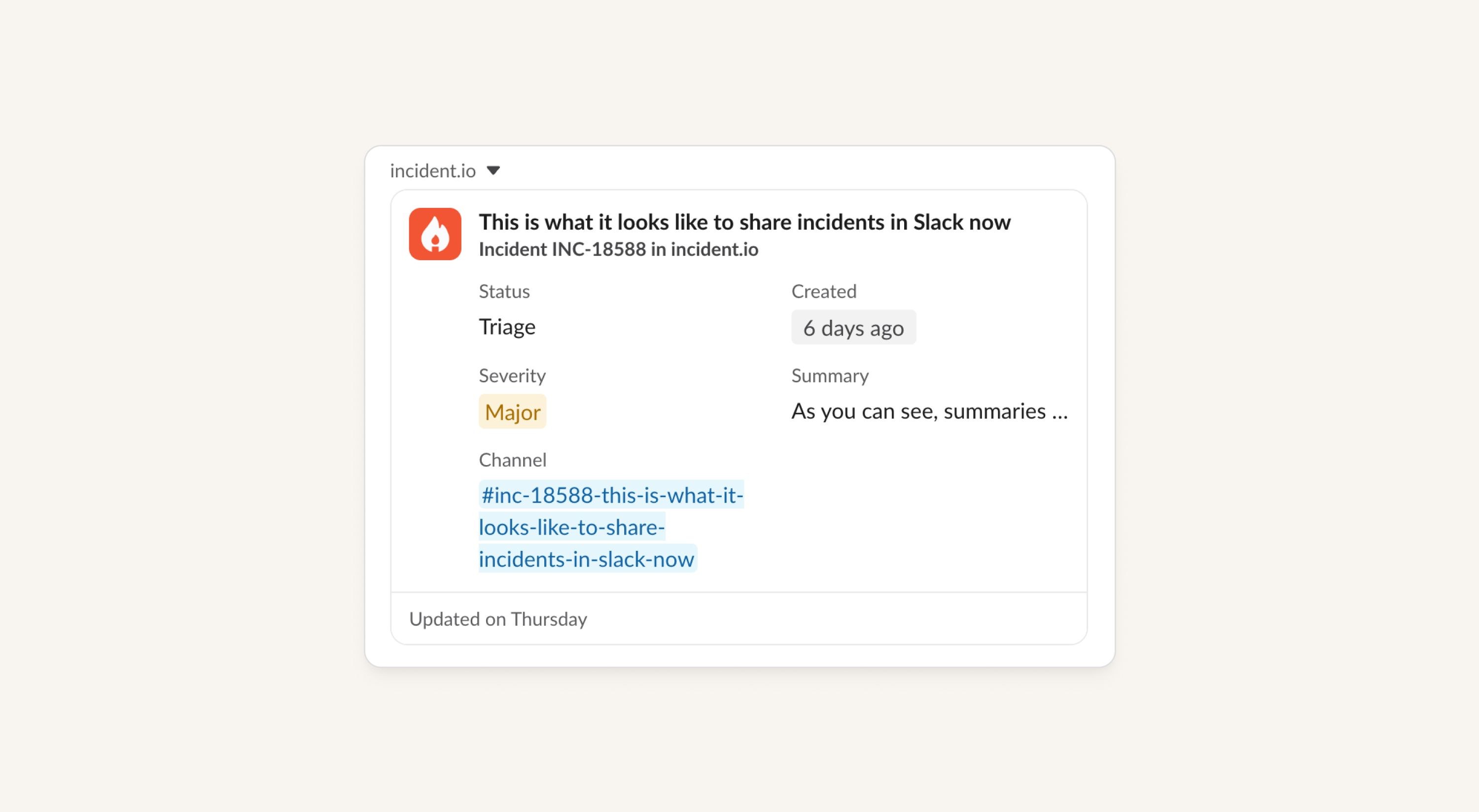
Incident links in Slack are now much richer, showing things like custom fields, the lead, and where else the incident has been referenced in Slack.
Work objects update live as the incident changes, making this the best way to share a link to an incident that comes with all the context. Slack work objects also let you see where other people have linked the same resource, allowing you to see where else the incident is being discussed in your workspace.
Auto-resolve alerts after a delay
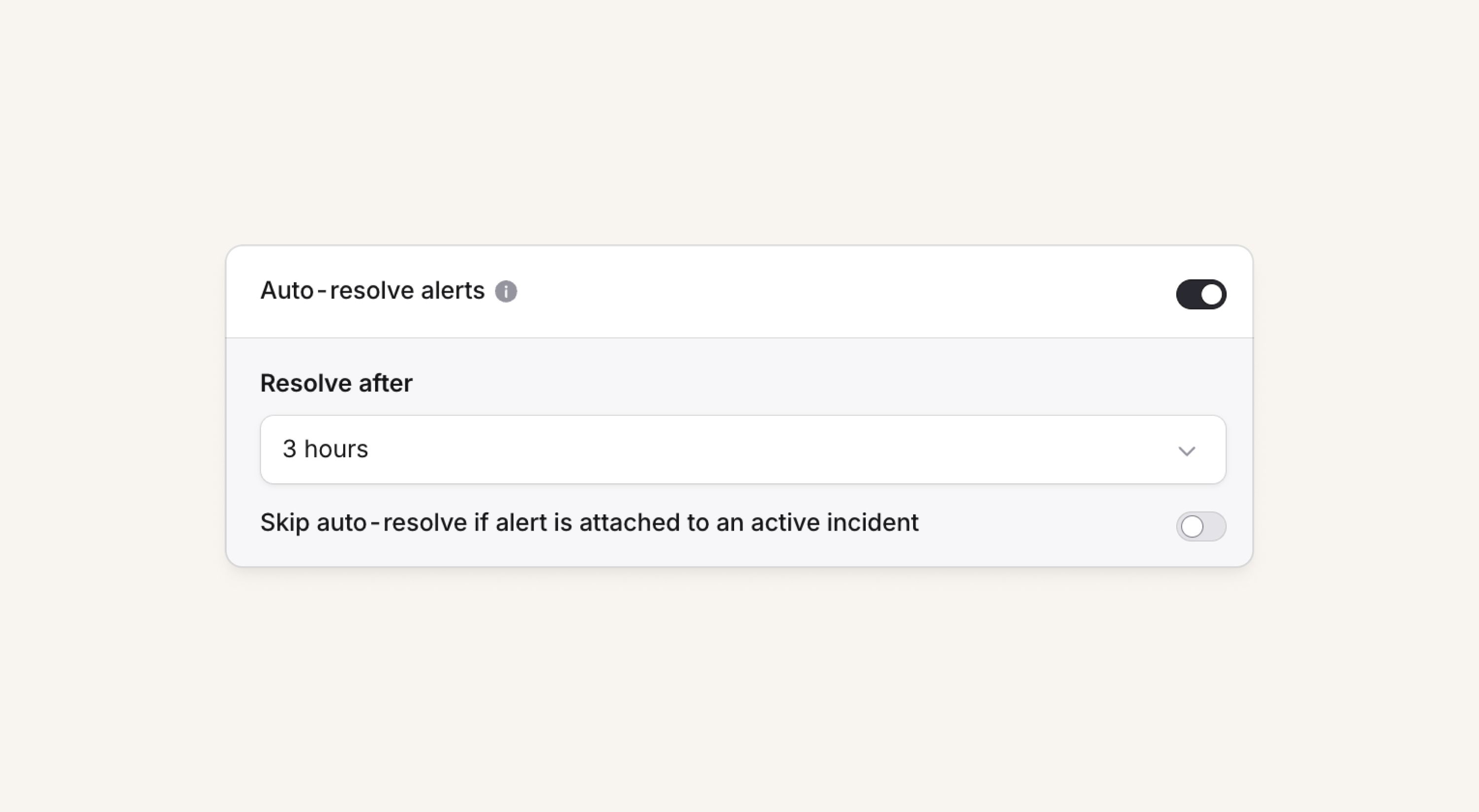
On an alert source, customers can now choose to have alerts auto-resolve after a set time, with an option to exclude alerts in active incidents. This is useful for alert sources that don't get resolve events, audit jobs on crons, and people migrating from PagerDuty or Opsgenie.
What else we've shipped
New
- Our Atlassian integrations (Jira & Confluence) can now be connected with Atlassian GovCloud
- Customers can now self-serve removing sensitive data that has ended up in our system (see here for details)
- We’ve simplified the escalate form where now we'll only show you a list of valid catalog types, specifically ones that have some relationship to an escalation path, PagerDuty Service, or Opsgenie Team
- There's now a workflow step to send a DM to a Microsoft Teams user directly from a workflow
- Customers can now use the edit incident endpoint in our public API to resolve incidents
- We now support importing Opsgenie schedule rotations that have end dates
- We now support importing Opsgenie schedule rotations that have "No one" users
Improvements
- We've made some under-the-hood improvements to our mobile app, including updating Expo and reworking the way we apply styles - it should now run a little smoother
- If you try to acknowledge an escalation directly from the push notification, and you don't have internet, or this fails for any reason, we'll now show you some more clear error messaging as to why it failed
- We've added clarity in Slack / Microsoft Teams messages when escalations are canceled due to the triggering alert resolving
- If you try to apply a number of filters over a long time, some queries can time out, and we now show you a useful message about that so you can narrow the time period, rather than simply erroring
- We've improved some validation we do on expressions when creating them from places like Terraform, which should help ensuring you've referenced an ID correctly
- We'll now show you in the mobile app if you don't have any internet connection
- We've made error states in the mobile app look nicer, and you can easily contact support from there if needed
- We've added a search bar to the alert source selector in alert routes
- We'll warn you if you're using duplicate schedule rotation names when editing your schedule
- If you're creating a new schedule and assigning a team to it, we'll automatically add those team members to every rotation you create for easy editing
- We've made the cover request view clearer in the dashboard when the cover has been taken or canceled
Bug fixes
- Fixed an issue where we said an escalation was canceled in Slack when it had actually been snoozed
- Fixed an issue where the public API wasn't returning private alerts, even if the API key you'd generated had access to private alerts
- We've re-added the
You seem busyoption to automatically acknowledge escalations in the mobile app for a short time period - We've fixed a bug where you couldn't close the cover request view in the dashboard in some cases
- Fixed Cortex user sync when there are users without names set
- Fixed incident count when filtering followups
- Fixed GitLab merge requests not attaching when using self-hosted GitLab
So good, you’ll break things on purpose
Ready for modern incident management? Book a call with one of our experts today.

We’d love to talk to you about
- All-in-one incident management
- Our unmatched speed of deployment
- Why we’re loved by users and easily adopted
- How we work for the whole organization



