Our new post-mortem editor
December 15, 2025
We've shipped a new post-mortem editing experience, now available to all customers. Our new editor makes it easier to gather information, reference incident context, and produce clear, consistent write-ups. In the next couple months, it will become the primary editing experience for post-mortems — more information to come ahead of the change.
Writing post-mortems is a key part of the incident lifecycle, but we know it can be time-consuming. Teams often need to gather context from multiple tools before they can make sense of what happened. Our new editor is part of our broader vision to bring all that information into one place, making post-mortems easier to write and more useful for understanding incidents.
What’s different?
The new editor brings incident data and metadata directly into the document, adds built-in AI assistance, supports real-time collaboration, and introduces a cleaner, more modern UI — making post-mortems clearer to produce, faster to write, and far less manual than before.
Enriched incident metadata
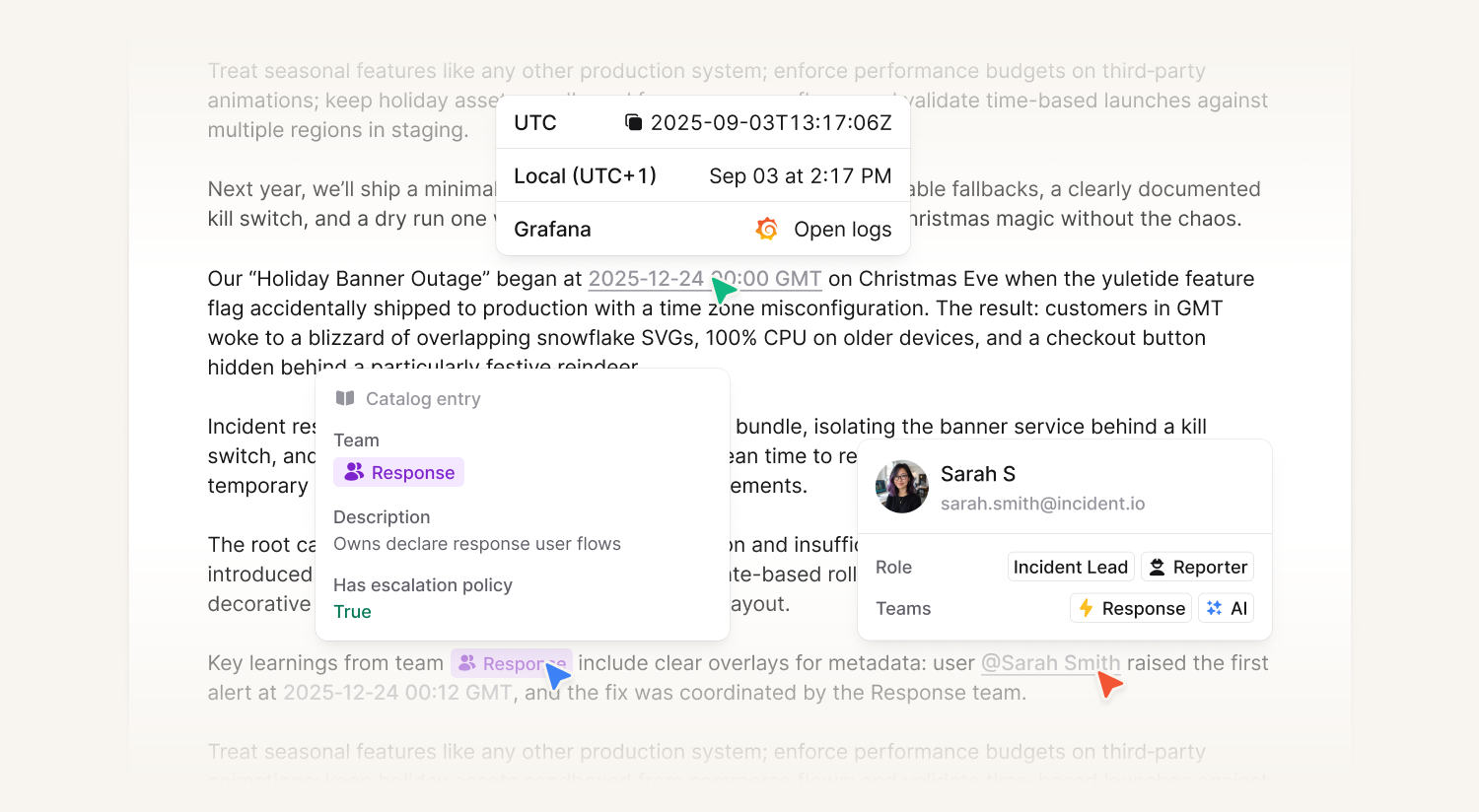
Get access to all incident and organization related metadata in your post-mortem. Reference information such as timestamps from the timeline, people involved in the incident, and custom fields associated with it. These elements are dynamic and automatically kept in sync in realtime as you make changes.
Real-time collaboration
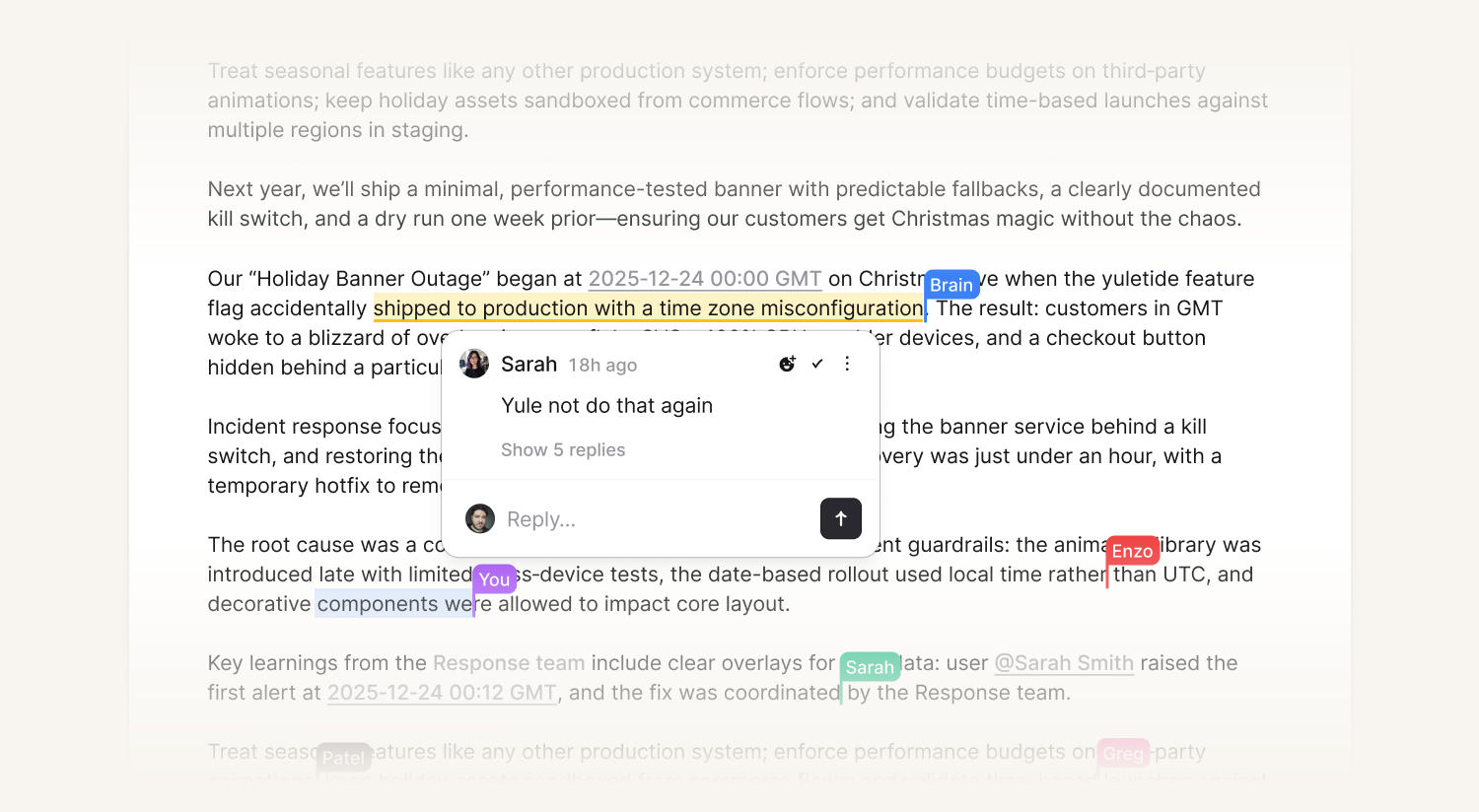
Multiple people can work on the document simultaneously, and you’ll see each other's edits in real-time. You get a direct real-time view for who's present in the document, where their cursors are, and what they're highlighting.
Modern writing experience
You can now highlight any text in the document and leave comments directly on it, keeping discussion tied to the exact part of the post-mortem you're reviewing. Comments support mentions and threaded replies, making it easy to notify the right people and collaborate on feedback without ever leaving the editor.
Built-in AI assistance
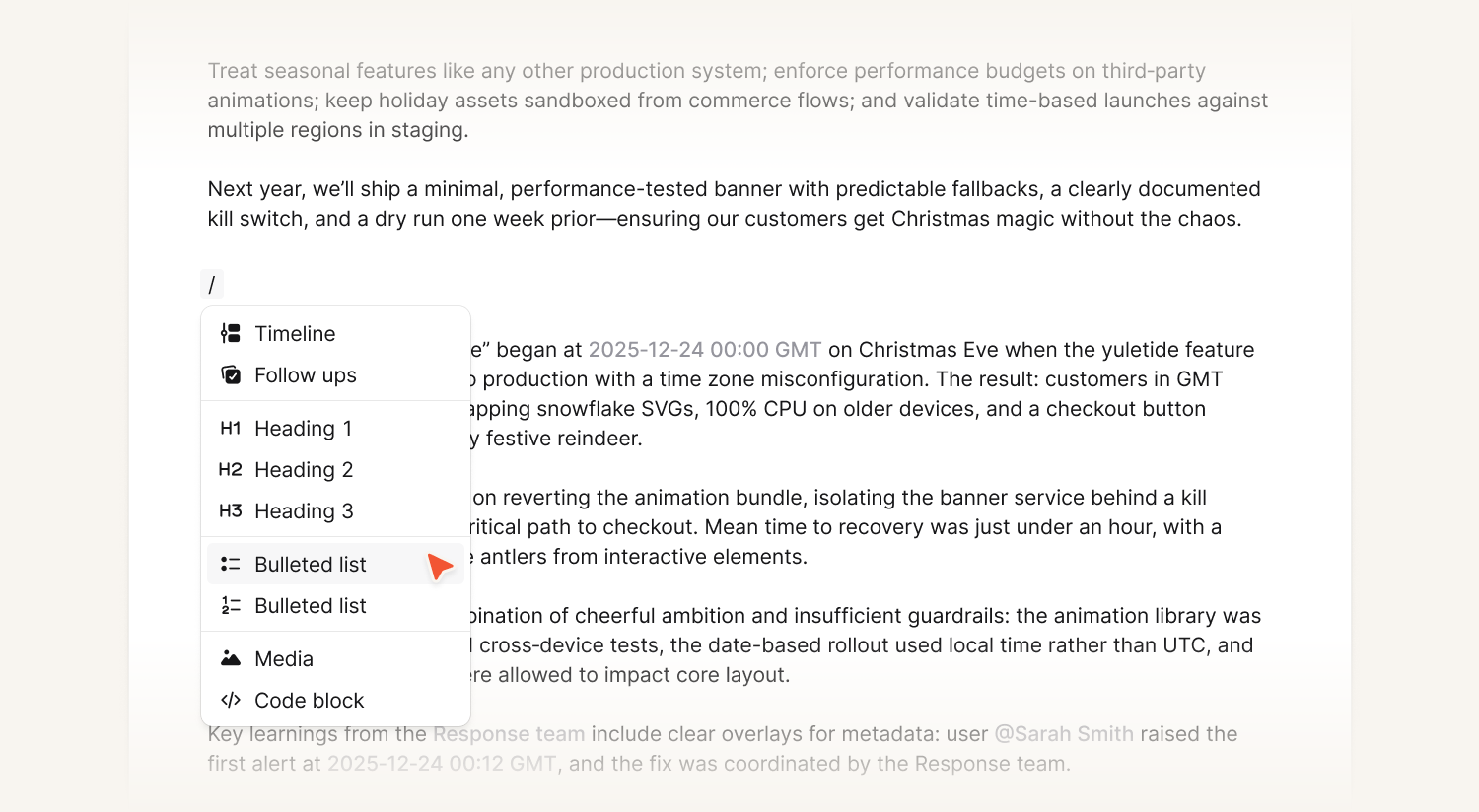
You can interact with incident.io AI directly inside the post-mortem editor to ask questions about the incident and quickly surface relevant context. It understands incident timelines, participants, and metadata, helping you extract key details, clarify what happened, and move from raw information to a clear narrative without leaving the document.
Using the new editor and what’s coming next
To try out the editor, go to the Post-mortem Settings page in the incident.io dashboard and click “Add Template”, selecting “Duplicate existing template with collaborative editor,” and select your new template when you create your next post-mortem. We also recommend setting the new template as your default. To read more, check out our help article.
The legacy editor will remain available for now, but we expect to transition fully to the new experience in the beginning of the new year. We’ll share more information about this in the coming weeks.
What else we’ve shipped
New
- The support button text can now be overridden for a status page's sub-pages
- German is now available as a language for live call routes
Improvements
- Improved the performance of our Terraform provider when managing alert routes
- We now show you user avatars in the list of escalations on mobile - making it a little easier to scan
- Links on iOS now open outside of our app, so you shouldn't need to log in to third parties as often
Bug fixes
- Fixed issue where the priority of a non-exported follow up couldn't be changed
- Fixed an issue where creating a status page incident from an incident in the dashboard wouldn't be automatically linked
- Fixed an issue where follow-ups could be incorrectly linked to past incidents based on channel names
- Fixed a bug where it was possible to disable policies being used in reports
- Fixed a bug where custom fields in forms displayed the helptext instead of the field name
- Fixed a bug where the wrong schedule rota was pre-selected in the override form when using drag-to-override
- Fixed a bug where long alert titles overflowed in the alerts table
- Fixed a bug where you could not always add another escalation path to escalate to on an alert route
So good, you’ll break things on purpose
Ready for modern incident management? Book a call with one of our experts today.

We’d love to talk to you about
- All-in-one incident management
- Our unmatched speed of deployment
- Why we’re loved by users and easily adopted
- How we work for the whole organization



