New text editor for Slack message Workflow steps
January 11, 2023
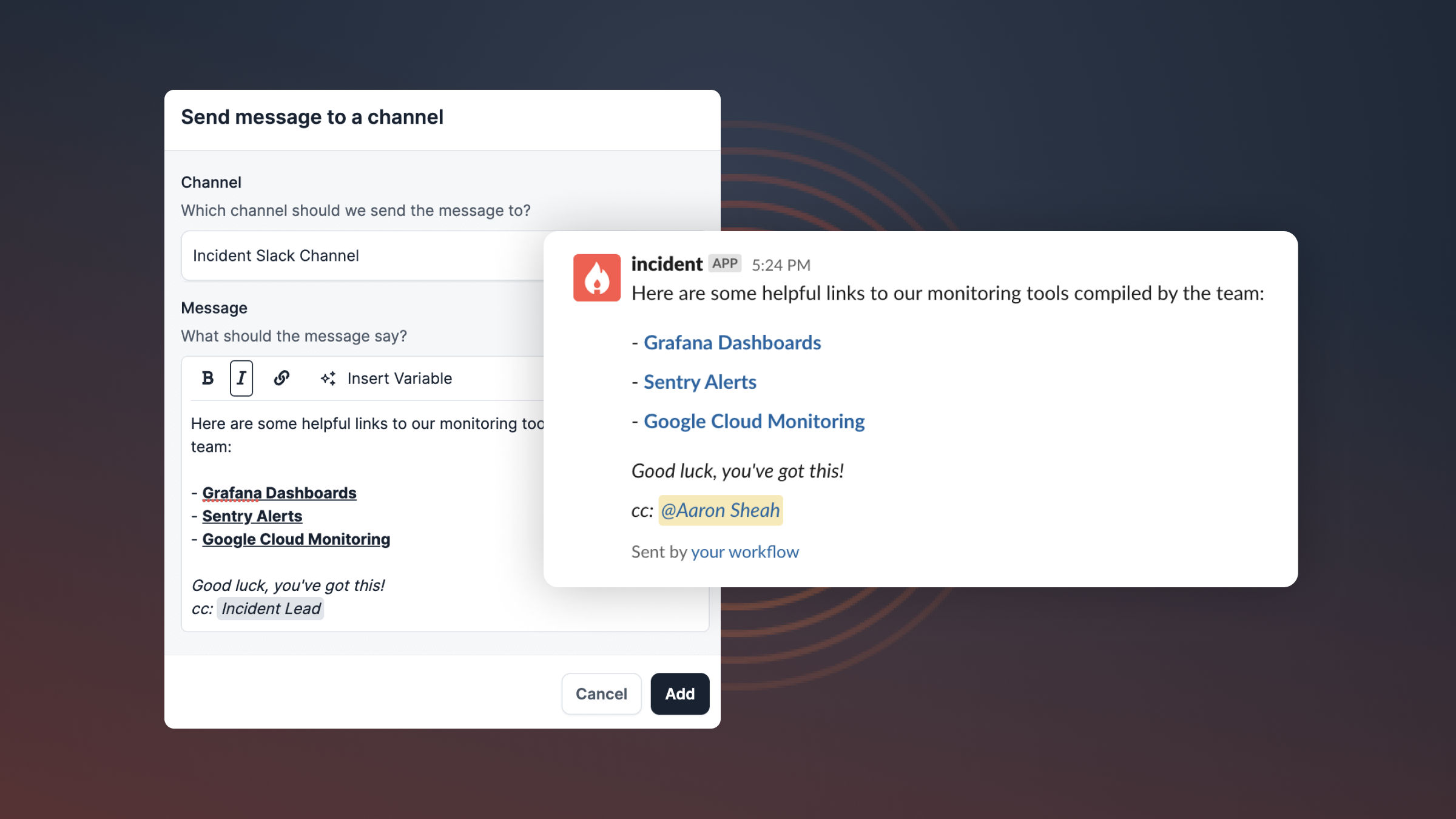
We have upgraded the experience of creating slack messages and posts from workflow steps. These now have a new, more powerful text editor! The affected steps are:
- Prompt a decision flow
- Send message to a channel
- Send ephemeral message to a channel
- Send direct message
- Nudge for a custom field to be set
This allows you to not only customise the contents of the message but also apply your desired formatting to it.
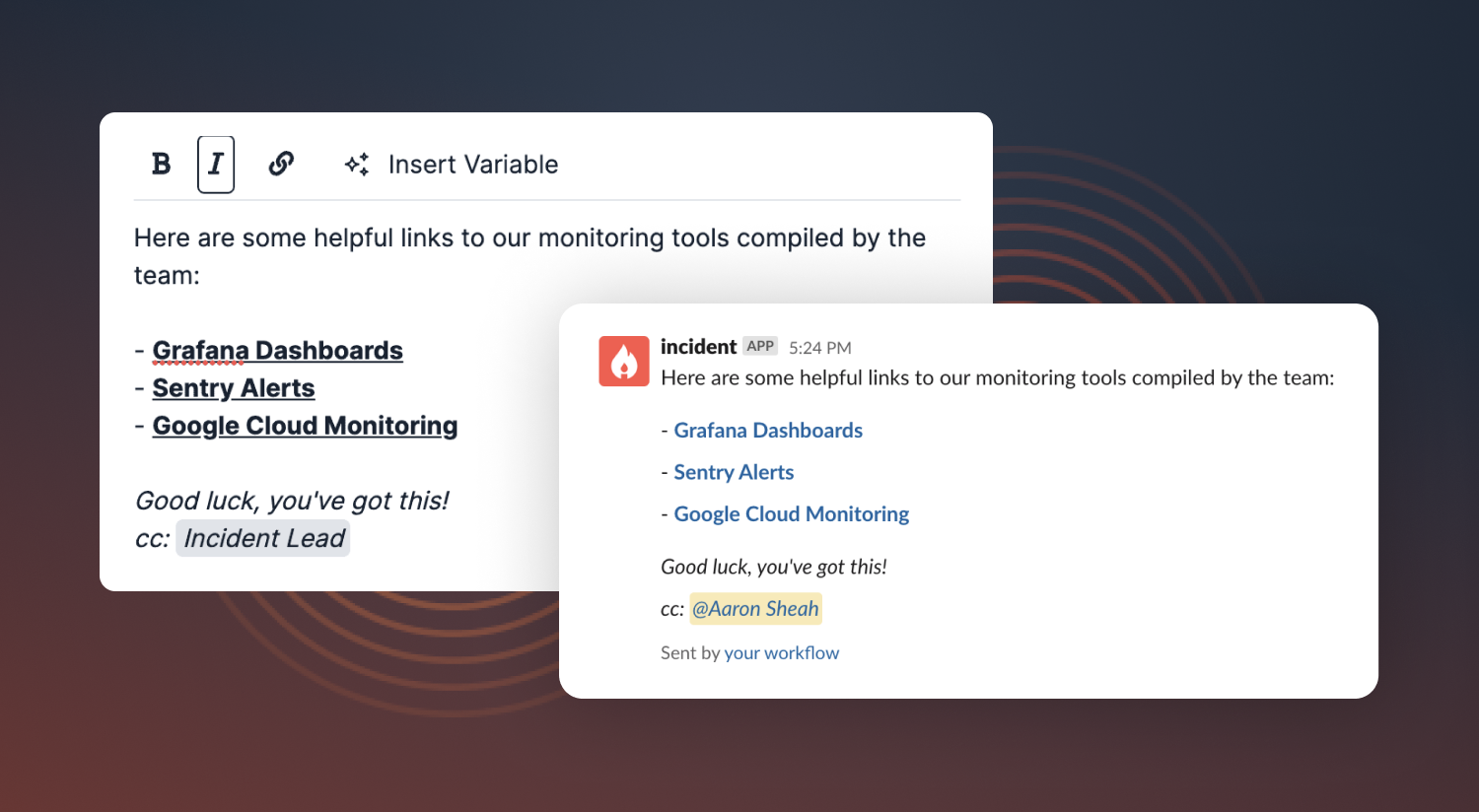
If you haven't configured a workflows step before, here are some examples of workflows that we've found to be helpful during an incident:
- When a slack message in the incident channel mentions "rollback", send a message to the channel with details on how to perform a rollback.
- When an incident has an incident type of Security, prompt a decision flow which will help the incident lead decide if they should report to their Risk & Compliance department.
🚀 What else did we ship?
Improvements
- When you save a view on the insights pager load tab, we'll save the selected target as part of that view
- Configuring Jira and PagerDuty is now done from a full page rather than a modal, as these were a little cramped
- We've done some work to make sure our emails (e.g. those sent from workflows) are looking really sharp and slick
- We've improved the datepicker provided when filtering incidents, supporting relative date ranges such as 'last 3 months'
- It's easier to find the category you want to filter on when filtering incidents as the subjects are now grouped
- We've clarified that it's useful to use a service account when connecting our Notion integration, as the access token we're given by Notion is related to a specific user
- Our emails now display more elegantly on devices that are in dark mode
- When you select 'here to observe' we'll ask you if you want to subscribe to the incident, to avoid unecessary noise in Slack
- When an incident is closed, we'll also send the new incident summary to any subscribers
Bug fixes
- Fixed a bug where you'd receive an error trying to view the Jira Server configuration if you weren't an admin or owner
- If you edit a previously applied incident filter, it'll now populate the form correctly in all cases
- Fixed a bug where we couldn't export post-mortems to Notion as some links were too long
- Display rich text formatting (bold, italics) in incident summaries on the dashboard homepage
- Fixed a bug in the policy reports UI where the empty state looked messy when you hadn't selected a day of the month (for a monthly report)
So good, you’ll break things on purpose
Ready for modern incident management? Book a call with one of our experts today.
We’d love to talk to you about
- All-in-one incident management
- Our unmatched speed of deployment
- Why we’re loved by users and easily adopted
- How we work for the whole organization