The incident.io plugin: our skills, in your agent
October 15, 2026
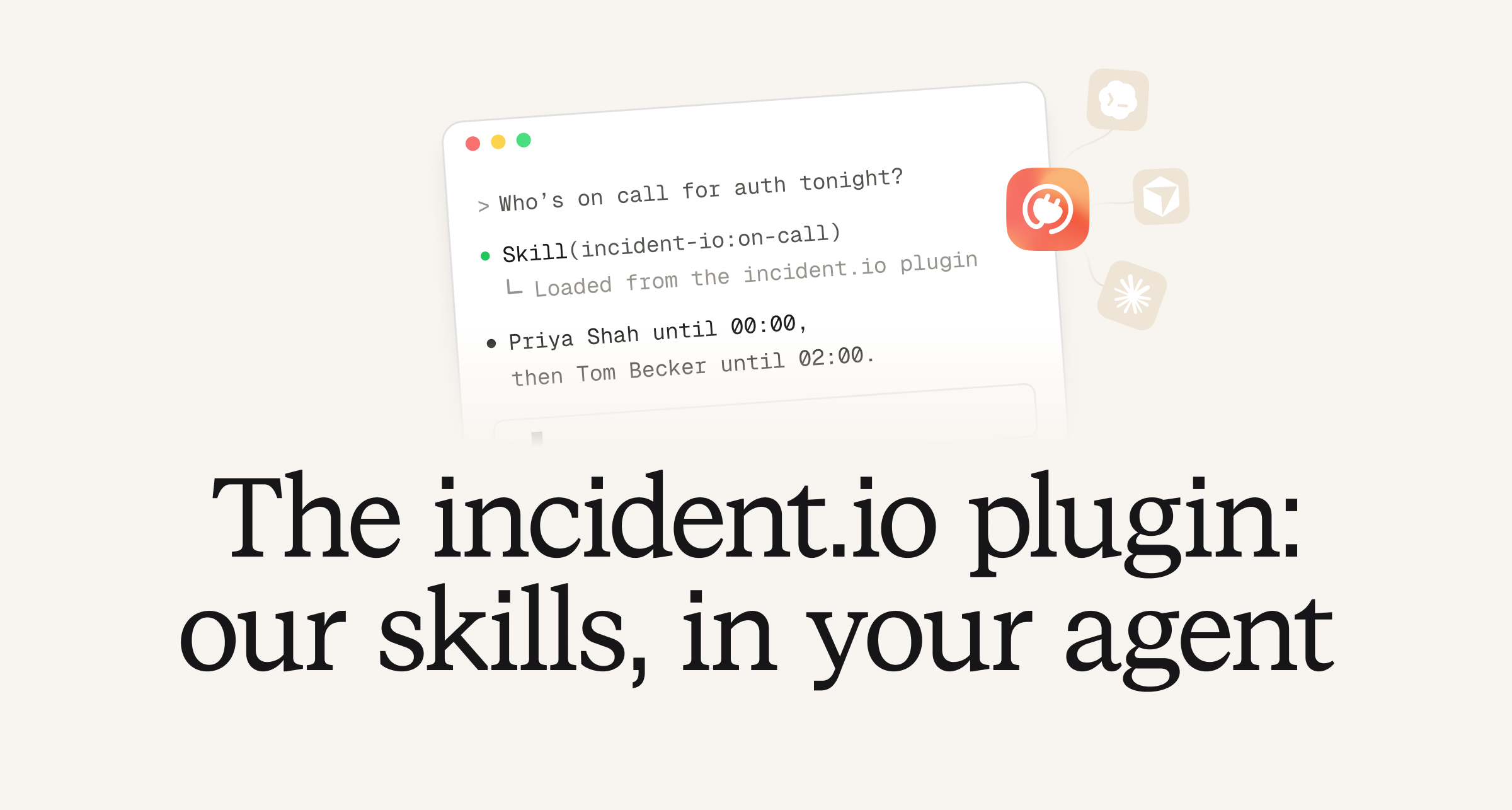
Over the last few weeks, we've re-architected our agent with a set of new skills and tools. This makes our agents faster, smarter and more capable than before.
To do this, we've written a set of skills that help our agent use our MCP effectively. These skills act as a map, giving our agent the product context it needs to understand how to best use our tools to answer your question.
We're now bringing that power to your coding agent. Install our plugin into whatever coding harness you use and your agents will have all the power that ours do.
Here are a few highlights of what's improved for anyone using our MCP:
Telemetry
While building our Investigations product, we developed skills for querying telemetry with optimised tools, language references, data source guidance and memories. With our plugin you can now access these skills from within your own agent, and use them to query your observability platforms.
This makes your own coding harness smarter when working with your production systems, and able to reason about the likely impact of a change with the latest production data to back it up.
On-call
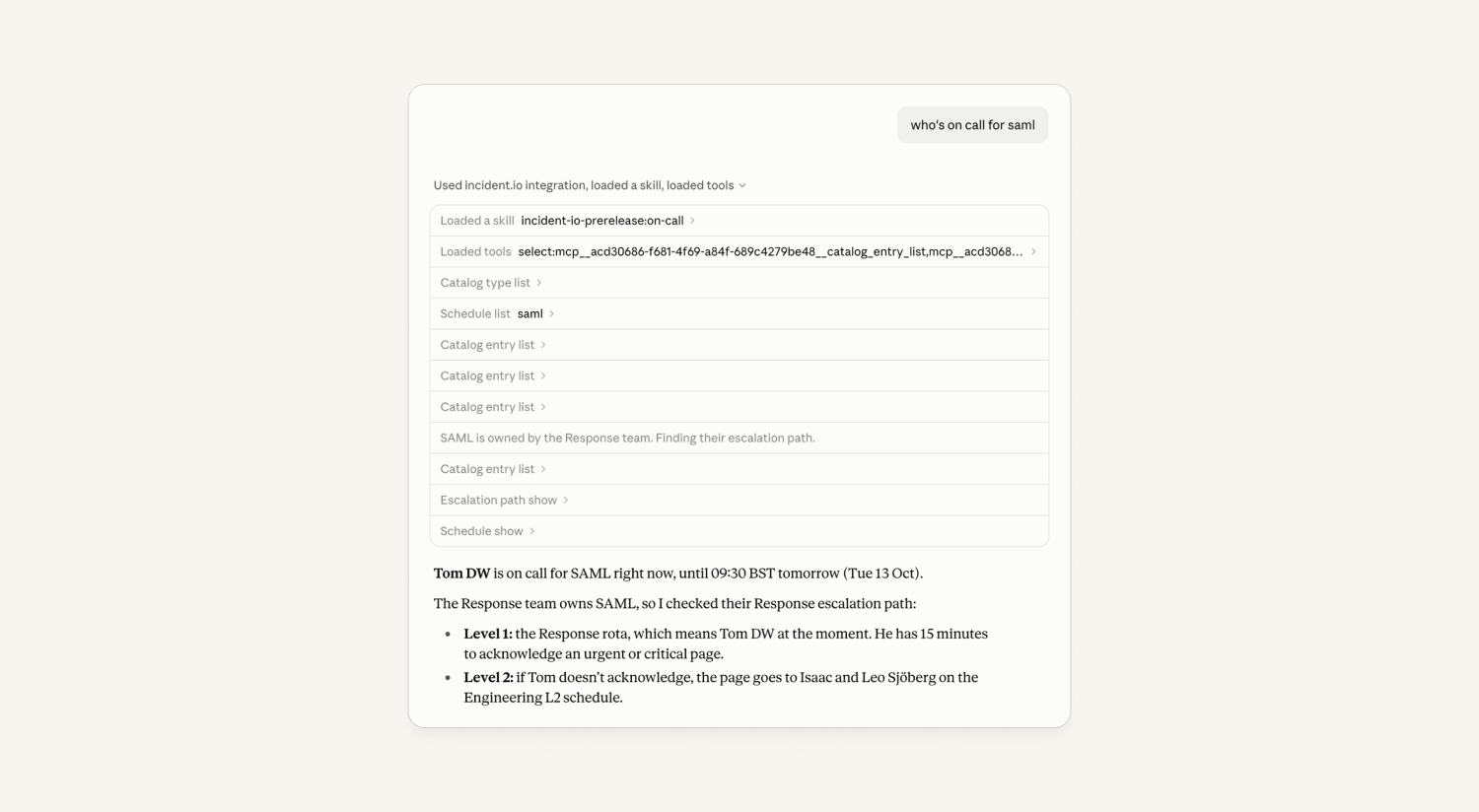
The incident.io MCP already lets your agent read schedules and page people. Now they can use those tools the way an experienced responder would. The on-call skill means your agents can read the rota properly, spot gaps and work out who gets paged for a service from the escalation path.
Just ask "Cover my shift" to create an override or "Can someone cover my shift?" to send your teammates a cover request. Your agents can intelligently reason about who to page and will only page someone when you've clearly asked and there's exactly one obvious person. Otherwise it drafts the page for you to review.
Post-mortems
Your agents can now find, read, edit and review your postmortems just as effectively as you can. You can ask them to rewrite a section, add a learning, fix a timeline entry or to review the document as a whole. They can point out what's missing, what isn't backed by evidence and which gaps should become follow-ups, before the document goes out to the wider team.
Get started
You'll find the incident.io plugin in all the major plugin marketplaces: Claude, Codex and Cursor. Or you can go directly to our GitHub repo and the docs.
Investigations
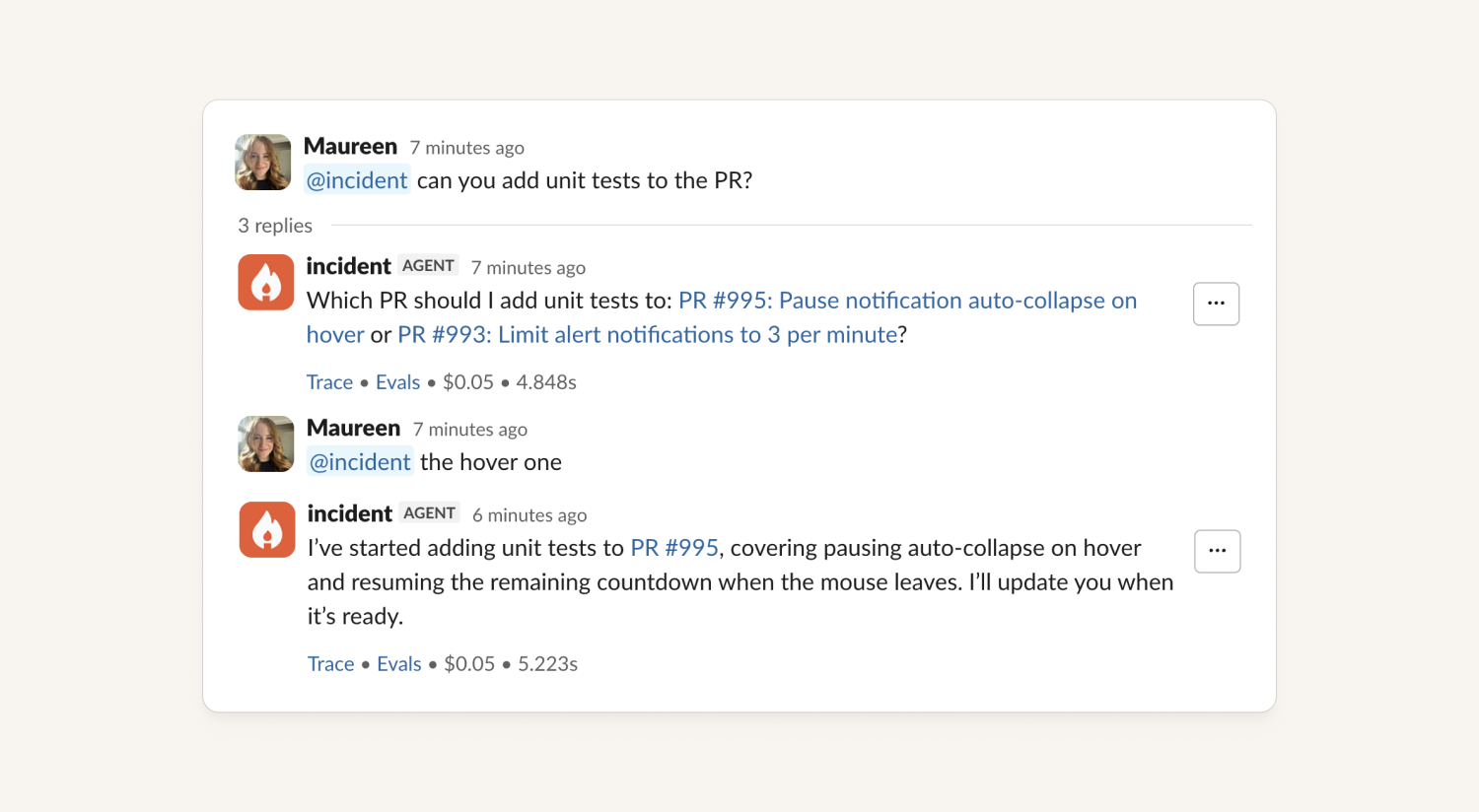
The agent now finds the right PR to update, wherever you ask
Previously, asking the agent to change a PR it had opened only worked if you replied in the Slack thread where that PR was created, or under its announcement message.
Now:
- Ask from anywhere in the incident channel. The agent looks at every PR it has in progress on the incident, not just the current thread.
- Point at it however you like: paste the PR link, say "#123," or describe it ("the rate limit PR").
- If it's not clear which one you mean, it asks. It lists the open PRs by name rather than guessing.
- Stopping works the same way. "Stop working on that PR" finds the right change to cancel.
- If the PR is already merged or closed, it tells you instead of failing silently.
Works for PRs opened by Investigations and by the agent in chat.
Request feedback in the incident resolve form
Some organizations want to more actively encourage responders to give feedback on investigations. To allow them to do this, we now have an "Investigation Feedback" element that can be added to the incident resolve form.
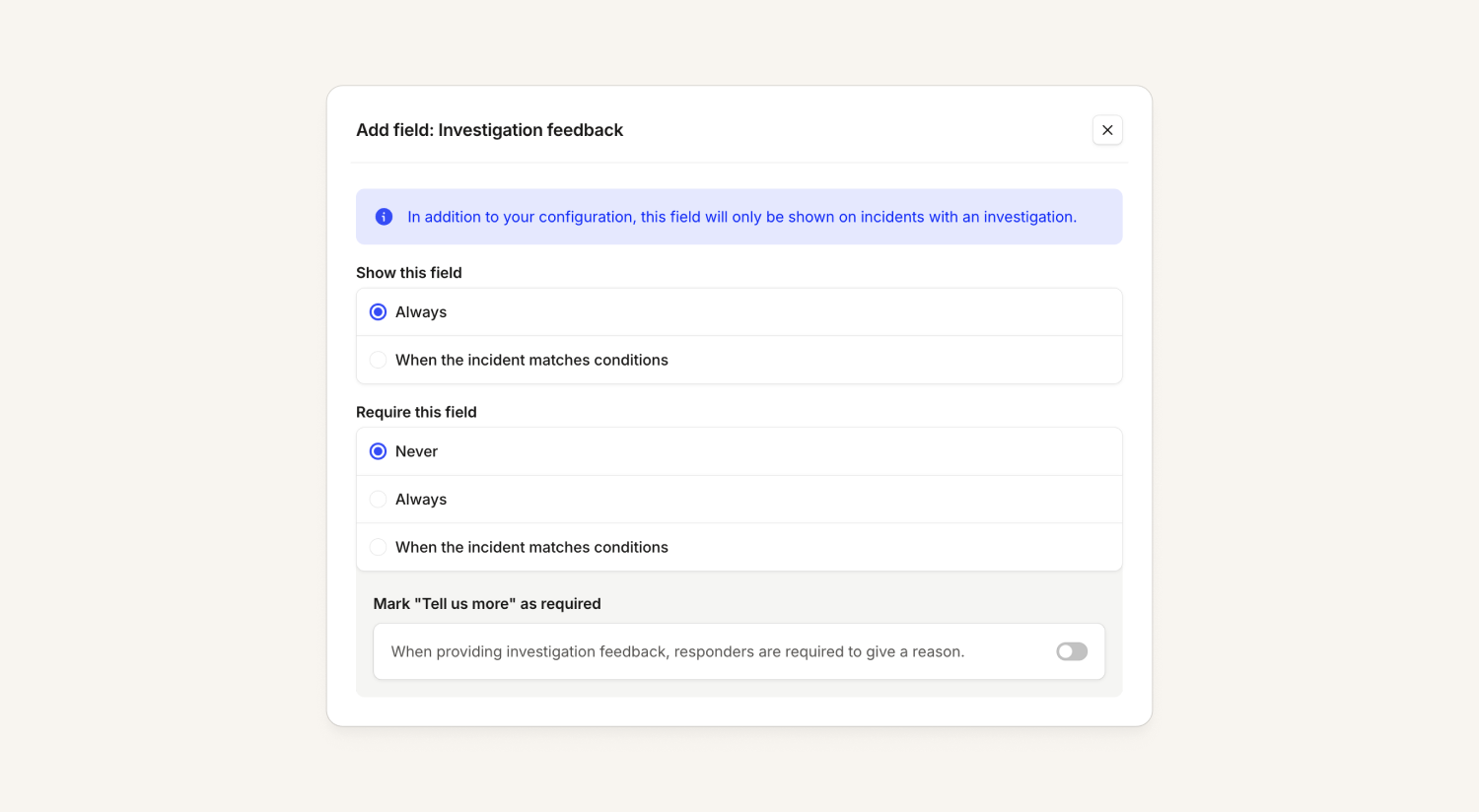
This will only display for incidents that actually had an investigation, and can be configured to be required or optional like other resolve form fields.
Nexus
VictoriaLogs telemetry integration
We now support VictoriaLogs as a telemetry integration. To leverage this, you will need to set up a telemetry integration with Grafana, that has a VictoriaLogs data source set up.
We already supported VictoriaMetrics and VictoriaTraces, so this completes the platform! See more details in our help docs here.
On-call
Contact card improvements
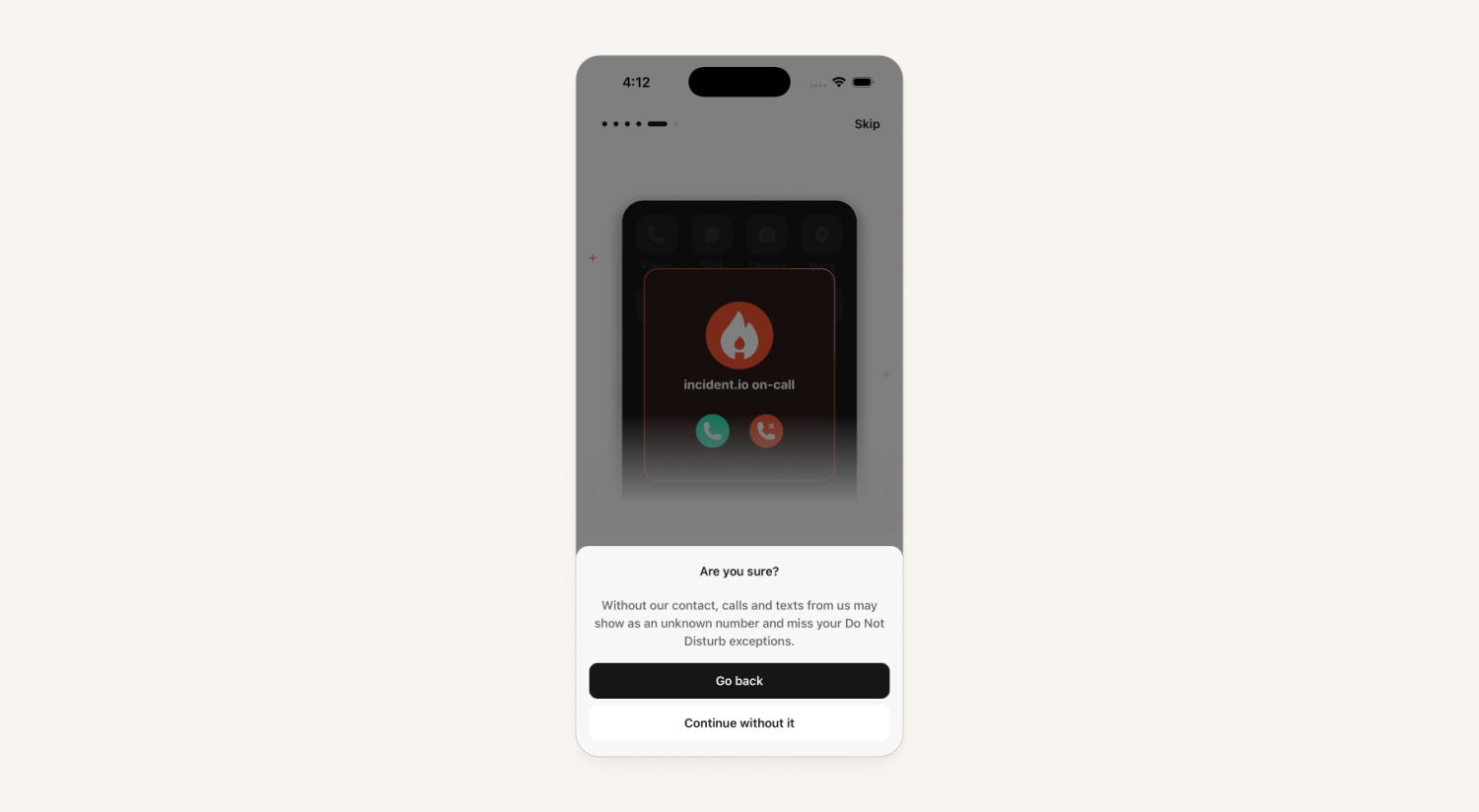
Our latest version of the mobile app makes it easier to add the incident.io contact card, and keep it updated, to ensure calls and texts can break through Do Not Disturb.
Improvements include:
- Android asks for Contacts access again, so the app keeps our contact card up to date for you.
- A clearer home screen card reminds anyone who hasn't set up our contact permission / added the incident.io contact yet.
- Onboarding explains more clearly why this matters.
- A simpler Settings → Contacts page, with step-by-step help for letting our calls through Do Not Disturb.
Platform
The agent can now build and edit your dashboards
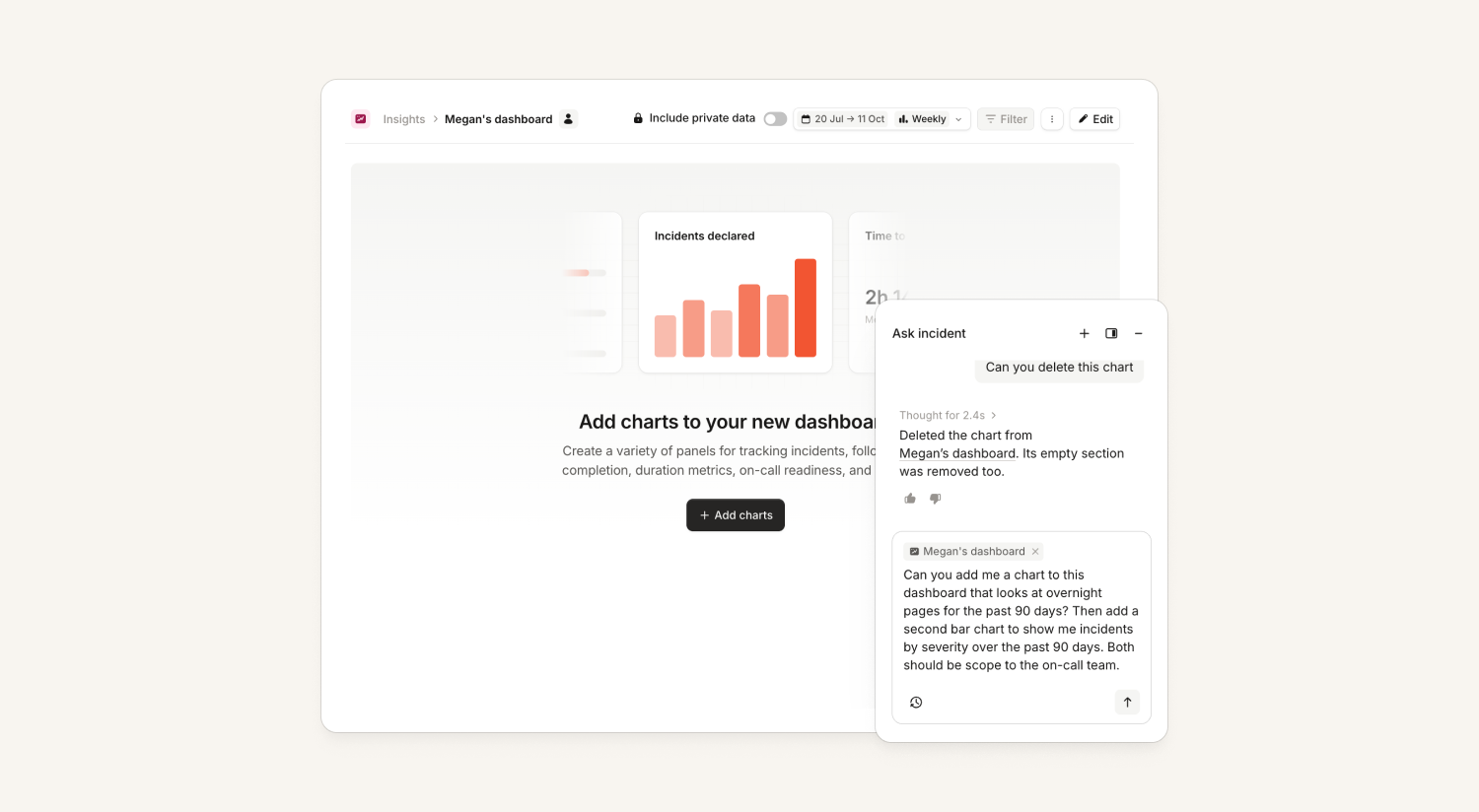
Last week the agent learned to draw charts. Now it can put them on a dashboard for you!
- Add to one you already have: tell it the dashboard name and where the chart goes, for example "under the severity chart" or "next to the MTTR tile." It uses the same layout rules as the editor. You can also remove the panels.
- Edit the charts! It can change a chart's type, grouping, filters, title or colors, and rename sections.
- View in Insights: every chart the agent draws now has a link that opens it in explore, so you can keep exploring from there, make changes and add it to an existing dashboard or create a new one.
- Build a dashboard: ask for "Create a dashboard called 'On-call health' for the last 90 days. Add the pager load trends tile, then pages over time by time of day, and mean time to ack by urgency." and it makes a real custom dashboard.
Works in the Agent and MCP. In chat, every chart the agent draws now has a "View in Insights" link. Through the MCP, you get a link straight to the chart in Insights explore.
Personal custom dashboards
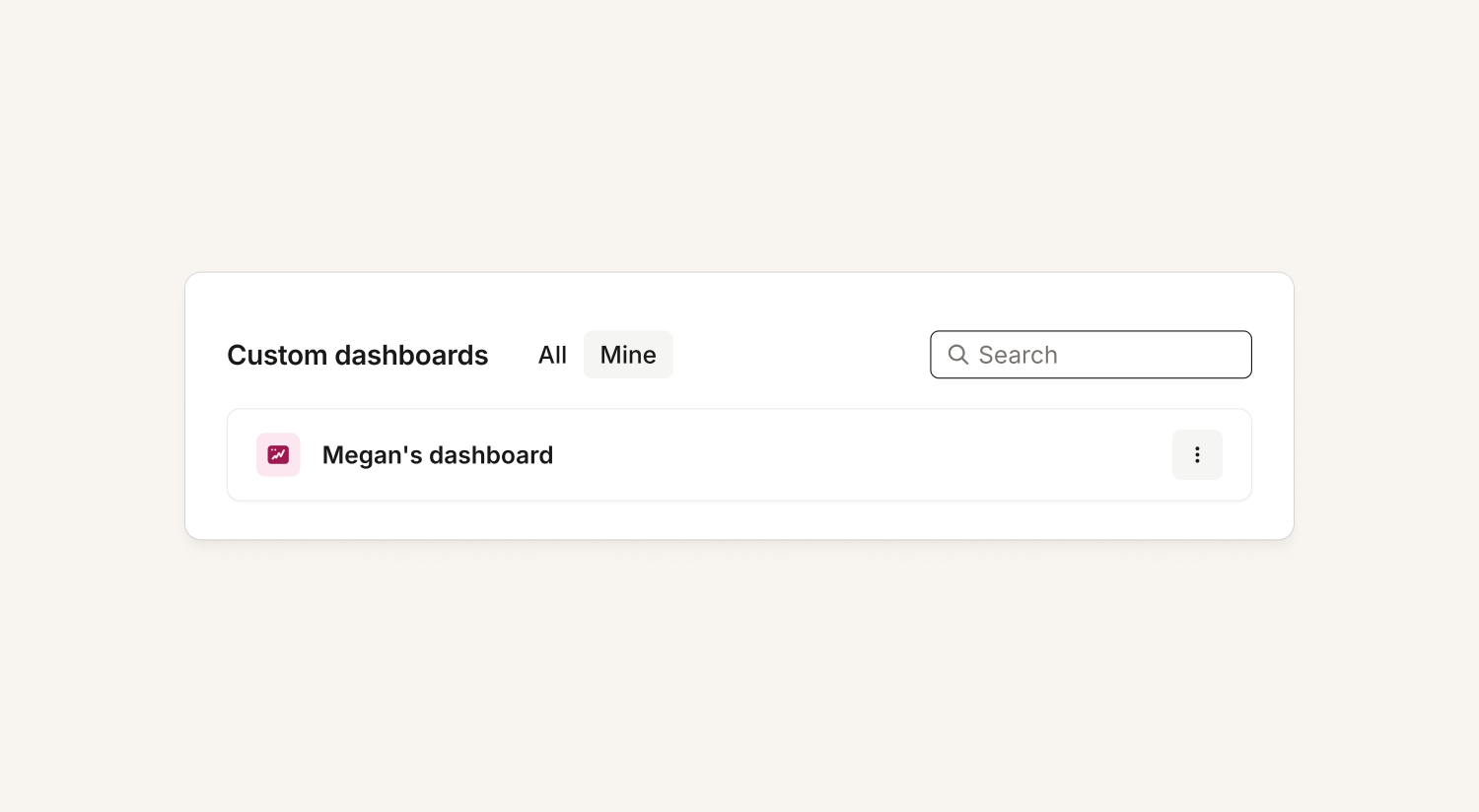
Custom dashboards can now be made "personal." Personal dashboards are only listed for their creator, although anybody with the direct link can view them. Editing controls are restricted to the creator.
Newly created dashboards will now default to personal, although the creator can make them visible to all at any time. This helps to reduce noise for organizations and agents, and enables further exploration of all the shiny new features and then only shipping and sharing dashboards when ready.
Dashboard visibility is only available to Enterprise customers.
Ask the agent for the data behind a chart
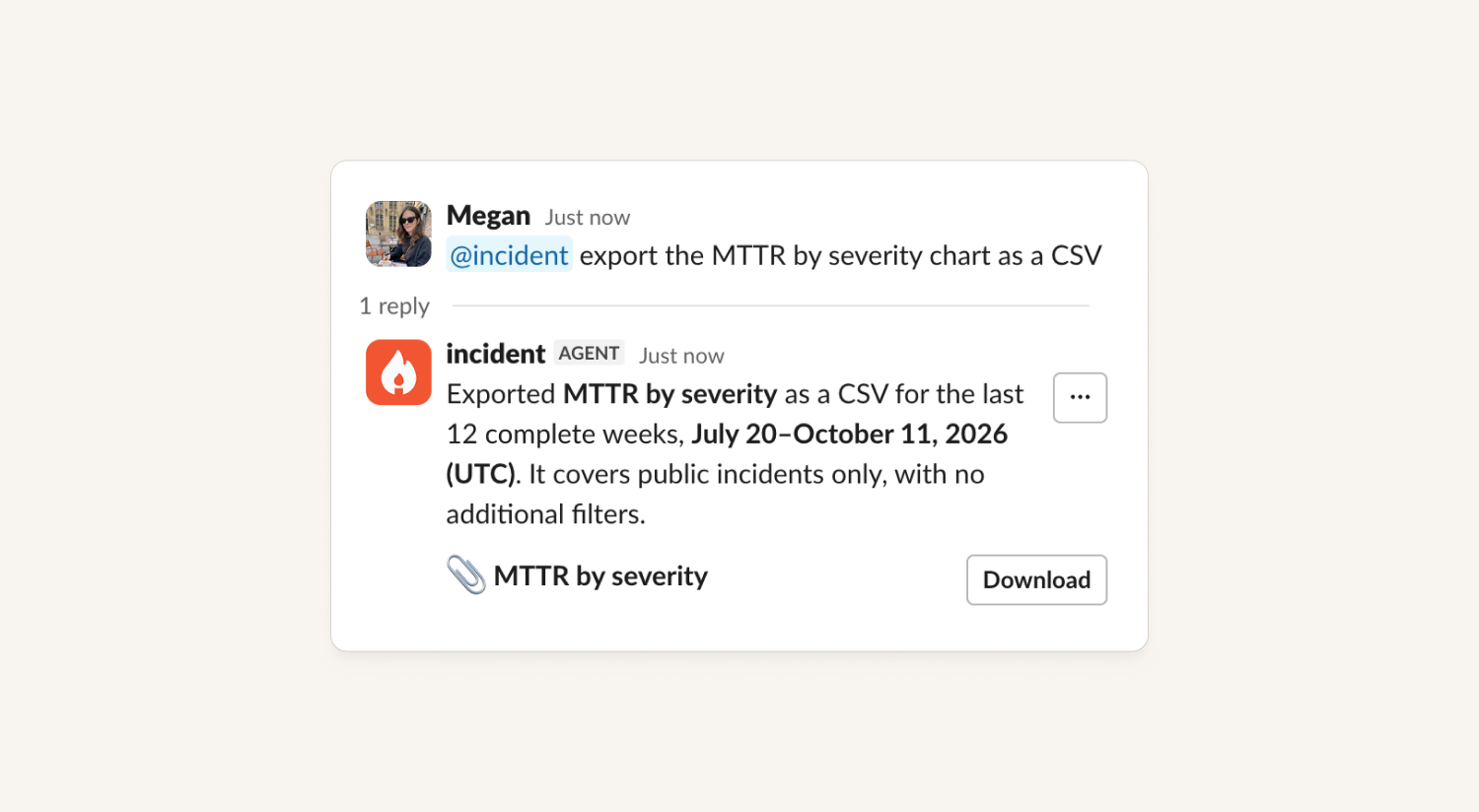
Last week the agent learned to draw charts and build dashboards. Now it can give you the numbers behind them as a CSV.
- Ask for the data. For example, "export the MTTR by severity chart as a CSV" or "give me the rows behind the pager load panel on my On-call health dashboard."The agent attaches the CSV to its reply.
- MCP clients can read the rows behind any chart, preset or custom dashboard panel. You can ask it all the questions about your data.
Workflows can ask for confirmation and collect more information
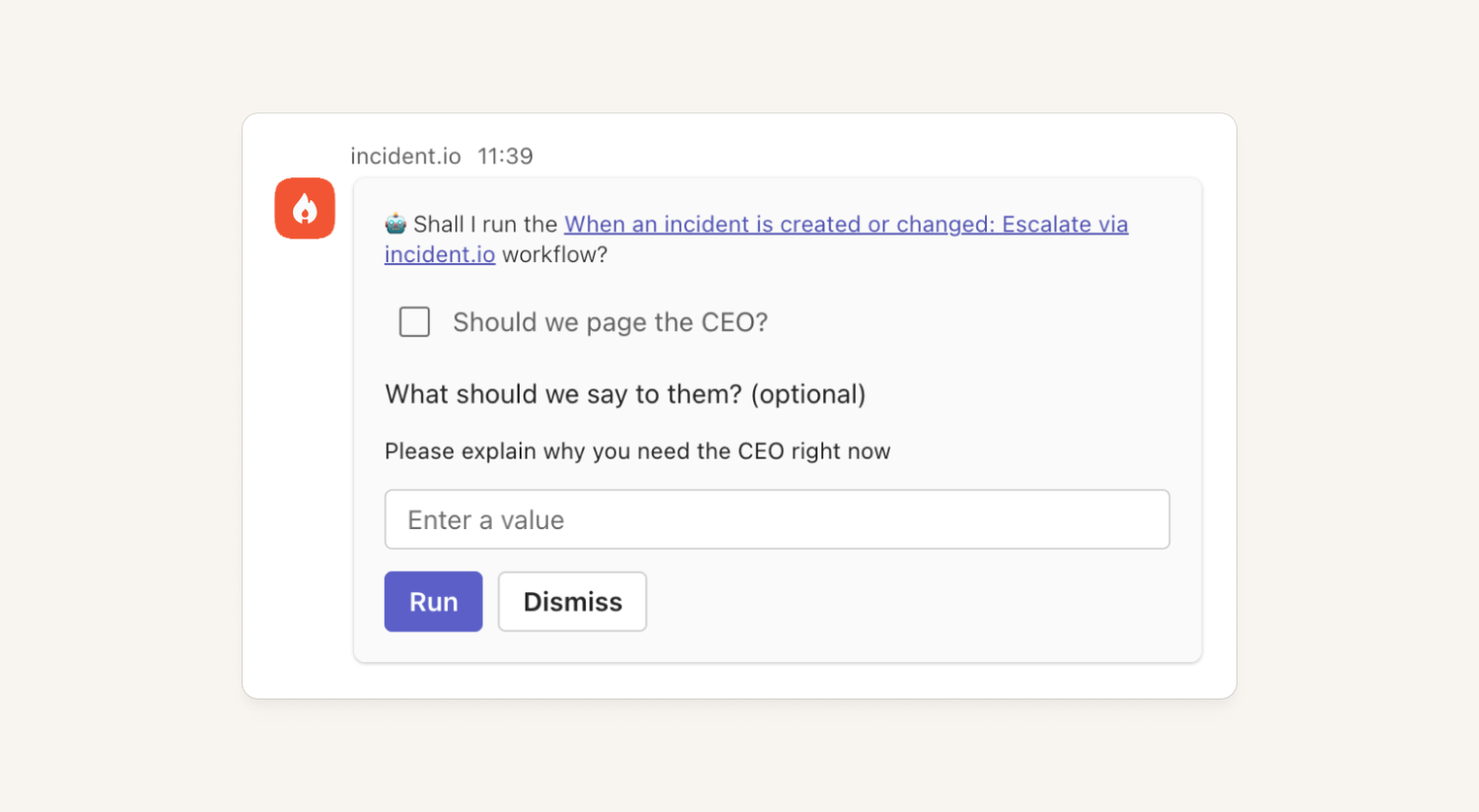
Workflows that automatically run can now ask for approval before they run.
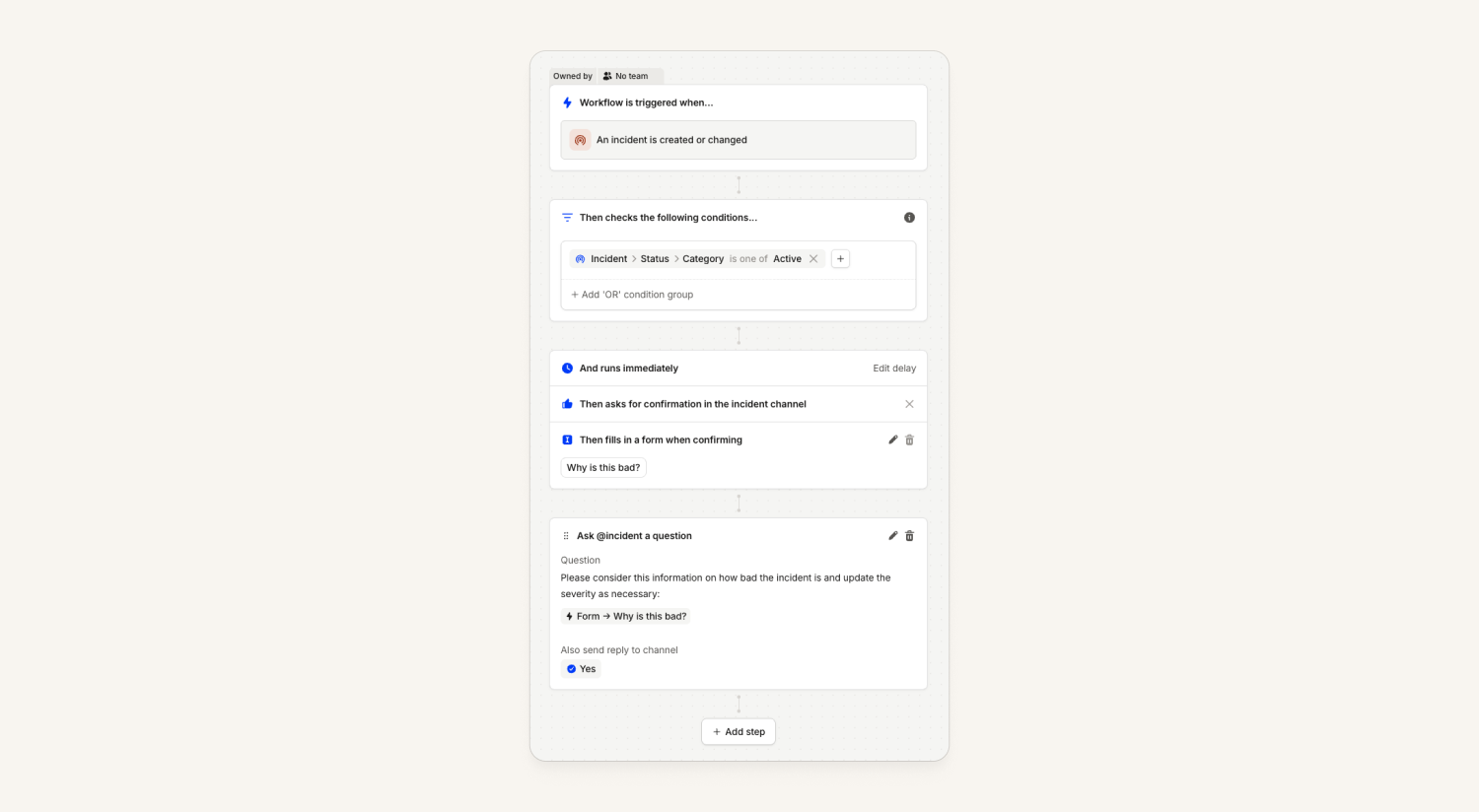
Optionally, approving the workflow can require someone to fill in a form to collect additional information that can then be used in the workflow.
For example:
- Suggest posting the incident to a status page and require a human to write out the message to put on the status page
- Encourage responders to use
@incidentby giving them a form to fill in that asks that of@incidentand posts it back to the channel - Get a human approval before paging the CEO
- Prompt for a decision like "should we make this incident private?", and then execute the decision
In Microsoft Teams the form is rendered inside the message like it is in Slack. See full details in our help docs.
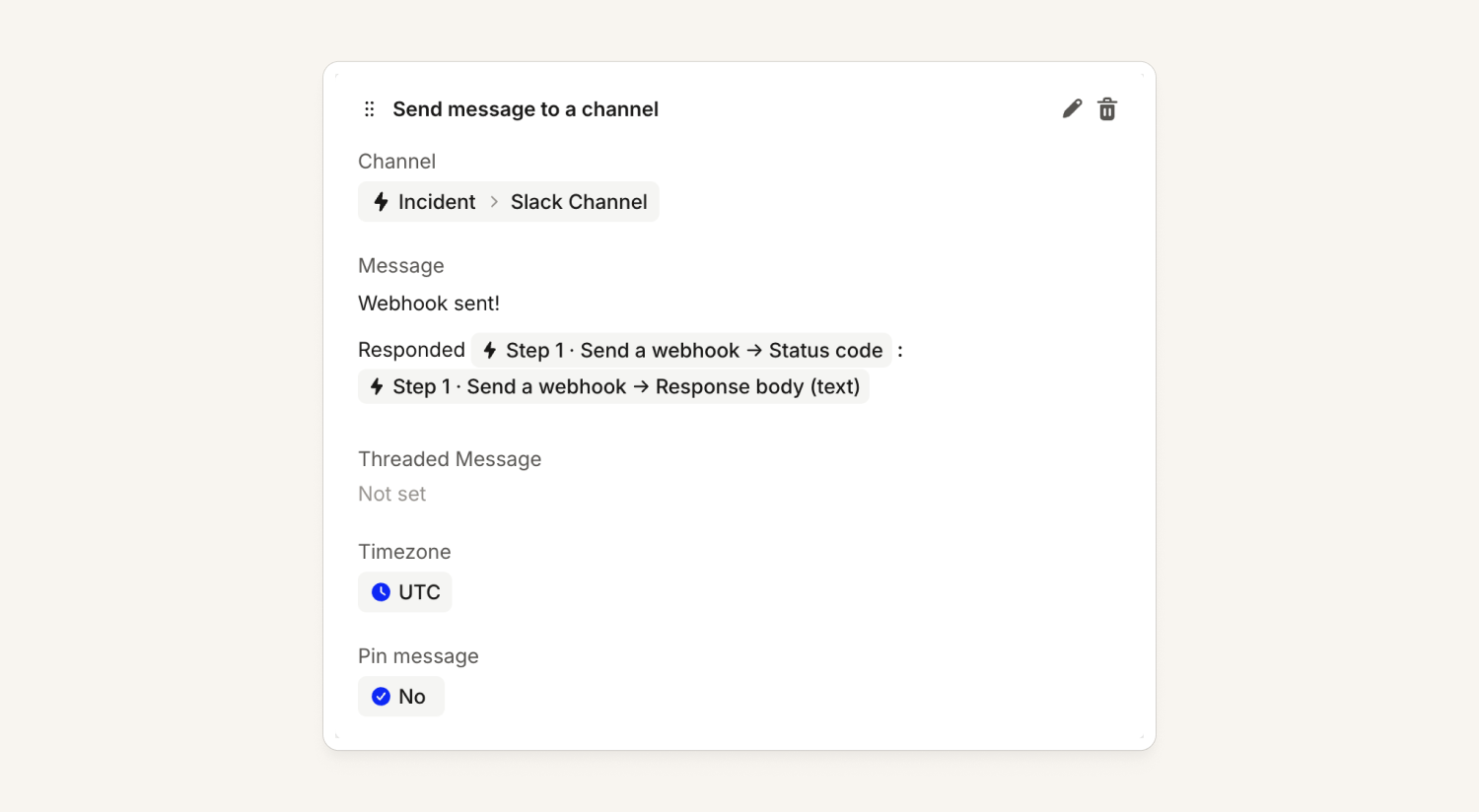
Workflows can use the result of a previous step
Now if you use the "send a webhook" workflow step, you can make a request to some other system and then use the response from that in further workflow steps.
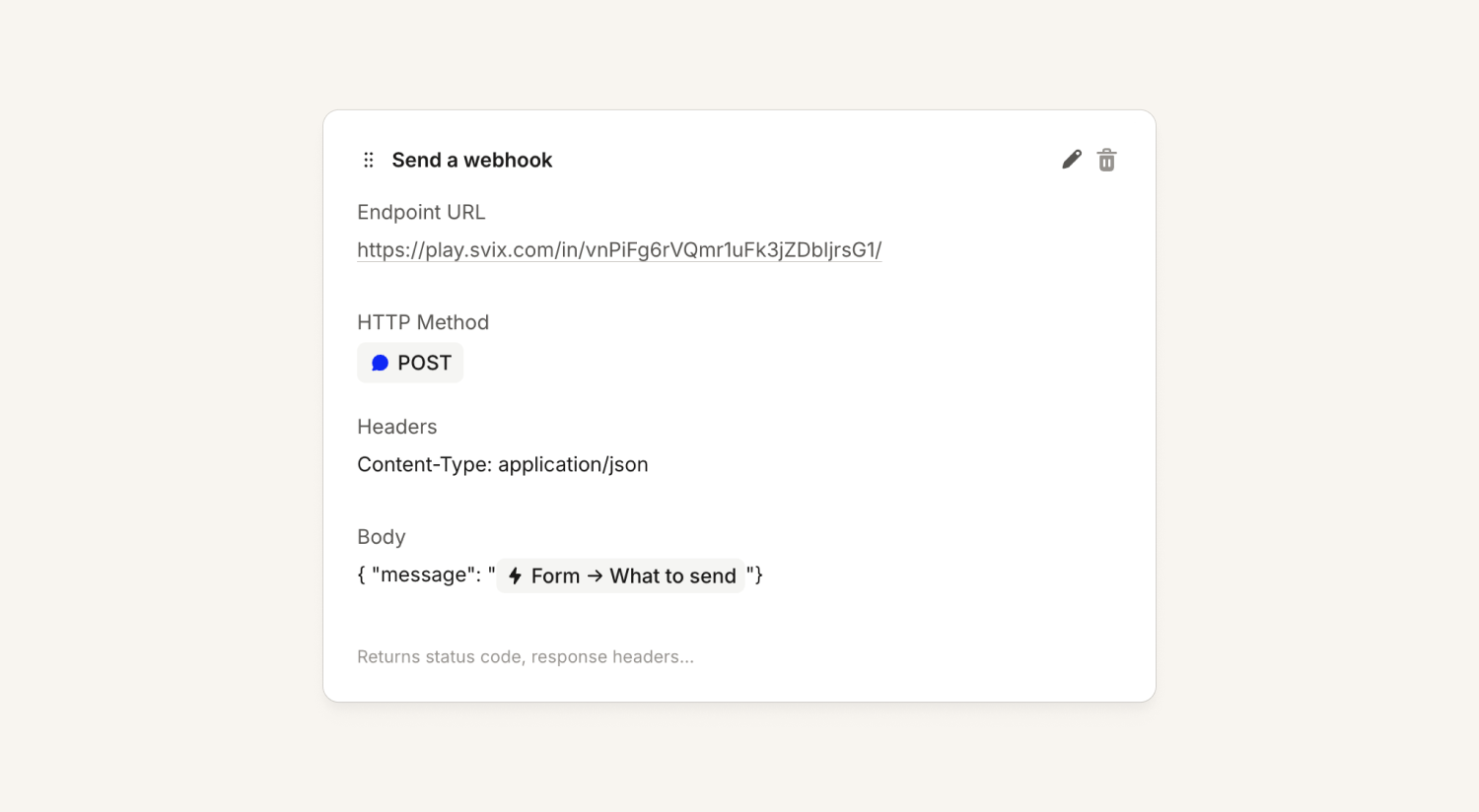
This makes it possible to:
- Pull data from an external system to fill in a custom field
- Pass that data into an "ask
@incident" step to have it take actions based on it - Create a ticket in an unsupported issue tracker and store a link to that ticket in a custom field
User API keys
Individual users can now create API keys that exactly match their own permissions. If the user gets new permissions, it means the key does as well. This means that I can use the API key to take exactly the same actions in the public API that I can take in the dashboard, but programmatically. If my user account is deactivated for whatever reason, the API key goes with it.
Admins can see and manage the keys of all users here. By default only admins and owners can see and manage user API keys globally, and by default all users can create user API keys for themselves. This can be controlled with new scopes for orgs that want to disable this functionality.
All actions taken through a user API key are logged as the user doing them, and are displayed like: Isaac Seymour via API key in the dashboard.
We have a new section in the docs for more details.
JavaScript operations now support even more features
All our JavaScript operations now support even more features, including:
- Modern syntax like
object?.field,x ?? y,x ||= "thing" - Cute things to make prettier code like
1_000instead of1000,\u{123}for unicode characters - Object rest and spread:
x = { "thing": 1, ...y }andconst { thing } = x - A bunch of builtin methods including
.groupBy,[].toReversed
What else we've shipped
New
- On-callWe now show you the attributes, tags and other metadata of any alert group members within the alert group page on web and mobile.
- ResponseWe now support Webex Service Apps for authenticating with Webex, a custom OAuth 2 flow that some organizations require for internal approval.
- ResponseYou can now manage incident forms in Terraform.
- Status PagesYou can now manage status page structure and components with Terraform.
- PlatformUsers can now manage their SCIM directory sync themselves.
Improvements
- On-callMobile alerts and filters are now much closer to the web dashboard.
- On-callReduce latency of alert messages being posted to Slack or Teams
- ResponseThe mobile app now lets you accept, decline, merge, pause, resolve, and re-open incidents, not just move them within their current status category. The update form follows your organization's own configuration, so roles, timestamps, and required fields match the dashboard, and server errors now show the actual reason an update was rejected.
- ResponseBulk incident actions now show which incidents failed and why, instead of a generic "contact support" error. When closing is blocked by required Resolve form fields, each failed incident links straight to its Resolve form.
- Ask the incident.io agent to attach a pull request, alert, or other link to an incident and it now does it directly. There's no more detour through the attachments modal.
Bug fixes
- On-callClicking Request alert source on the create alert source page now opens an email request on the same page instead of a blank tab. Any search term you entered, such as a missing source name, is included in the email.
- On-callPagerDuty schedule imports now respect each layer's start date, so a layer that starts in the future only overrides lower layers from that date onward. Current on-call coverage is preserved and the imported schedule matches PagerDuty's final schedule.
- On-callFixes an issue on the iOS app where new sign-ins were never asked for notification permission, leaving onboarding stuck on "Get notified" and push notifications unable to be enabled. New iOS users can now allow push notifications during setup.
- On-callThe search box on the Alert routing pages now keeps up with fast typing, so characters are no longer dropped or reordered. Your search text also carries across the Overview, Sources, Routes, and Team grouping tabs.
- On-callThe Request cover button is now disabled while "Offer a swap" is on and no return shift has been attached, with a message explaining what to do. This prevents cover requests from going out as plain cover requests by mistake.
- On-callBulk acknowledge on the escalations list now counts only the escalations you can actually acknowledge when applying the 250-item limit. Selecting all and scrolling no longer disables the Acknowledge button when the request would be well within the limit.
- On-callRe-adding a Slack user group to a schedule's sync settings after unlinking it now works, instead of failing with an error.
- On-callViewing grouped alerts attached to an incident is faster and no longer times out.
- On-callThe alerts list no longer shows the same alert twice when a slow grouped or filtered view loads in more than one page. Each alert now appears once.
- On-callThe alert routing overview now reliably shows your Sources and Routes graph. Previously the diagram could appear empty after switching between the Overview, Sources, and Routes tabs until you reloaded the page.
- On-callFixed an issue where using a Slack user group for a schedule sync would connect an older disabled group of the same name
- On-callYou can now attach a non-private alert to a private incident you have access to. Private incidents now appear in the attach picker on alert details, bulk attach from the alerts list, and the reprocess drawer.
- On-callWhen several escalations hit the same incident channel in quick succession, the Slack rollup summary now includes every escalation, including those that previously never appeared in the channel. Responders get confirmation that their escalation landed.
- ResponseFixed an issue where syncing Asana Teams into the catalog would time out for large organisations
- ResponseClicking Subscribe on a Slack announcement for a private incident you can't access now shows a message only you can see, explaining you don't have access, instead of failing with an error.
- ResponseA team's post-incident tab now respects a follow-up's assigned team. Follow-ups assigned to a specific team no longer move to another team's tab when the assignee changes teams.
- ResponseThe unsubscribe link in the Monthly Insights email now works. It opens a confirmation prompt, and there's a new "Monthly insights email" toggle on Your account so you can opt out at any time.
- ResponseFiltering incidents by a parent team now includes members of its child teams. This applies to incident role, participant and follow-up owner and creator filters when team structure is set up.
- ResponseSlack links now follow your workspace's current URL. If you rename your Slack workspace domain, new links point to the updated address instead of the old one.
- ResponseFollow-up exports that fail on creation now stay in an error state, so you keep the error message, template link, and Retry button instead of seeing an endless "exporting" spinner. Linear export errors now name the template field that couldn't be found, such as labels, team, or assignee.
- Status PagesAtlassian Statuspage templates now respect their "notify subscribers" setting when you open them in Slack. A template with notifications turned off no longer shows the checkbox ticked, so you can't accidentally email subscribers.
- Status PagesThe status page calendar now closes an outage at the end of the last impact once every impact has ended, even if the incident stays in Monitoring. This stops it showing a long outage that didn't happen.
- Follow-up updates to an AI-generated code change pull request now build on the latest pushed commit, so a second update started shortly after a push no longer fails.
- Fixed an issue where the Slack bot could post two near-identical replies to a single question.
So good, you’ll break things on purpose
Ready for modern incident management? Book a call with one of our experts today.

We’d love to talk to you about
- All-in-one incident management
- Our unmatched speed of deployment
- Why we’re loved by users and easily adopted
- How we work for the whole organization



