Team-scoped API keys
March 11, 2026
We now allow you to create API keys that are restricted to managing resources (schedules, escalation paths, alert sources, alert routes) owned by a specific team.
This is useful when a team might want an API key to manage their on-call schedules via Terraform, without accidentally modifying a different team’s schedules. They can now create a key with account-level read access, but team-scoped write access to schedules.
API keys can have either global permissions, team-scoped permissions, or a combination of the two. Users can create keys with the permissions that they, themselves have.
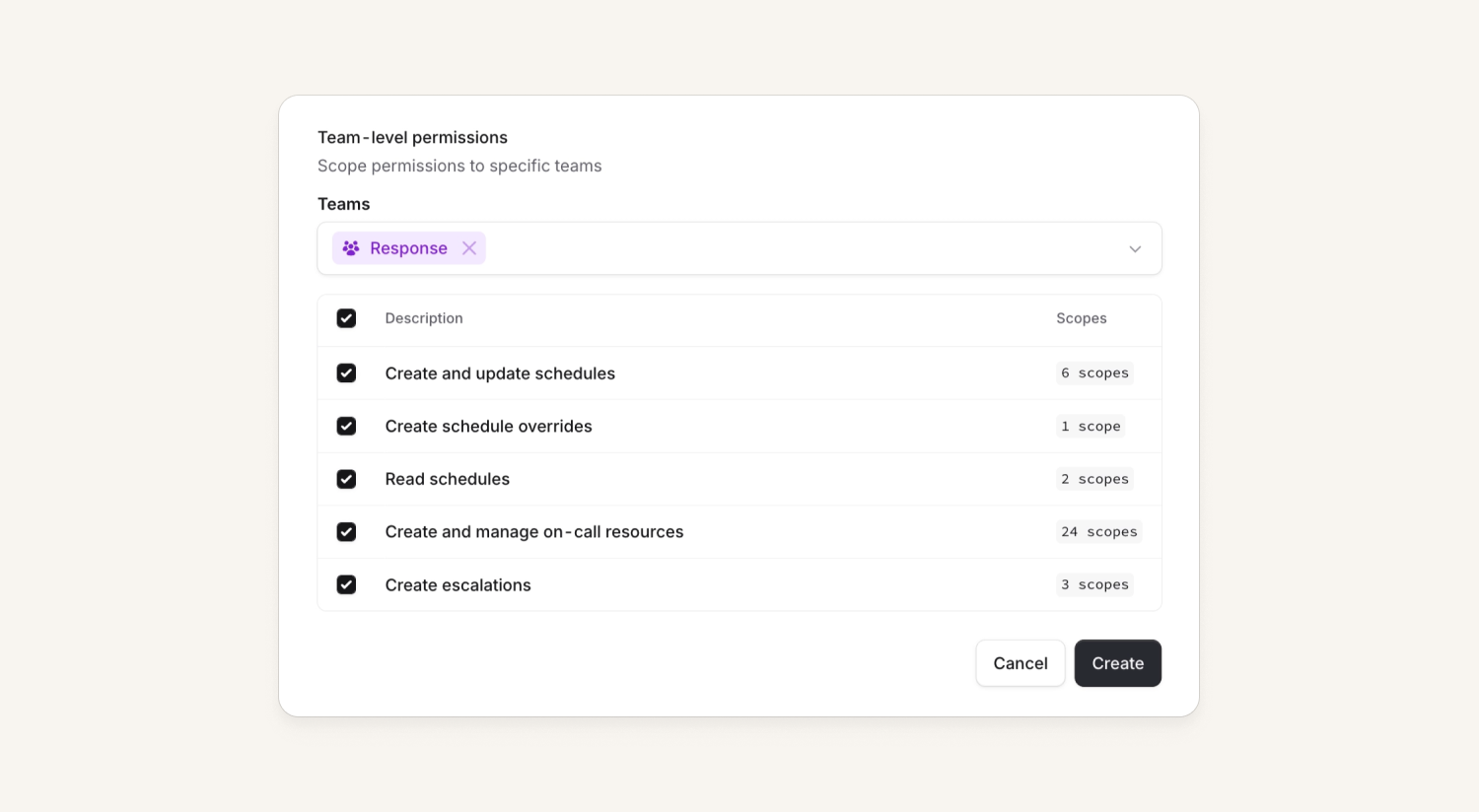
We also gave the API keys settings page a bit of a glow-up while we were here!
Editing API keys
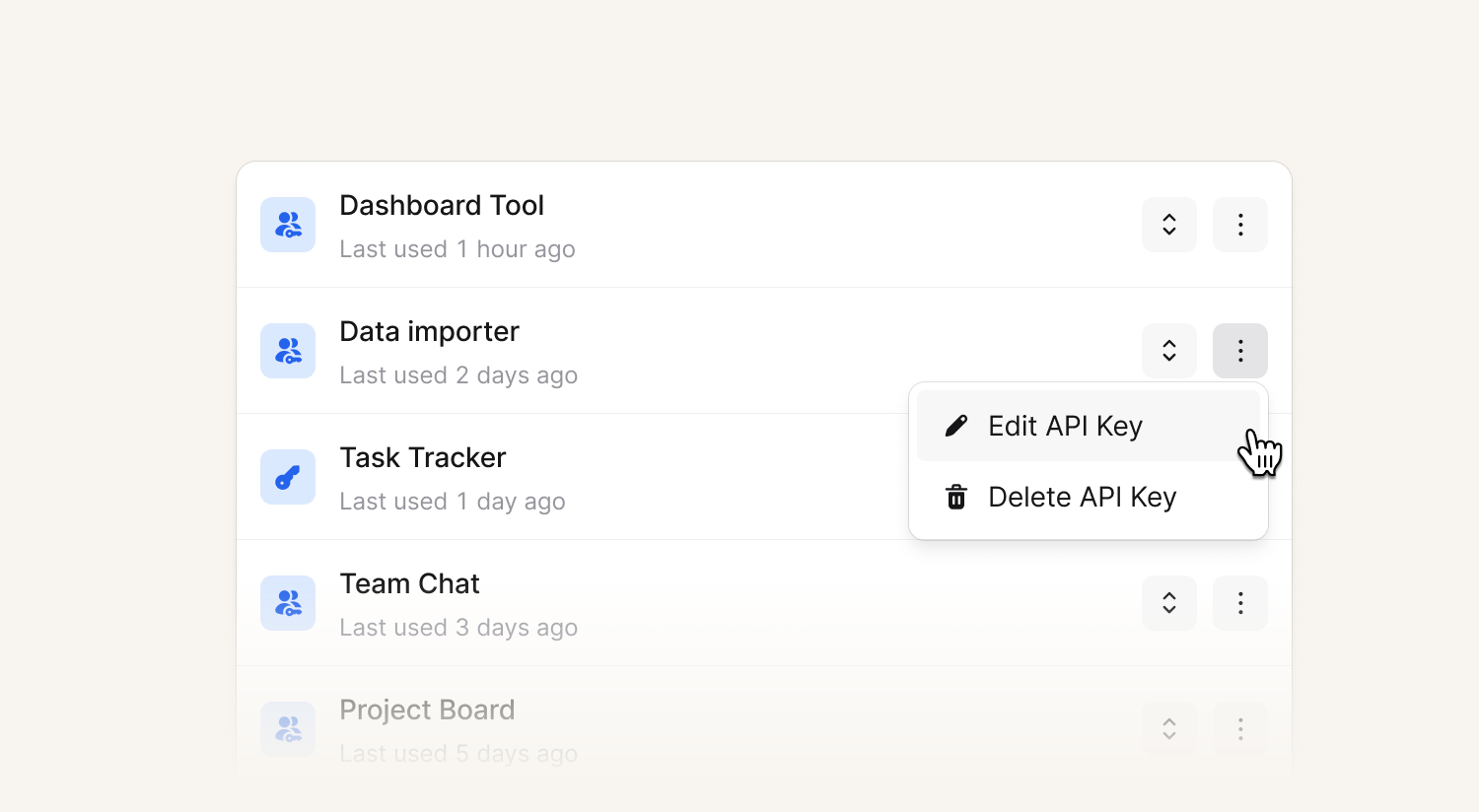
Previously, if you wanted to make changes to an API key (rename, add a new scope, remove a scope) you’d have to delete and create a new one, which was less than ideal. Now, if you have the allowed permissions, you can edit them!
AI suggestions in Microsoft Teams
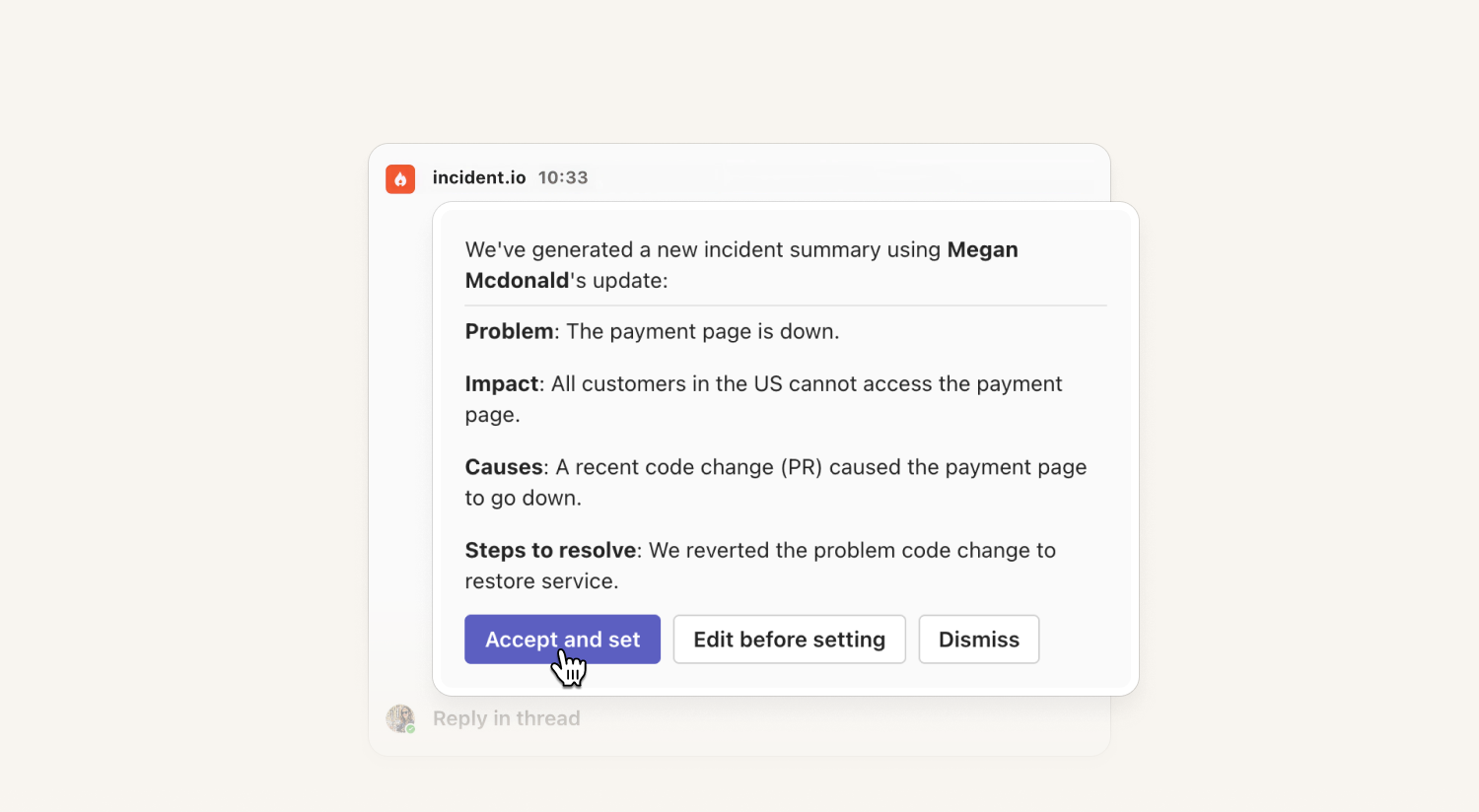
Customers who use Microsoft Teams now benefit from proactively generated AI suggestions. This includes suggested updates, summaries and follow-ups within the incident channel.
See our help docs to learn how to enable these for your account.
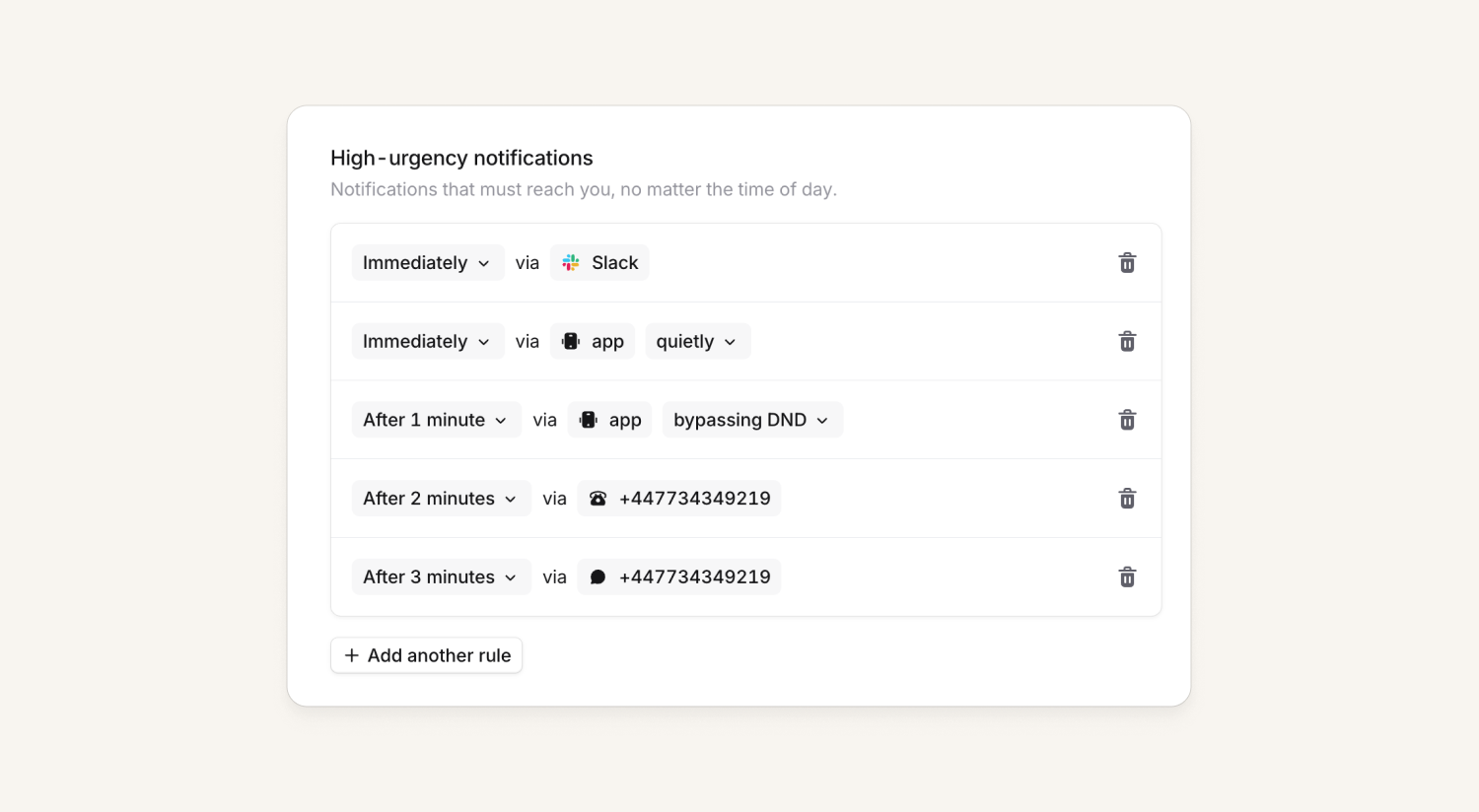
Choose whether On-call notifications bypass DND
Until now, we've assumed if you had an "app" notification in the "High urgency" section, we'd page you loudly and bypass do-not-disturb, and then a low-priority page would just quietly notify you.
Now, you can customize the notification in each section - allowing you to set up such where you get paged via a quiet notification and only page loudly after a minute.
Filter the homepage by your teams
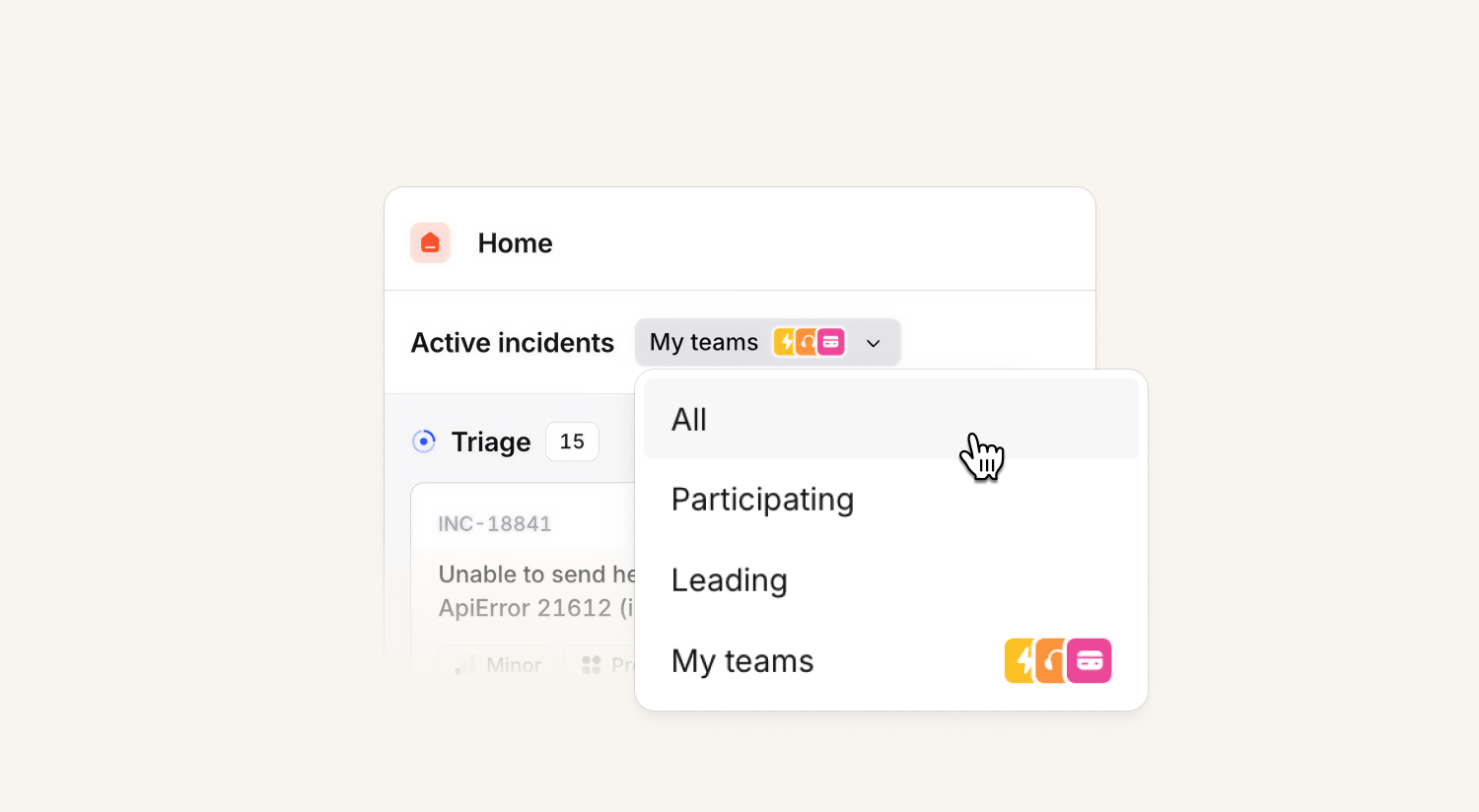
We've replaced the "All", "Participating" and "Mine" toggles with a new dropdown that also contains the option to filter the option to your teams. Like before, this remembers your selection, so if you refresh the homepage it'll keep you on the option you'd chosen previously.
What else we've shipped
New
- We now support emojis on alert attribute resources in Terraform
- You can now use custom emojis across incident.io, including alert attributes, Slack On-call status sync, and announcement posts
- We now preserve messages even after a Microsoft Teams channel is deleted, so you never lose important incident context
- We've added richer metadata to schedule override audit logs, which give visibility on who was swapped out of on-call, who took over, and for which rotation
- You can now filter alerts by alert source in the Alerts API
- Create incident channels in "threads mode" in Microsoft Teams by heading over to Settings → Teams channel
Improvements
- We now include all alert annotations in the descriptions for Alertmanager alerts
- Schedule names in the team page on-call widgets are now clickable
- Improved performance when displaying large complex schedules in the dashboard
- Improved our holiday calendar importer to support more ICS files
Bug fixes
- Fixed a bug where if you navigate directly to the teams configuration page you'd be redirected away
- Fixed a bug where you would sometimes be redirected to an error page after declaring an incident in the incident.io Microsoft Teams tab
- Fixed a bug where if an organisation has two Atlassian sites connected, and one is deactivated, the integration breaks for the remaining one
- Fixed a bug with MTTA times displaying inaccurately for users on escalation paths containing repeats
- Fixed a bug where our retry-after header time was set to the current time rather than a time in the future
- Fixed a bug with alert grouping where we were incorrectly grouping partial matches on string alert attributes rather than exact matches
- Fixed some glitchy animations when displaying cover requests on iPhones
So good, you’ll break things on purpose
Ready for modern incident management? Book a call with one of our experts today.

We’d love to talk to you about
- All-in-one incident management
- Our unmatched speed of deployment
- Why we’re loved by users and easily adopted
- How we work for the whole organization



