Shift swapping
June 23, 2026
You can now swap shifts with other people on your schedule. This is especially useful if a holiday overlaps with one of your shifts and folks are reluctant to accept your cover request, but might be more open to swapping instead.
You can swap shifts in two ways:
- Override swaps: When viewing a schedule in the dashboard, choose "Create override" in the top right, then select "Swap shifts" from the new dropdown. This is best when you already know who you want to swap with, and we'll help you quickly enter the right details.
- Cover request swaps: Alternatively, if you don't know who you'd swap with, you can now mention on a cover request that you're happy to swap time in return for someone covering your shift.
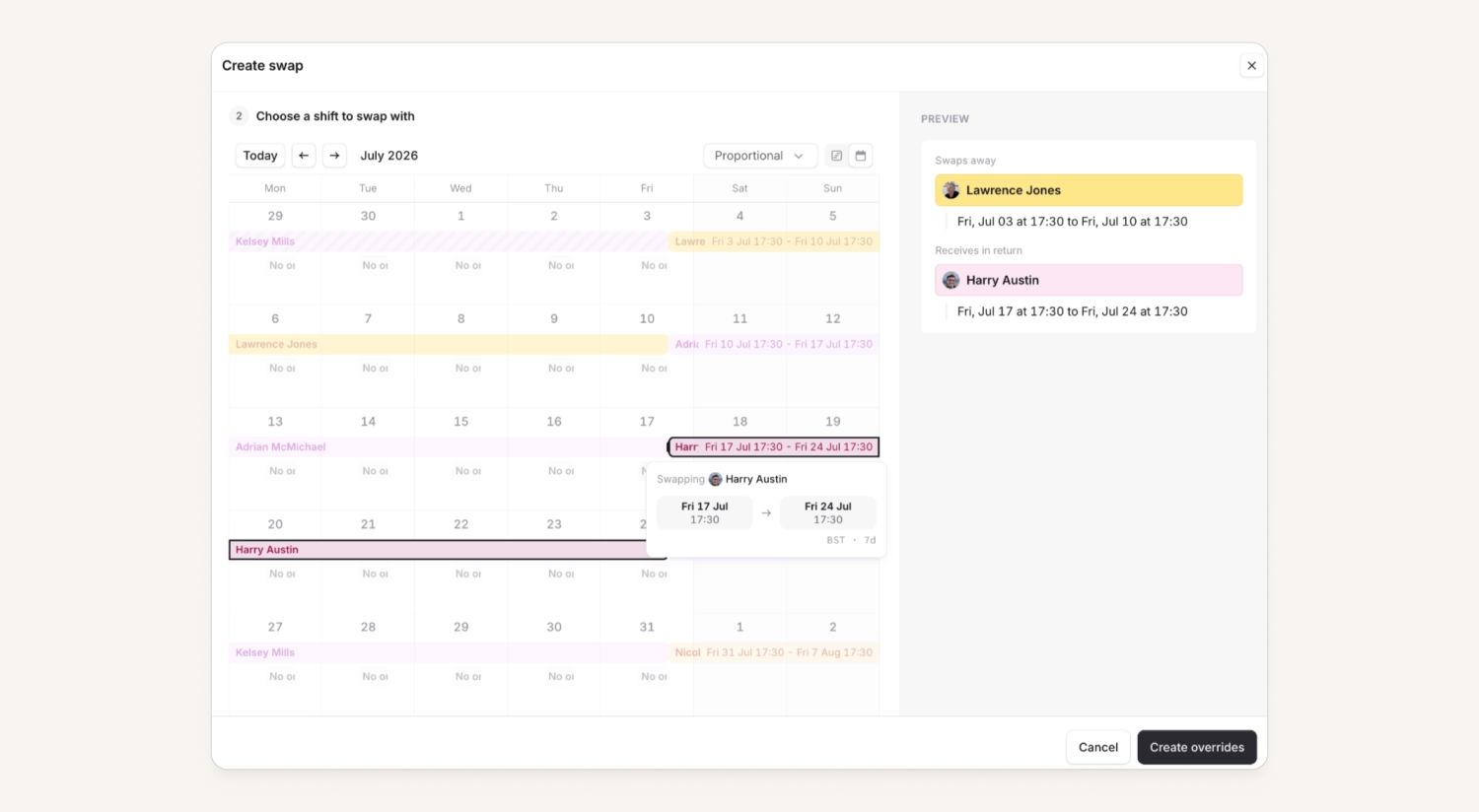
Shift swapping creates two overrides. It doesn't change your underlying schedule configuration, so you'll keep any other shifts you have in the future. Swaps don't need to be equal. You can swap half a day for someone else's full day. We'll flag asymmetric swaps, but there's no requirement for them to match.
Along the way, we've revamped various parts of the schedules pages as part of this work — you'll notice other improvements too:
- You can now click and drag to create overrides/cover requests while on the calendar view (found via the toggle on the top right of the schedule). Previously, this was only possible while looking at the “1 month” view.
- We've added a new "proportional" view to the calendar, which we remember when you revisit that schedule. It lets you see more shift information in a denser format, and supports click-and-drag with hourly granularity (rather than snapping to whole days).
- You can now see more detail about cover requests from your mobile app home screen, and viewing them is much clearer now too.
Team-based permissions for alerts and escalations
By default, anyone in an organization has the ability to resolve any alert and respond to any escalation regardless of which teams those alerts affect. For some organizations, this is not ideal as they want to restrict who can respond to alerts and escalations to only the team who owns them.
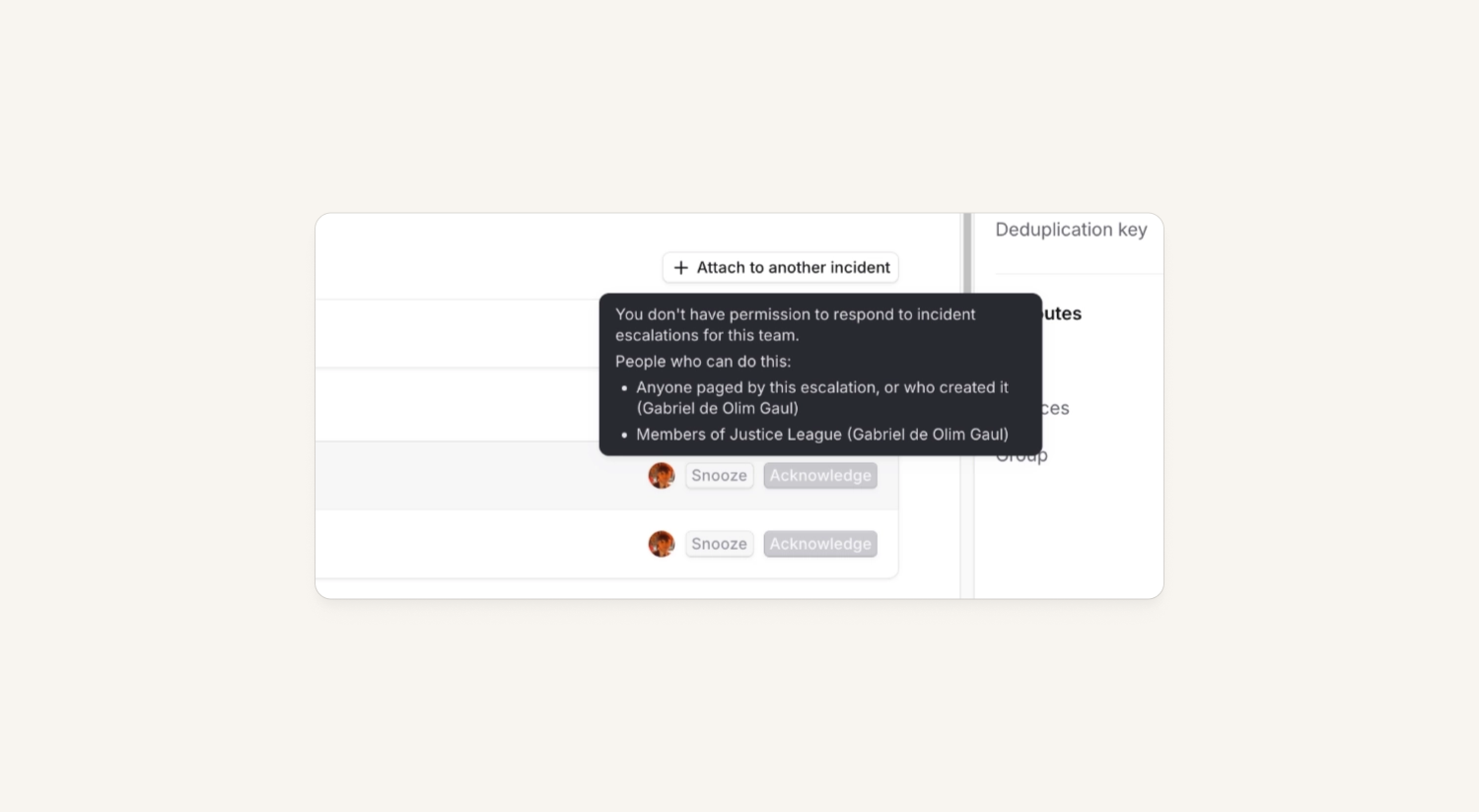
So, we've added a new team-based permission for taking actions on alerts and escalations! This means that permissions can have:
- Only members from my team can resolve alerts for my team
- Only members from my team can acknowledge escalations for my team
When used, any alert routed to a team can only be resolved by users in the relevant team. Escalations from those alerts can only be acknowledged or snoozed by the same users, or anyone who was directly notified about them. In all cases, if you are an admin or owner who has the permission granted at the account-level, you will be able to action any alert or escalation.
For more details on how this work, please check our help docs.
Add notes to alerts
Users can now attach notes to an alert. This allows customers to add context about the alert such as: investigation details, work done, or explanations on how an alert was resolved. Notes can then be used for audit trails, handovers or just general documentation needs.
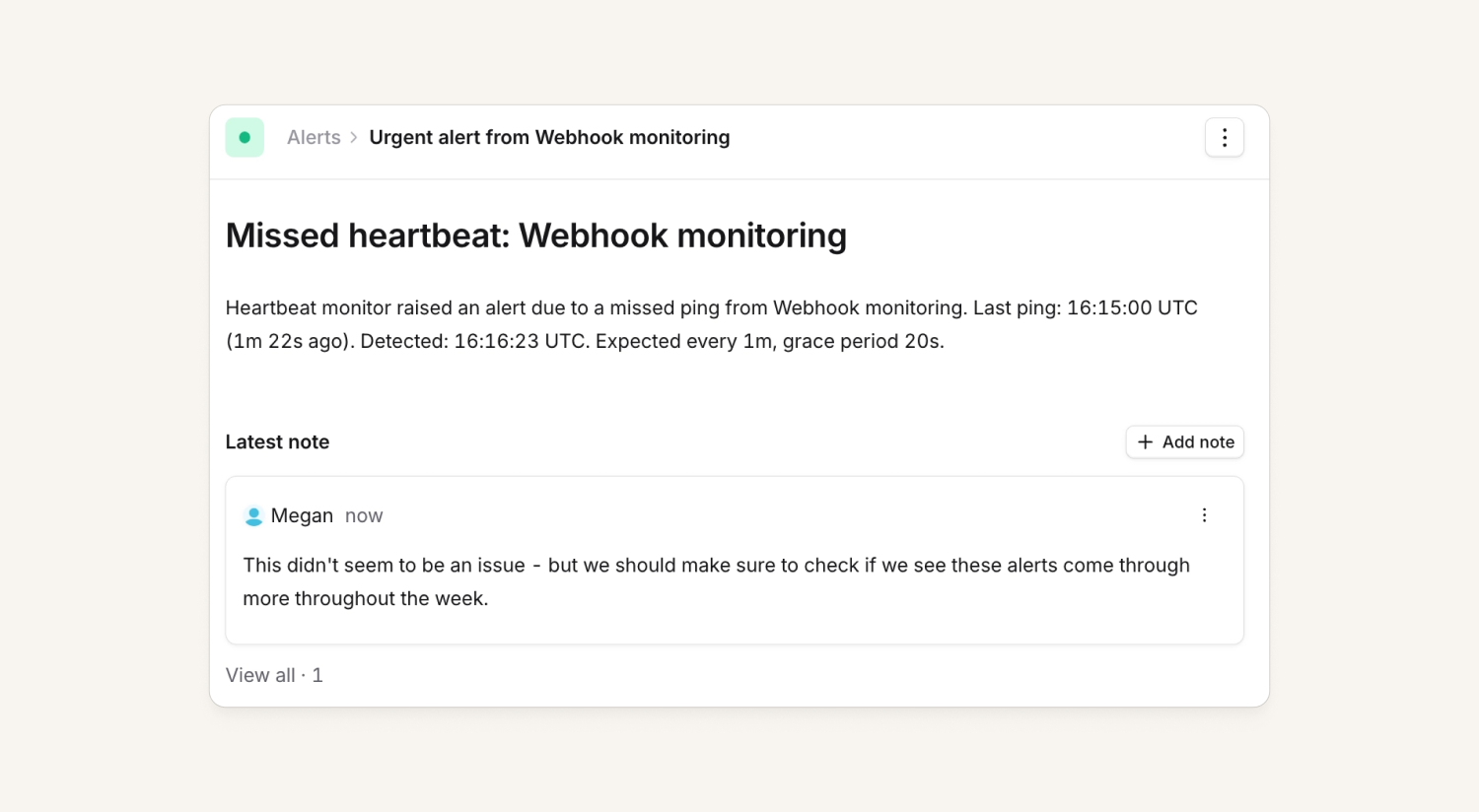
Alert notes can be added in the dashboard, the mobile app and via Slack, which will then be displayed within the alert timeline. You can add images as attachments and also filter the alerts list to see all alerts with notes attached.
For more information, please check out our public API documents and help docs!
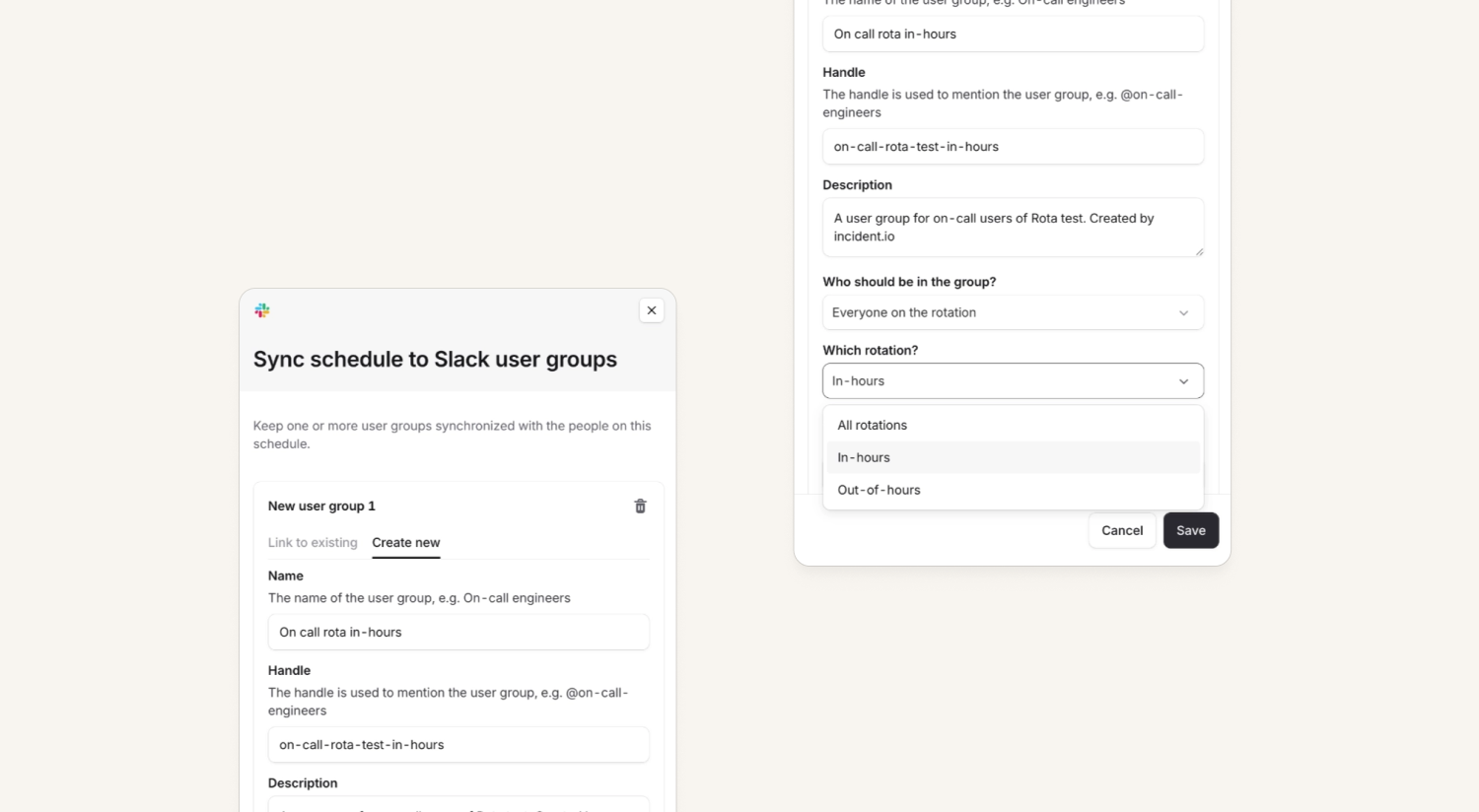
Sync schedule rotation members to Slack user groups
You can now narrow down automatic Slack group sync to a specific rotation within a schedule! Just like the existing whole schedule sync, you can choose between syncing "everyone on the rotation" or "currently on-call" to a Slack user group.
Cover request notifications in Microsoft Teams
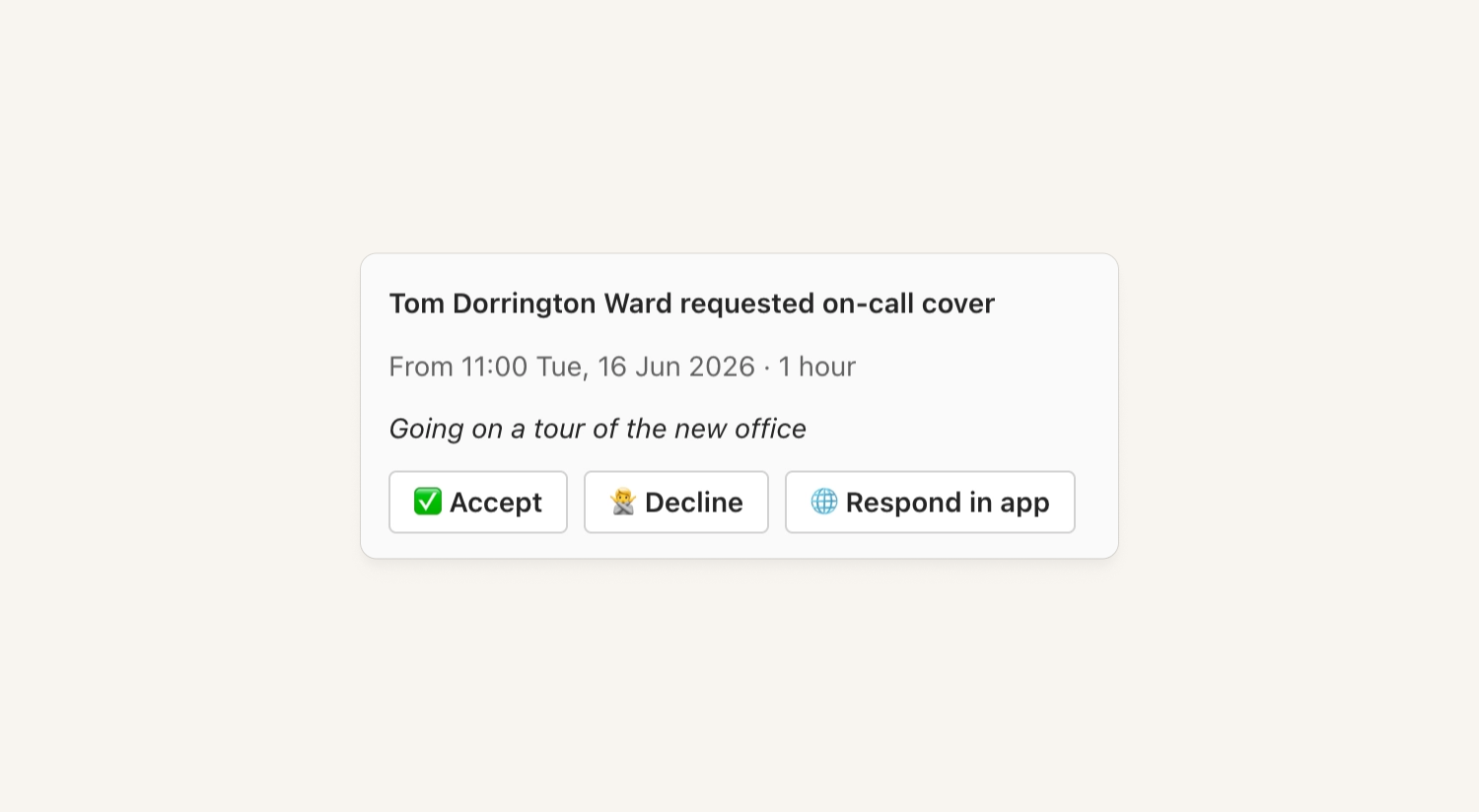
Microsoft Teams customers now get notified by incident.io when someone is requesting on-call cover within Microsoft Teams. This means both the cover candidates and the requester are now notified about cover requests (and swap requests), and the message status updates as the request progresses.
Improved alert messages in incident channels
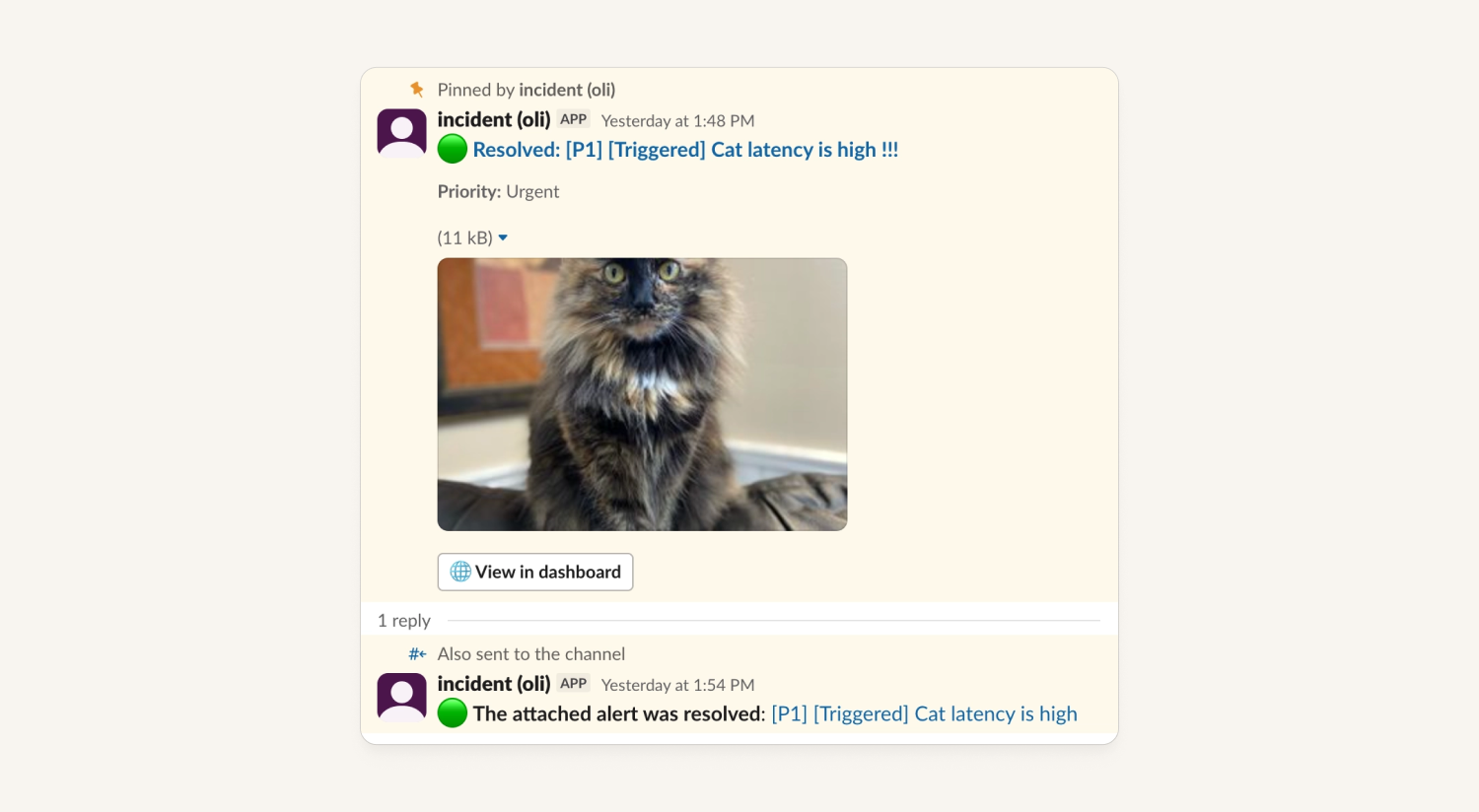
We've re-worked the alert messages that we send to incident channels across both Slack and Microsoft Teams. This includes:
- We have a single pinned message that summarizes all alerts (attached or pending) for an incident
- We have a thread underneath that message that:
- Shows the individual alerts (using your message template)
- Roll-up messages about attached or resolved alerts
- If your alert includes images from Datadog and Grafana, then the threaded reply and the alert pulse message will include them.
Accessing alert timestamps in workflows
You can now access alert -> received at and alert -> resolved at in our workflow engine. That means you can have a workflow that does something such as:
- When an alert is attached to an incident
- IF
impact started atis blank - Set
impact started attoalert -> received at
This is particularly useful if you don't always create incidents from alerts - without this, a responder would have to manually set impact started at to give you the correct 'impacted time' metrics if incidents might be created minutes or hours after an alert originally fires.
What else we've shipped
New
- You can now tag users and Slack channels in updates, workflows and summaries within the dashboard
- You can now choose which users should be included in an on-call notification policy by what schedules they're on
- You can now edit an expression that's being used in a workflow, as long as at the end it still resolves to the same 'type' as before
- You can now trigger a workflow based on the outcome of a decision flow
Improvements
- We’ve updated the post-mortem document links in Slack to show in a nice card format
- We’ve given a bit of a glow up to Slack cover request notifications
So good, you’ll break things on purpose
Ready for modern incident management? Book a call with one of our experts today.

We’d love to talk to you about
- All-in-one incident management
- Our unmatched speed of deployment
- Why we’re loved by users and easily adopted
- How we work for the whole organization



