Resolve and deduplicate email alerts
May 12, 2026
Until now, every email hitting an email alert source created a fresh alert that stayed triggered forever. Even follow-up "resolved" just opened another alert next to the first.
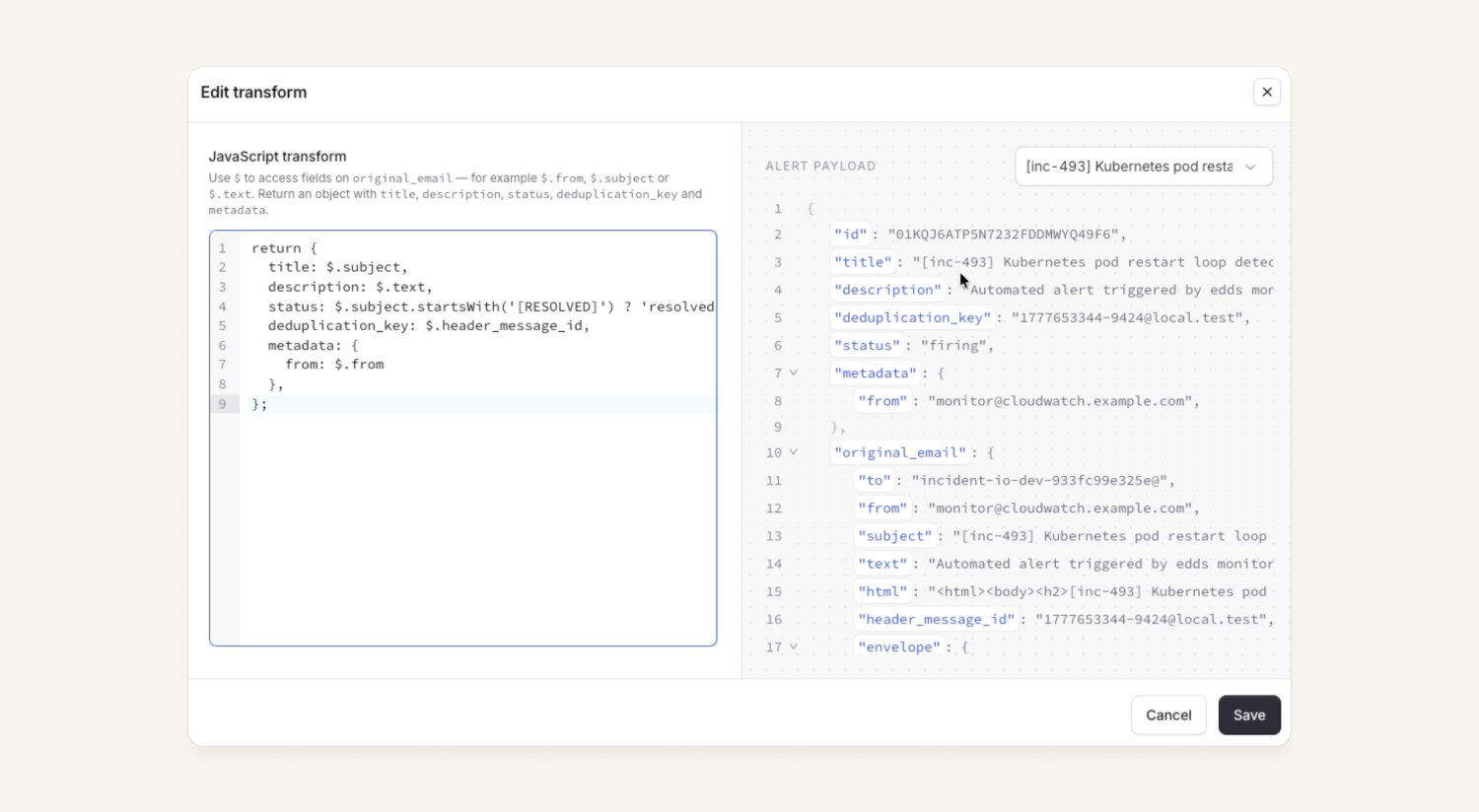
We've shipped advanced email parsing, a JavaScript snippet that transforms incoming emails, unlocking:
- Auto-resolve: a "resolved" email closes the alert its "triggered" email opened.
- Deduplication: pull a key from the subject or body so you don't get paged twice about the same problem.
For more details on how to use this, please check out our Loom and help docs.
Your team overview page just got groovier
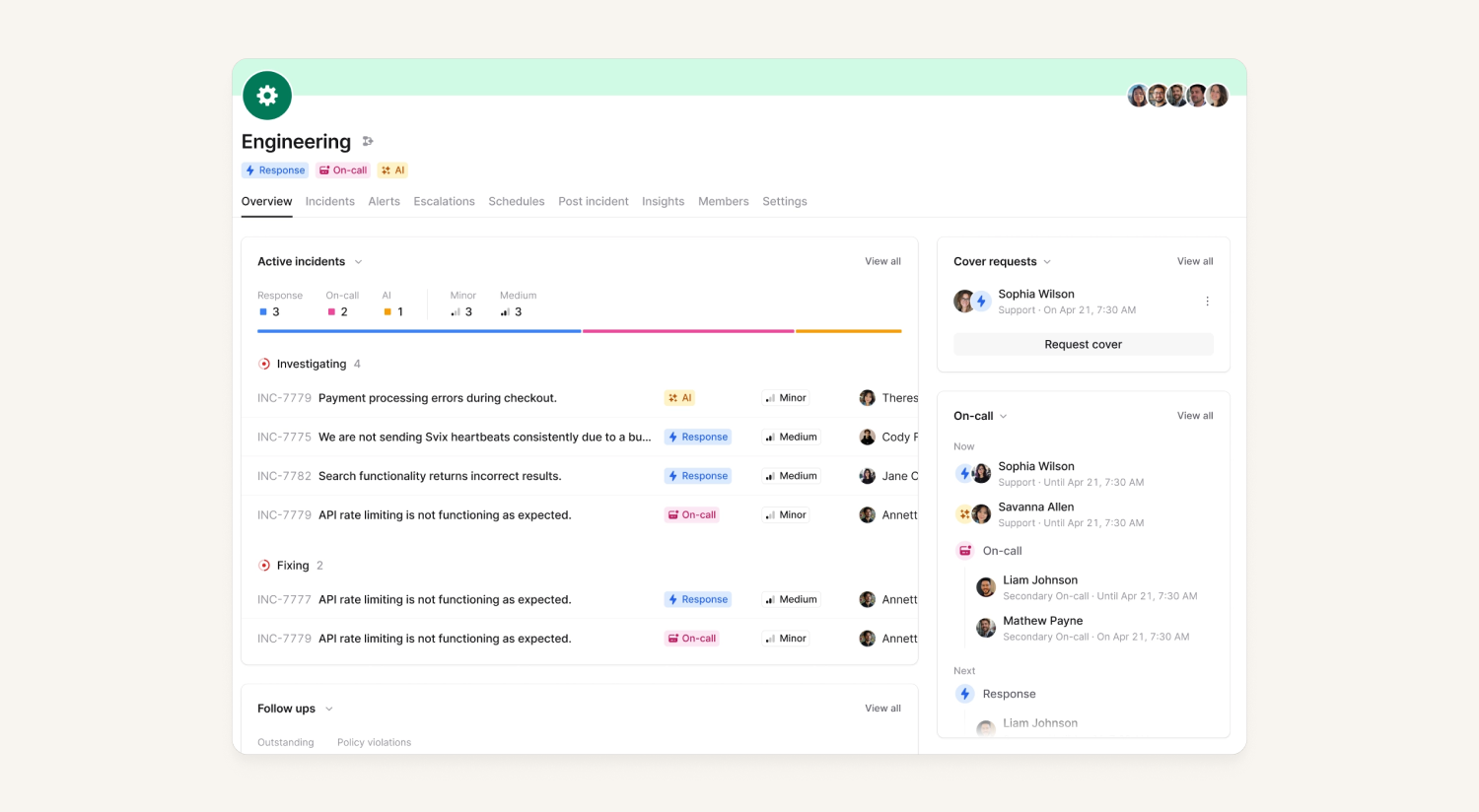
We’ve updated the team overview tab to give a nice view of what's currently happening, with easy view all buttons to dig deeper where needed. There's also improved filtering, and as well as a new follow-ups panel!
This new experience should be an improvement for anyone using our new team hierarchy feature, as those with loads of sub teams can get a better view of what’s going on across sub-teams.
What else we've shipped
Improvements
- We improved the display logic of incident activity timestamps for organizations who have enabled organization-specific timezones
Bug fixes
- Fixed an issue where part of the call notes drawer was cut off
- Fixed an issue which meant we weren't correctly identifying some Microsoft Teams call links pasted in incident channels
- Fixed an issue that meant custom fields didn't appear in incident forms when conditioned upon incident roles
- We fixed an issue where you couldn't continue creating an on-call pay report when creating it from an existing one
- Fixed an issue where even if you had muted PR attachments, we would continue to update the Slack or Teams channel as they moved through their lifecycle
So good, you’ll break things on purpose
Ready for modern incident management? Book a call with one of our experts today.

We’d love to talk to you about
- All-in-one incident management
- Our unmatched speed of deployment
- Why we’re loved by users and easily adopted
- How we work for the whole organization



