Plug your skills and tools into the agent
October 28, 2026
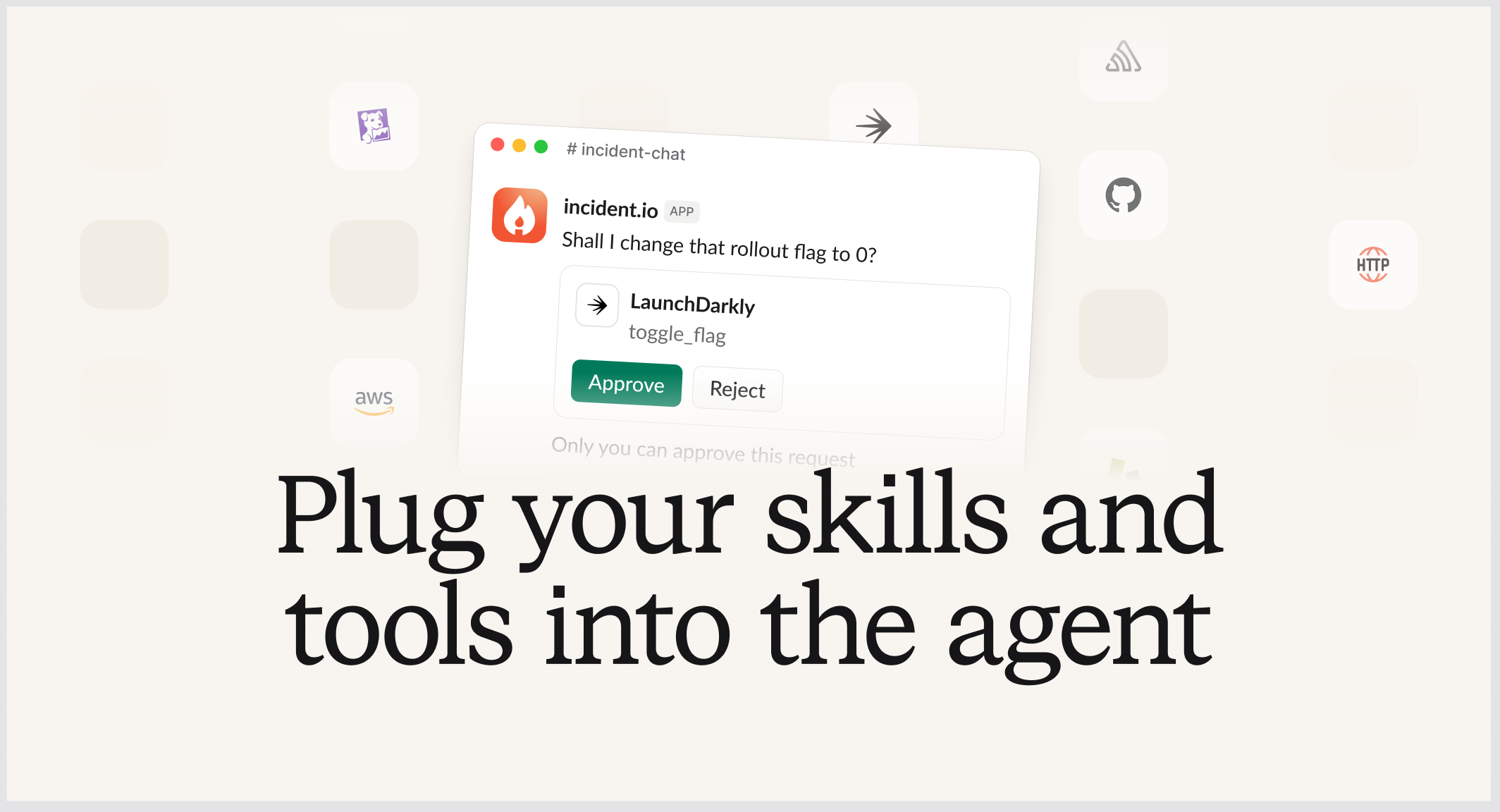
Last week we released Extensions to Investigations customers. From today, it's available to everyone who uses our agent.
When something breaks, you need to pull data from your own systems and act on it. This might look like checking how many checkout requests are failing, finding out the account owners of impacted customers, or turning off a recently enabled feature flag. Out of the box, our agent can only see what’s within incident.io, so it can’t help with any of that.
Extensions lets you add that functionality and context, in two parts:
- Connectors give the agent access to your own tools and systems, through MCP or an HTTP API.
- Skills are written instructions that tell the agent how your team does things, and how to interact with and interpret your tools
Once they're set up, the agent uses them whenever someone asks @incident something, in Slack, the dashboard, mobile or over MCP. This means it can answer questions about your own systems, and follow your team's process while it does.
We're also releasing action approvals. This means the agent can use tools that make changes, like turning off a feature flag, once someone has approved it.
Connectors
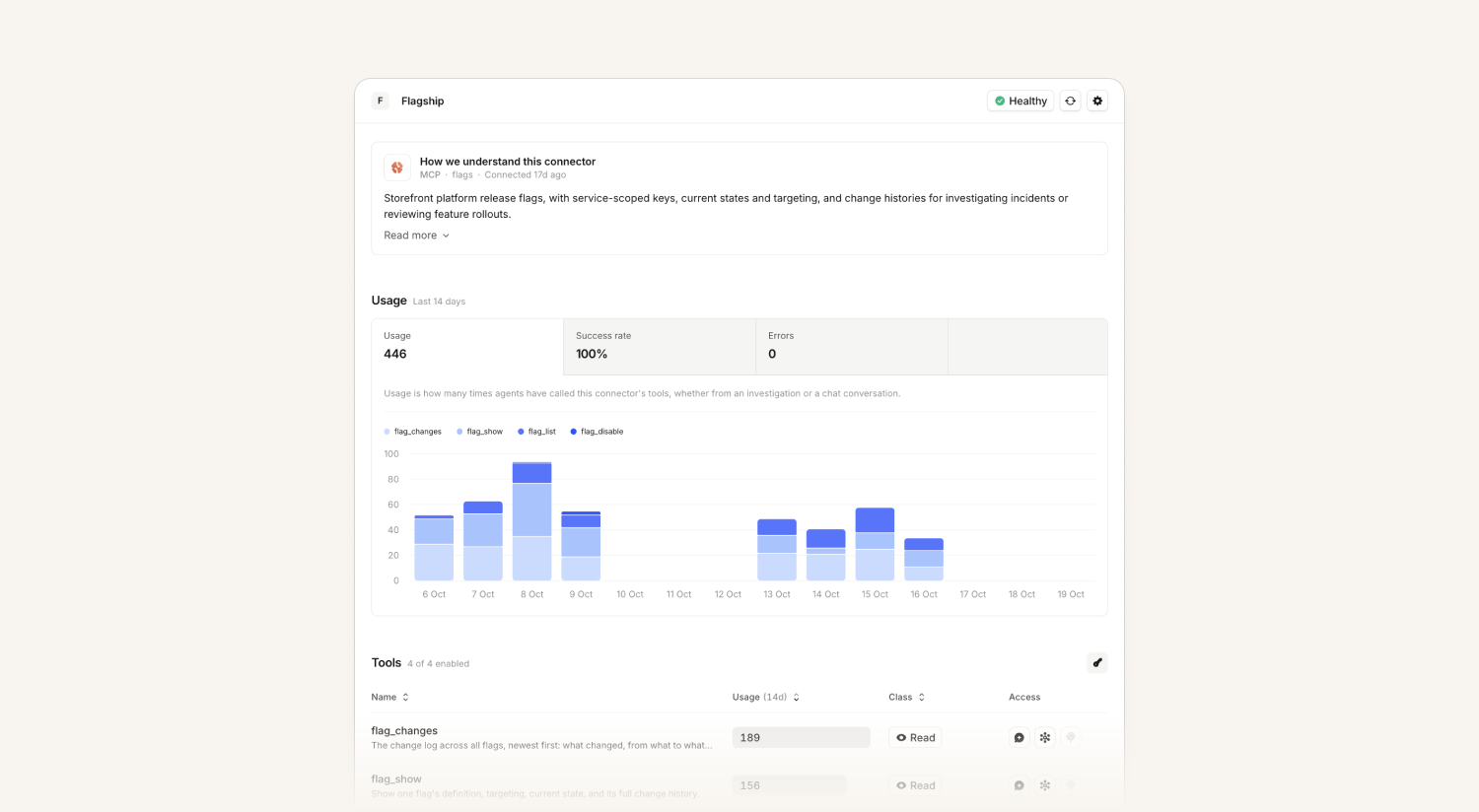
Connectors let the agent use any MCP server or HTTP API, including your internal tools. If a tool is on a private network, you can connect to it through a proxy you run. See connectors for more detail.
For example, if you connect your feature flag service, you can ask "@incident which flags changed on checkout in the last hour?" and the agent will look it up for you, and offer to turn off the one that’s causing problems.
You can also connect your own observability tools, so the agent can look at logs and metrics.
Skills
Skills are written instructions for the agent. They use the same open format as Claude Code, Cursor and Codex, so the same skills work in your coding agents too. Each connector should have a skill telling us how to use it - what tools to call in certain situations, and how to interpret the data we get back.
The easiest way to write a skill is with our open source skills plugin. Install it in your coding agent and run /incident-io:extensions. It looks at what you've connected, asks you a few questions and drafts a skill for you. It can also convert runbooks you already have. See plugins for more.
We grade skills each time they're used, so you can see which ones are helping, or if any are leading the agent astray. The plugin can also apply suggested fixes for you.
Action approvals
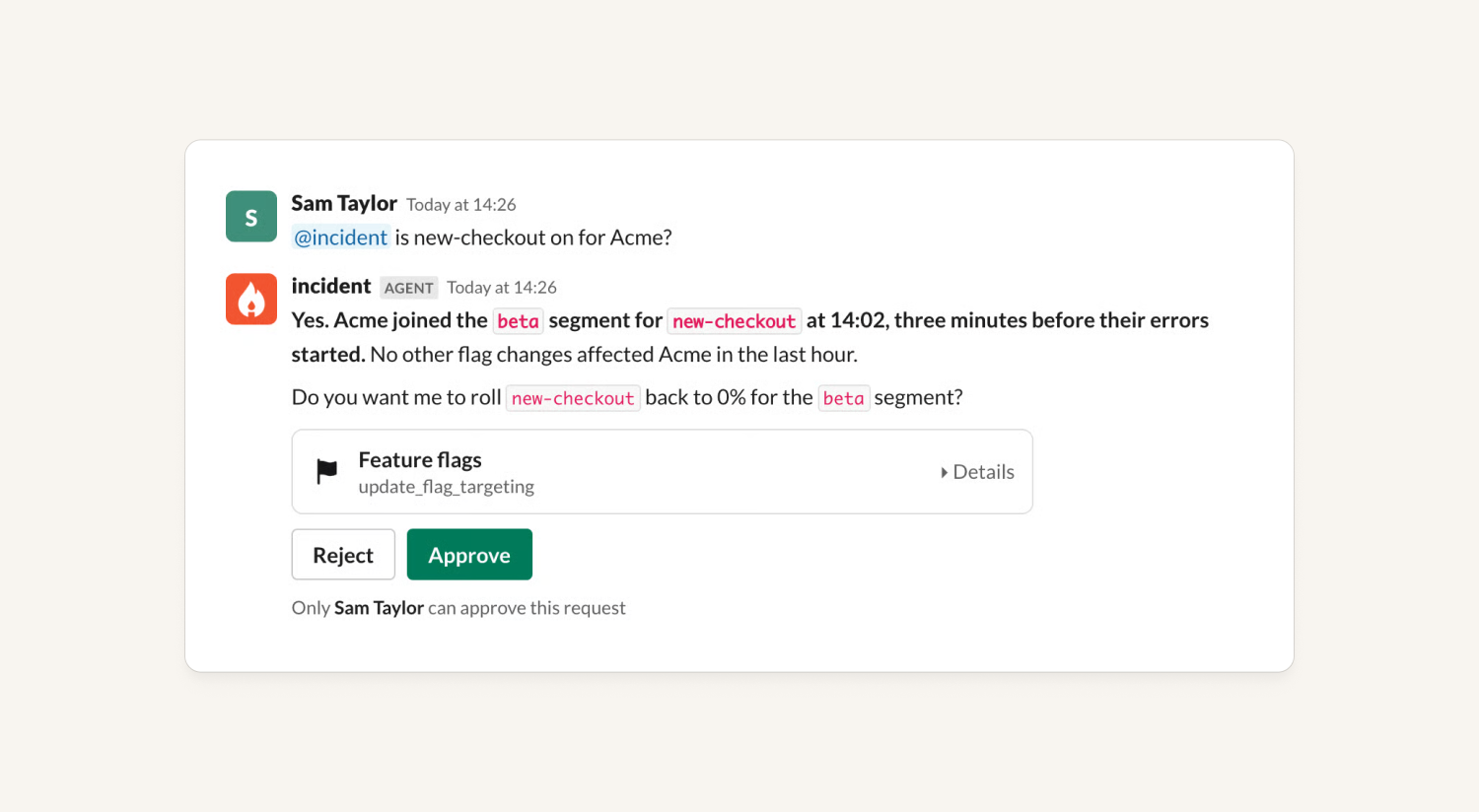
Access policies already let you decide which tools the agent can use, where, and for whom. Now you can also set any write or destructive tool to Allowed with confirmation. The agent proposes the exact call, and it only runs once you approve.
How it stays safe:
- What you approve is exactly what runs, as the person who asked.
- Write and destructive tools stay off until an admin switches them on.
- For now, only the person who asked can approve.
- Every proposal, decision and execution is in the audit log.
Approvals work in Slack, the dashboard and mobile today. Approving actions requested over MCP, and investigations proposing actions for you to approve, will be coming soon.
Extensions and action approvals are available today for all Pro and Enterprise customers. You can find them under Nexus → Extensions, or read the docs.
The easiest way to start is to run /incident-io:extensions in your coding harness, using our plugin. It helps you connect your first tool and write your first skill. We've also written up some examples of how to build with Extensions.
Platform
The Agent has a new home in the dashboard
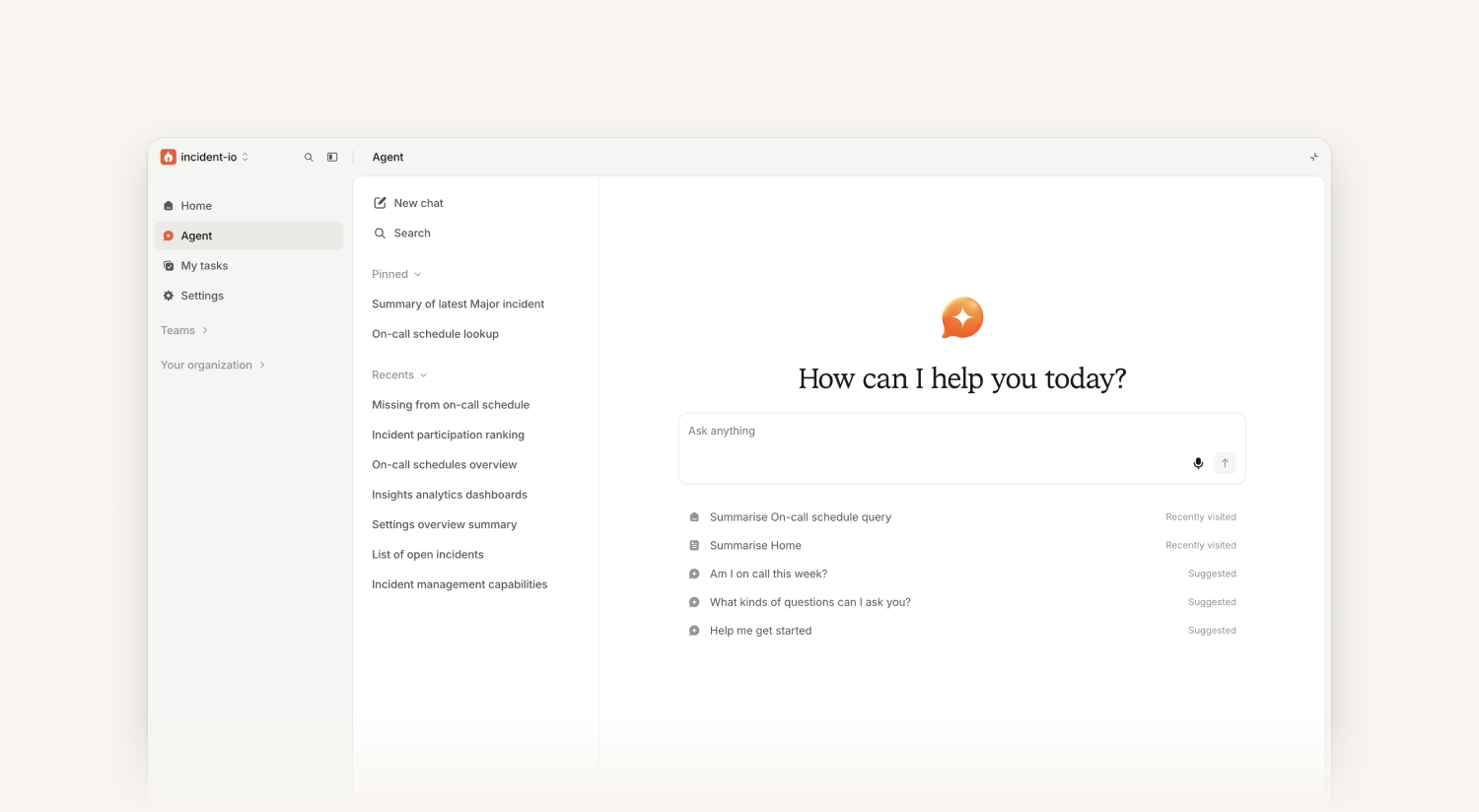
We've made some changes to how you get to and use the Agent in the dashboard:
- There’s a full page agent experience, available in the sidebar
- You can still dock the chat beside whatever page you’re on
- You can now pin, rename and archive your chats
- We’ve redesigned the page header so that you can also access the agent from the top right of every page
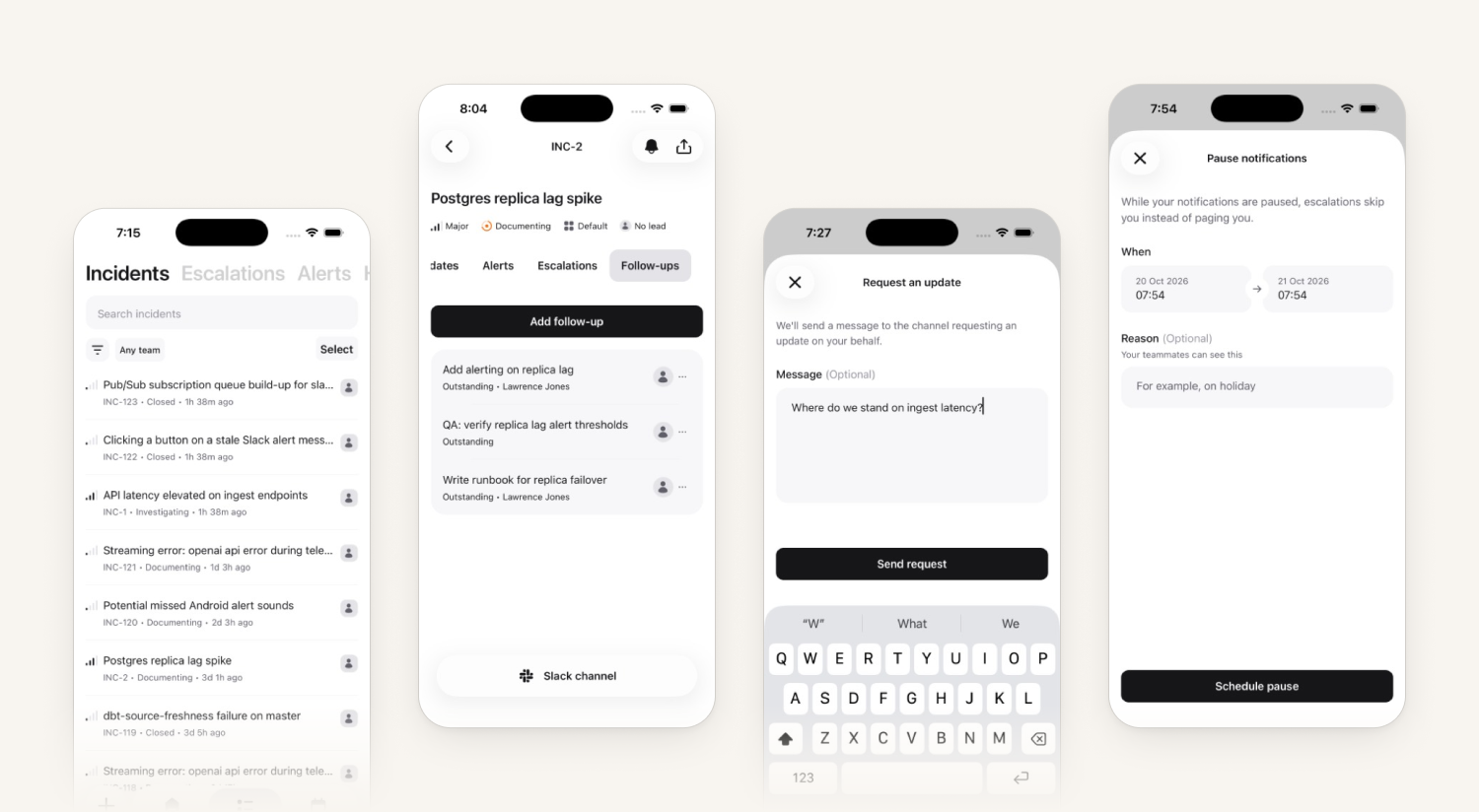
The mobile app now handles ten more things you used to open the dashboard for
Everyday incident and on-call tasks now work right from the app, so you no longer need to switch to the dashboard for them. Managed devices can also sign straight in with SSO.
Sign-in on managed devices
- One-tap SSO through an MDM. Admins set an
organisationSlugin managed app config, for example through Jamf or Intune. The app then opens to Continue with SSO for that organization, with no email to type. If the slug is wrong, the app falls back to the normal sign-in screen. - Shorter onboarding. Onboarding skips the push and critical alert screens when your MDM has already turned those on.
Running incidents
- Actions: add, assign, complete or mark an action as not doing from the Overview tab.
- Follow-ups: a new Follow-ups tab where you can add, assign, edit, complete or mark a follow-up as not doing.
- Request update: ask the lead and reporters for an update in the incident channel.
- Rate AI investigations: mark them helpful or not helpful, with the same reasons and comment box as on web.
- Search: the incidents, alerts and escalations lists each have a search box that works alongside your filters.
On-call and subscriptions
- Notification pauses in Settings: schedule a pause, edit it, or end it early.
- Slow-rule warning: see a warning when your first notification rule is slower than your shortest escalation path.
- Auto-subscribe rules: set up rules like “subscribe me when severity is Major or Critical” from Incident subscriptions.
Pylon integration and Pylon issue attachments
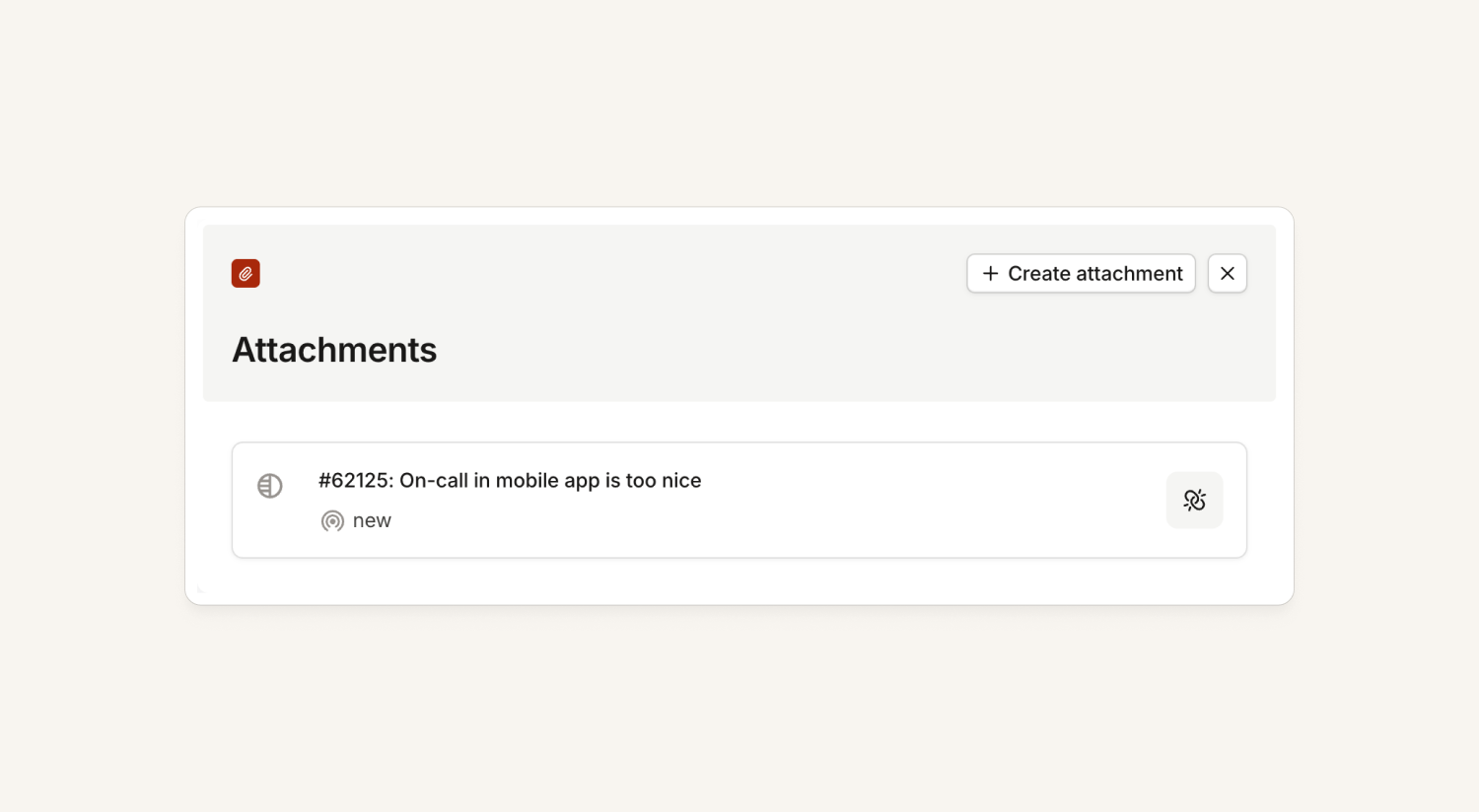
We now have a Pylon integration! Once you connect your Pylon workspace, you can attach Pylon issues to incidents. Just like with GitHub PRs, paste either of these into an incident channel and we'll offer to attach the Pylon issue:
- A link to a Pylon issue
- A link to a Slack message that a Pylon issue started from — we'll find the issue behind the thread for you
The attachment shows the issue number, title and current status. You can also attach an issue from the dashboard by pasting its link.
Public API for glossary entries
You can now manage your glossary through the public API, so if you maintain a glossary elsewhere, you can keep it in sync with incident.io automatically.
On-call
New GitGuardian alert source
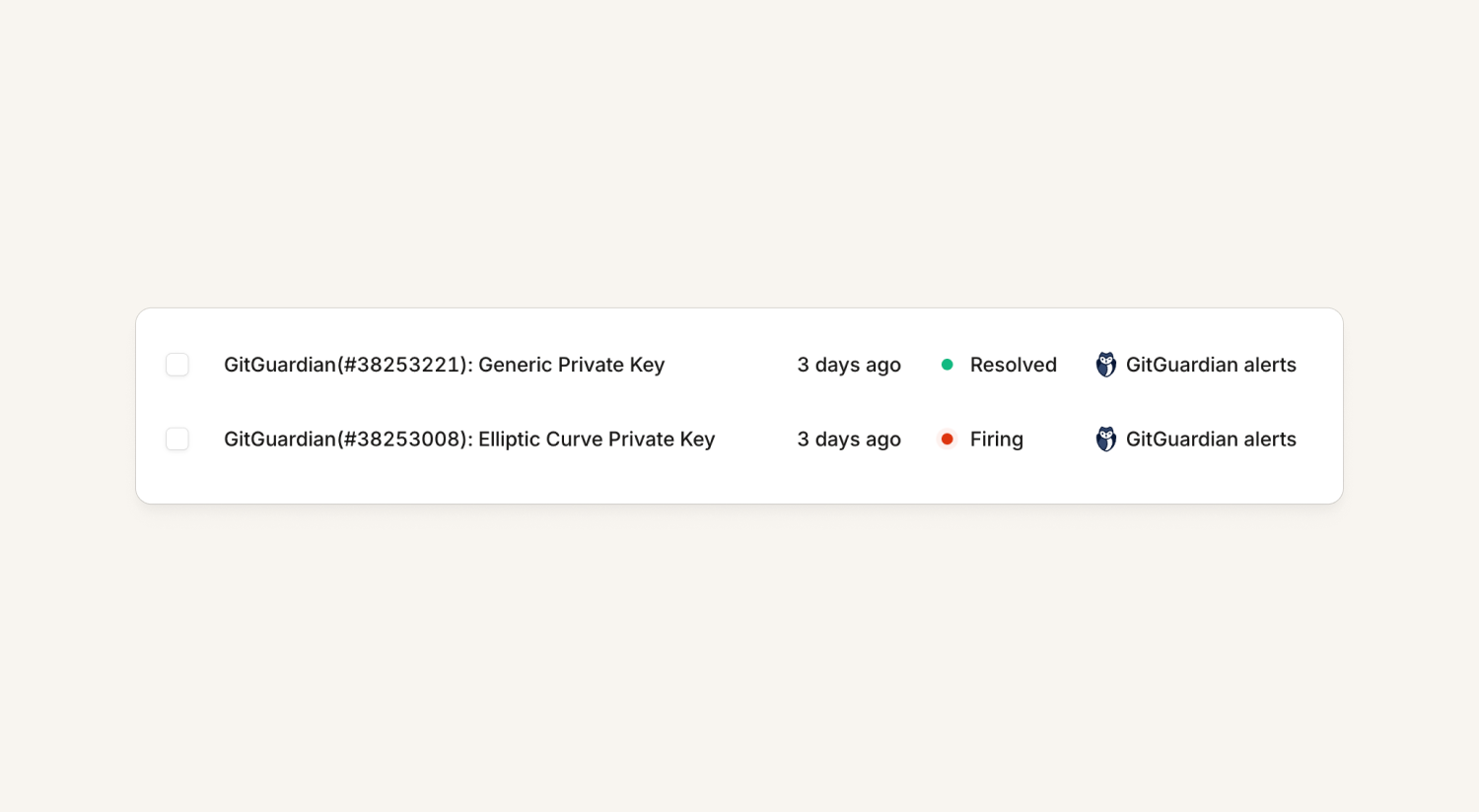
You can now connect GitGuardian as an alert source. GitGuardian detects when secrets have been accidentally committed to your code, and now you can route those incidents straight into incident.io and page the right people to act fast.
Make cover requests to just the people on some rotas
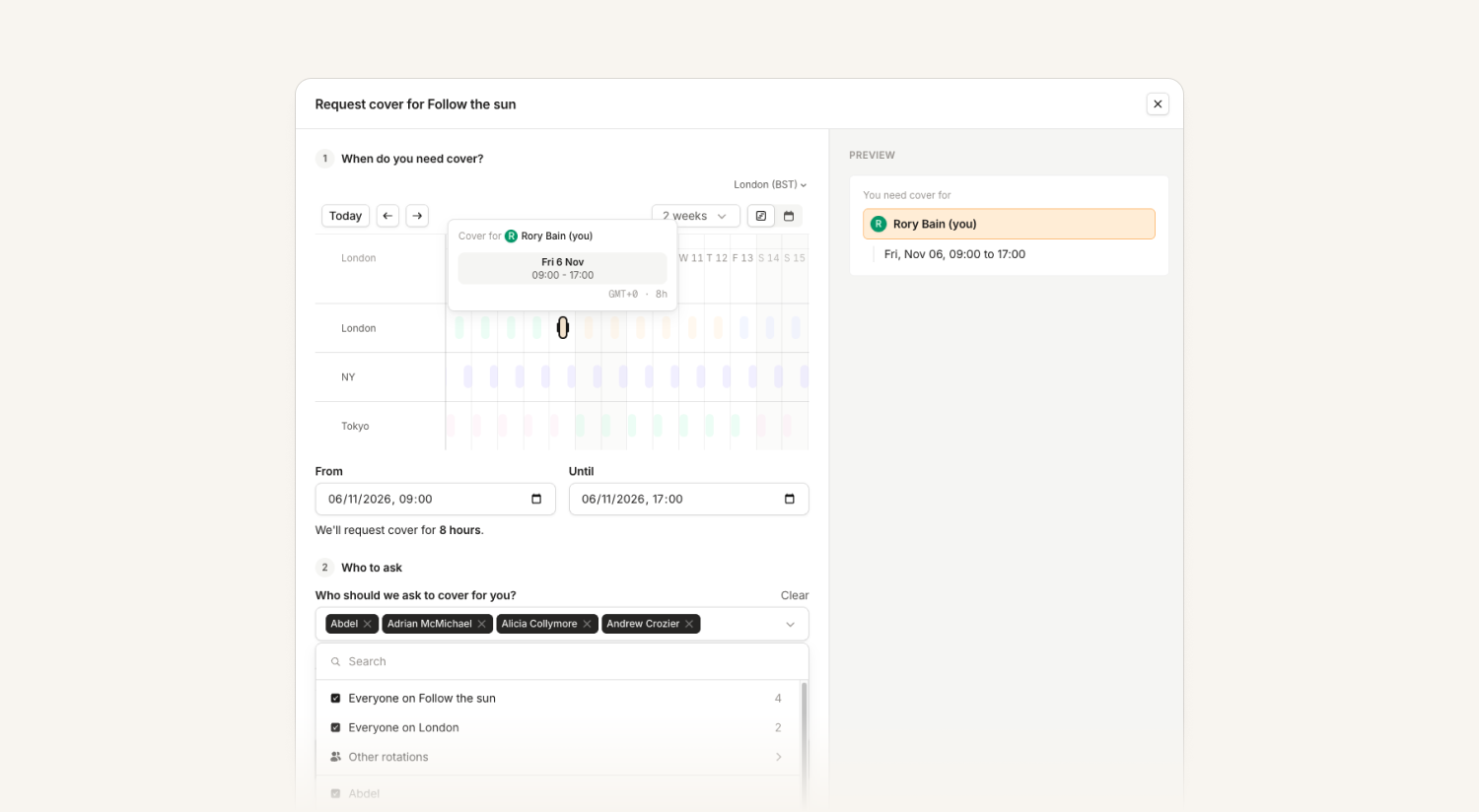
When you create a cover request, we prefill all the users from your schedule, and you can edit the list to add or remove people. Now there are convenient buttons to unselect everyone from the schedule and instead choose everyone from one or more rotas.
This is live on web and coming to mobile soon.
Response
Upload images to post-mortems through the MCP
The MCP now supports uploading images to post-mortem documents, so you can use Claude Code, Codex and other local agents to add images straight into your post-mortem. It's especially useful for graphs and charts.
Image uploads work from local agent tools connected to the MCP; the @incident agent doesn't upload images.
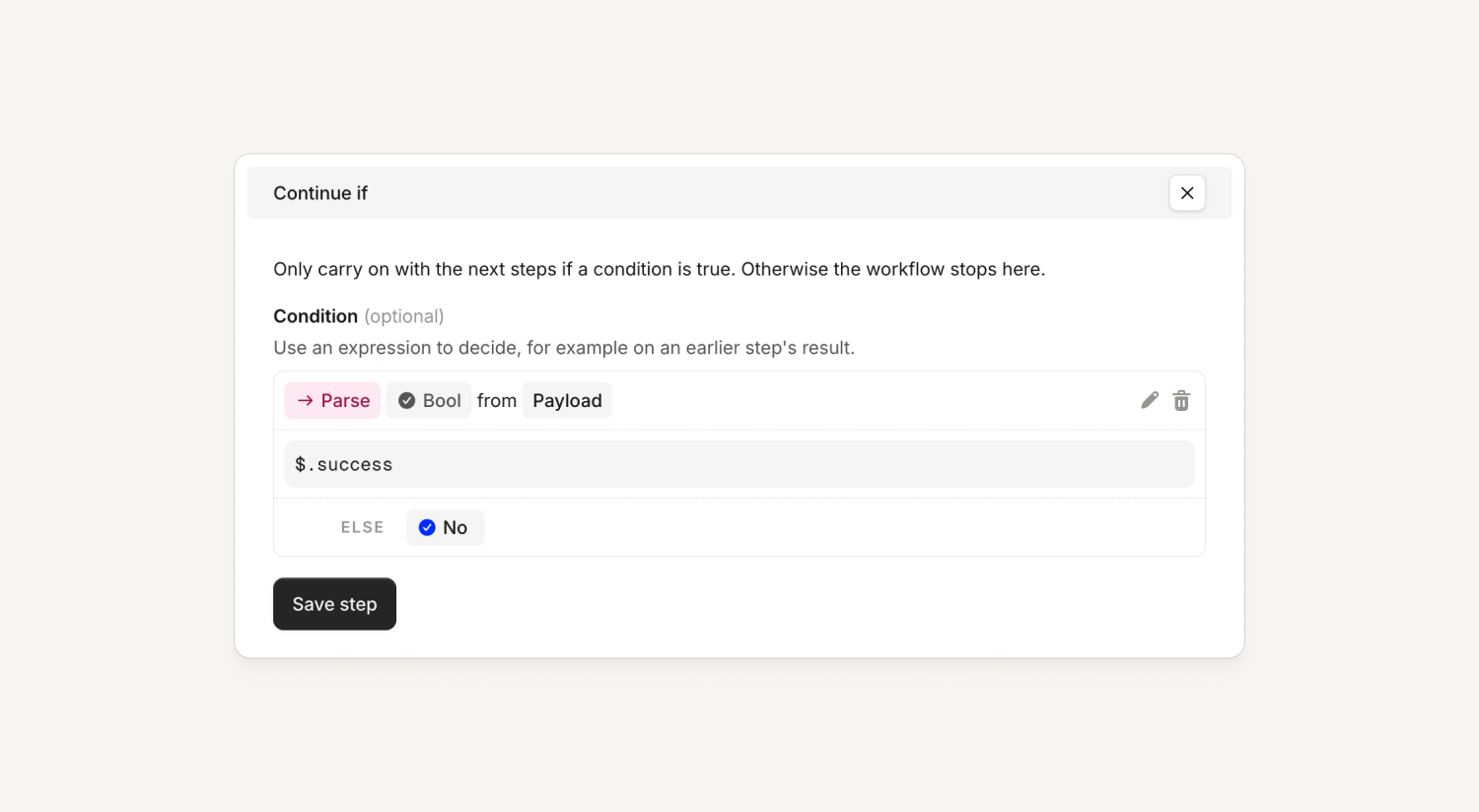
Conditionally stop a workflow
There's now a “Continue if” workflow step, which lets you use the results of a previous step (or any other condition) to stop a workflow run partway through.
Status Pages
Import your own status page subscribers
You can now import subscribers onto your status page yourself, using the Import button on a status page's subscribers list:
- Upload a CSV with
emailandcomponentsheaders. - Choose what each person subscribes to. Leave
componentsempty to subscribe someone to the whole page, or list component names (quoted, comma-separated) to subscribe them to just those. Names must match exactly (they're case-sensitive), and archived components are ignored. - No confirmation emails. Imported subscribers are verified straight away, so nobody gets spammed while you migrate.
- Clear error reporting. Problems with individual rows are reported row by row: unknown or ambiguous component names, a blank email, several emails in one cell, or component names spilling into extra columns. A file that can't be read, a missing header, a row too short to reach the
emailcolumn, or more than 1,000 rows fails the whole import.
Security
Compromised CA Certificates (CVE-2026-111943)
On October 20th an URGENT Go security update was published identifying insecure certificate authorities in the trust chain. The security and development teams investigated our internal and external exposure and we found no evidence of impact to our services. We have applied and shipped the relevant security patches to our core product and infrastructure.
In addition to our core product, we have rebuilt the following customer-installed components with the patched Go release (1.27.3):
- connector-proxy
- catalog-importer
- inc command line tool
- incident.io desktop app (including the bundled
incidentCLI)
⚠️ Action required: If you run any of these components in your environment, please update them to the latest version:
- connector-proxy: pull and deploy version 1.0.7 or later
- inc command line tool: update to version 0.5.0 or later
- catalog-importer: update to version 2.13.2 or later
- Desktop app: will automatically update to version 1.4.8 or later. Make sure the app has installed the update and been restarted. If for some reason the automatic update has failed you can download the latest version of the app here.
To reiterate, no action is needed for the hosted incident.io product, which has already been patched.
What else we've shipped
New
- ResponseWorkflows can trigger when a message is posted in a chosen Slack channel, not just incident channels.
- PlatformYou can now choose a subset of Salesforce users to import into Catalog
Improvements
- On-callThe Vercel alert source now keeps the
tagsandseverityfields from Vercel's webhook payload, so you can use them in alert routes and bind them to alert priority. Existing Vercel alerts that don't send these fields keep working as before. - InvestigationsAI Code now signs its commits with an incident.io-managed key, so pushes are no longer rejected by repositories that require verified commit signatures.
- Status PagesStatus pages load slightly faster because less JavaScript is needed up front.
- PlatformWe published a patched v6 release of the Terraform provider, rebuilt with a fixed Go toolchain that addresses a certificate-validation security issue. Teams still on v6 schemas can pick up the fix without migrating to v7.
- PlatformConnections to incident.io over TLS 1.3 now support post-quantum cryptography, helping protect traffic between your users and our web servers against future quantum-computing threats. No action is needed on your side.
Bug fixes
- On-callFixed an issue in the iOS mobile app where foreground and background changes weren't detected, which could stop notification permissions and notification keys from syncing when you returned to the app.
- On-callHeader buttons in the iOS app, such as Back and Close, now keep their liquid glass look when you switch between light and dark appearance in settings.
- ResponseFixes an issue where changing the Team members attribute in Team settings and then switching it back could leave a duplicate "team" attribute on the User catalog type. The duplicate stopped team-based access to private incidents from working, so people on an added team had to be approved manually.
- ResponseWorkflows triggered when an incident is created or changed now re-run when a Slack channel is attached to an existing incident.
Thank you, Megan
Finally, a big thank you to Megan, who wrapped up her time at incident.io last week. Over the last four years, Megan has been the force behind nearly 180 changelog updates, making sure you heard about everything we shipped, explained clearly, with a link to the docs, and always in American spelling. Every update you read here had her fingerprints on it. Thank you, Megan, we'll miss you!
So good, you’ll break things on purpose
Ready for modern incident management? Book a call with one of our experts today.

We’d love to talk to you about
- All-in-one incident management
- Our unmatched speed of deployment
- Why we’re loved by users and easily adopted
- How we work for the whole organization



