Plug your internal AI stack into Nexus
October 19, 2026
Every engineering team is building with AI now: skills in Claude Code, homegrown agents, MCP servers for internal tools and the third-party services the team relies on. But that work lives in individual terminals, a long way from the incident channel where it would matter most.
Today we're making Extensions generally available for every Investigations customer. It brings the skills your engineers have written and the tools your team has built into Nexus, so every investigation knows what your best engineers know and reaches for the tools they would. Keep everything you've built, and we'll make it work in every incident.
- Teach it how your team works: write down how you debug your hardest systems once, and every investigation follows it.
- Connect any tool: internal services and third-party tools we don't support yet, plugged in by you.
- See what's working, fix what isn't: we grade every skill use, flag what's helping and what's hurting, and suggest improvements you can apply straight away.
- Stay in control: every tool is classified read, write or destructive, and you decide where each one can run.
It doesn't stop at investigations. The same skills and tools work whenever anyone asks @incident, in Slack, the dashboard, mobile or over MCP.
Teach it how your team works
The most useful knowledge in any engineering org lives in people's heads: how the payments database really behaves, which service to check first when checkout slows down, what "normal" looks like for a queue only one team understands.
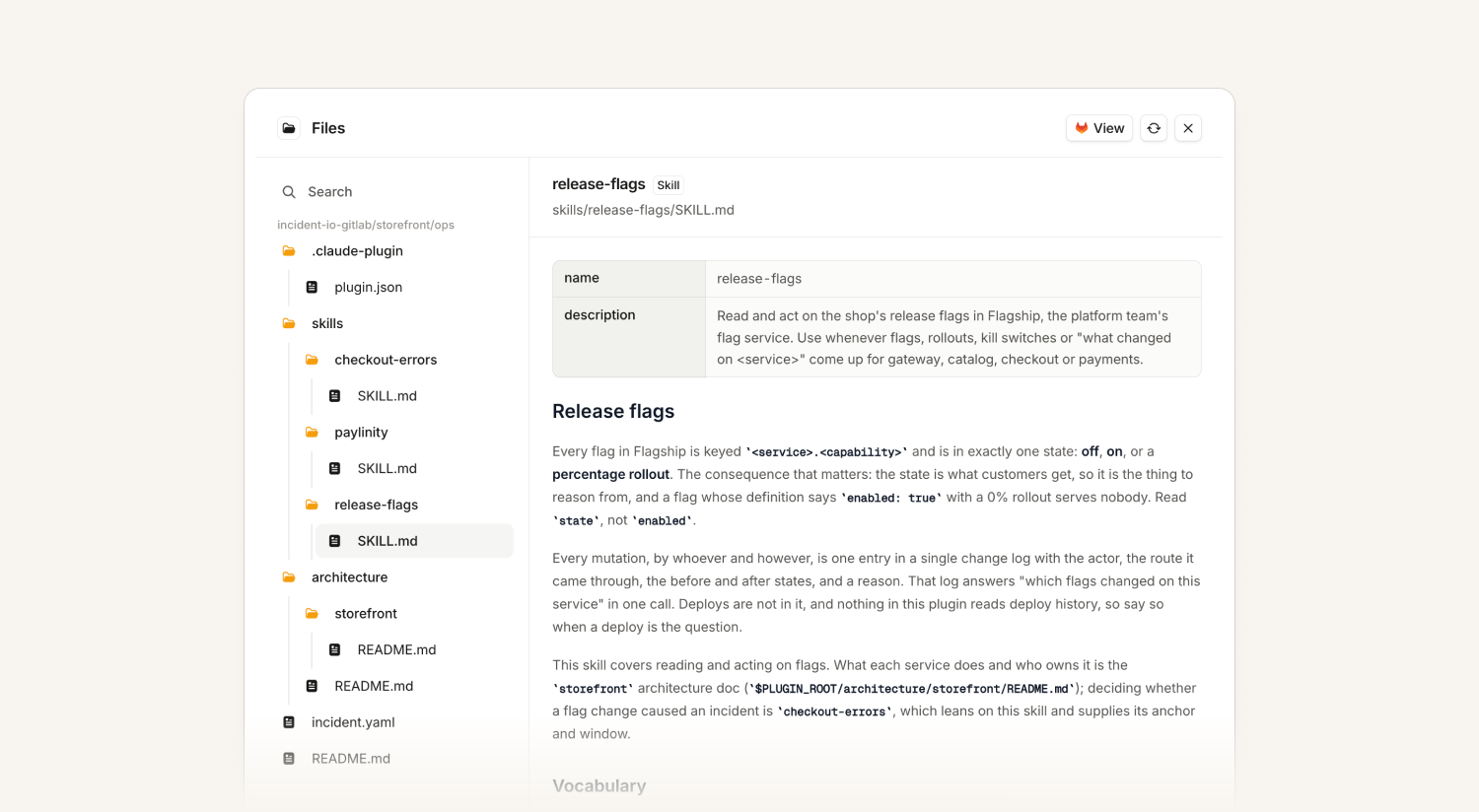
With Extensions, you write that down once as a skill (a plain-text set of instructions: what to check, which tool to use, what usually goes wrong) and Investigations follows it on every relevant incident. Skills can own a system or a class of incident and run at the very start, so you decide what an investigation checks first.
And if an investigation misses something specific to your stack, you can fix it yourself: write a skill, and every future investigation picks it up.
Skills use the same open format as Claude Code, Cursor and Codex, so the ones your team has already written load as they are, and anything you write for incident.io works in your coding agent too.
The fastest way to write a good skill is from your coding agent. Install our open source skills plugin, run /incident-io:extensions, and it checks what you’ve connected, asks you what an experienced responder would know, and drafts the skill. It can also adapt your existing skills and runbooks for an autonomous investigation, where there’s no one around to answer questions. See plugins for more.
Connect any tool
To debug an incident accurately, Investigations needs the same tools your responders reach for: the homegrown feature-flag service, the internal deploy dashboard, the custom knowledge graph, or a third-party tool we don't support yet.
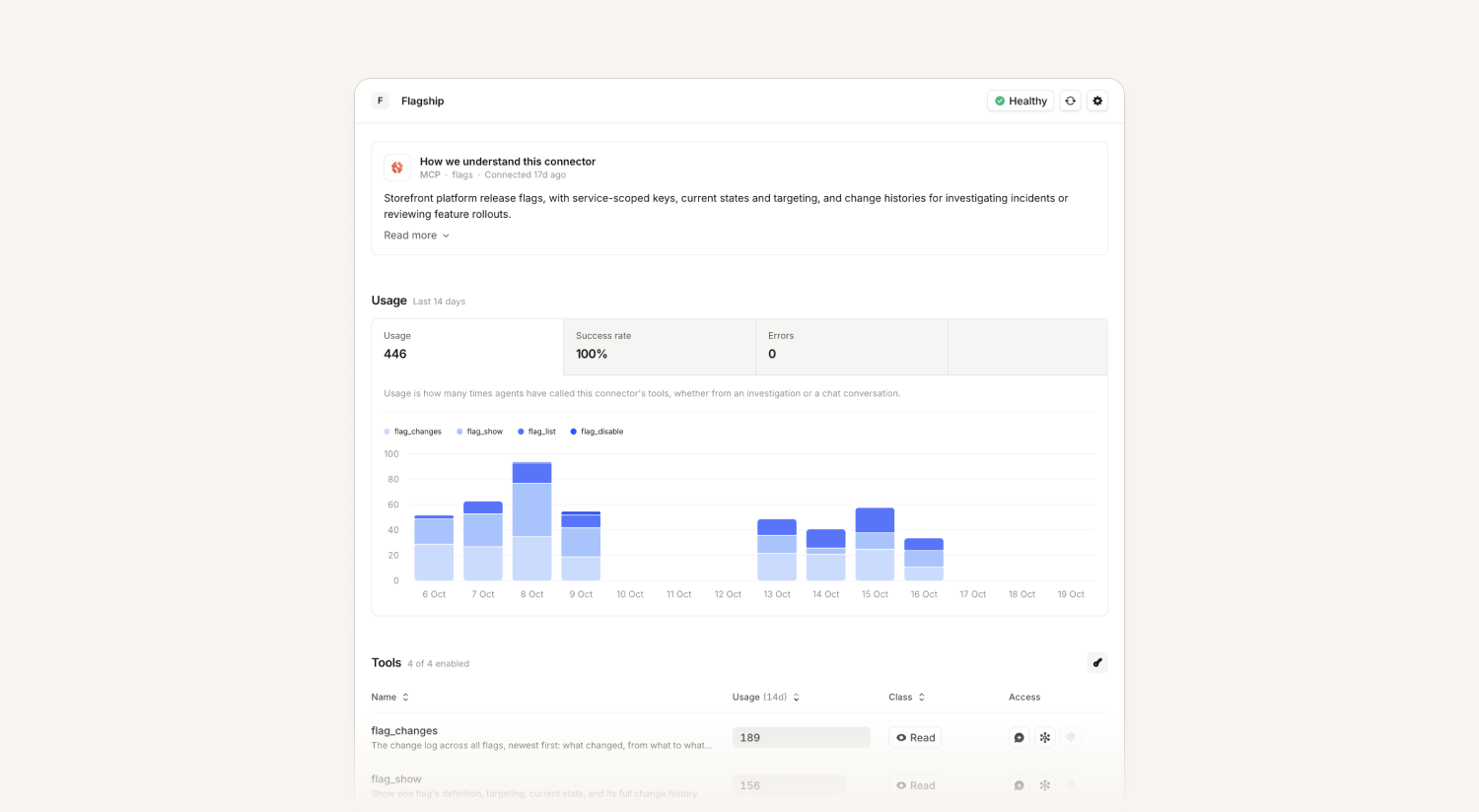
Connectors plug any MCP server or HTTP API into Nexus so Investigations can pull live data from them alongside your telemetry, code and past incidents. See connectors.
A checkout error-rate alert fires. Your platform team has connected its homegrown feature-flag service, with a one-line skill: "when errors spike on a user-facing service, check recent flag changes first." The investigation queries the flag service and finds a flag rolled out to 50% of traffic eight minutes before the spike. It's in the channel as the leading hypothesis before anyone has opened their laptop.
You decide what each tool can do: every tool is classified as read, write or destructive, write and destructive tools never run in autonomous investigations, and access policies set which tools work where, and for whom.
See what's working, fix what isn't
Incidents are high stakes, and you need to trust what an investigation tells you. A skill that's gone stale or gives bad advice can't be allowed to drag performance down, so every skill comes with a feedback loop built in.
Every time a skill is used, we grade it: was it followed, ignored or ruled out, and did it help, hurt or make no difference. So for the first time, you can see exactly how your team's knowledge is being used in incidents, and whether it's paying off.
When a skill falls short, we turn that into a clear issue, like a missing instruction or a step that doesn't work, ranked by severity with the evidence behind it. And you don't have to fix issues by hand: our skills plugin lets your coding agent do it for you.
The result: skills that get sharper with every incident, and investigations that get more accurate because of them.

Extensions is available today for all Investigations customers. Find it under Nexus → Extensions, or read the docs.
Not using Investigations yet? See what happens when everything your team has built works in every incident. Get a demo or talk to your account manager.
On-call
AI alert grouping
You can now use AI to group similar looking alerts within your team. This can be enabled at the alert route level, or for individual teams using team grouping preferences.
This feature is currently in beta, but we’ve seen AI-based grouping cut the number of alerts teams have had to triage by about a third. In addition, using AI grouping hasn’t slowed down their response - over 85% of decisions take under 2 seconds and 98% under 3 seconds.
So, if you find that grouping “only” by team, title, time window, etc. isn’t doing enough for you, you can leverage AI to get smarter grouping than before.
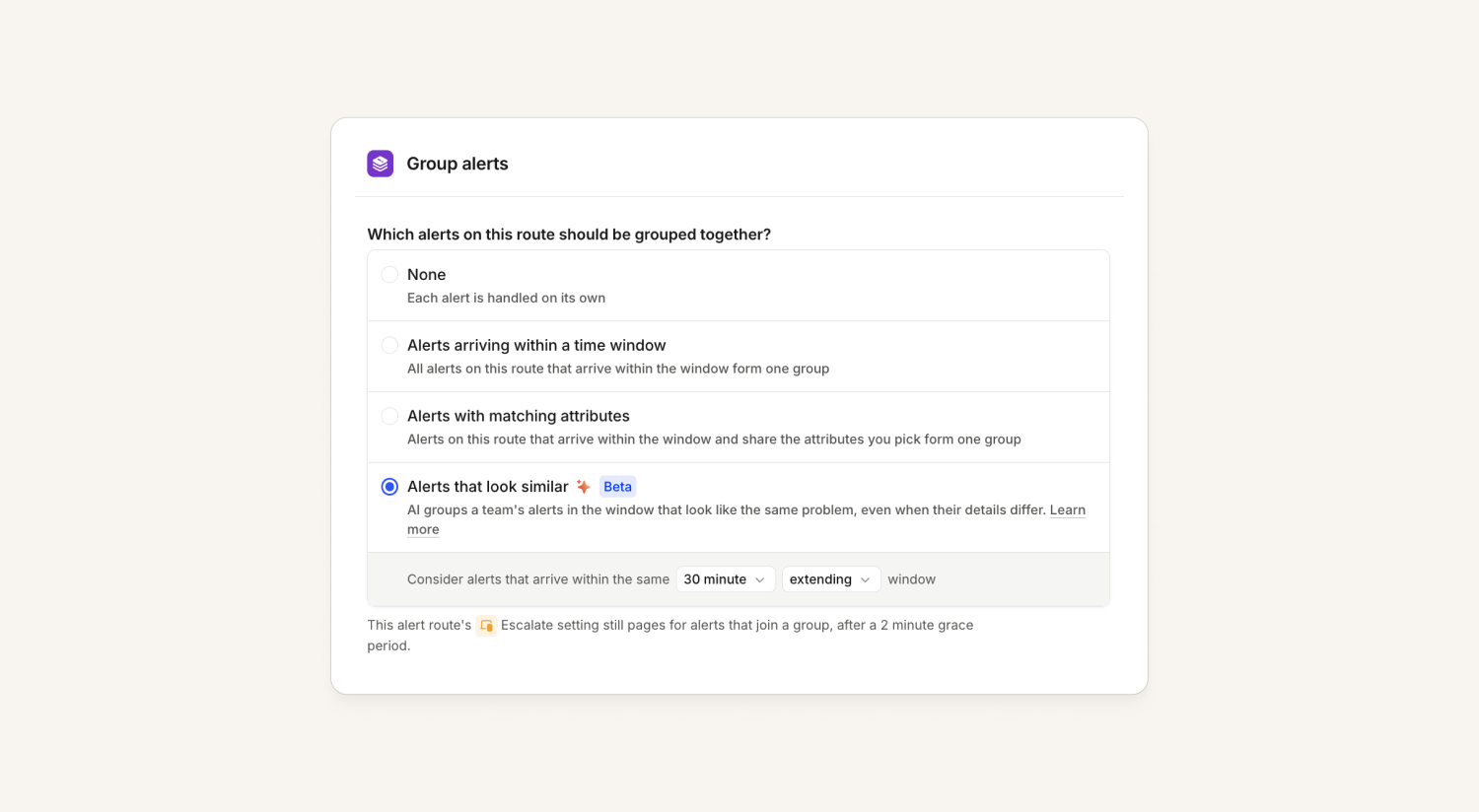
When leveraging AI grouping, we’ll show the rationale on the timeline to explain why they were grouped. In addition, we’ll also automatically rename your alert group and description to better reflect the alerts in the group.

For more details, please see help docs here.
Additional on-call readiness details
We’ve made our mobile app on-call readiness checks more robust. Instead of simply looking at push notifications status, we are checking: push notification status, Critical Alerts / Time Sensitive and Android DND set-up, as well as stale sign-ins.
Plus, we now tell admins exactly what's missing ("Their phone needs: …"). Responders will also get warnings in their upcoming-shift notifications so they know what they might need to adjust prior to going on-call.

Response
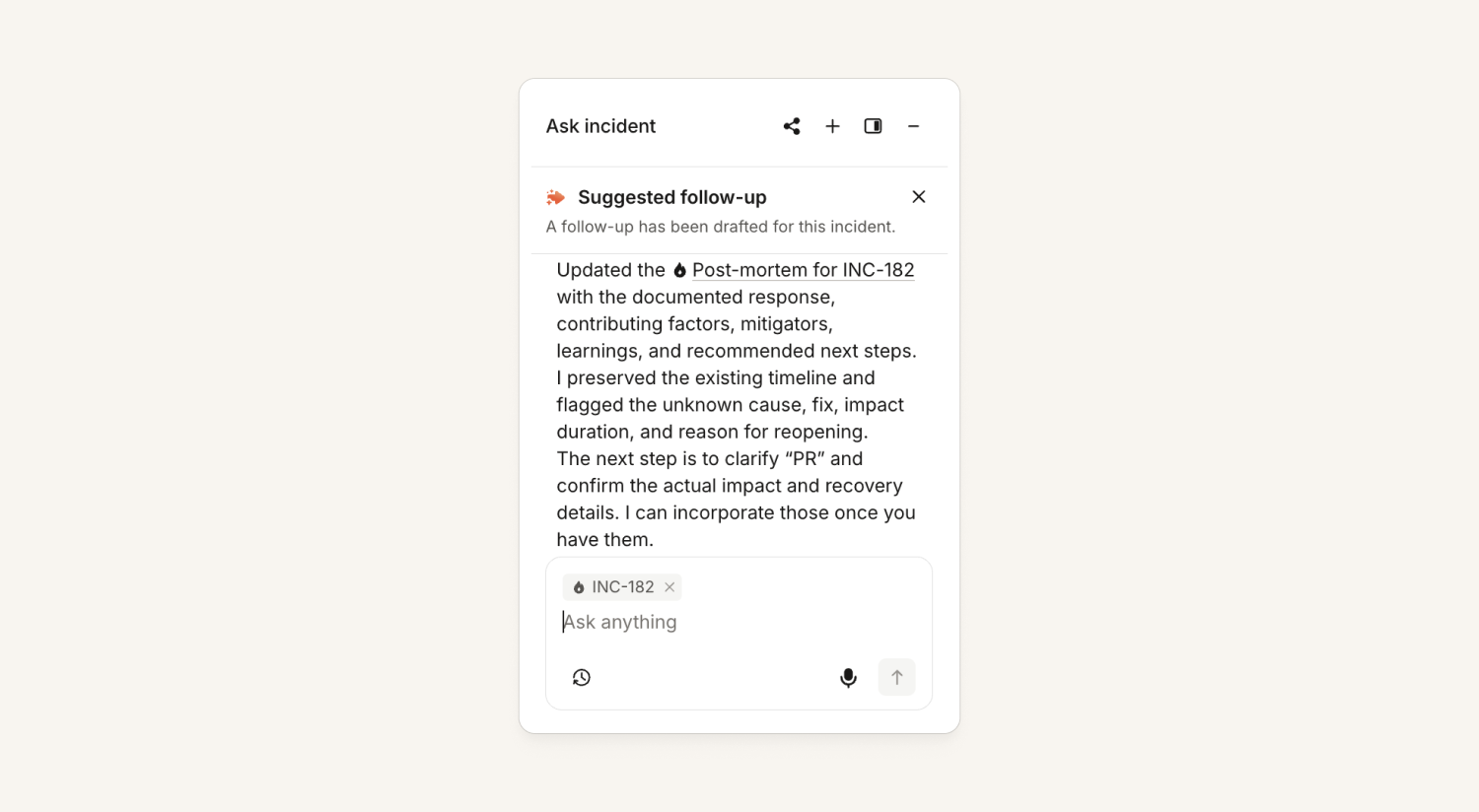
More ways to create and edit post-mortems
The @incident agent, the MCP, and the app can now create a post-mortem. This has access to listing post-mortem templates, understanding the differences between them, including seeing which one is default.
Creation includes in-app post-mortems, with AI generated sections. Or you can create external post-mortems against all of the existing providers: Notion, Google Docs, Confluence, and SharePoint. For the latter, we can't edit the doc, but we can give you a link to the provider.

You can also edit the incident.io in-app post-mortems. This means that your favorite agent can now create, tweak, update, and improve your post-mortems for you.
What else we've shipped
Improvements
- On-callUse distinct colors for responders in the team schedule page.
- On-callImproved legibility of the preview text in the alert source attribute editor in dark mode.
- On-callImproved latency of Slack alert message delivery.
- ResponseShow ServiceNow's error message when exporting an incident ticket fails due to ServiceNow configuration rejecting it.
- ResponseKeep Scribe in a Google Meet call when the last participant leaves and quickly re-joins.
- ResponseWhen a follow-up export has too many fields to fit in Slack, we now link you to the corresponding dashboard form with values pre-filled.
- ResponseImproved display of long Slack names in the incidents table.
- Status PagesStatus page links now show a preview image when shared in Slack, Teams, X and other apps. The image shows your page's logo (or favicon) and name, and it works on custom domains too.
- Status PagesYou can now create and update public status page incidents from a modal directly within an incident on the dashboard, without navigating away to a separate page.
Bug fixes
- On-callFixed an issue where clicking "Request alert source" on the create alert source page opened a blank tab. The button now opens an email on the same page, with your search term included in the message.
- On-callFixed an issue where a labelled break or continue within a for...of loop in a JavaScript expression made the expression return an empty value instead of the expected result.
- On-callFixed an issue where Insights on-call readiness counted the app as configured for users whose phones had push notifications turned off. Readiness now only counts the app when a phone can actually receive push.
- On-callFixed an issue with importing PagerDuty schedules where a layer that starts in the future hid lower layers that are currently active. Future layers now only take effect from their start date, matching PagerDuty's final schedule.
- On-callFixed an issue where new sign-ins on iOS app version 1.15.7 were never asked for notification permission, leaving onboarding stuck on "Get notified" and push notifications unable to be enabled.
- On-callFixed an issue where the search box on the Alert routing pages dropped or reordered characters when typing quickly.
- On-callFixed an issue where a cover request could be sent with "Offer a swap" turned on but no return shift attached.
- On-callFixed an issue where an alert source's version history failed to load if its earlier versions used filters based on expressions.
- On-callFixed an issue where the paging provider control in the Escalate form was greyed out for admins who didn't have an on-call seat themselves, even when the user being edited had a seat and a linked PagerDuty account.
- On-callFixed an issue where the Heartbeats settings page could freeze the browser tab for organizations with hundreds of heartbeats.
- On-callFixed an issue where bulk acknowledging escalations could be blocked by the 250-item limit even when far fewer escalations were actually acknowledgeable. The limit now counts only the escalations that can be acknowledged.
- On-callFixed an issue where escalation paths using mixed urgency could skip high-urgency notifications when the same person or schedule appeared in both the high and low rows. They're now notified once at the higher urgency.
- On-callFixed an issue where re-adding a Slack user group to a schedule's sync settings after unlinking it failed with an error.
- On-callFixed an issue where viewing grouped alerts filtered by incident could time out, so the alerts on an incident page now load reliably.
- On-callFixed an issue where the same alert could appear twice in the alerts list when a slow, grouped view loaded a second page of results.
- On-callFixed an issue where attaching an alert group to an incident from a team's alerts page appeared to succeed but attached nothing, and where Resolve and Declare incident were disabled for those groups.
- On-callFixed an issue where an escalation that re-paged after a snooze ended couldn't be acknowledged from the web, mobile app or desktop app.
- On-callFixed an issue where saving or exporting an alert source failed if one of its attributes used a catalog type from an integration that had since been removed.
- On-callFixed an issue where a Sentry metric alert could get stuck firing if Sentry delivered its resolved webhook before a late warning for the same incident. Late warnings for already-closed Sentry incidents are now recorded without paging anyone.
- On-callFixed an issue when creating a Slack user group for a schedule with the same name as an archived Slack user group.
- On-callFixed spurious warning that some accounts' Workday integration was broken.
- On-callFixed an issue where private incidents you have access to didn't appear when attaching a non-private alert to an incident. They now show up in the picker on alert details, bulk attach from the alerts list, and the reprocess drawer.
- On-callFixed an issue where, after several escalations in quick succession in an incident channel, later escalations appeared neither as their own message nor in the rolled-up summary. All escalations in a burst now show up in the channel summary.
- ResponseFixed an issue where you couldn't save a Jira Cloud incident ticket template when the project's built-in Labels field was required. Labels is now supported and marked as required in the template editor.
- ResponseFix a bug when the message entered by a user in the shared update form was not preserved when resolving the incident, in the case that the "Ask incident" chat was open.
- ResponseFixed an exporting a post-mortem as a PDF failed if bold, italic, or linked text was immediately followed by a full stop and a word with no space.
- ResponseFixed an issue where a Jira incident ticket template couldn't be edited if it referenced a field that had since been removed from the Jira create screen. The editor now opens and skips the outdated field.
- ResponseFixed an issue where grouped custom field dropdowns in the Slack resolve modal could lose the value you just selected. Option groups now keep a stable order.
- ResponseFixed an issue where the Preview pane showed an error when editing a "Reply in Slack thread" workflow step. The message preview now renders as expected.
- ResponseFixed timeout when syncing Asana teams for large organizations.
- ResponseFixed an issue where clicking Subscribe on a Slack announcement for a private incident you can't access caused an error.
- ResponseFixed an issue where a Jira incident ticket template would error if it referenced a custom field that had since been removed from Jira.
- ResponseFixed an issue where a "Set timestamps" post-incident task stayed incomplete after being marked incomplete, even when all required timestamps were set.
- ResponseFixed an issue where the catalog importer's validate command rejected valid configs containing backlink or path attributes with an "Unexpected token ILLEGAL" error. This is fixed in catalog-importer v2.13.1.
- ResponseFixed an issue where a follow-up export that failed to create an issue could get stuck on an endless "exporting" spinner.
- ResponseFixed an issue where the AI agent couldn't merge private incidents into other private incidents. The agent now checks that you have access to every incident involved, and only refers to other private incidents by their reference, never their name or contents.
- Status PagesFixed an issue where the status page widget API reported components as operational during an in-progress maintenance.
- Status PagesFixed an issue where the status page calendar kept showing an ongoing outage after all impacts had ended on an incident still in Monitoring. The calendar now closes the outage at the end of the last impact.
- Fixed an issue where asking for a second update to an AI-generated code change within five minutes of the previous push could fail because it was built on an out-of-date branch. Follow-up updates now build on the latest pushed commit.
So good, you’ll break things on purpose
Ready for modern incident management? Book a call with one of our experts today.

We’d love to talk to you about
- All-in-one incident management
- Our unmatched speed of deployment
- Why we’re loved by users and easily adopted
- How we work for the whole organization



