New escalation options
May 26, 2026
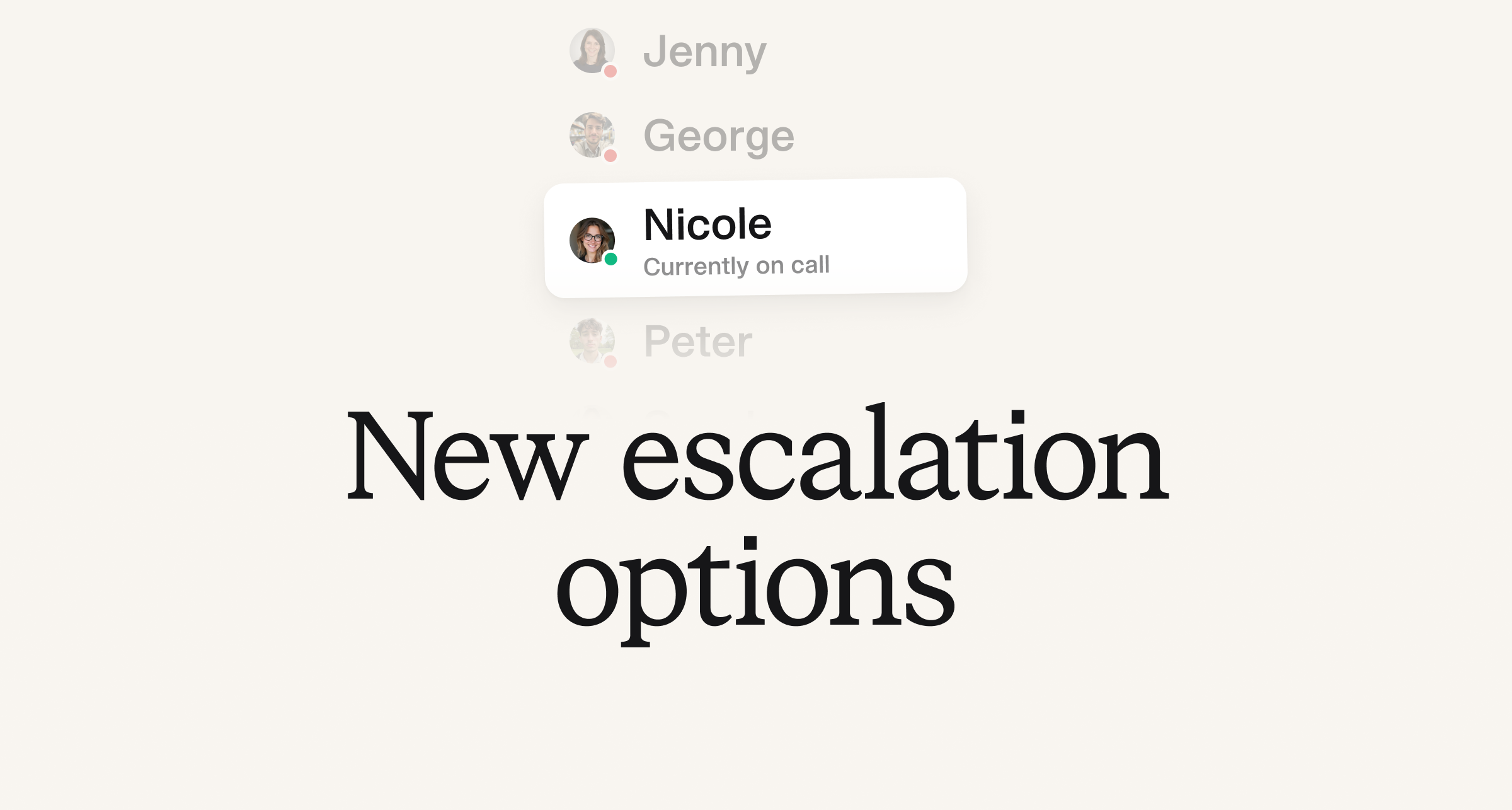
We’ve added some new ways to page on escalation paths, including:
- Page who is currently on call for a rotation
- Page who is next on call for a schedule or a rotation
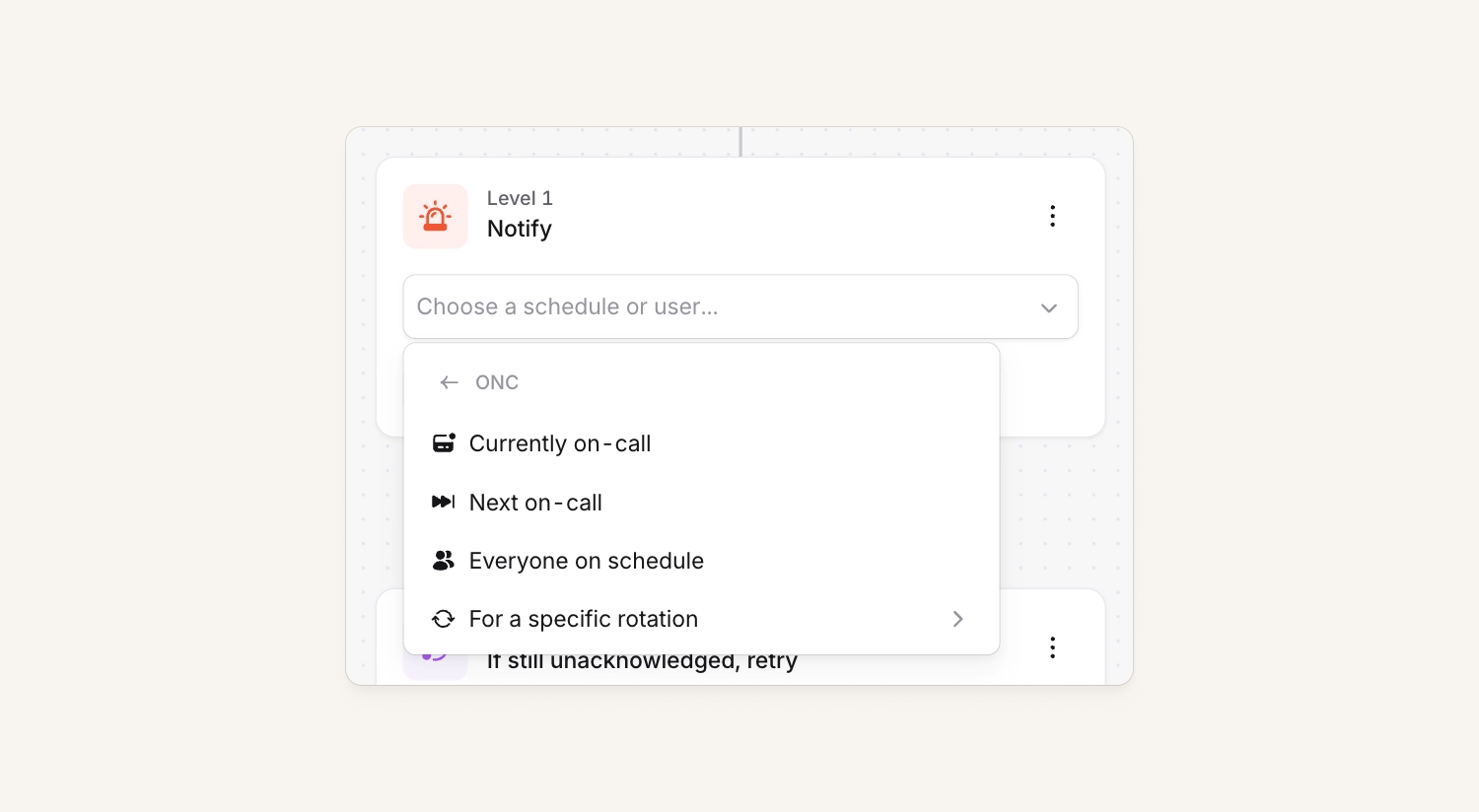
Currently on call for a rotation
Previously, escalating between levels meant creating a separate schedule for every escalation tier. For example: "Engineering L1," "Engineering L2," etc. and linking them together in an escalation path. For larger teams, this quickly became noisy and hard to manage.
Now, you can page the currently on call user for a specific rotation. That means teams can keep all your team's rotas within a single schedule and target different rotations independently. Yay for less config to manage!
Next on call for a schedule and rotation
We've also added support for paging the next on call user in a schedule or rotation. This makes it possible to build escalation paths that notify the next engineer due to come on call if the currently on call engineer doesn't acknowledge.
Filter by specific rotations on pay reports
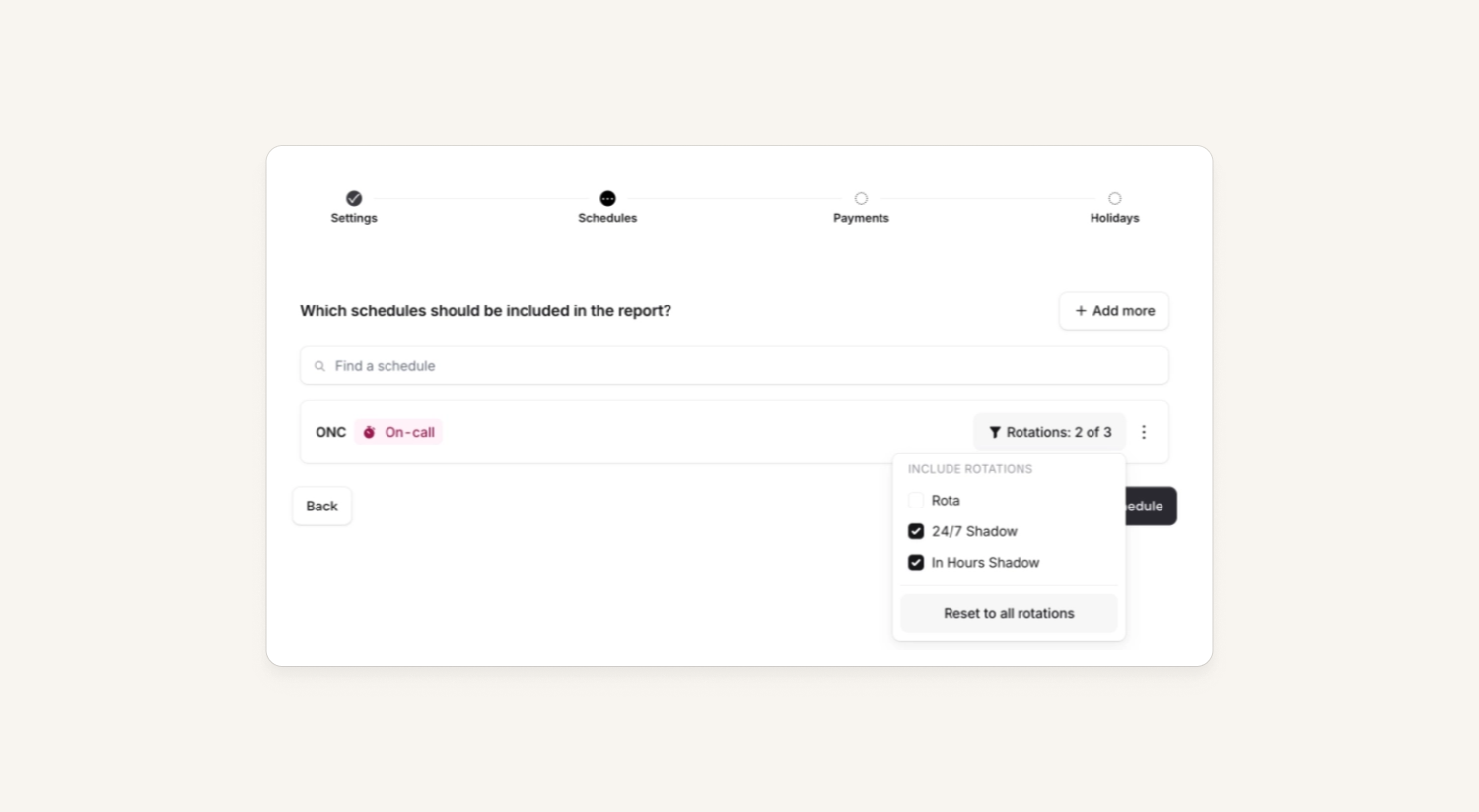
When you create a pay report, you can now choose to filter a schedule down to only a few rotations. This is useful if you're taking advantage of our new escalation options and may only want to pay certain rotations from your schedule.
Improvements to Cmd+K
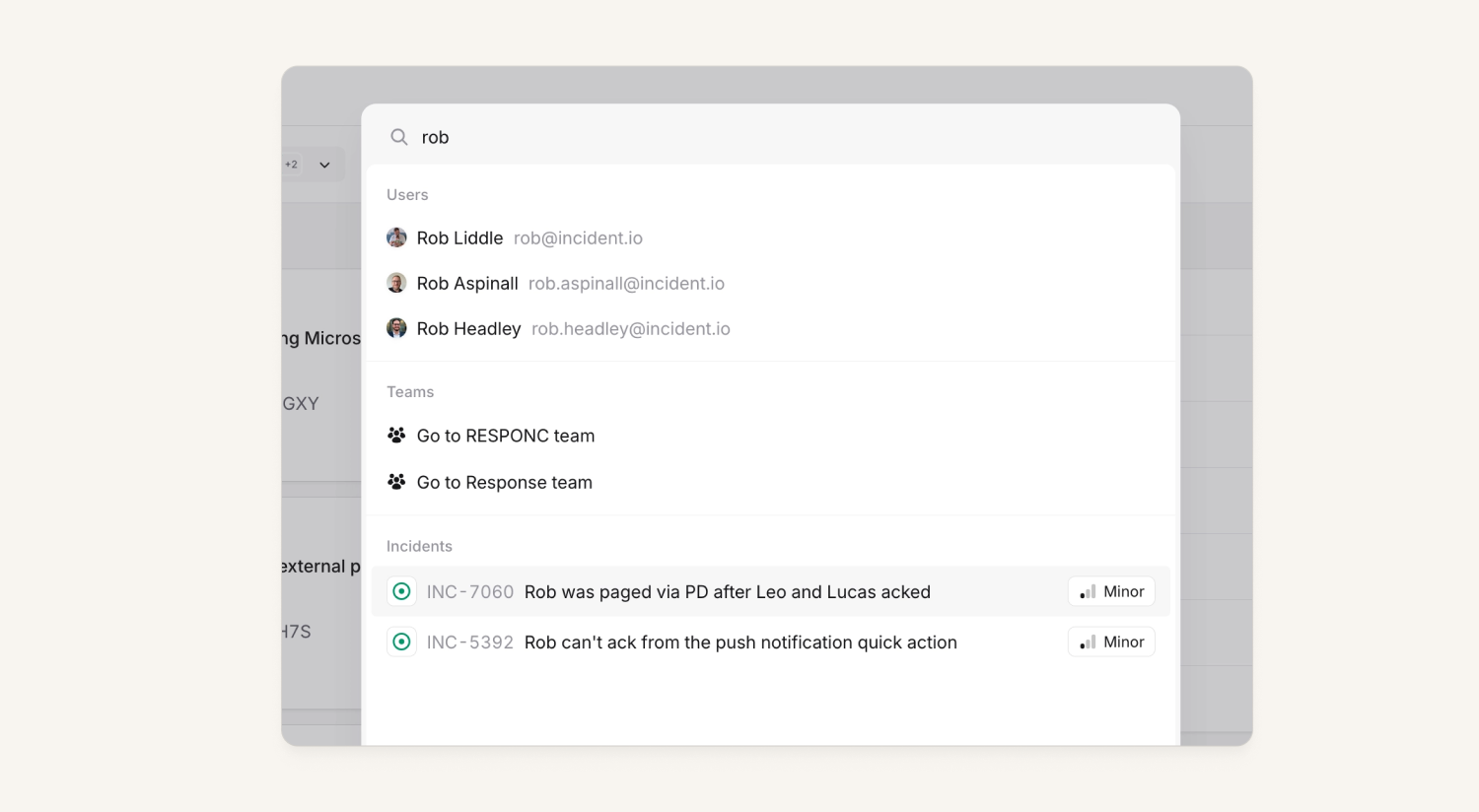
We’ve been adding some new features to our search functionality (Cmd+K) including:
- We now allow you to search for users, which will navigate you to the catalog entry to see what team, schedule, services and features they are connected to.
- We now let you search across all teams via Cmd+K rather than just the teams you are a member of!
Pin your favorite catalog types
We now let you pin your favorite catalog types to the top of the main catalog page!
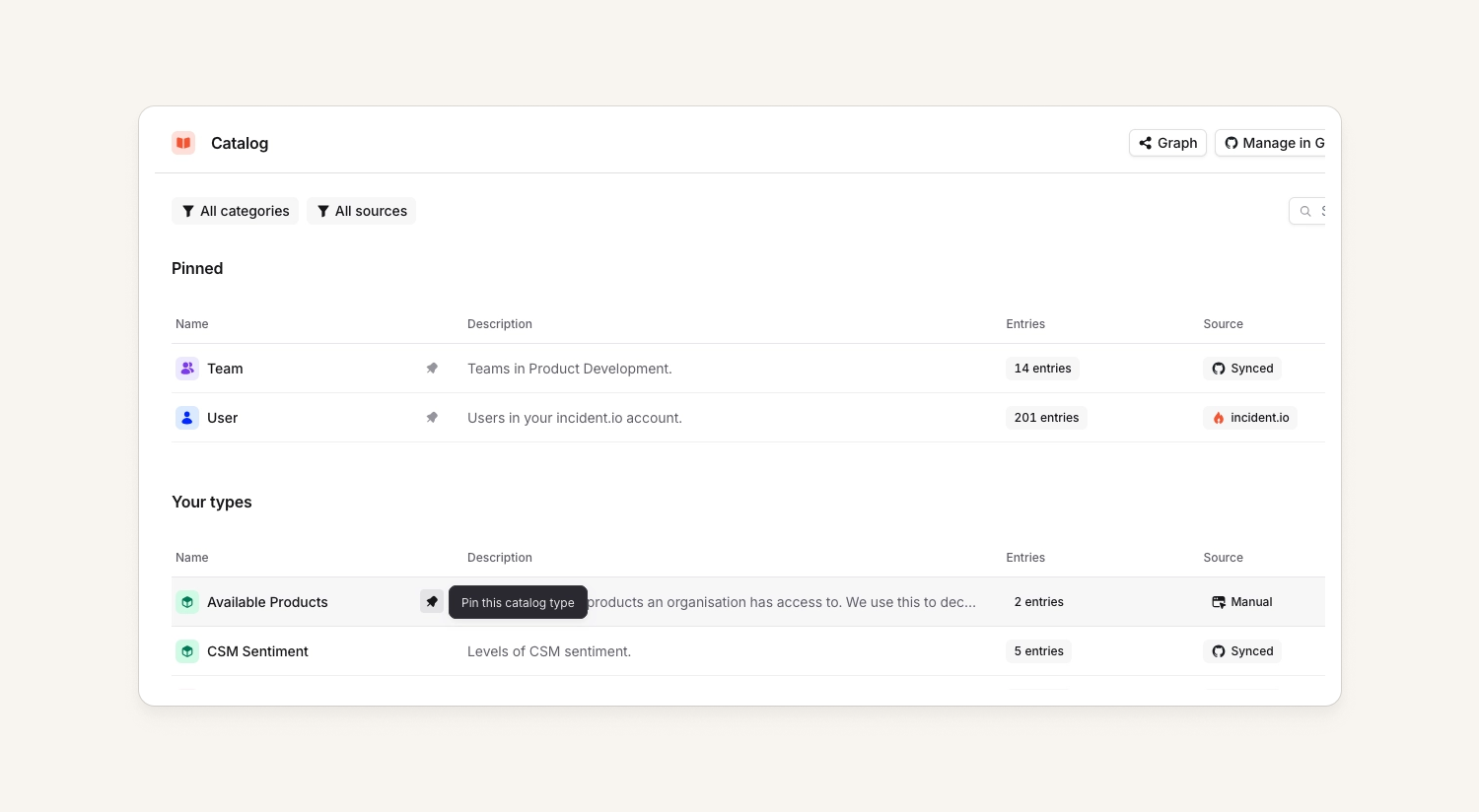
After installing a few integrations you can end up with a lot of catalog types. We do have a search to quickly find the one you need but when you regularly have to get to the same few types over and over it can become a little tedious.
To help highlight and quickly access the ones that matter - we now let you pin your favorite catalog types to the top of the main page! The pinning is global for everyone in your account, but can only be done by those with permissions to edit catalog types.
Improved navigation to "native" pages for catalog types
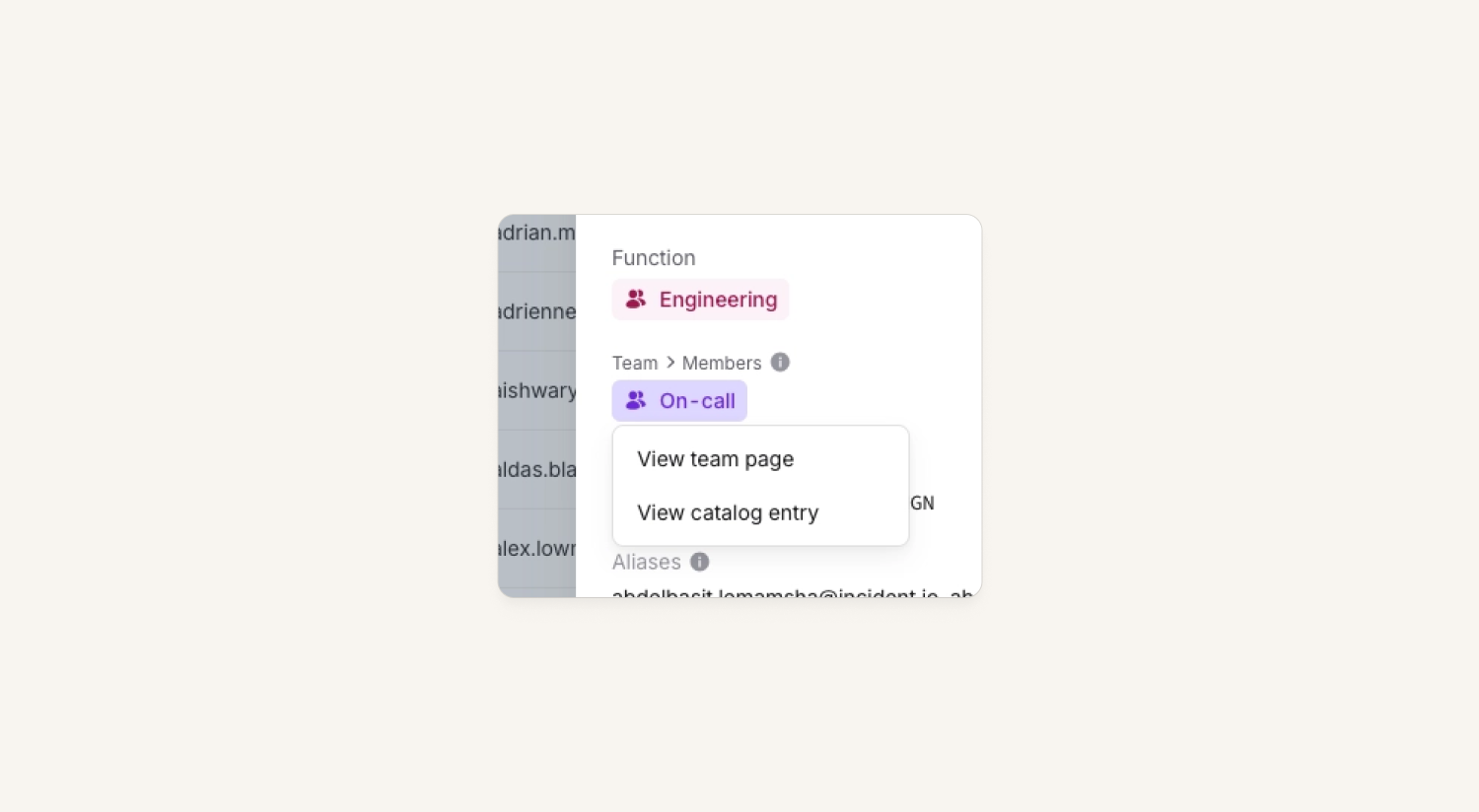
In catalog, we now provide an option to either go to the catalog entry or the native page for: teams, schedules or escalation paths. This is handy for when you are searching within the catalog and wish to take an action on that entry - such as adjusting the schedule for a team or the escalation path for a feature.
Declare incidents on mobile
You can now declare incidents from mobile - accessible from the same + icon on the homepage. This mirrors declaration on the web, and adheres to your organization's configured declare incident form.
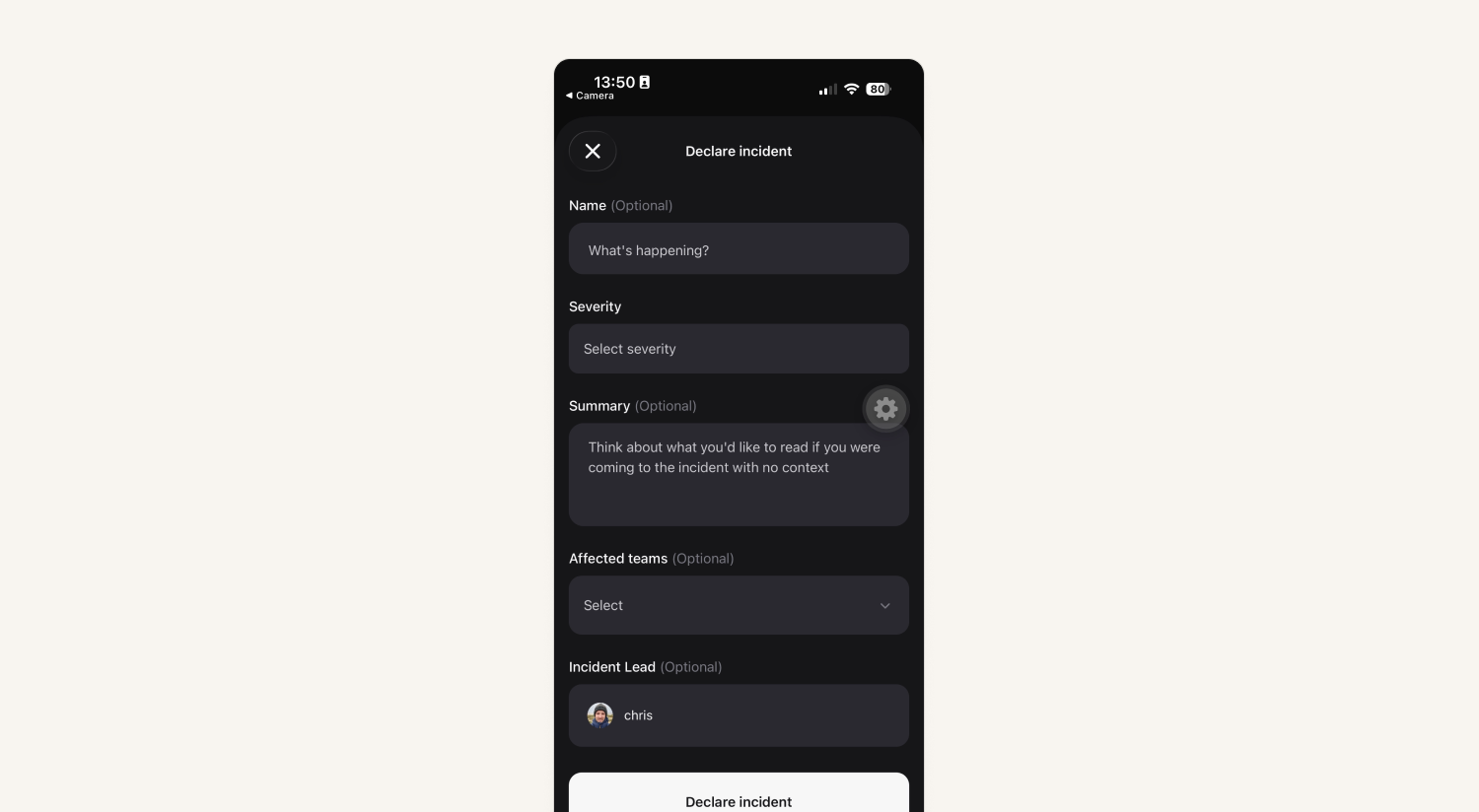
We also now show these when you receive an alert that didn't create an incident by default. Meaning you can now opt-into declaring an incident, where you have to meet all your required custom-fields, etc.
Updated calendar view for schedules
We've got an updated calendar view on schedules that makes it much easier to follow shifts spanning several days. As with other calendar applications, we now show multi-day shifts as events spread across the days, rather than individual entries in each day.
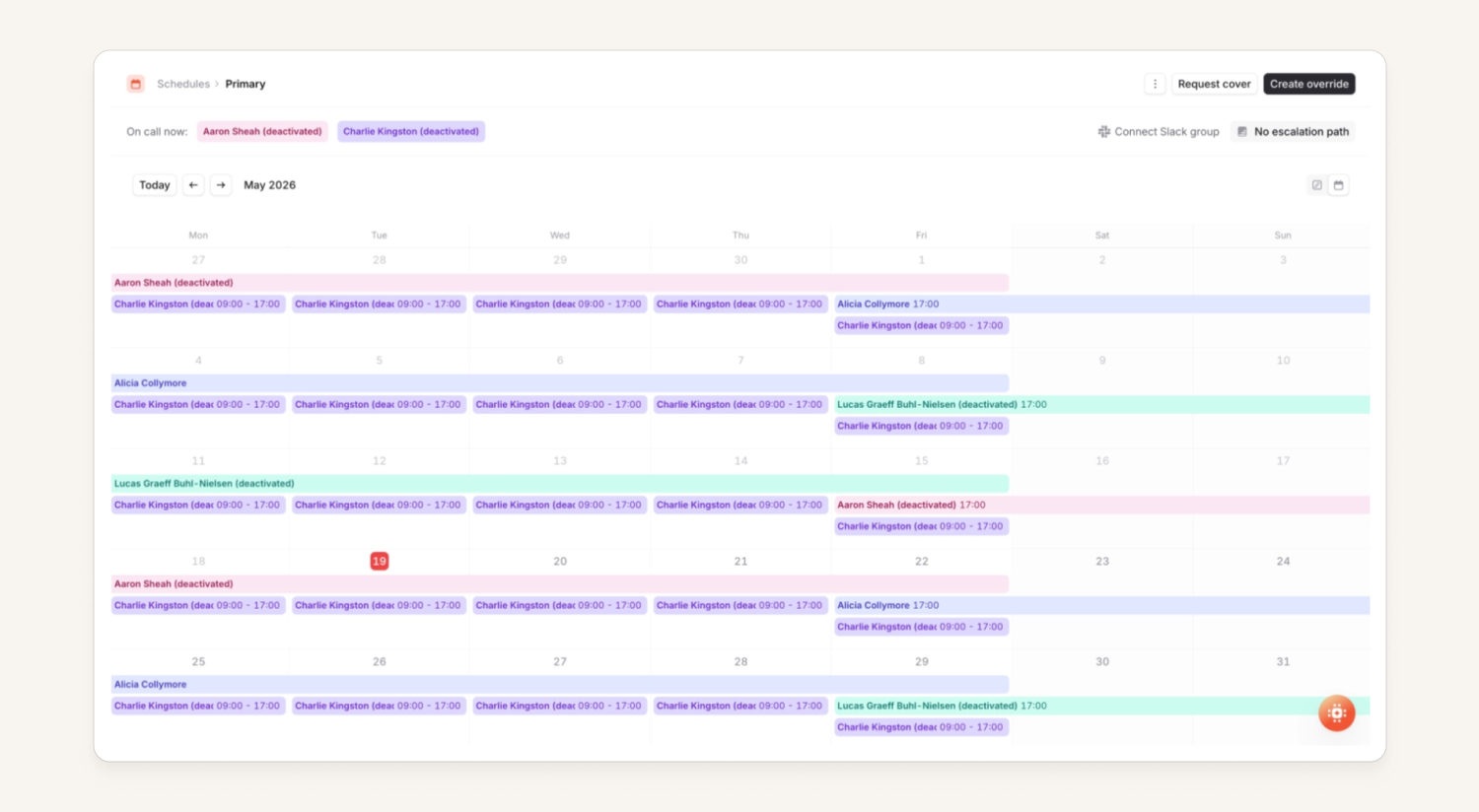
We also now remember if you were viewing the calendar view or the timeline view for a particular schedule, so for those who like this view as a default we'll keep you on it.
Personalized catch-up messages for new incident participants
Joining an ongoing incident is hectic. You want to be useful fast, but first you've got to figure out what on earth is going on.
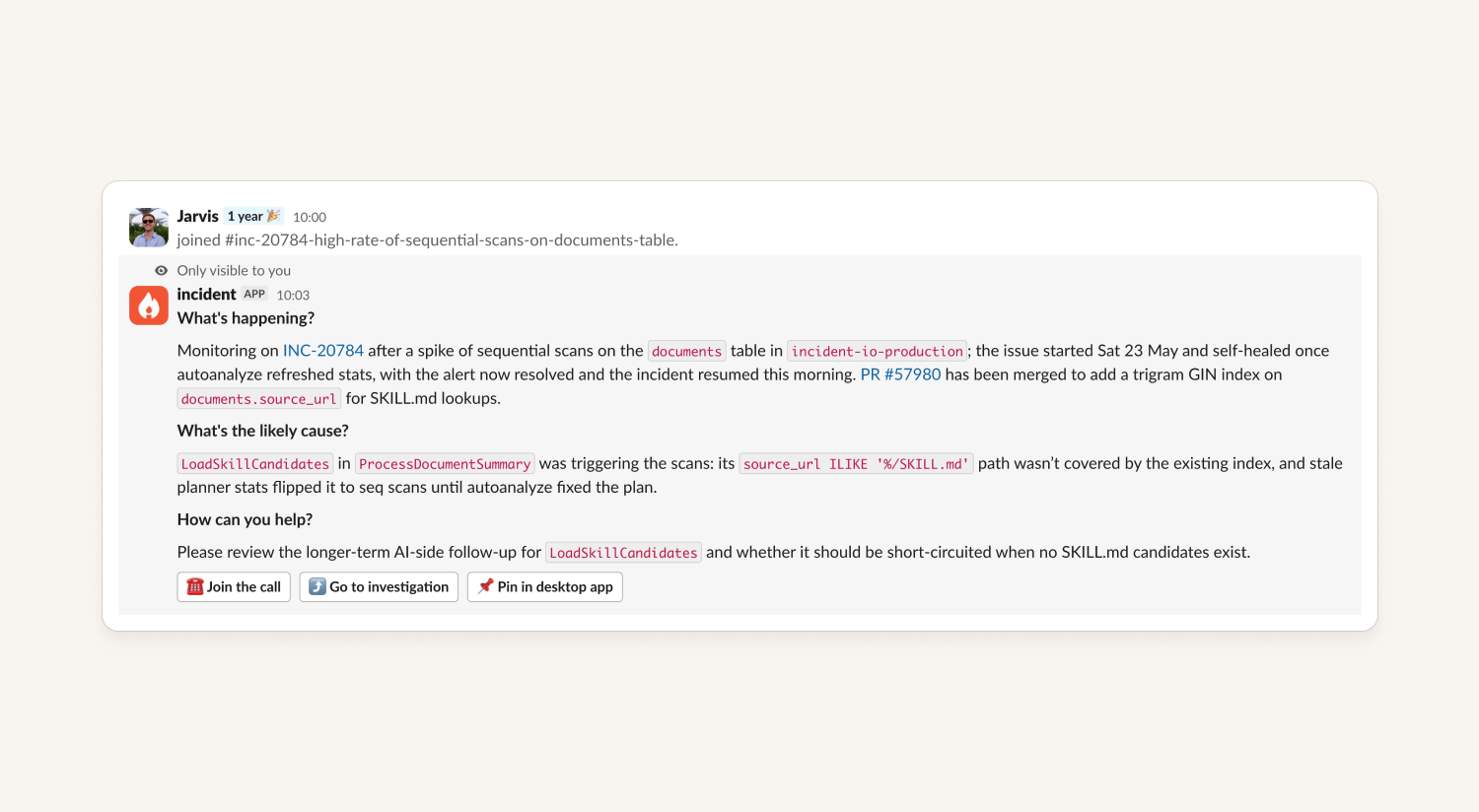
We've overhauled the private message we send to new participants when they join an active incident. Instead of a generic welcome, they now get a personalized summary of what's happening in the incident, and where they can help.
So our participants can spend less time scrolling through Slack and more time cracking on with fixing things.
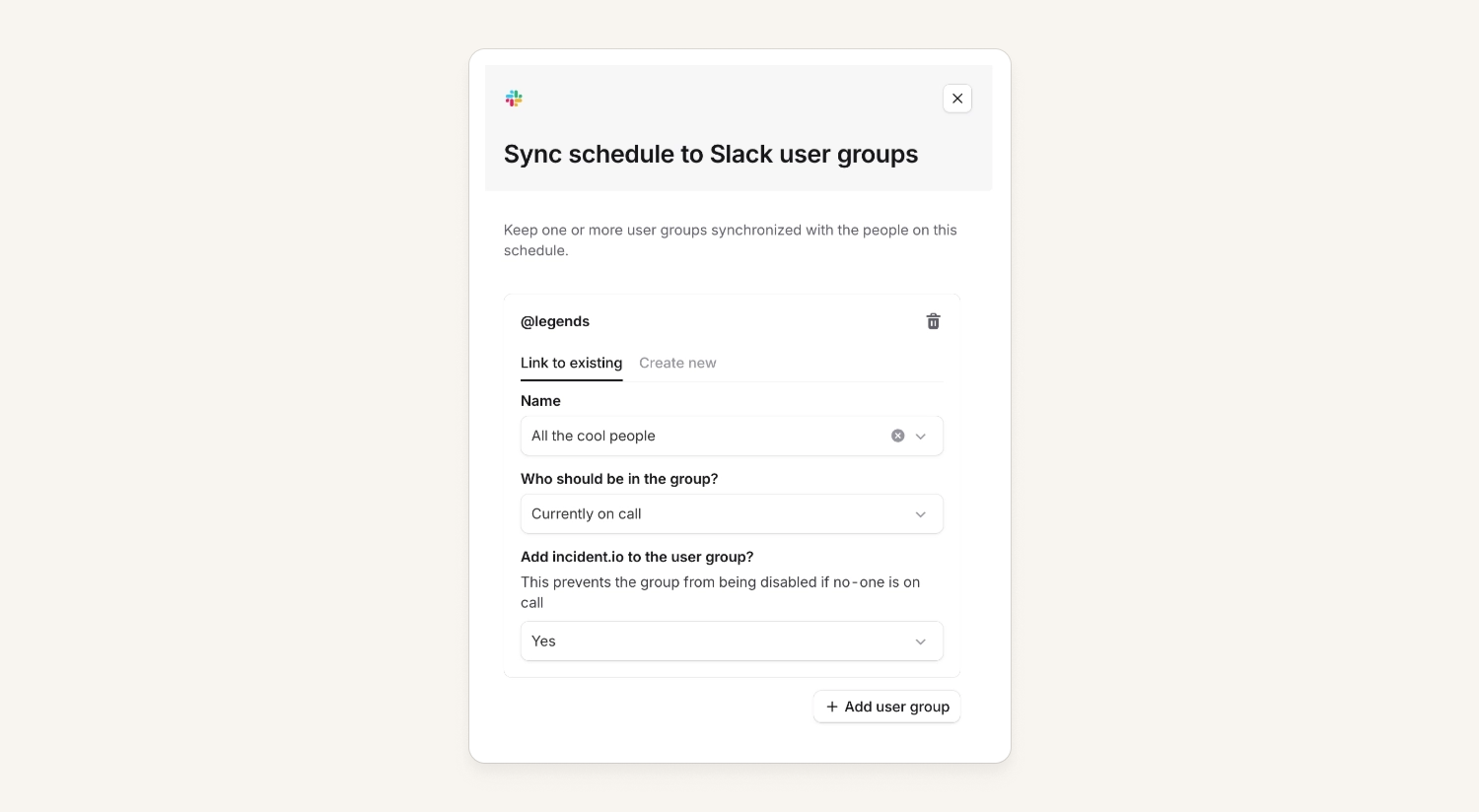
Sync multiple schedules to multiple user groups
A schedule used to only sync to a single Slack user group. Now you can configure schedules and user groups much more flexibly:
- Sync a schedule to any number of groups
- Sync multiple schedules into a single group
- Choose group membership per sync (ie. currently on call or everyone on the schedule)
You can now also manage these all through through the public API or Terraform.
Additional announcement post actions
We've added new actions that can be added to announcement posts:
- Share update
- Escalate
- Update status
None of these are added to announcement posts by default - users need to go to the settings and edit the announcement post to add them. Supported in both Slack and Teams!
What else we've shipped
New
- Token rotation is now available for Heartbeats
Improvements
- Calendar on status pages now show future scheduled maintenance
Bug fixes
- Fixed an issue where expressions dependent on unknown catalog entries causes pages using that expression to crash
- Fixed an issue where the
Security Levelfield wasn't being populated in Jira issues for follow-ups or incident tickets - Fixed an issue where opening the custom field modal in Slack would sometimes error
- Fixed an issue where stale rotation names were being shown in calendars and in the escalation path editor
- Fixed an issue where escalations wouldn't automatically cancel if their related alert resolved whilst waiting on a preconfigured delay-node
- Fixed an issue on Android where the alarm toggle wouldn't correctly show it was enabled if you'd enabled it in a work profile
- Fixed an issue where phone number re-verification would ignore the selected verification type for some countries
- Fixed an issue where alert description Markdown was not formatted in Microsoft Teams
- Fixed an issue where some incident types could not be edited
- Fixed an issue where some catalog-backed custom fields could not be edited
- Fixed an issue where some private incident role permissions were not applied correctly
- Fixed an issue where the incidents API ignored the sort_by parameter
- Fixed an issue where GitHub PR links were being rendered garbled in Jira
- Fixed an issue where sub-links of incidents, such as their post-mortems were deeplinking to the mobile app despite you being unable to view them there
- Fixed an issue where you couldn't choose "no-one" to be on call via an override in the mobile app
- Fixed an issue where the "generate title using AI" toggle wasn't saving as you'd expect in the mobile app
- Fixed an issue where you couldn't escalate to the next level of an escalation if it had only notified a generic Slack / Microsoft Teams channel so far
- Fixed an issue where we wouldn't let you edit a heartbeat alert source from the list view despite you having access to it via your team
- Fixed an issue where Opsgenie escalations wouldn't update with details on who'd been paged in Slack consistently due to Opsgenie timing out
- Fixed an issue where trying to join an incident channel using the button on an escalation would sometimes link you to a blank Slack page
- Fixed an issue where the preview we show you when escalating using the "single search" input box wouldn't update the preview based on the priority you selected
- Fixed an issue where the escalation timeline wouldn't show the acknowledger's name, if that person acknowledged without actually being paged by that escalation
So good, you’ll break things on purpose
Ready for modern incident management? Book a call with one of our experts today.

We’d love to talk to you about
- All-in-one incident management
- Our unmatched speed of deployment
- Why we’re loved by users and easily adopted
- How we work for the whole organization



