Automatic alert grouping
December 23, 2025
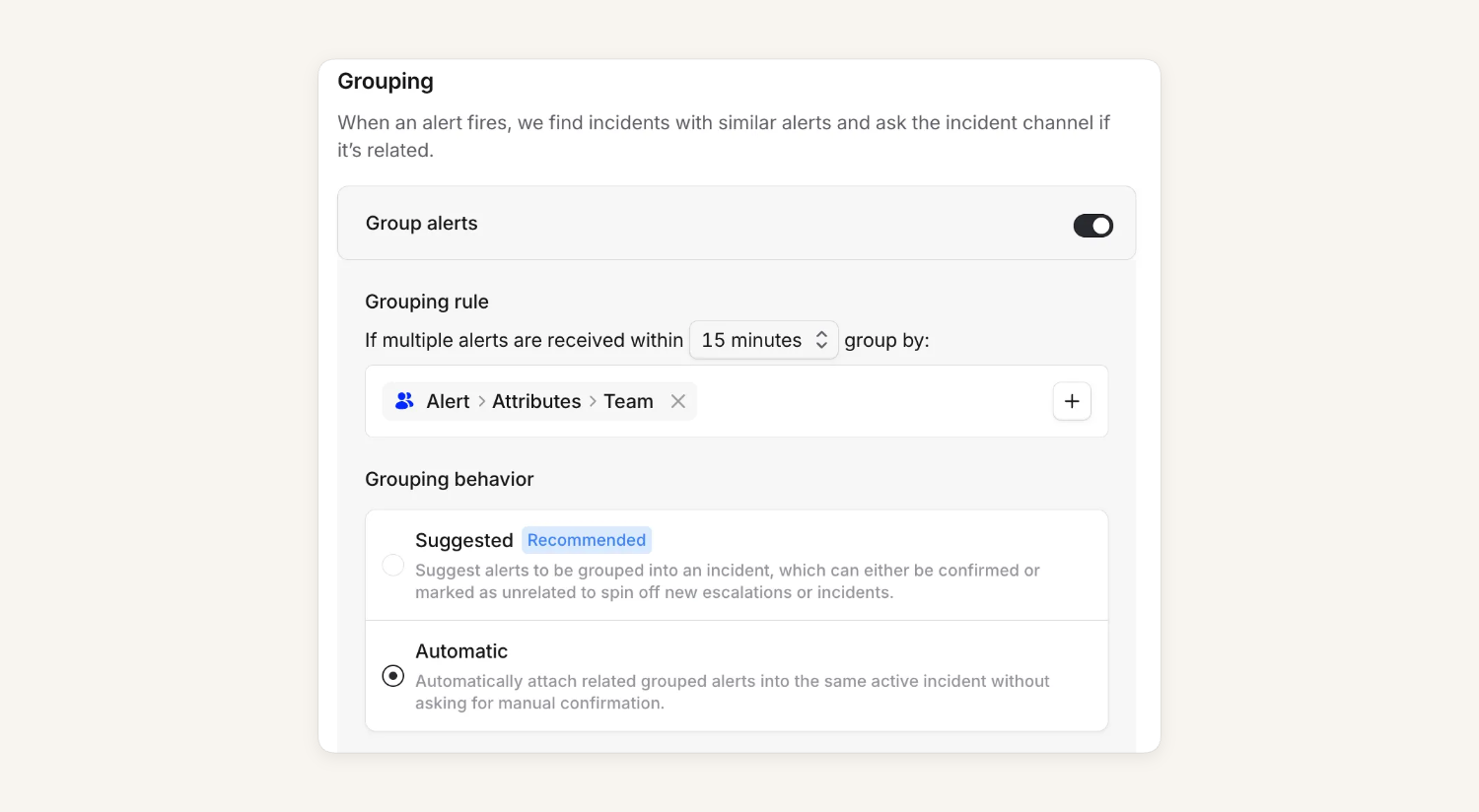
Alert routes can now be set up with automatic grouping enabled. This means that any similar, matching alerts will be automatically marked as related within an incident.
We generally recommend for alert routes to leverage suggested grouping, which requires confirmation that alerts are related. This approach ensures that alerts are in fact related and do not warrant a new, separate incident or escalation. Basically, alerts don’t get lost in the mix!
That said, automatic grouping can be helpful, especially for our customers who may not want to create incident channels but would like to benefit from our alert grouping. We are still creating incidents (though no channels!), but we would no longer require manual confirmation of alert matching in Slack or Microsoft Teams (or the dashboard).
Preview widget for email-based alerts
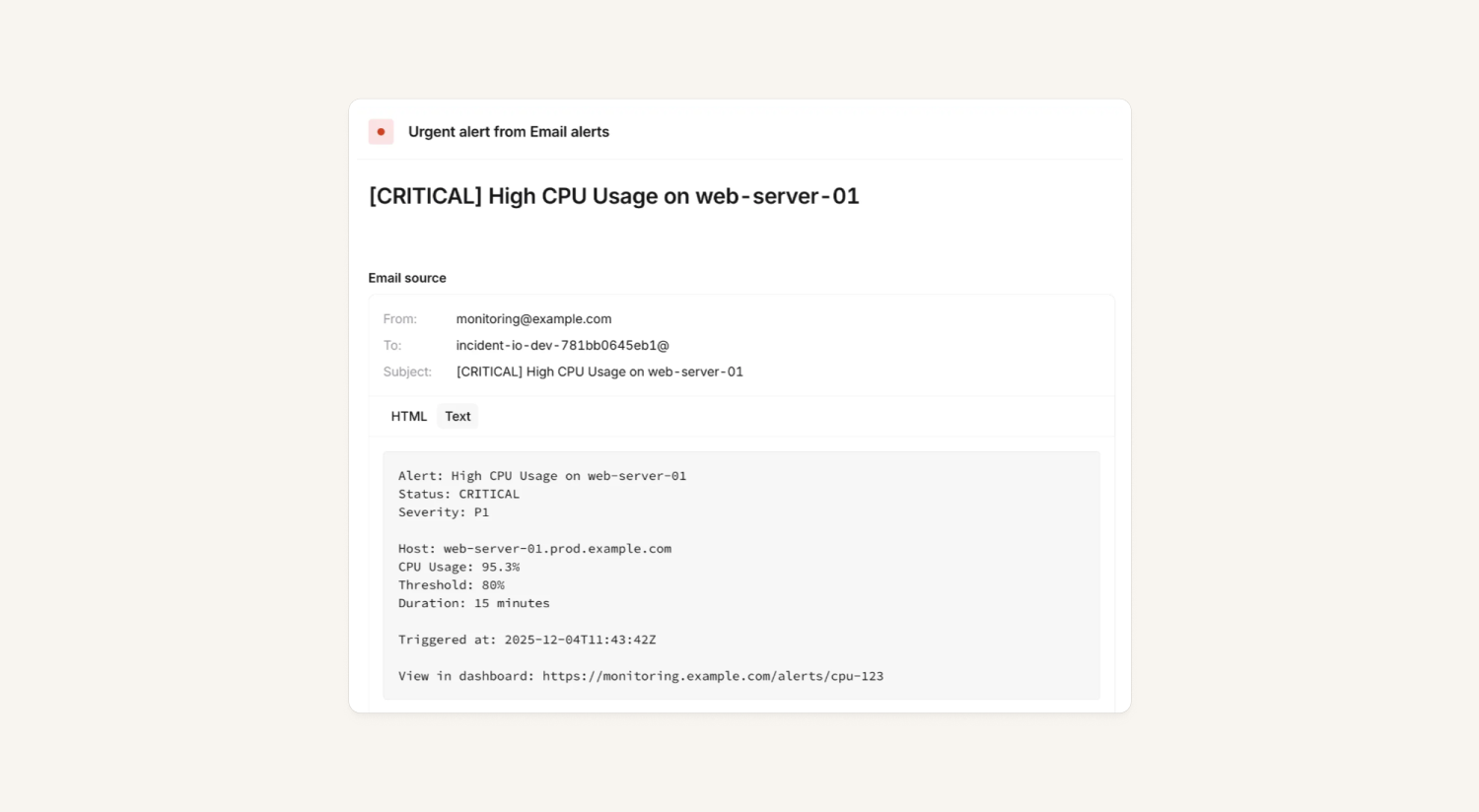
We have had an "Inspect alert" interface that displays alert source data in JSON format. While JSON is a perfect format for most API-based alerts and is very useful for debugging, it isn't very user-friendly for previewing rich email content.
So, we have added a new "Email source" section on the view alert page for alerts generated from emails! It displays a small expandable widget with a full preview of the original email used to create this alert, including the text and HTML content of the email.
Support for Linear priorities
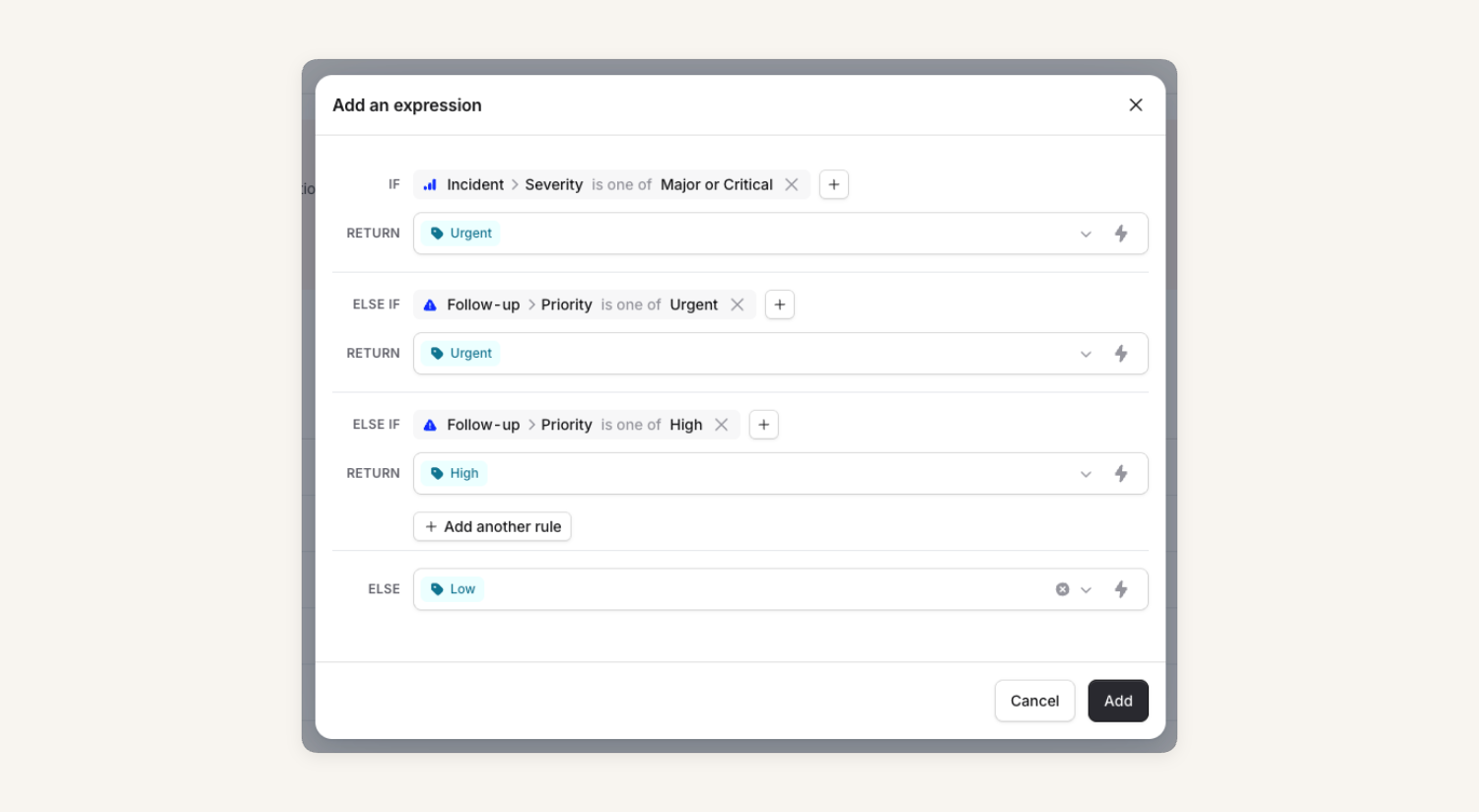
Templates for exporting follow-ups and incidents to Linear now support the "Priority" field, and you can also use expressions here. This allows you to choose a simpler option, where you map your follow-up priorities to Linear priorities, but also allows you to get a bit more clever. For example, you could make sure that follow-ups for any major or critical incidents automatically get marked as high priority when they're exported, regardless of the priority that was selected for the follow-up. The same is true for incident tickets: expressions give you access to a range of variables that you can use to ensure the right priority ends up in Linear.
What else we’ve shipped
New
- If incident tickets fail to update, we now display a clearer error message
Improvements
- Improve loading and empty states in the Team tabs
- Improve empty state in the Team escalations tab if you haven't set up a schedule or escalation path yet
- We'll now show the day of the week in the cover request Slack summary
- We've fixed a bug where you couldn't select a rotation for your override in the mobile app, which caused the creation to silently fail
- We'll show fewer team suggestions when editing a schedule/escalation paths, to limit the space the suggestions take up
- You can now filter incidents by status category in the mobile app
- Links opened from the iOS app now open outside the app by default, saving you from having to log back in to third parties in the in-app browser
- Improve alert attributes preview for RichText attributes
- Improved autocomplete results ranking in team selection
Bug fixes
- Changing the seat type didn't always update the list view immediately
- Resolving an incident could sometimes incorrectly take you to the "opt out" post-incident screen
- Improved the error message around the number of occurrences of suggestions
- Fixed a bug where the delete override button in a tooltip didn't work
- Fixed a bug where the create override screen became unresponsive for some users
- Fixed a bug where we sometimes displayed an outdated state of the acknowledge button in the Slack channel messages
So good, you’ll break things on purpose
Ready for modern incident management? Book a call with one of our experts today.

We’d love to talk to you about
- All-in-one incident management
- Our unmatched speed of deployment
- Why we’re loved by users and easily adopted
- How we work for the whole organization



