Access the agent from everywhere
June 30, 2026

We're bringing the incident agent to every surface across our app, starting with the dashboard. Previously, the agent was only accessible from specific pages, like viewing an incident. That worked well in context, but limited how much of its value you could tap into elsewhere.
Now you can kick off a chat from practically anywhere!
- Click the "Ask incident" button placed in the bottom right to start a new conversation from any page
- Query cmd+k and press
Tabto open that query in a new chat - Keep chatting away while navigating around the app
- Ask the agent about the page you are currently viewing
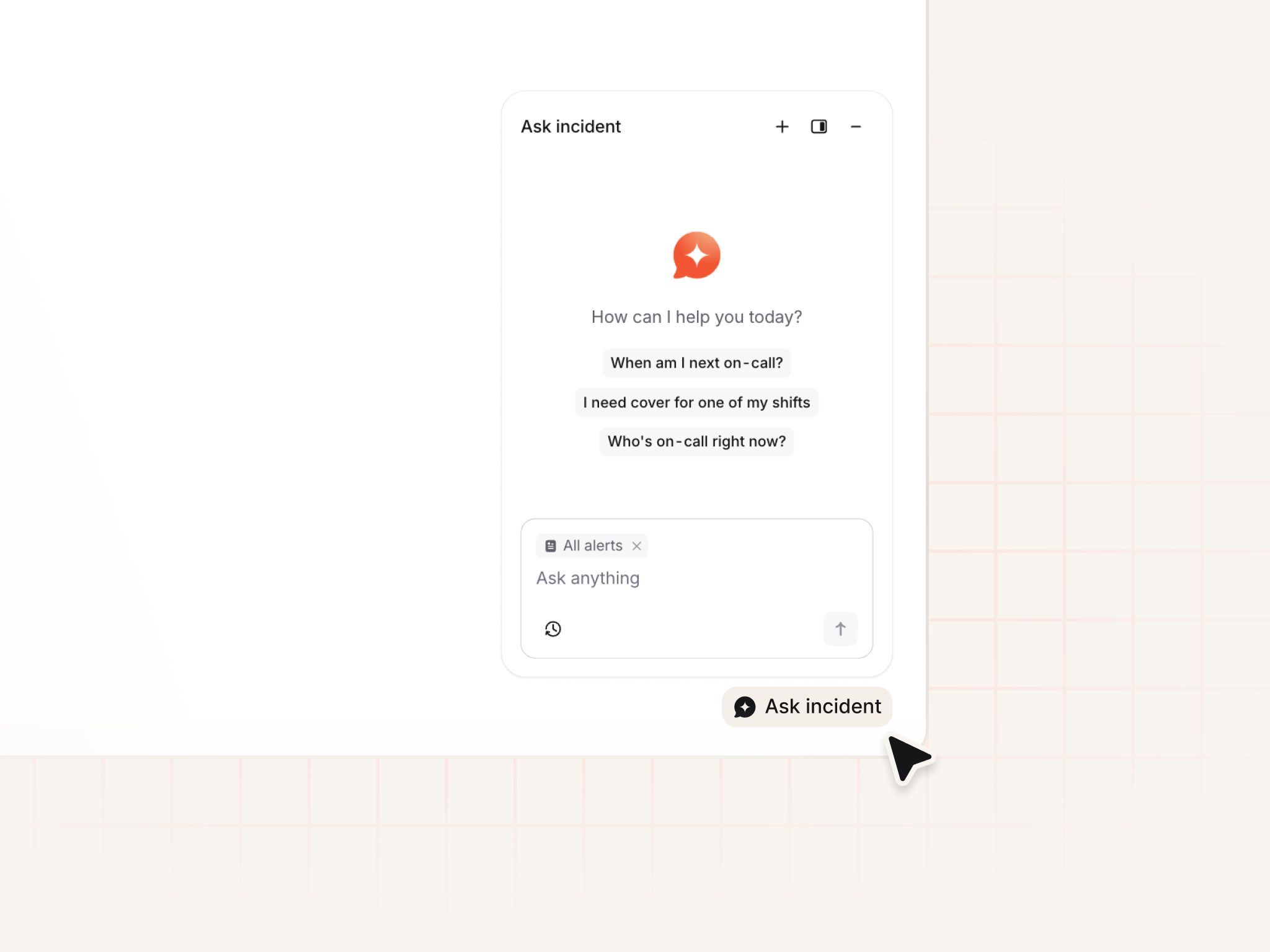
We've also added more "conversation starters" for every page. These quick suggestions help highlight the capabilities of the agent in the different contexts - whether it's querying our docs on how certain settings work, or asking it to make cover requests on your behalf.
- Confused about severity settings? Ask incident.
- Want to get cover for next weekend? Ask incident.
- Want an overview of all high priority incidents? Ask incident.
- Don’t know what to have for lunch? ... Maybe step away from the agent.
ServiceNow app
We now have an incident.io app that has been certified and published to the ServiceNow store. Once installed, it runs alongside the existing ServiceNow integration and automatically enables bi-directional sync. This means any comments, work notes, and attachments added to incidents in ServiceNow are synced back to incident.io.
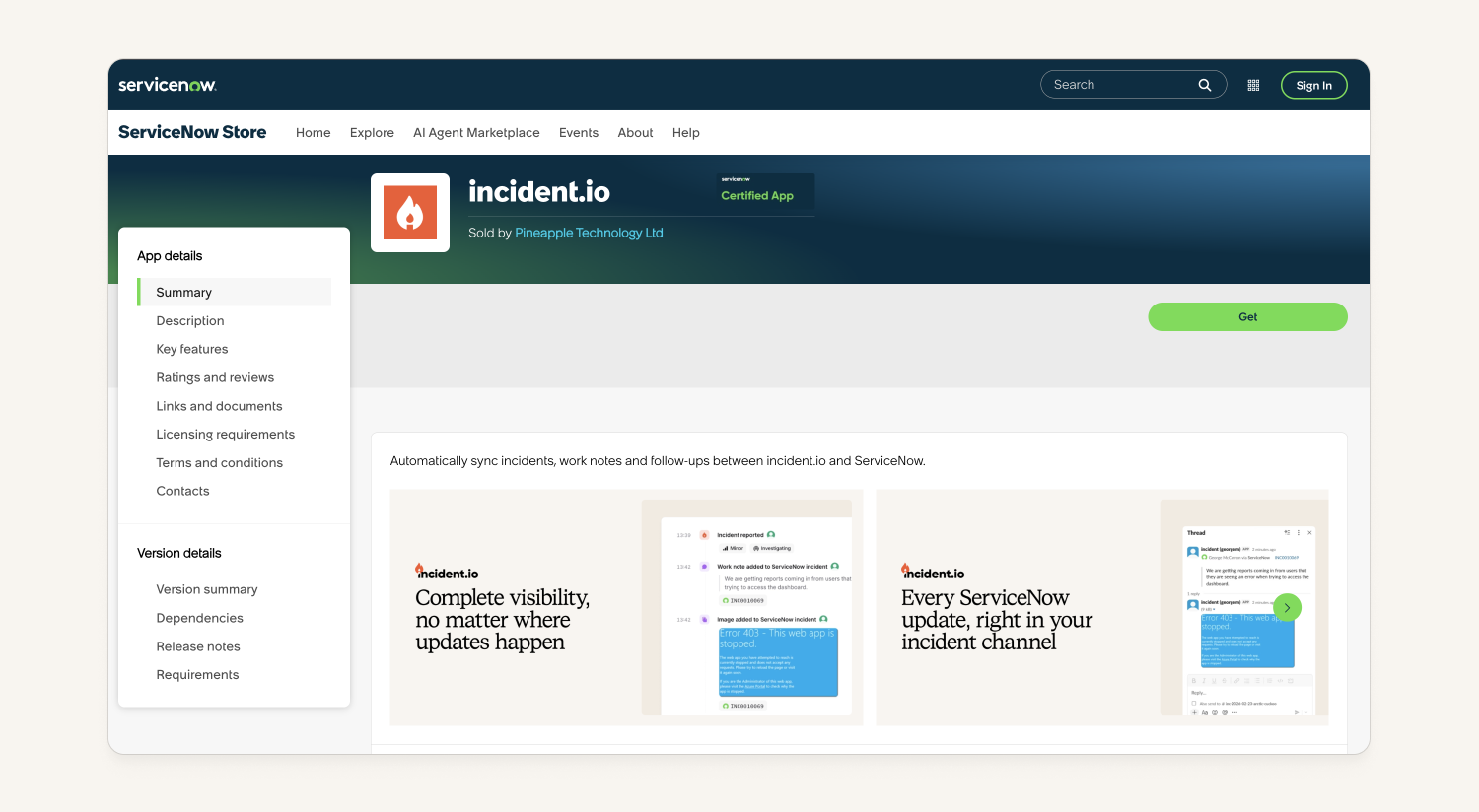
The app installs with its own permissions, so you can skip the time-consuming work of configuring individual permissions for a service account.
Don’t worry, any existing integrations are unchanged, and the app is completely opt-in. Check out more in our help docs here.
Auto-link Jira alert ticket to an incident ticket
If an incident is created from a Jira alert, and incident tickets are configured to create a ticket in the same project as the ticket that fired the alert, we will now adopt the original ticket as the incident ticket, rather than duplicating it. To make this work:
- The Jira alert source needs to be sourcing alerts from project A and issue type B
- Incident tickets need to be configured to create a ticket with that same project and issue type for the incidents created from that alert source
We'll then update the rest of the ticket using that template! Review our help docs for more details.
Escalation paths now have a dedicated view page
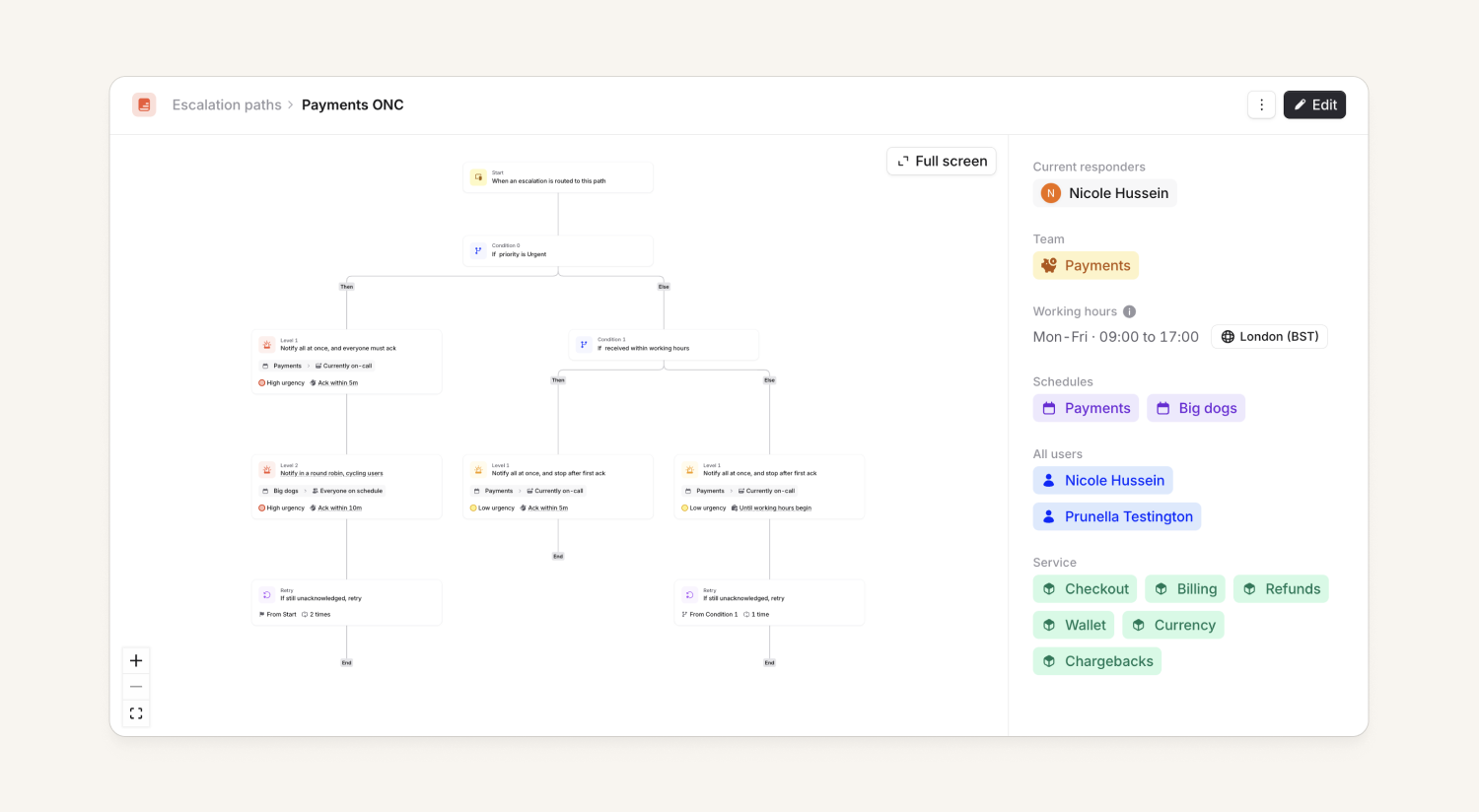
Escalation paths used to open straight into a drawer for editing the graph and configuration. We've now introduced a dedicated view page, which includes:
- 💅 Escalation path graph glow-up: A read-only view of the path with tooltips that clarify time-to-ack behaviour, plus a fullscreen mode for parsing large, complex paths.
- 🔍 Context at a glance: See who's currently responding, plus view catalog attribute values right alongside the path.
- This is great if you're a service-driven organization. If you have your escalation path catalog type set up with a backlink to your service catalog type, we'll then surface all services connected to the escalation path.
What else we've shipped
New
- The Status Page write-up editing is now in a drawer versus a tiny box.
- You can now filter escalations by priority.
- You can now create and manage actions in a Stream, just like if you were in an incident.
- You can now mute the 'is this PR related to this incident' message for a specific incident if they get too noisy
Improvements
- We now don't show workflow options like 'run on private incidents' if the trigger isn't related to an incident
Bug fixes
- Fixed a holiday calendar matching bug impacting a couple of users to ensure it always favours matching entries by email
So good, you’ll break things on purpose
Ready for modern incident management? Book a call with one of our experts today.

We’d love to talk to you about
- All-in-one incident management
- Our unmatched speed of deployment
- Why we’re loved by users and easily adopted
- How we work for the whole organization



