Join us live: How incident.io builds skills for its own agents
Write status page updates together, with AI drafts
November 10, 2026
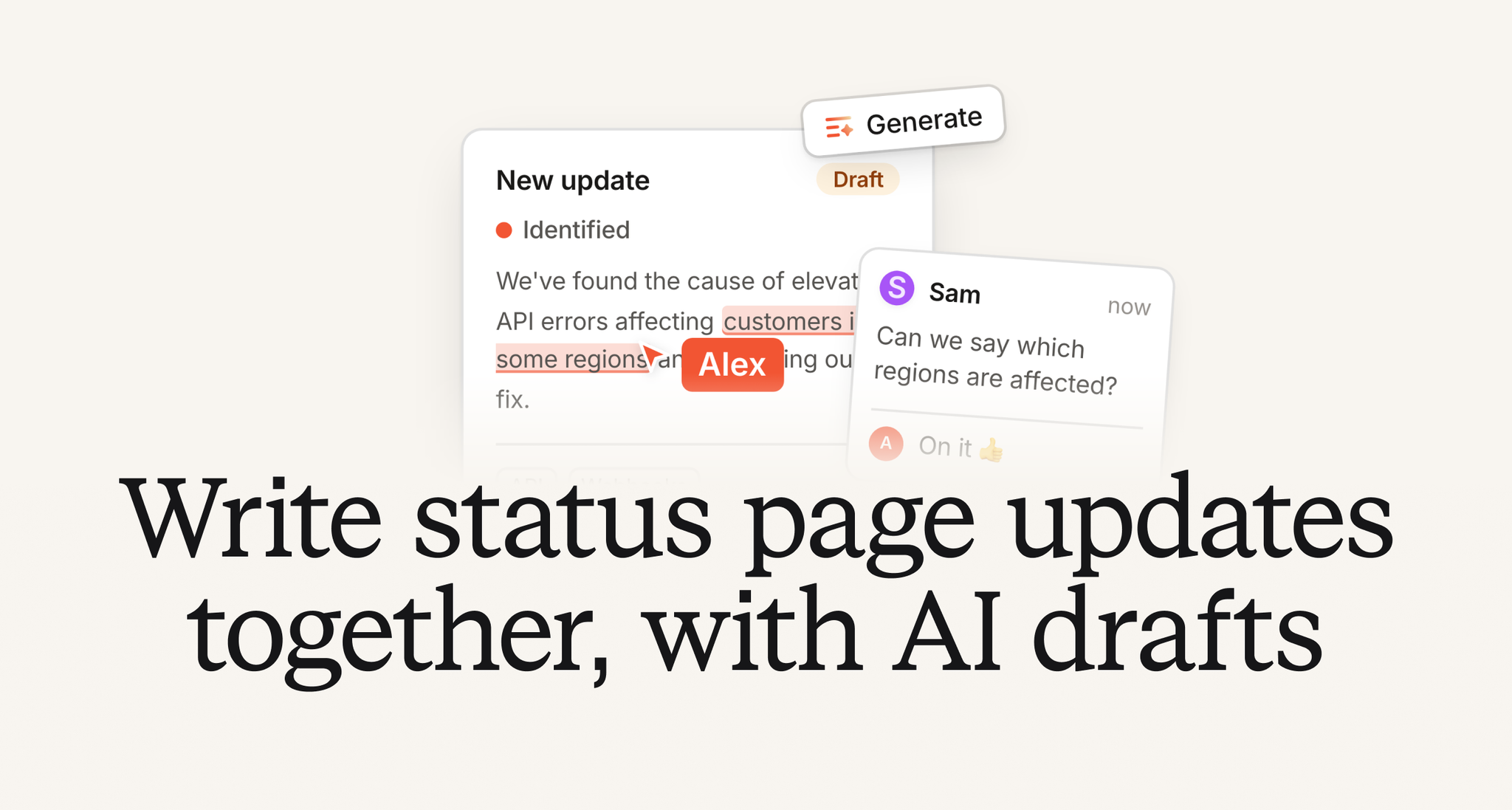
Your customers need an update, but getting the wording right can take a few people. A responder checks which services are affected. Someone else makes sure the explanation will make sense to customers. You want another pair of eyes on the message before it goes out.
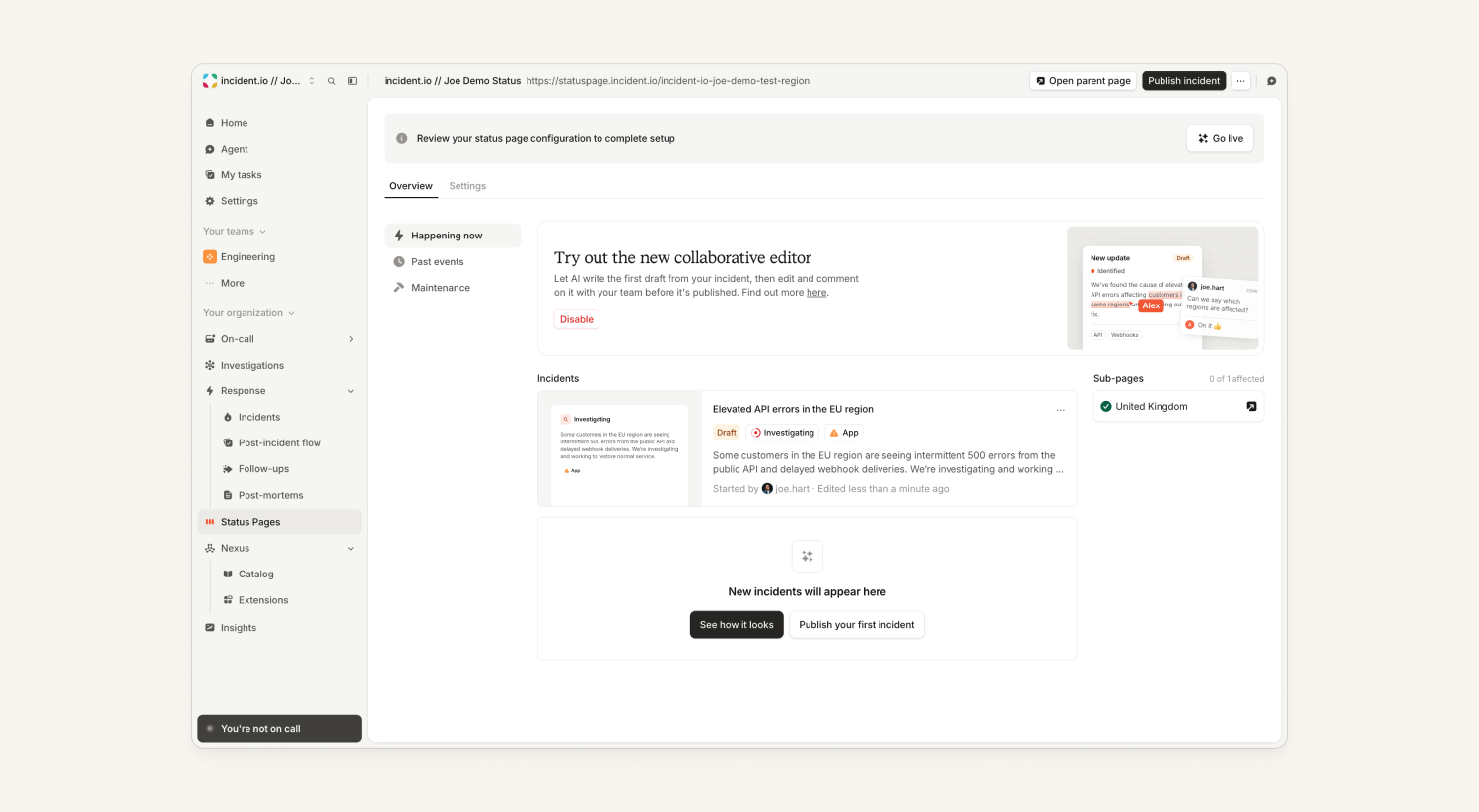
Now, status page updates can start as shared drafts. Your team can write, edit and discuss the same update, then review what customers will see before anyone publishes it. And if you need a starting point, AI can write the first version from the context assembled in the incident.
Write and review as a team
You can edit the same draft at the same time, with full rich text formatting. Leave comments on specific text to ask for a detail, suggest a change or check a claim. @-mention a teammate and they’ll get a Slack DM, so you can bring in the right person to review.
Let AI get you started
Click Generate to turn the incident into a first draft. From there, you and your team can adjust the wording, add context and work through comments before publishing.
Preview the email your subscribers will get
You can now see a preview of the subscriber email before you publish. Check how your update will look in their inbox, alongside the message and component changes, before sending it out.
Update from wherever you’re working
Draft, edit and publish status page updates from the dashboard, Slack, the agent or MCP, so you can keep customers informed without switching away from where you’re managing the incident. When you use the agent, it asks for your approval before publishing.
It's opt-in for now: turn it on from the banner on the Status pages homepage, or from ⌘K. It'll be on for everyone after about a week.
Watch the full walkthrough on Loom.
Investigations
Investigation updates now post in your Scribe call chat
If you've got a Google Meet or Zoom call running with Scribe and an investigation finds something significant, it'll now post into your call's chat to give you a heads-up.
Nexus
Your data sources can now see who made each call
Until now, every call our agent made to your systems looked the same: it came from incident.io. Your MCP servers, APIs and telemetry backends couldn't tell an engineer asking in chat from an investigation running on its own.
Now an admin can turn on Share caller identity on a Nexus data source, whether it's a connector or a telemetry source. Each call then tells your server who made it: the user, workflow, API key, or system (like an investigation). It comes as a header, with a signed token your server can check against our public keys, so it can't be faked.
That lets you:
- Apply granular access controls based on who's calling
- Rate-limit each caller separately
- Limit what automated callers, such as investigations, can do
- Record who made each call, and match it to the entry in your incident.io audit log
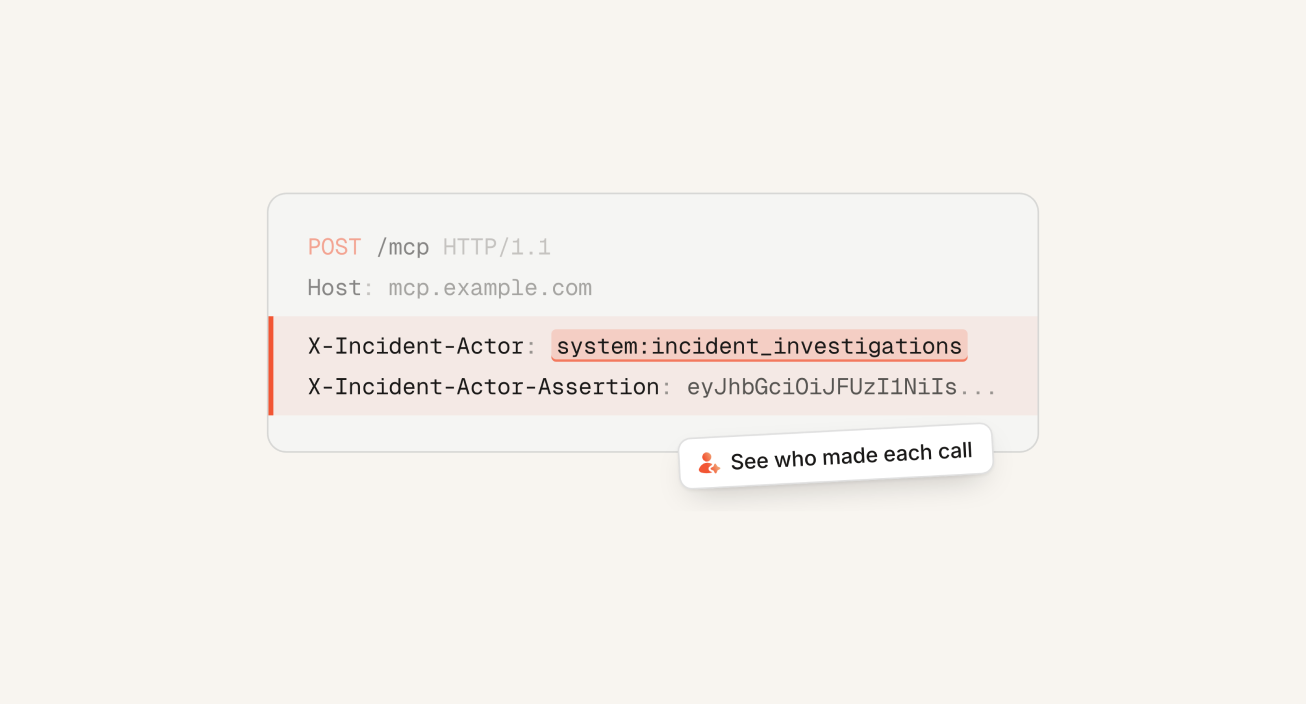
It works on MCP and HTTP connectors and most telemetry sources, and it's off until an admin turns it on for each data source.
Read more in our Caller identity docs.
Platform
The agent can now use git
Our agent can now run read-only git commands (diff, log, blame and more) on any code it reads.
- Investigations can quickly trace a failure back through your repository's history: what shipped, when the broken code changed, who last touched it and how it worked before
- You can ask the agent questions like "who built this?", "when was this line added?" and "what changed this week?"
We’ve also rebuilt how our agents access code, so it can start up and search a codebase much more quickly.
The agent double-checks before responding in a shared channel
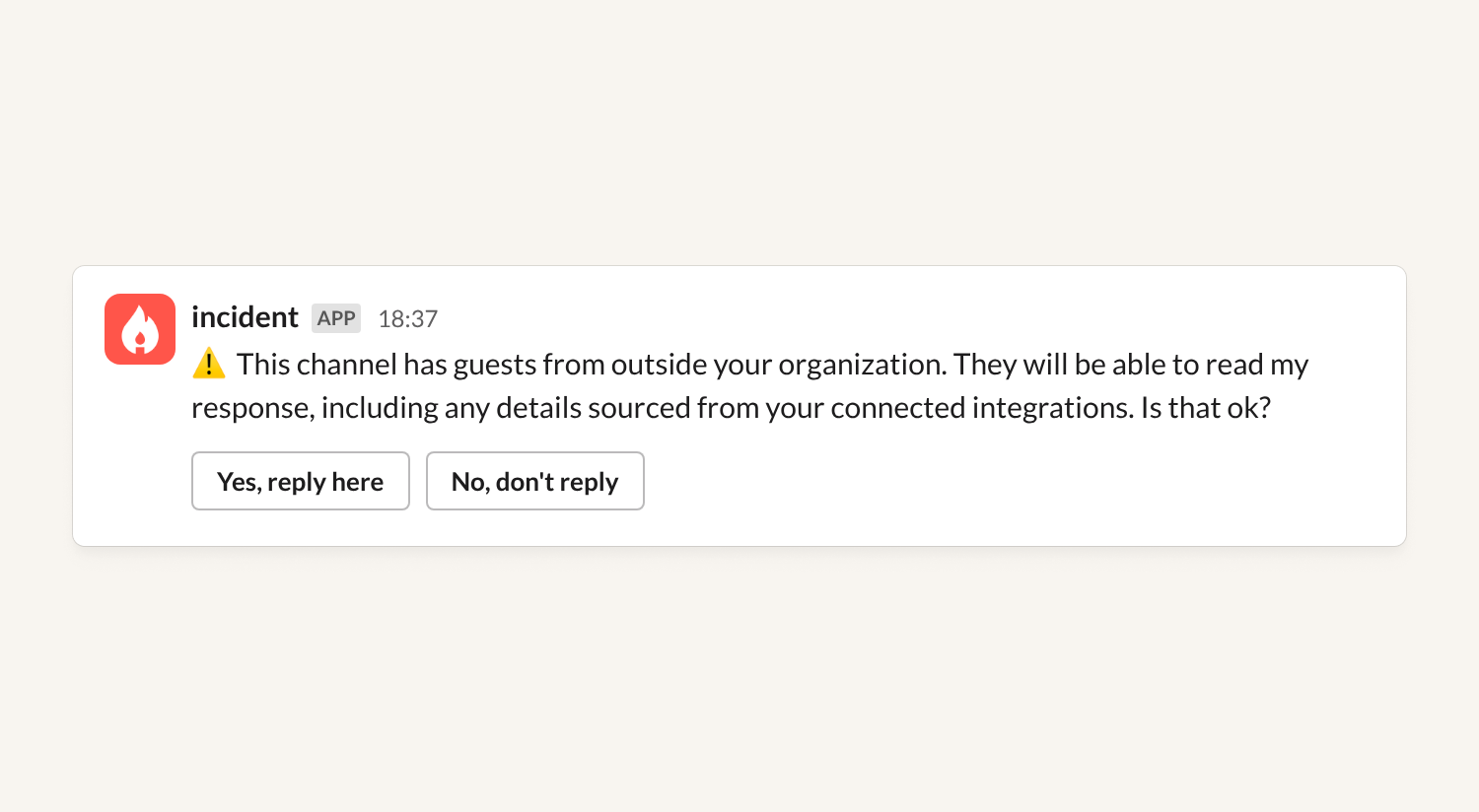
The @incident agent in Slack can surface things you might not be comfortable sharing outside your company. For example, it might read your codebase, search your logs, or talk about your runbooks.
If you ask the agent a question in an externally shared Slack channel (for example, with a customer or a vendor), it'll now check with you before responding. If you say yes, it won't ask again in that channel for the next 4 hours.
Note that this doesn’t apply to incident channels.
Filter catalog entries during syncs
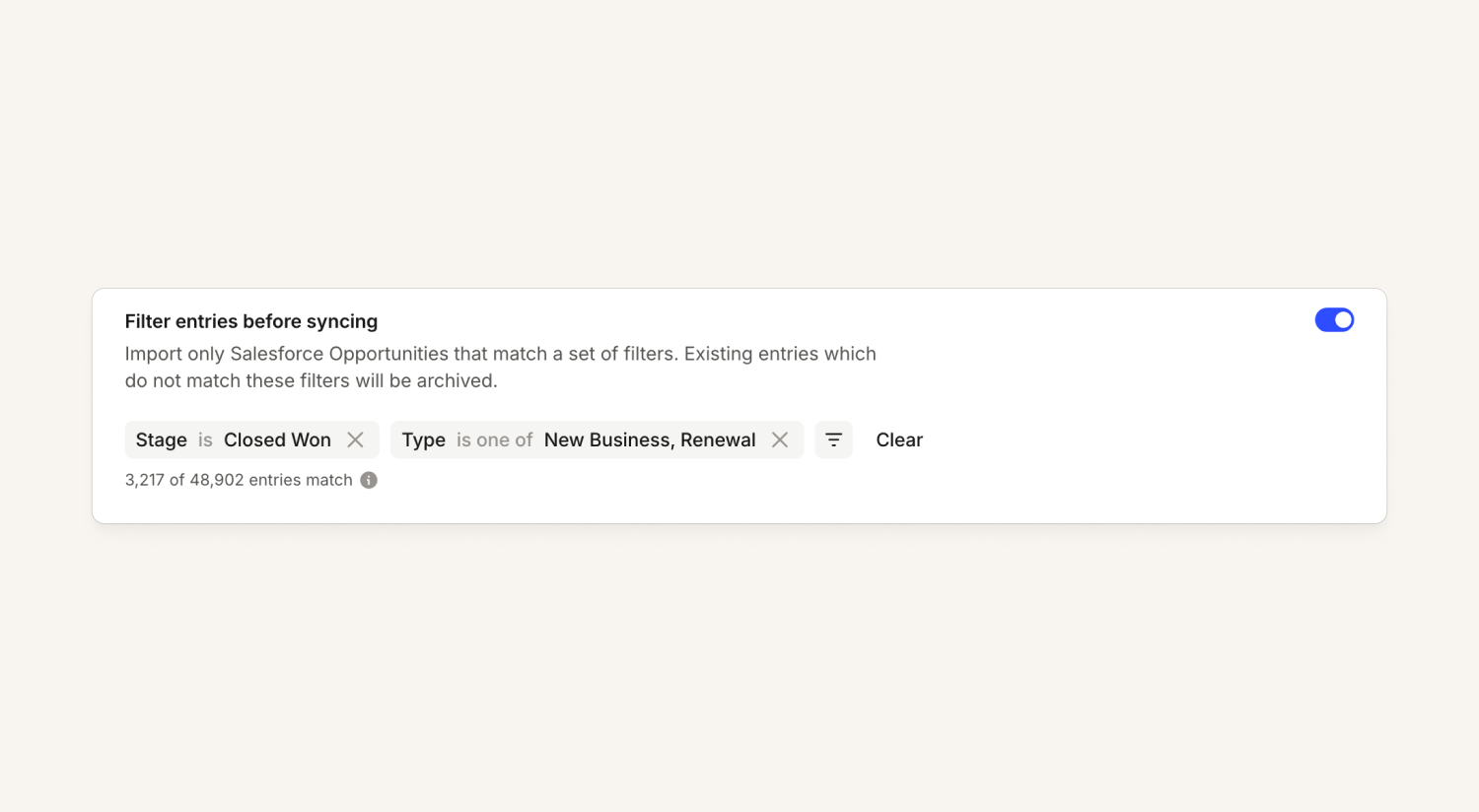
When you sync a catalog type from an integration, you can now filter which entries we sync.
For example, ServiceNow CMDB configuration items often have a state field, and most entries are state=archived. Syncing those to Catalog isn't very useful and can be confusing when debugging.
Under "Edit type", you can now set filters that apply during the sync for catalog types synced from:
- ServiceNow tables (for example, CIs and services)
- Notion databases
- Salesforce resources (for example, opportunities and accounts)
- Zendesk organizations, which you can filter by tags
If there are other types you'd like to filter, let us know!
Read more in the Salesforce, Notion and ServiceNow docs.
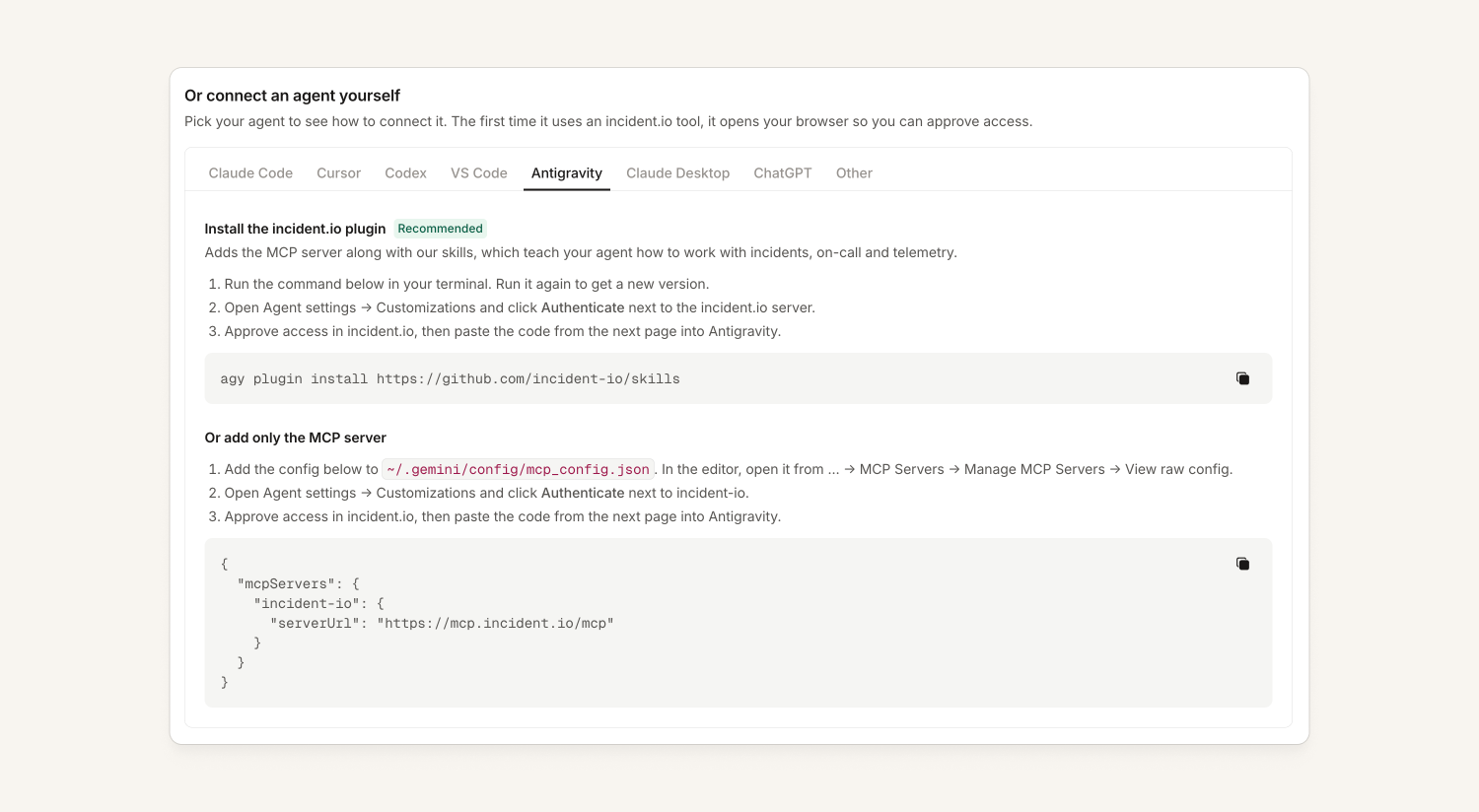
The incident.io plugin in Antigravity
You can now install our plugin and MCP server in Antigravity, Google's agentic editor. We're also working on getting it listed in the Google Antigravity Marketplace.
On-call
Azure DevOps alert source
You can now use Azure DevOps as an alert source: work items from the projects you choose come in as alerts, and they resolve when the work item is closed in Azure DevOps. Just like our Jira integration, if the alert becomes an incident and you've set up incident tickets for the same Azure DevOps project, we use the original work item as the incident ticket instead of creating a duplicate.
That makes it easy to bring your existing Azure DevOps process into incident.io. Learn more in our docs.
Custom SNS deduplication
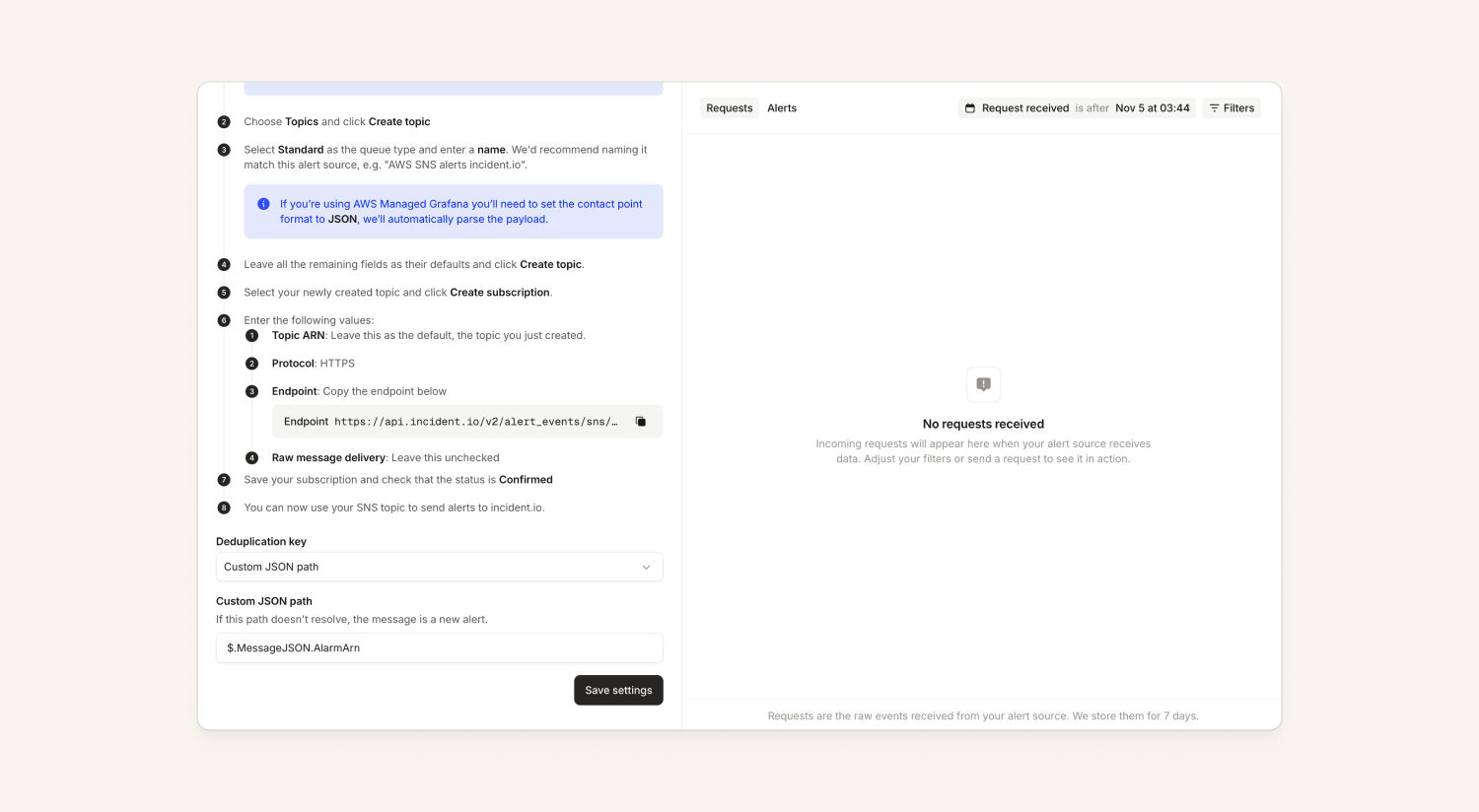
Our SNS alert source now lets you customize how we deduplicate events into alerts. Previously, every message we received from SNS created a new alert, so you could end up with several alerts for a single issue, and alerts wouldn't resolve automatically.
Now you can choose "automatic" message detection, where we parse the identifier from a number of common AWS alert payloads, or choose "custom" and define the exact path you want.
This means the SNS source now behaves much more like our dedicated CloudWatch source.
Status Pages
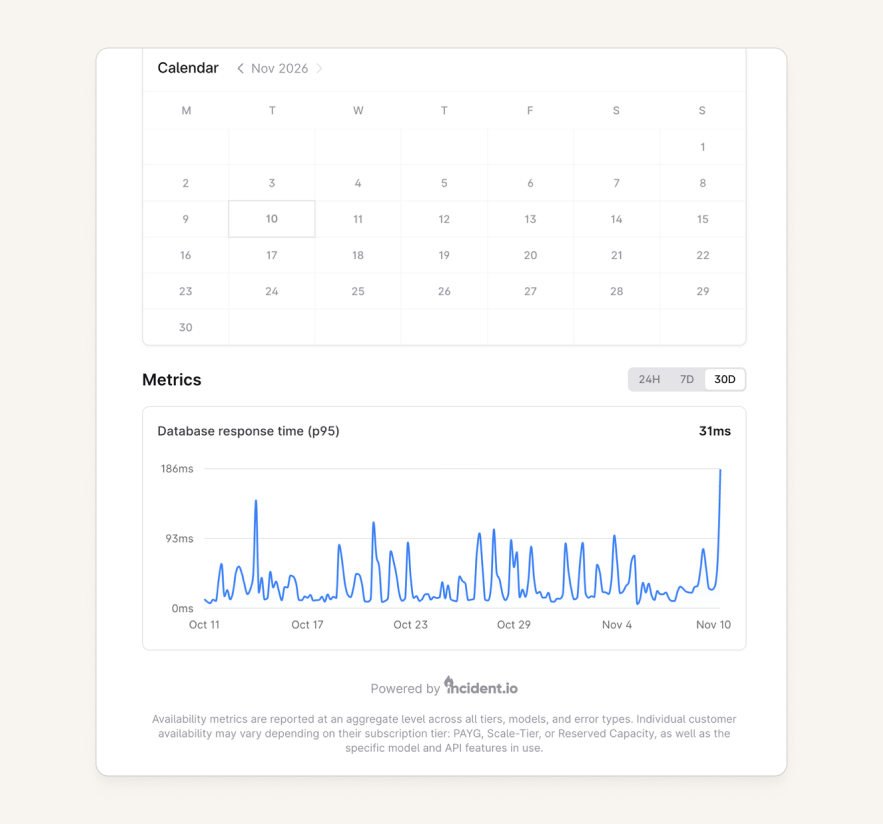
Datadog metrics on status pages
You can now show Datadog metrics directly on your status page. In a status page's settings, connect Datadog as a data source, then add Datadog metric charts under Metrics.
Learn more in our docs.
What else we've shipped
New
- InvestigationsYou can now ask the agent to make code changes from chat in the dashboard, not just from Slack, so the code agent is available if you use Microsoft Teams too.
- PlatformYou can now manage custom aliases and extra attributes on entries of system catalog types with Terraform or the catalog importer.
Improvements
- On-callThe schedule menu now only shows "Link to Linear" when your organization has the Linear integration connected, keeping the menu tidy for everyone else.
- ResponseImproved message previews when creating and editing workflows.
- InvestigationsYou can now ask for investigation feedback as a post-incident task, as well as in your resolve form.
- Status PagesViewing and exporting your status page subscribers' contact details now requires the "Configure status pages" permission, so you have tighter control over who can see subscriber emails and phone numbers.
- PlatformYou can now filter which records a catalog type imports from an integration, starting with ServiceNow, Salesforce, Notion and Zendesk.
- You can now connect Vercel's MCP server to incident.io through Extensions using OAuth.
- When you tag the agent in a Slack Connect channel shared with another organization, it now asks you first whether to reply, since guests in that channel could read the answer.
Bug fixes
- On-callFixed an issue where the alert variable picker listed "Source" twice, for example when choosing which alerts to hold in a maintenance window.
- ResponseFixed an issue where Schedule debrief tasks showed your connected calendar account as the person who completed it, instead of the person who scheduled the debrief.
- Status PagesFixed an issue where a status page could take a long time to load when an incident or maintenance had an impact with a far-future end date.
So good, you’ll break things on purpose
Ready for modern incident management? Book a call with one of our experts today.
We’d love to talk to you about
- All-in-one incident management
- Our unmatched speed of deployment
- Why we’re loved by users and easily adopted
- How we work for the whole organization