Upcoming navigation changes
July 15, 2026
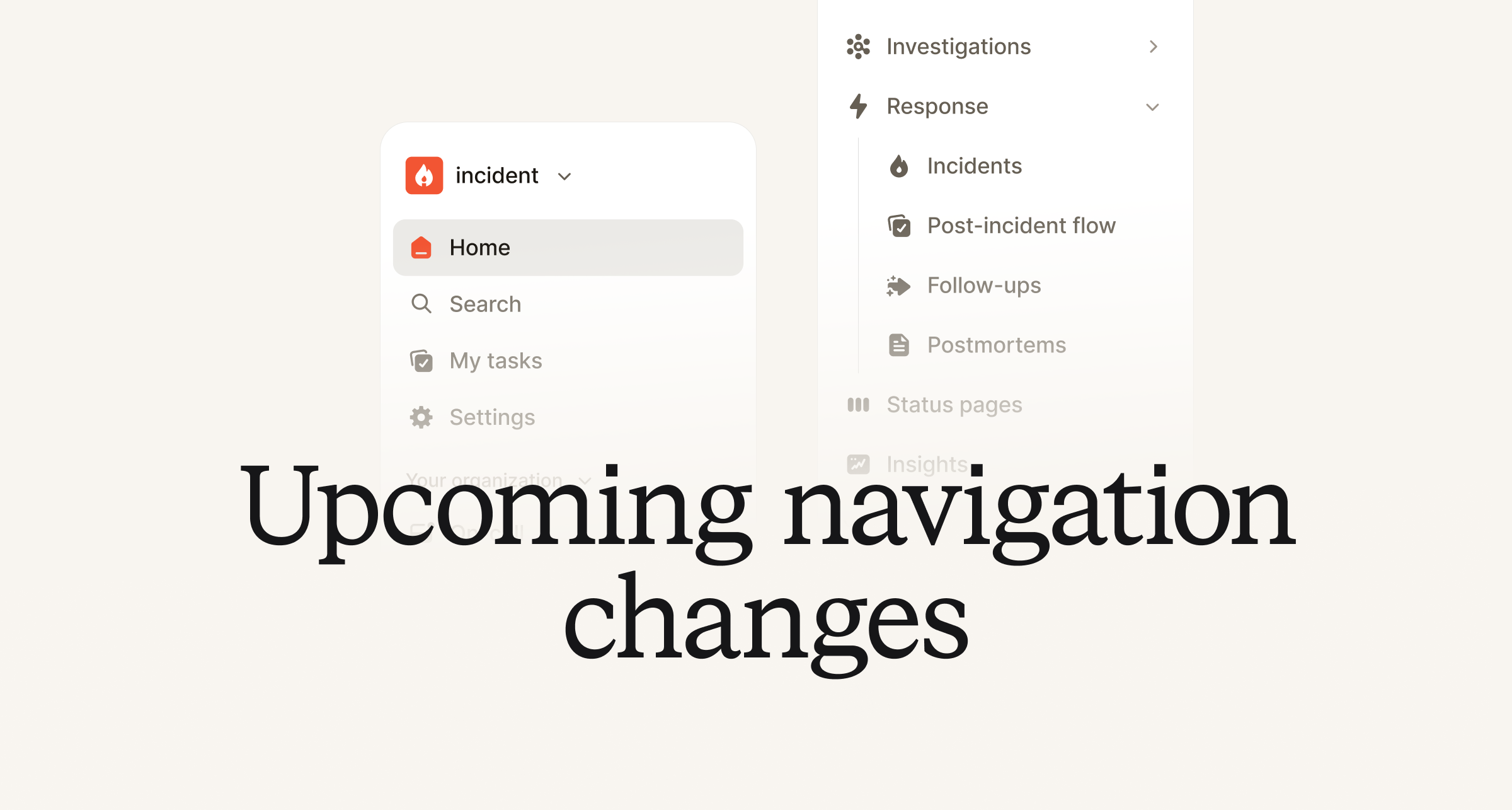
As of today, users can opt-in and trial our new navigation menu before we officially move all users later in August. To view, click on your organization name on the top left of the dashboard and flip the ‘Try the new sidebar’ toggle.
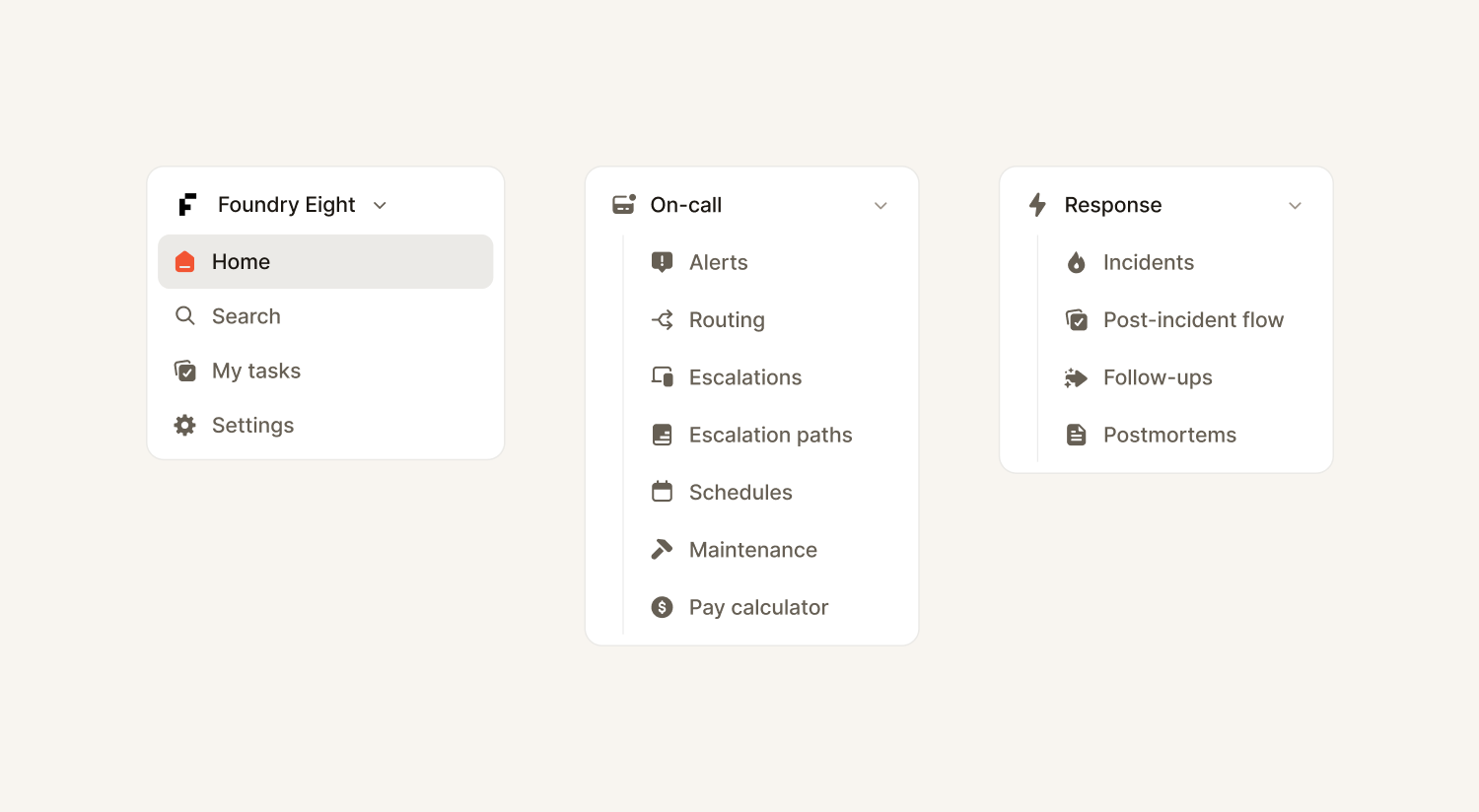
This update moves some features around to be more intuitive for users, while also giving you access to some net new features. These changes include:
- No more tabs. We’ve moved away from the tabs structure and now allow for expanded left navigation under each product, such as On-call and Response.
- Response and On-call in their own distinct sections.
- We’ve moved Alert Routing under On-call from Settings to better reflect how users have been engaging with alert sources and routes. But otherwise it should feel fairly similar.
- You’ll find incidents and post-incident work, like post-mortems, under our Response section.
- Personal settings now under general settings. Personal settings, such as on-call notifications can now be found at the top under general Settings.
- Easier access to Settings. Settings is now accessed via the left navigation, not by having to click on your organization. It’s also been regrouped and reordered to be a bit clearer.
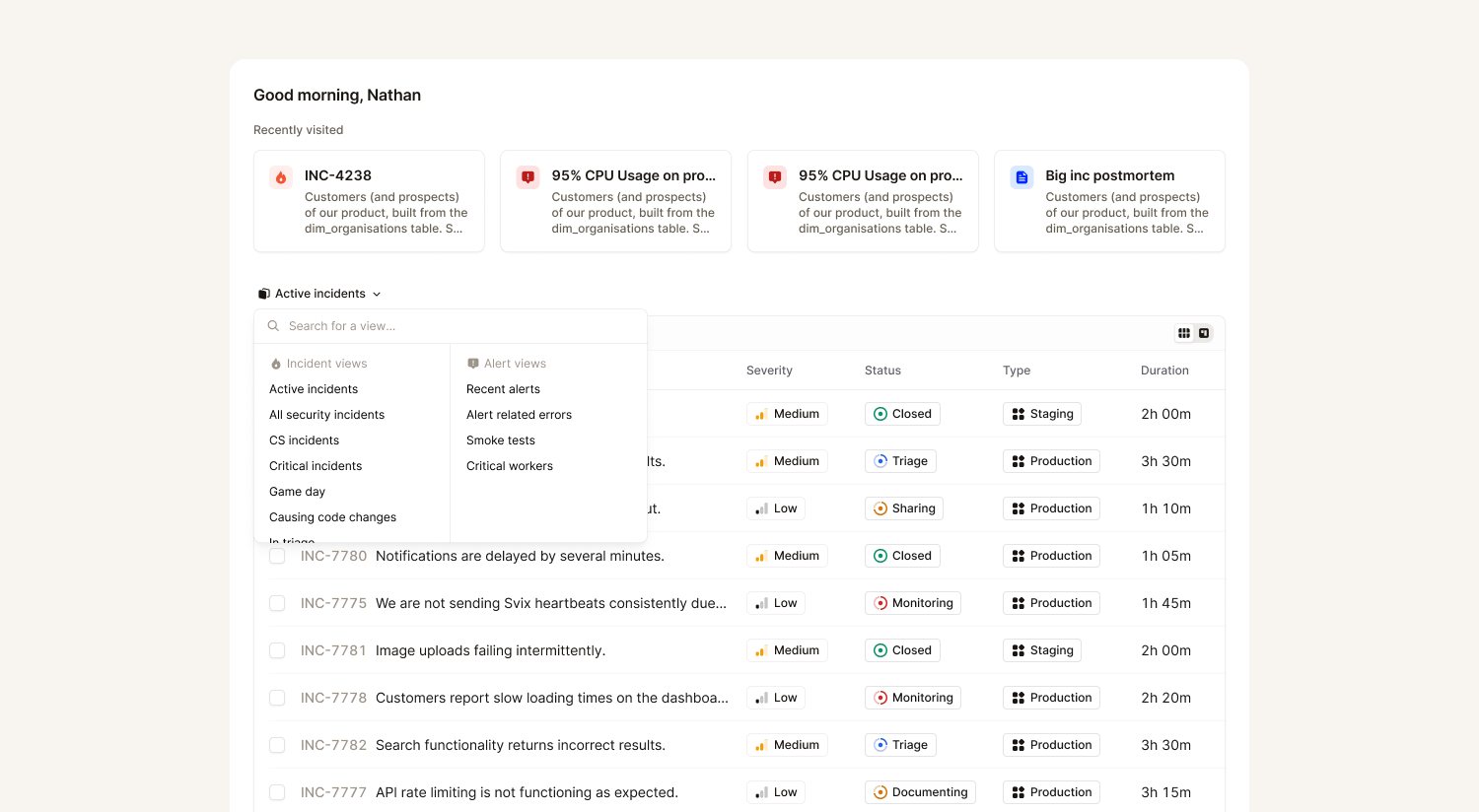
- My tasks. We’ve removed the timeline on the home page and have given you a view of all your outstanding tasks, such as an on-call readiness policy violation or upcoming follow-up.
- Adjustable saved views on home. Choose between saved views of incidents or alerts on home, allowing you to customize the view that suits your needs better.
You’ll also notice some polish and tweaks such as:
- Our new color palette in Pebble to better align with the increased accessibility to the agent in the dashboard
- Breadcrumbs make it easier to find where you started, including new recently visited on the home page
- A search bar for better navigating Settings
To get started, simply click on your organization’s name on the top left of the dashboard and toggle the new navigation on (or you can use the cmd + k menu!). You can switch back as often as you like until we officially switch everyone over in August!
Vacation conflict policies
We’ve all seen it happen. You - or someone on your team - didn’t realize they were on call just as they were about to hop on the plane for some rest and relaxation. That usually means someone is paged unexpectedly while on the beach or there is a frantic last minute search to find cover for the person on leave.
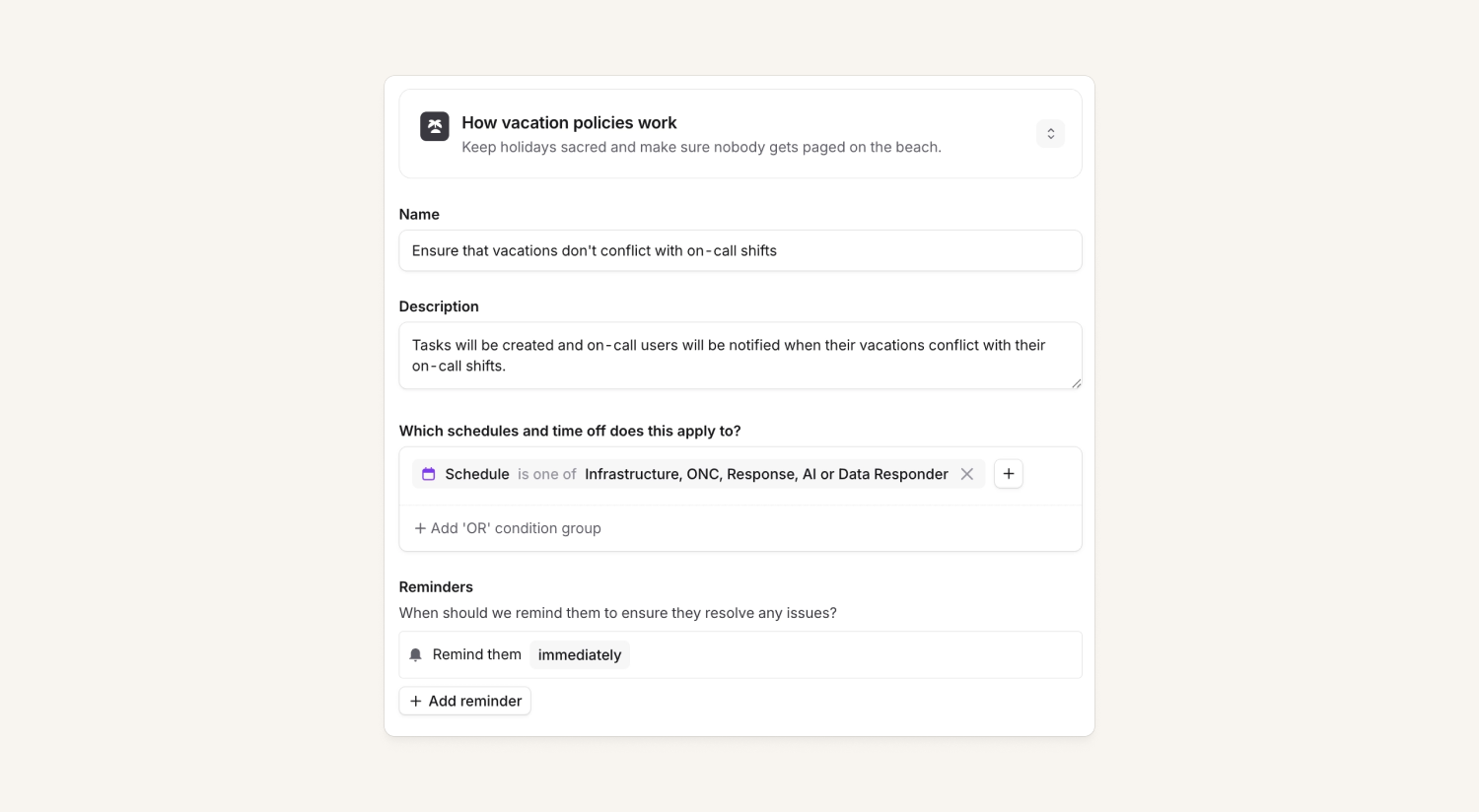
To avoid this, we’ve added a new vacation conflict policy. This allows us to automatically detect when someone's booked holiday overlaps an on-call shift they're scheduled for. We then raise this as a conflict so someone can act before anyone gets paged while they're away. You set the policy up once and choose which schedules it applies to — no more manual cross-referencing, and no more relying on someone remembering to arrange cover.
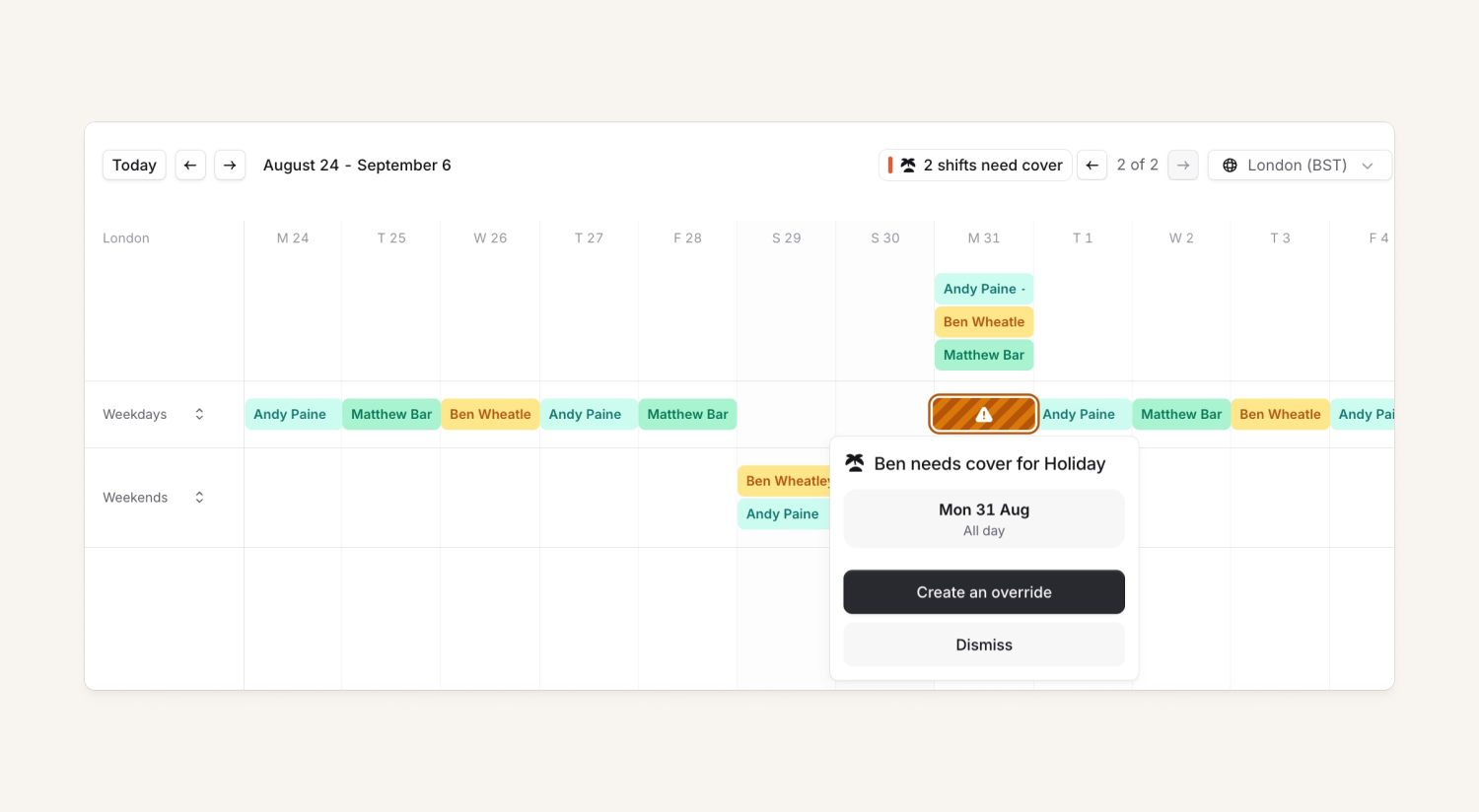
How it works:
- When a person's time off overlaps one of their shifts, we surface it as a conflict you can resolve — either by requesting cover, or dismissing it if it isn't really a problem.
- We’ll look up to 60 days in advance for conflicts, that way you don’t have to figure out your Christmas plans in July if you don’t want to!
- Conflicts appear in the new My Tasks section in the left navigation so you can see where you may have issues. Plus this will be exposed on your team’s tab, as well as relevant schedules so either your manager or teammates can help you resolve any conflicts.
In order to get your organization’s holiday data into our system you can leverage:
- Calendar feeds integration. This is a sync of a feed from HR systems like HiBob. You only need to set it up once and it applies across all your schedules. (See here).
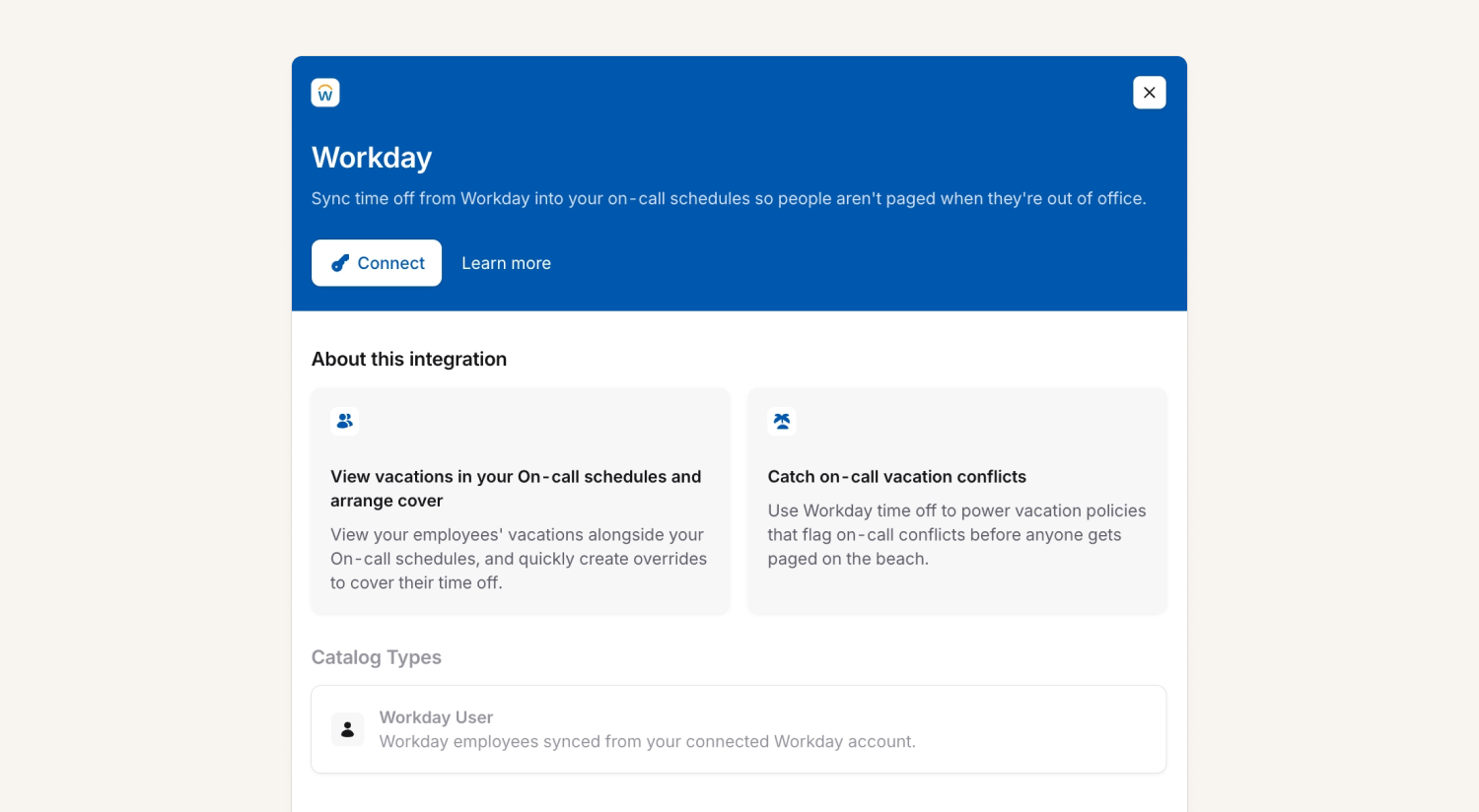
- Direct HRIS integrations (Beta). As of today we're rolling out native integrations with Workday, HiBob and Bamboo so approved time off flows straight in, no calendar feed required. This is great for tools like Workday that do not support calendar feeds. If you’d like to leverage these integrations please either reach out directly or click on the integration page in Settings → Integrations.
Remote MCP server and macOS app are now generally available
We’ve concluded the beta period for our remote MCP server and macOS app - so both are now generally available!
To access the MCP server:
- Head to Settings > MCP to enable the MCP server for your organisation.
- Head to the docs to configure your AI tool(s) of choice
- Authenticate via OAuth when prompted
And simply head here to enable the macOS app for your organisation and download the latest version. We’ll guide you through setting up and configuring your coding agents as part of the onboarding flow.
WhatsApp as a new notification method
You can now receive on-call notifications over WhatsApp. Simply add a WhatsApp number as a contact method in your notification preferences and it’ll work right alongside the mobile app, SMS, phone, email and Slack/Microsoft Teams notifications.
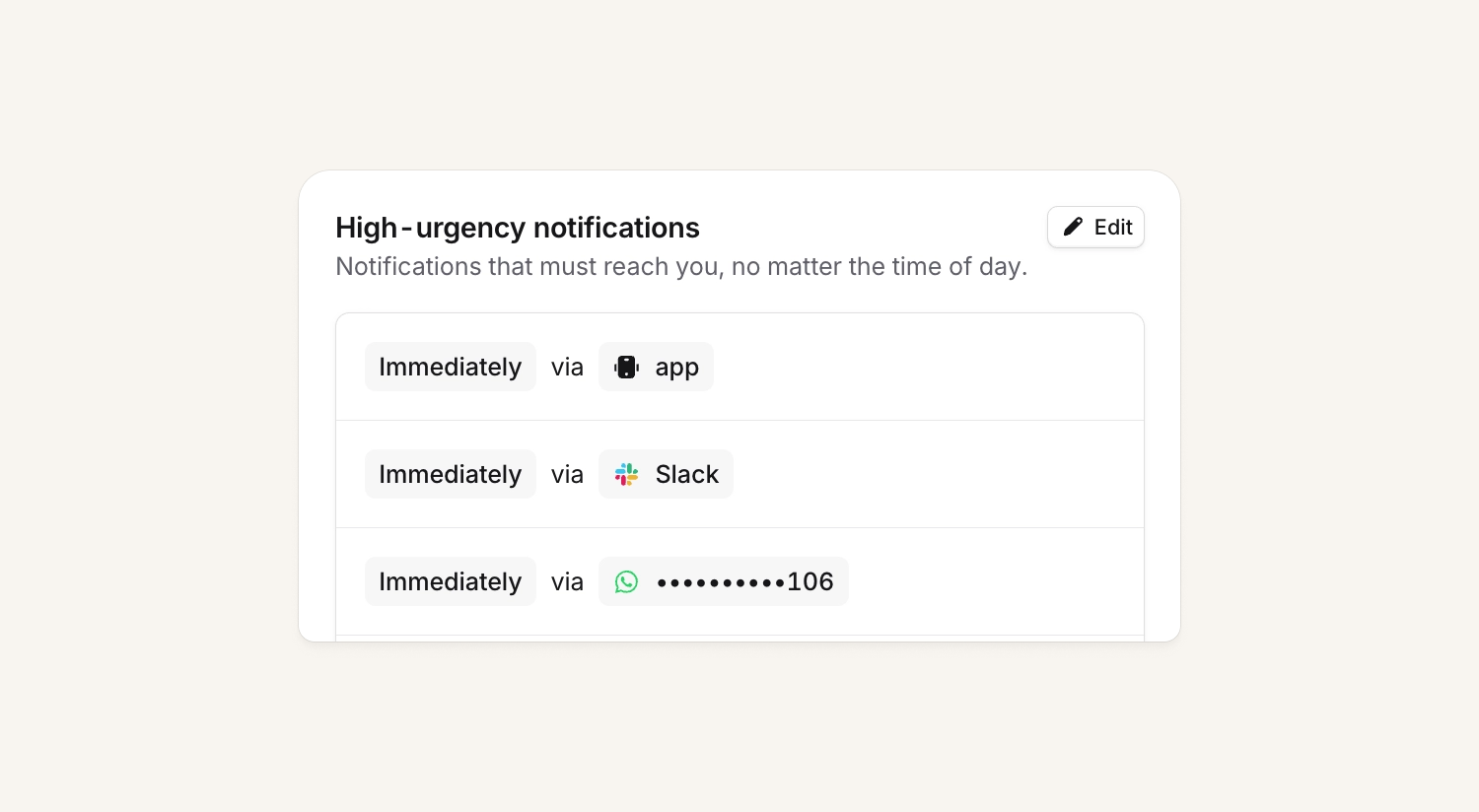
This is great for responders who prefer WhatsApp over SMS, or for regions where SMS is more limited (e.g. doesn’t support acknowledgement via SMS).
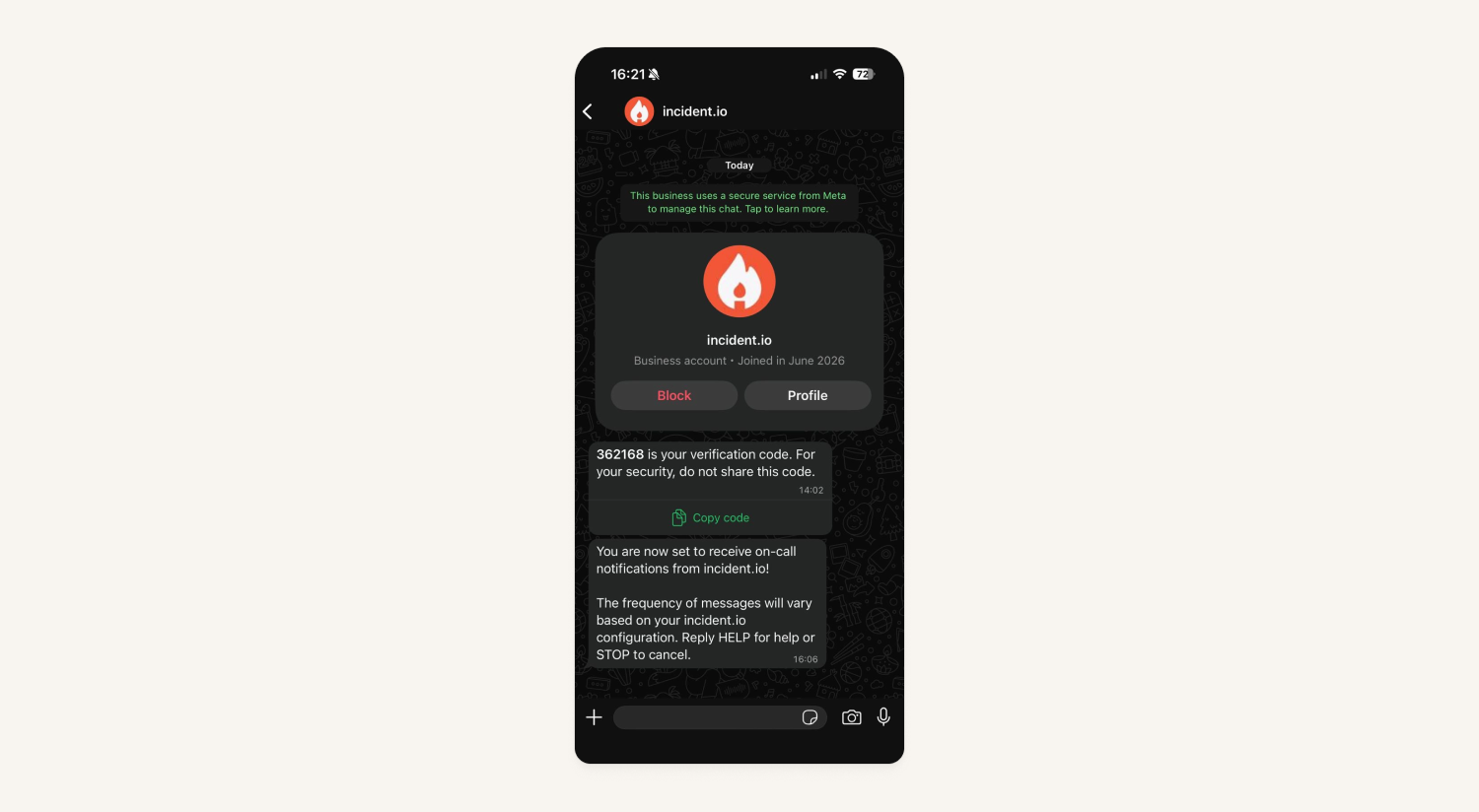
Organizations can add WhatsApp to any notification rule policies and view it as part of their on-call readiness reports as well.
Note: We will be rolling out access to WhatsApp over the coming month to organizations, so if you don’t see it yet under your organization, don’t worry!
Multiple announcement post templates
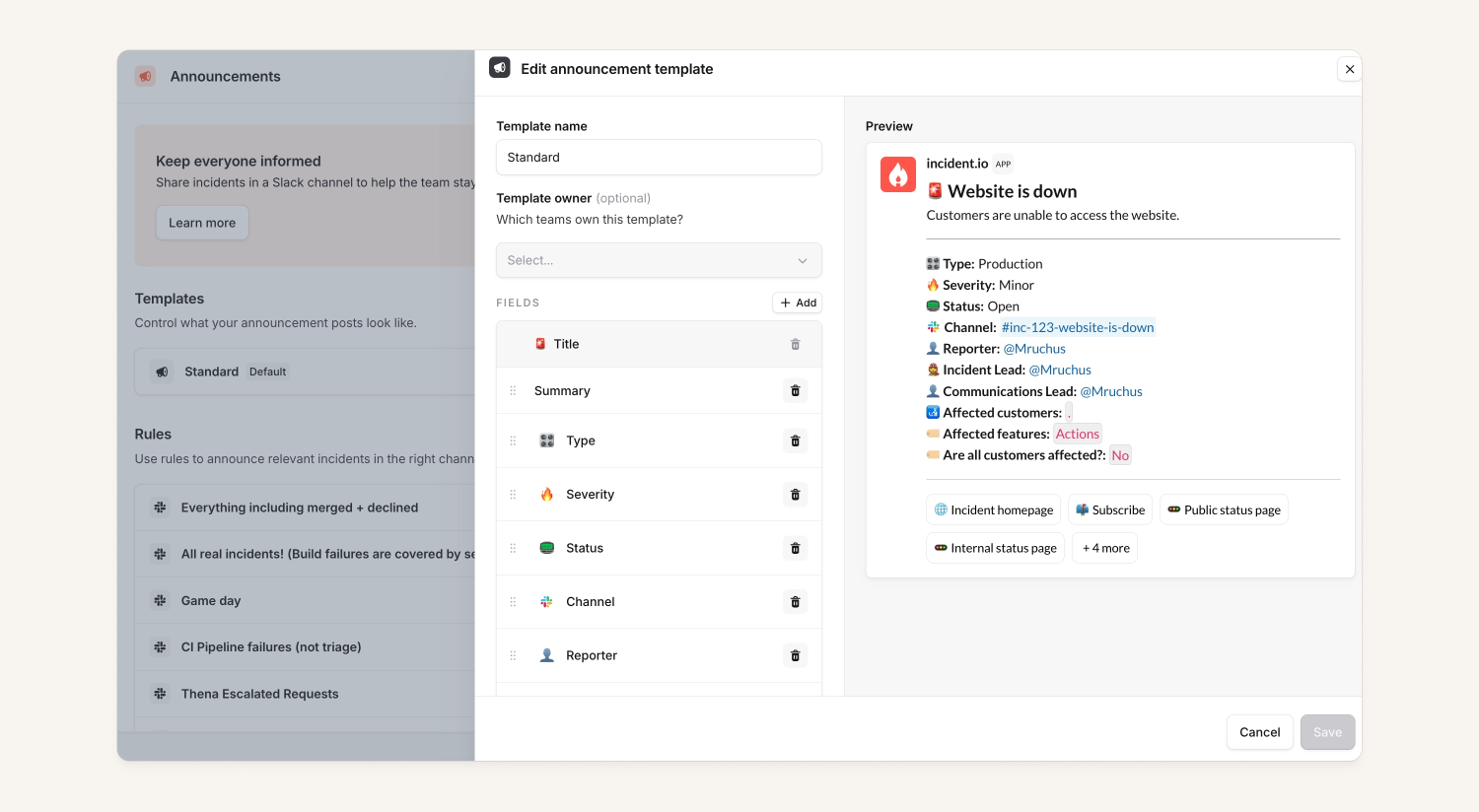
It is now possible for announcement post content to vary based on rules with announcement post templates. Organizations will be able to create multiple templates for what their announcement posts should look like and select which template each rule uses. Templates can also be selected from posting an announcement in a workflow.
With this flow you'll be able to:
- Have different announcement formats for different teams who use separate custom fields and want to show differing pieces of information
- Show less content for less severe incidents or maintenance events compared to higher severity incidents.
- Set up a rule to post announcements for different groups of people, such as executives versus incident responders
Auto-link ServiceNow incidents as incident tickets
We've added a ServiceNow alert source so you can automatically create incidents when one is opened in ServiceNow. If you've set up ServiceNow incident ticket export functionality, we'll reuse that ServiceNow incident as the incident ticket instead of creating a new one.
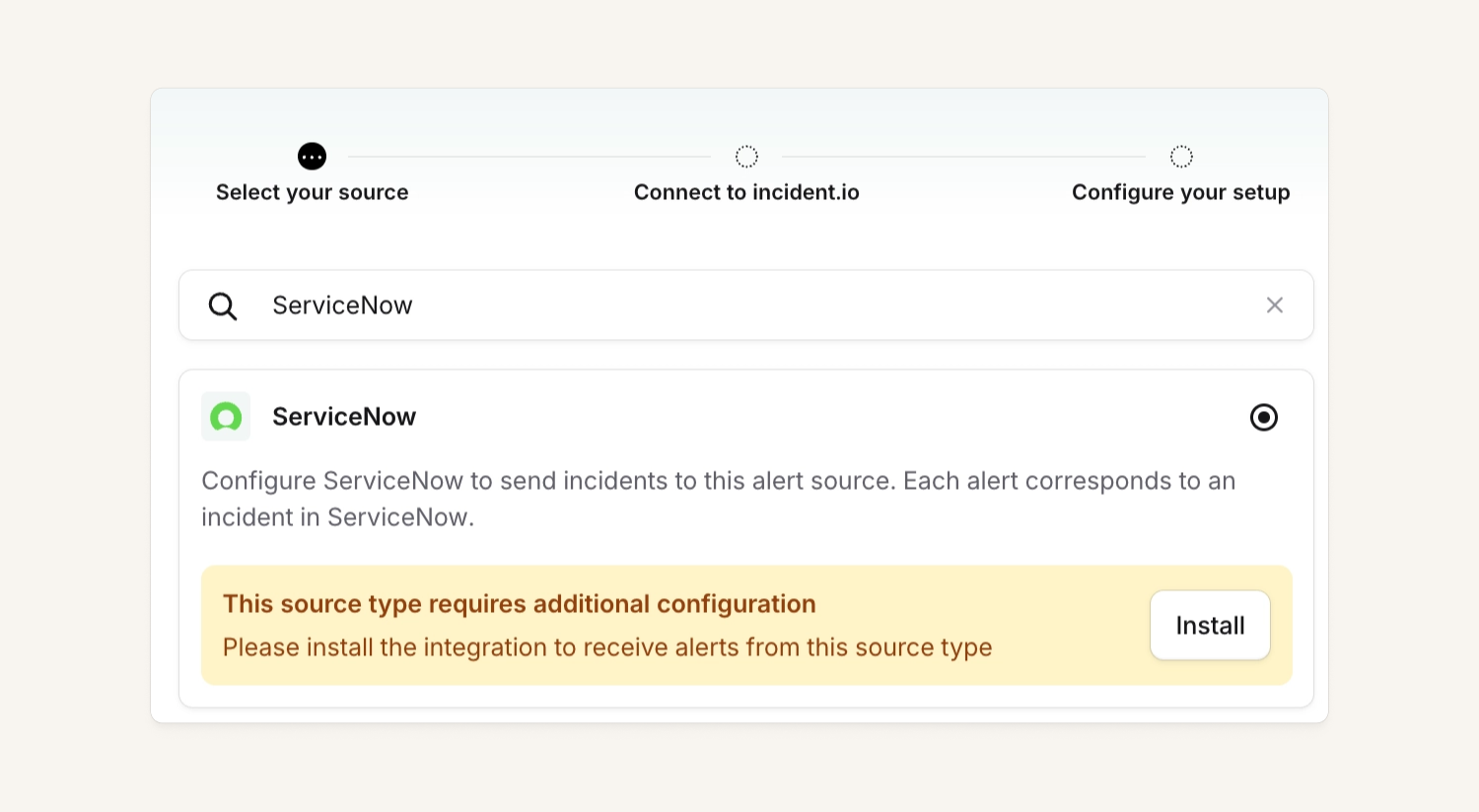
To leverage this functionality, make sure you’re using the incident.io ServiceNow app and have ServiceNow connected as an alert source and creating incident tickets within our platform. For more details, check out our public docs.
Escalation notification timeline
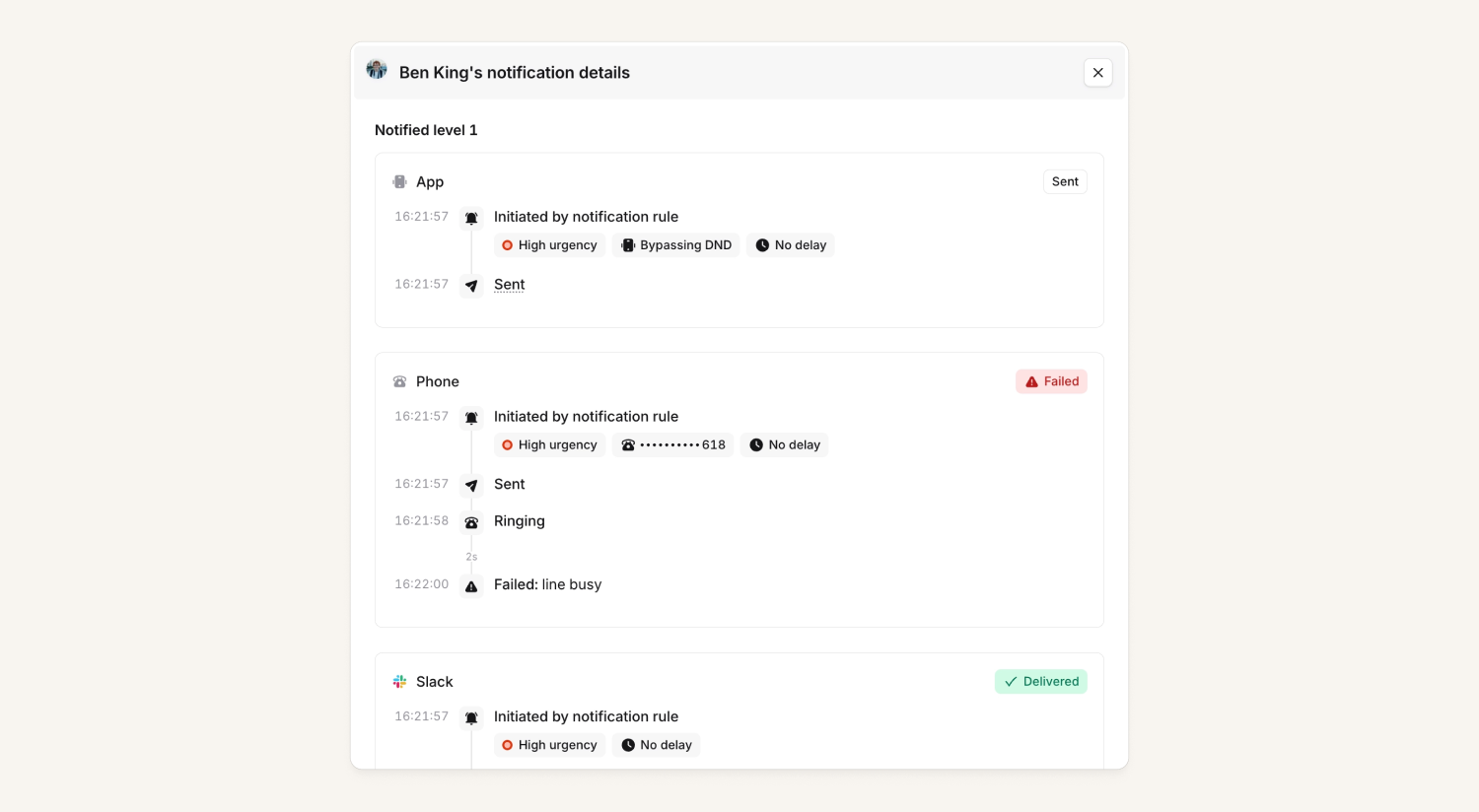
We've extended the escalation timeline to include detailed timelines and delivery outcomes for each individual notification. We now show:
- A rollup of delivery outcomes for each escalation target (ie. WhatsApp, app), plus detailed timelines and outcomes per notification in a drawer
- Details about the firing notification rule, so you can tell whether a page was delayed on purpose by a pre-configured delay, or whether a push notification was configured to only notify quietly rather than bypassing DND
- Confirmation of delivery (when possible) for supported contact methods (SMS, phone, WhatsApp, Slack, Microsoft Teams, mobile app)
- Where possible, a reason for the failure/cancelation. For example, a user explicitly declined the phone call or we couldn't attempt notifying as the user had no on-call seat
This is available for both user notifications and channel notifications.
What else we've shipped
New
- You can now configure an announcement rule to automatically remove its announcement post if the incident no longer matches the rule's conditions
- You can now remove subscribers from a status page directly from the dashboard, either one at a time or in bulk for subscribers matching your current filters
- You can now decide which metric (ie. incident duration. time to fix) is the 'source of truth' for internal status pages calendar duration
- You can now add conditions to manual workflows
- You can now use emoji (including custom Slack emoji) or mention catalog entries in your rich text within summaries, updates, workflow messages, alert descriptions and more.
- You can now view a user's role history from Settings → Users, to see who gave them access and when.
- We now send notifications when someone changed a user's on-call shift on a schedule using an override
- You can now decide if we show 'not set' if a variable is missing within workflow steps, Slack channels, nudges or alert descriptions
- You can now condition postmortem template selection on incident visibility, alongside severity, type, custom fields, and roles
- You can now cancel an escalation directly via the API via POST /vs/escalations/{id}/actions/cancel which is handy for automatically stopping a page when an incident is resolved before anyone acknowledges it
- You can now filter
GET /v2/alertsby minute-level precision oncreated_at, not just by whole day. Pass a full ISO 8601 timestamp togte,lte, ordate_rangeto narrow results down to a specific time window
Improvements
- We've widened the "Share update" drawer (and the follow-on resolve drawer) so there's more room to write and review incident updates
- We've added a clear explanation when a blocked Microsoft guest account tries to sign in via the organization switcher or "welcome back" screens, so users understand why they can't log in rather than seeing no feedback at all
- We've made incident timelines faster and more reliable to load.
- We've updated alert detail links (including the Azure Monitor "View in Azure Monitor" link and dashboard links) to open in a new tab, so you no longer lose your place in the incident or alert workflow
- We've improved the message shown when an AI-drafted post-mortem section can't be generated because there wasn't enough activity in the incident's Slack channel.
- We've tightened up Scribe's live update messages in Slack, dropping the bulky header and block quote, only using bullets when there's more than one point, and switching quick links (join call, notes) to be more subtle
- We've added validation to the round robin "Cycle users" interval in escalation paths, so entering a negative or invalid number of minutes is now caught immediately in the editor instead of failing later when you try to save the whole path
- We've made the "set up Teams to filter alerts" prompts on the alerts list and alert source config clearer, turning the guidance into a proper clickable link straight through to your Teams configuration page
- We've added more relative date options — like "Last 7 days" and "Last 30 days" — to the "Alert created at" filter on the Alerts page, making it easier to filter to a rolling time window instead of a fixed date range
- We've also added the exact date and time next to upcoming debrief meetings, and a confirmation step before deleting a meeting from your calendar, so it's easier to tell meetings apart and avoid deleting the wrong one.
Bug fixes
- Fixed a bug where a post-mortem heading containing only an @mention showed as "Untitled" in the table of contents, instead of showing the mentioned person's name
- Fixed a bug where some images in post-mortems exported to Confluence could render as a broken link instead of an embedded image
- Fixed a bug where matching policies created for debrief invitees could be hidden from Settings → Policies for organizations using Outlook Calendar rather than Google Calendar
- Fixed an issue where the debrief meeting actions menu could be pushed out of view and become inaccessible at narrower window widths.
- Fixed an issue in the postmortem editor where removing a hyperlink from part of a linked phrase would remove it from the entire phrase instead. You can now select just the portion you want to unlink.
- Fixed an issue where Scribe could fail to post notes on Microsoft Teams calls if the bot connection briefly timed out during setup — Scribe now recognizes and reconnects to an existing bot on the same incident, so transcription and notes continue as expected
- Fixed an issue where organizations that migrated to Slack Enterprise Grid could be left unable to page or escalate via Slack until the next scheduled sync — Slack configuration now syncs immediately when a Grid migration completes.
- Fixed an issue where the edit button for a timeline item added at the very end of an incident's timeline could be cut off and unreachable, even after scrolling
- Fixed an issue where archiving a ClickUp task without first marking it done left the linked follow-up stuck as incomplete in incident.io
- Fixed an issue where the post-mortem editor would flash a loading spinner and scroll back to the top of the document while you were writing, whenever the connection reconnected
- Fixed an issue where status page subscribers could be silently unsubscribed by their own email-security link scanners (like Microsoft Defender Safe Links or Proofpoint URL Defense) automatically opening the unsubscribe link in a notification email — Unsubscribing from a status page notification now requires an explicit confirmation click.
- Fixed an issue where Scribe's AI-generated incident summaries could incorrectly assume a person's gender based on their name
- Fixed an issue where creating or saving a Follow-ups export template for Jira could fail on large Jira instances with many custom fields.
- Fixed an issue where incidents could be manually created directly in triage even when an organization had disabled manual triage incident creation
- Fixed an issue where connecting Sentry failed with a server error and got stuck "pending" for organizations on Sentry's EU region. The integration now detects and stores the correct region automatically, so the connection completes successfully
- Fixed an issue where referencing a schedule's on-call person (e.g.
schedule.currently_on_call) in a workflow Slack message rendered as a clickable catalog link instead of a real @mention, meaning the on-call person wasn't actually notified - Fixed an issue where images uploaded in formats like WebP weren't posted back to Slack as a threaded reply — they only appeared on the incident dashboard
- Fixed an issue where custom timeline events added by the "Add a custom event to the incident timeline" workflow step only appeared in the post-incident timeline, and were missing from the Highlights and All activity views on the incident overview tab.
- Fixed an issue where expressions created in the Jira incident export template editor couldn't be removed, which could block deletion of custom fields still referenced by an unused expression
- Fixed an issue on the web and Microsoft Teams declare form where switching incident type mid-declaration didn't refresh fields like Summary to the newly-selected type's default values, leaving behind content from the previously-selected type.
- Fixed an issue where active (live) incidents could be moved back to a triage status via the public API or the AI assistant, contrary to documented behavior
- Fixed an issue where large numeric custom field values could display in scientific notation (e.g.
1.997574e+06) instead of a plain number in Slack incident messages and postmortem exports - Fixed an issue where reconnecting your Slack workspace on Enterprise Grid didn't always clear a stale "no workspaces" error, which could leave the integration stuck and block login even after a successful reconnection
- Fixed an issue where debrief placeholders could lose their "use placeholder conference details" setting after calendar updates, causing new debriefs to default to a generic video call link instead of the configured conferencing tool.
- Fixed an issue where, for incident types with "Skip channel creation" enabled, the selected Slack Enterprise Grid workspace field wasn't being respected — channels created after the fact would land in the org's default workspace instead of the one chosen on the incident.
- Fixed an issue where workflow messages sent to newly-created Microsoft Teams group chats could be silently dropped — even though the workflow activity log showed them as sent — while Teams was still finishing setting up the chat
- Fixed an issue where scheduling a debrief on one calendar could incorrectly block the same time slot on unrelated debrief placeholder calendars, even when those calendars were actually free
- Fixed an issue where AI-generated post-mortems could display raw HTML entities (like
—or→) instead of the actual characters (— or →) in the generated text - Fixed an issue where AI-generated post-mortem tables could show raw catalog entry references instead of the readable catalog entry name, when a template asked for custom fields in table format
- Fixed an issue where importing a postmortem document containing images via the API would fail with a server error instead of a clear message. Images now return a clean error telling you to remove them, and table headers and strikethrough formatting import correctly
- Fixed an issue where manually attaching a Zendesk ticket to an incident could show a "something went wrong" error if the Zendesk integration was attaching the same ticket in the background at the same time — even though the attachment had actually succeeded
- Fixed an issue where escalation links shared from the mobile app would 404 when opened in a web browser, instead of taking you to the right page.
- Fixed a bug where specific Datadog alerts with an embedded metric graph image caused links in the alert to become a raw, unclickable URL.
- Fixed a bug where a failed save on a call route could show its error toast hidden behind the edit drawer, making the failure look like it had actually saved
- Fixed a bug where a valid query-parameter token on an HTTP alert source could be rejected if the request also carried an Authorization header we couldn't validate, which was blocking alert ingestion from webhook senders like dbt Cloud that always attach their own Authorization header
- Fixed a bug where an escalation could wait out the full acknowledgement window before moving to the next level, even after someone had marked themselves unavailable from the dashboard
- Fixed an issue where the cover request form would briefly show a validation error and then clear it before you could read it, leaving you unsure whether your request had gone through.
- Fixed an issue where pressing Enter (instead of clicking Save) in the "Save view" modal would reload the page, clear any filters you'd applied, and fail to create the view
- Fixed an issue where
/inc cover mecould time out and fail for organizations with large or long-running on-call schedules, due to an inefficient database query when rendering schedule data - Fixed an issue where declaring an incident from a Slack message shortcut (via the message's "Create an incident" action) could ignore the content of the source message and thread, pre-filling a generic name and summary instead of details from the alert or conversation
- Fixed an issue where creating a new Slack user group from the schedule's "Sync to Slack user groups" panel could silently fail to save, with no error shown and the Save button appearing to do nothing on retry
- Fixed an issue where the Workflows page could hang on first load for organisations with a lot of workflows, requiring a reload to display correctly
- Private incident names on mobile are now blurred with a lock icon until tapped to reveal, matching the privacy treatment on web
- Fixed an issue where links in Grafana alerts would render as plain text instead of clickable hyperlinks
- Fixed an issue where the custom fields section on an incident's detail screen could render empty on iOS, even when the incident had custom fields set, and only populate after a long delay
- Fixed an issue where alerts from an externally-resolved source (such as Jira or Zendesk) could get stuck firing and keep re-triggering escalations if that alert source was later deleted
- Fixed an issue where the Terraform provider could crash with a nil pointer panic when importing or refreshing escalation paths, instead of surfacing a clear error message (Available in v5.41.1)
- Fixed an issue where escalation rollup summaries posted during a later escalation burst could incorrectly re-display outcomes from much earlier escalations in the same incident, making it look like old pages were re-firing
- Fixed an issue where the Acknowledge button could keep showing on a Slack escalation message after the alert was resolved or the escalation was cancelled, even though clicking it no longer did anything
- Fixed an issue where setting a heartbeat's missed tolerance would appear to save successfully, but revert to showing "Grace period" after refreshing the page
- Fixed an issue where live call routing could wait significantly longer than the configured ring time before escalating to the next responder — calls now time out at 30 seconds as advertised, so escalation moves along promptly instead of waiting on the phone provider's default ring duration
So good, you’ll break things on purpose
Ready for modern incident management? Book a call with one of our experts today.

We’d love to talk to you about
- All-in-one incident management
- Our unmatched speed of deployment
- Why we’re loved by users and easily adopted
- How we work for the whole organization



