Summary and update guidance
November 3, 2026
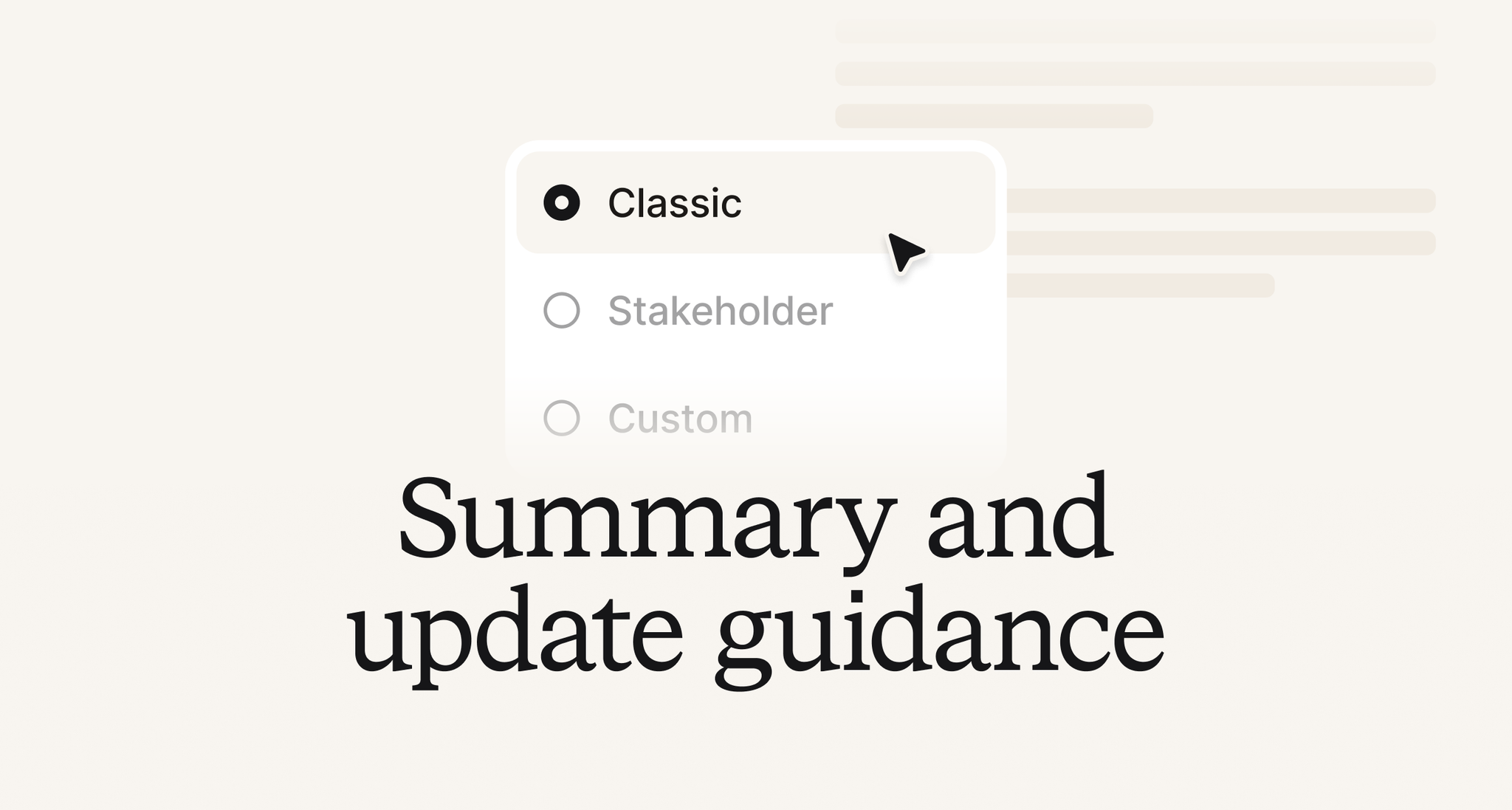
Every company has its own way of writing about incidents. Some want a tidy story, some want the business impact without the technical detail, and some have a house template they've used for years. Until now, the summaries and updates we suggest came in one style: ours.
Now, you can choose how they're written across your organization, on two new pages in Settings: Summaries and Updates.
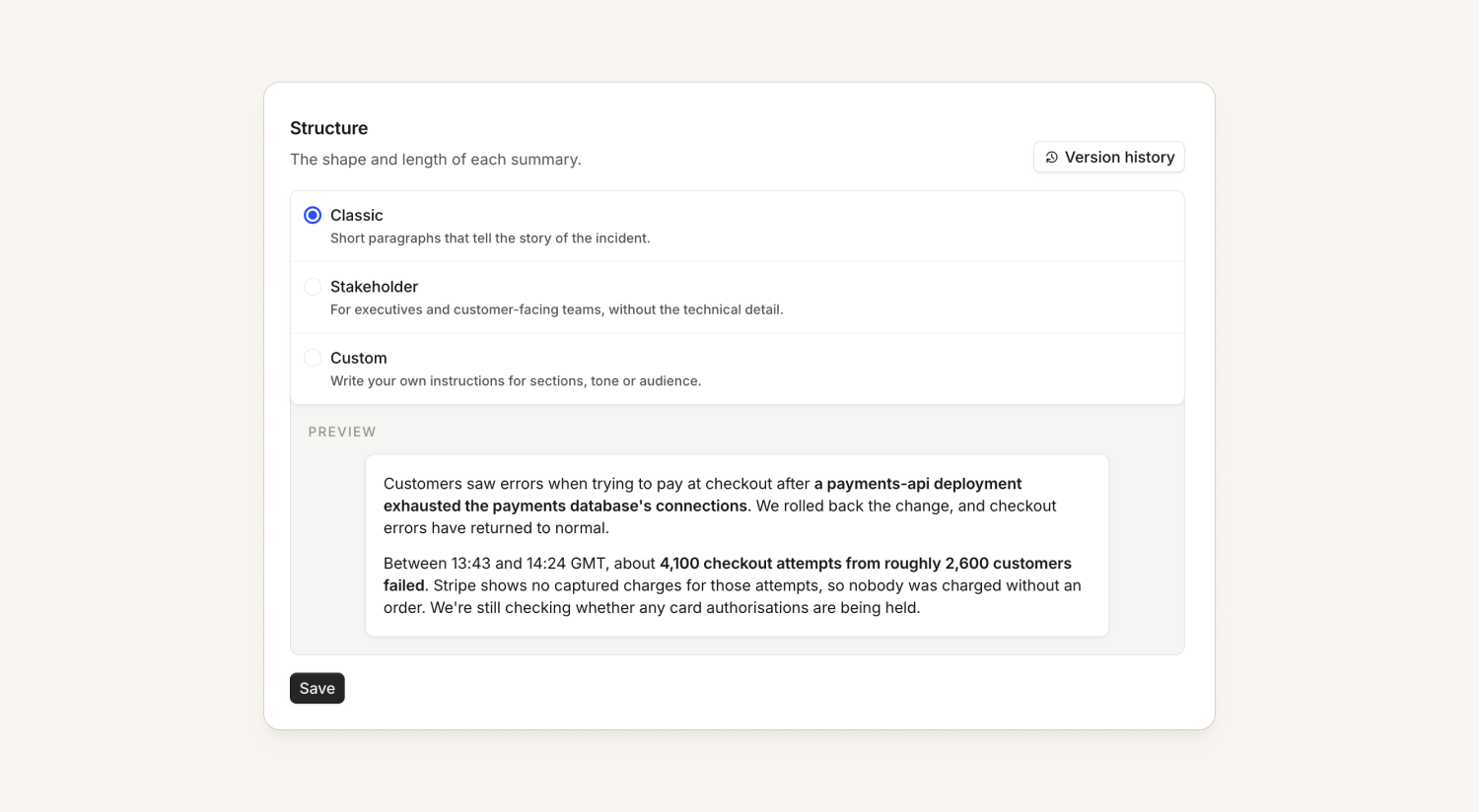
What's changed:
- Pick a preset: we’ve designed a few sensible defaults, so you can quickly choose one that fits your needs. For example, you might prefer summaries to be written for stakeholders, in which case we’ll leave the technical detail out. You might also prefer your updates to be just 1-2 sentences rather than in-depth. Each option shows an example, so you can see what you're picking.
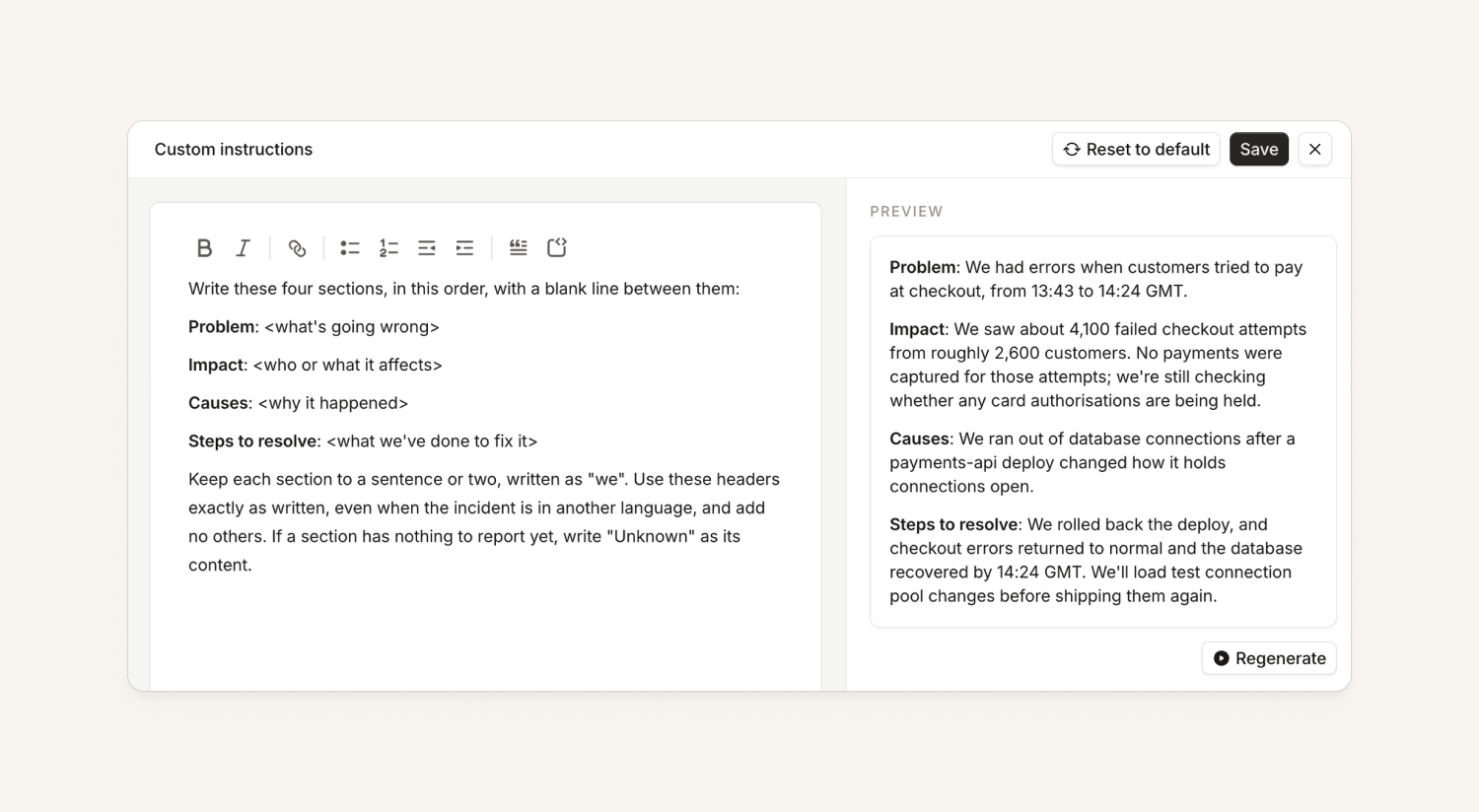
- Or write your own: to get more tailored results, pick Custom and describe the sections, tone or audience you want in plain language. If some incidents need something different, say so in your instructions, like "for Maintenance incidents, skip the cause". You can click Preview to see a summary or update written with your instructions before you save.
- The same style everywhere we write for you: suggestions in Slack and Microsoft Teams, the agent when you ask it to write an update, and your own agents through our MCP and plugin all follow the same guidance.
- Version history: every instruction change is saved as a version, so you can go back if a change doesn't turn out the way you hoped.
Investigations
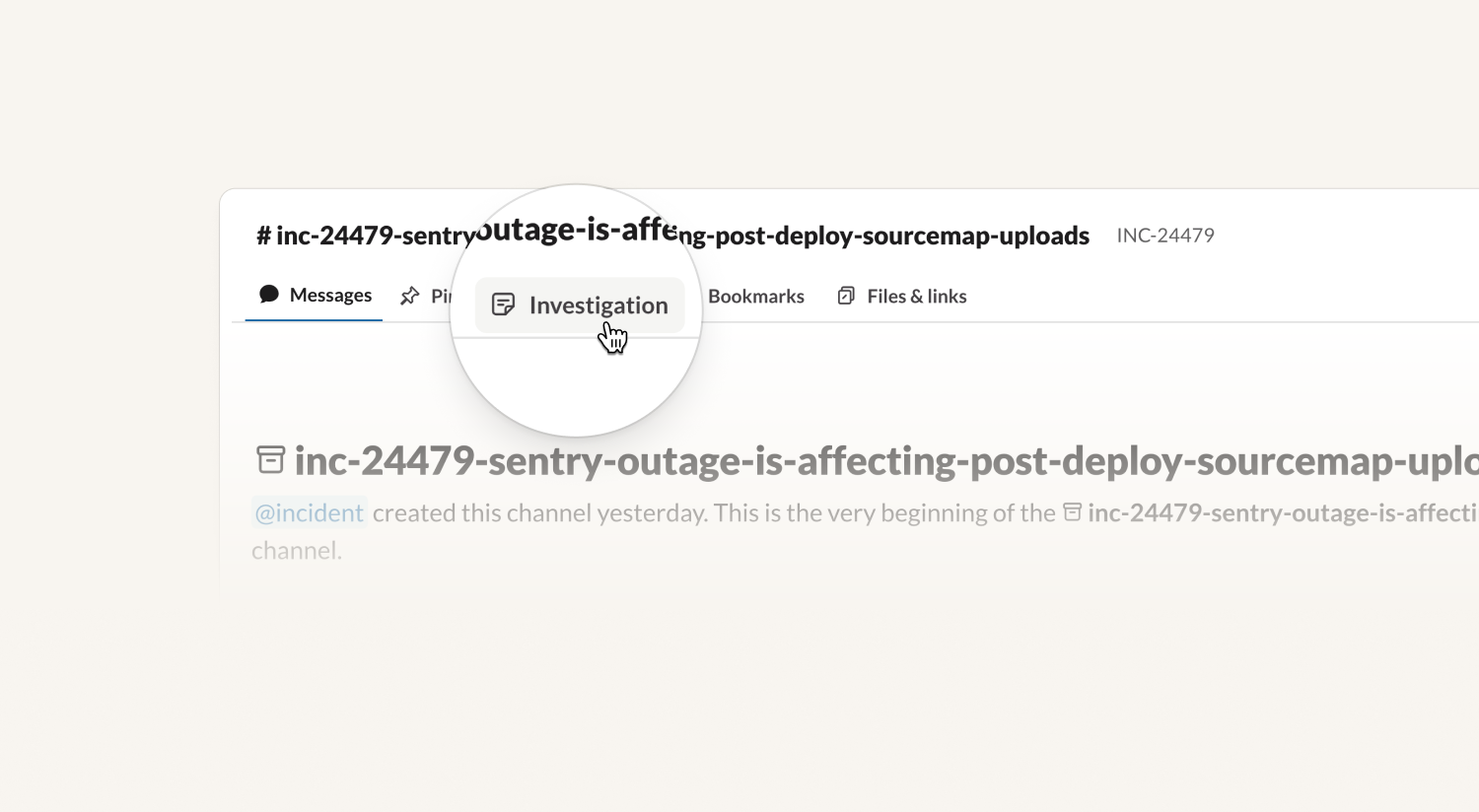
The investigation canvas is now a tab in Slack
During an investigation, we create a canvas with a summary of the investigation and its findings. We now pin this as a tab in Slack channels, so that extra detail is easy to get to.
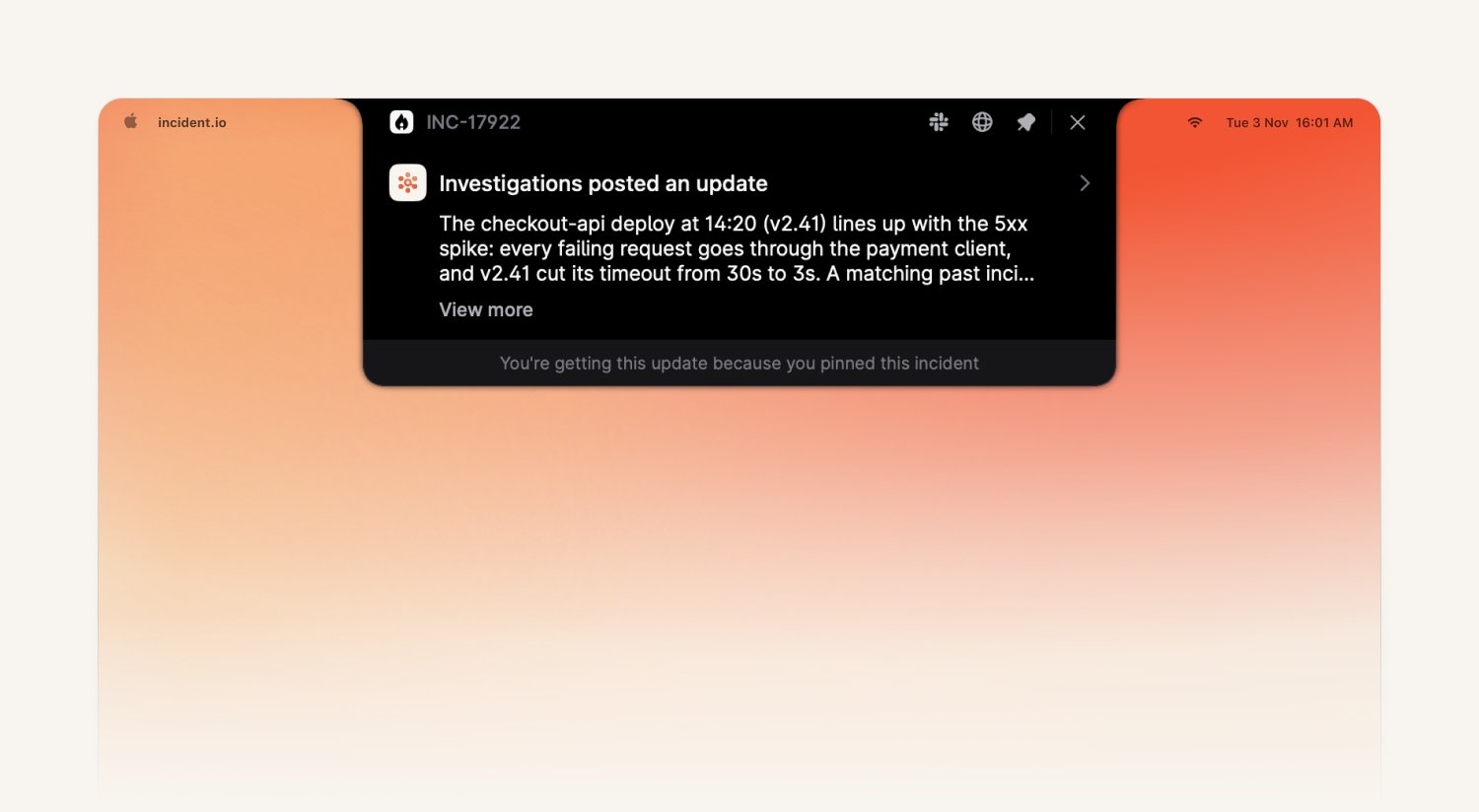
Update notifications via the desktop app
When you pin an incident on the desktop app, you'll now get a notification whenever the investigation posts an update to the channel. Click it to jump straight to the message in Slack. This replaces the noisier "hypothesis strengthened / weakened" notifications.
A clearer investigation timeline
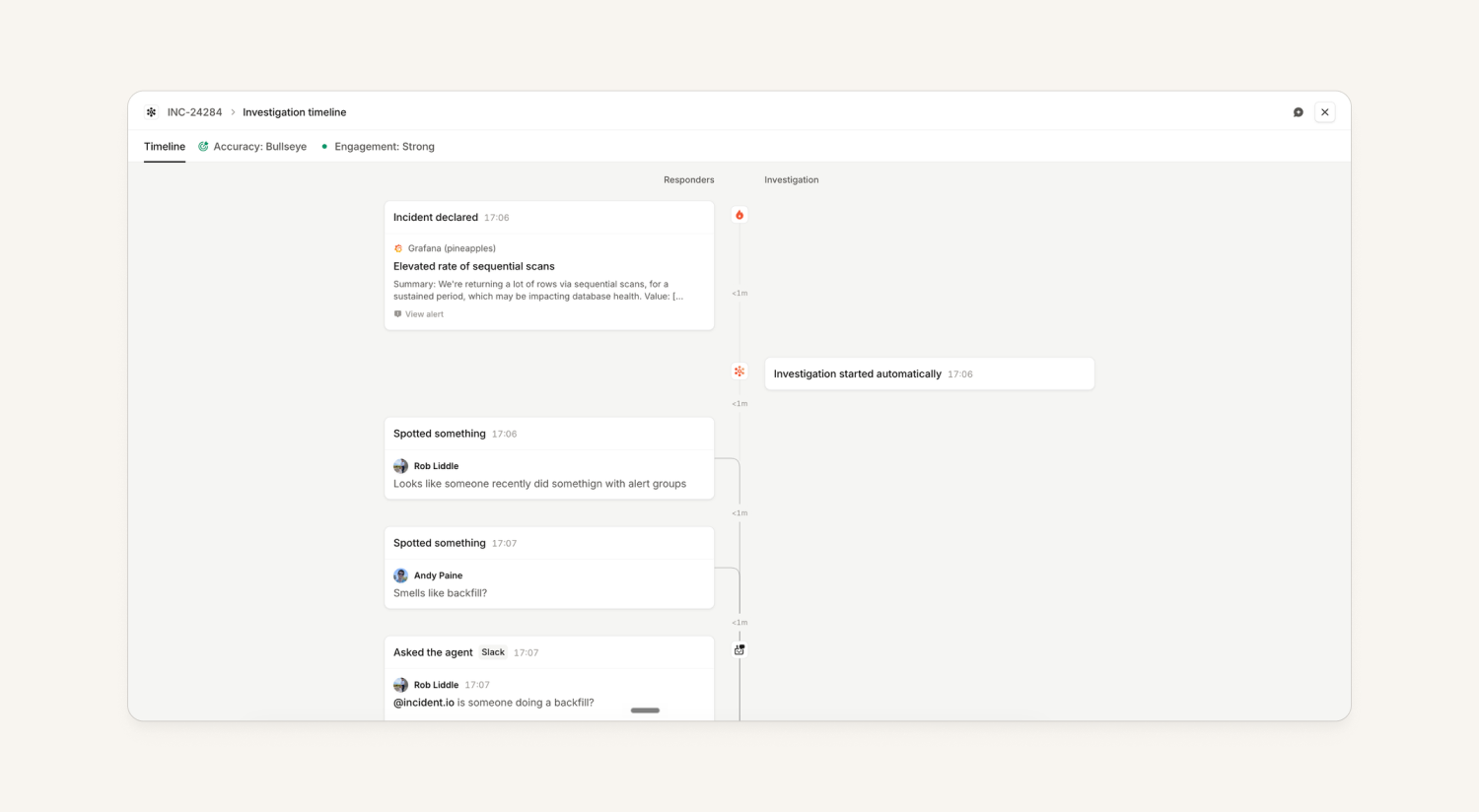
When you're trialing Investigations, you want to spot-check what we claim: was the investigation right, and did your engineers actually use it? The investigation timeline is where you go to check, and we've reworked it so both questions are quicker to answer.
What's changed?
- Clearer tabs: the timeline now shows every event by default instead of filtering some out, and the tabs at the top now look clickable.
- A reworked Accuracy tab: you can browse through each version of a hypothesis; versions are grouped (1.1, 1.2…) so it's clear when the investigation dropped a hypothesis for a new one versus iterated on the same one.
- Extensions on the timeline: when the investigation uses one of your skills, it shows up on the timeline, along with whether it helped or hurt.
- Engagement and feedback in one place: the Engagement tab now lists each person and how they interacted so you can understand how your team is using investigations.
Nexus
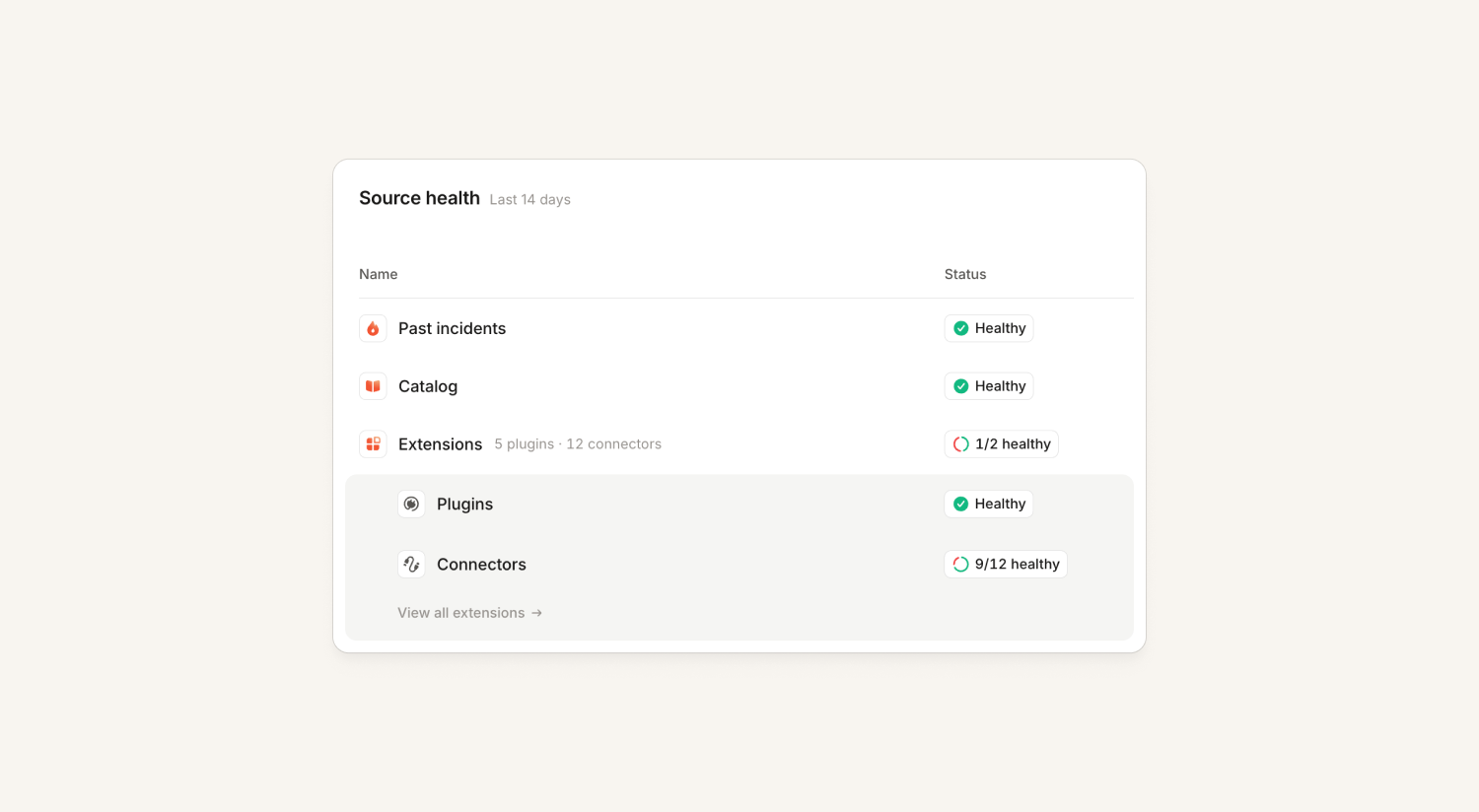
Extensions now show up in Nexus health
Previously, the only way to spot a skill or connector making investigations or the agent worse was to open each extension page and check. Extensions now plug into the same health model as Telemetry, Code and Docs. There's an Extensions row on the Nexus homepage, and an extension shows as unhealthy when it has an open callout.
We raise callouts for:
- Skills with a high hurt rate, with a suggested fix
- Plugins that fail to sync
- Connectors that are erroring, unreachable, have limited access, or aren't being used
On-call
Google Cloud alert source improvements
You can now use basic auth to authenticate Google Cloud Platform alert sources - previously you could only send the token in a query param.
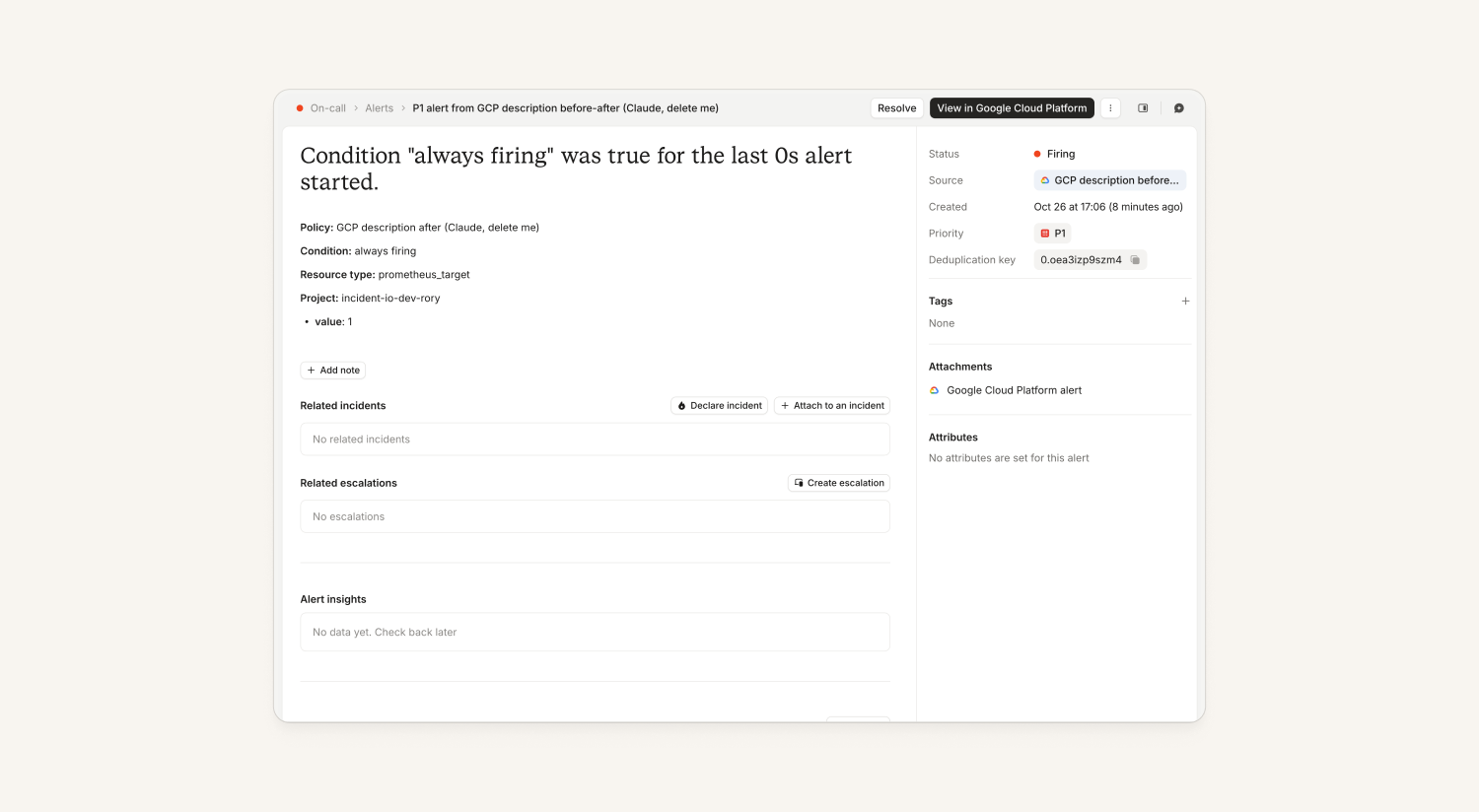
We've also improved the detail we show you about alerts from Google Cloud: where an alert used to tell you almost nothing, you now see much more of the information Google sends us.
Attachments on alerts
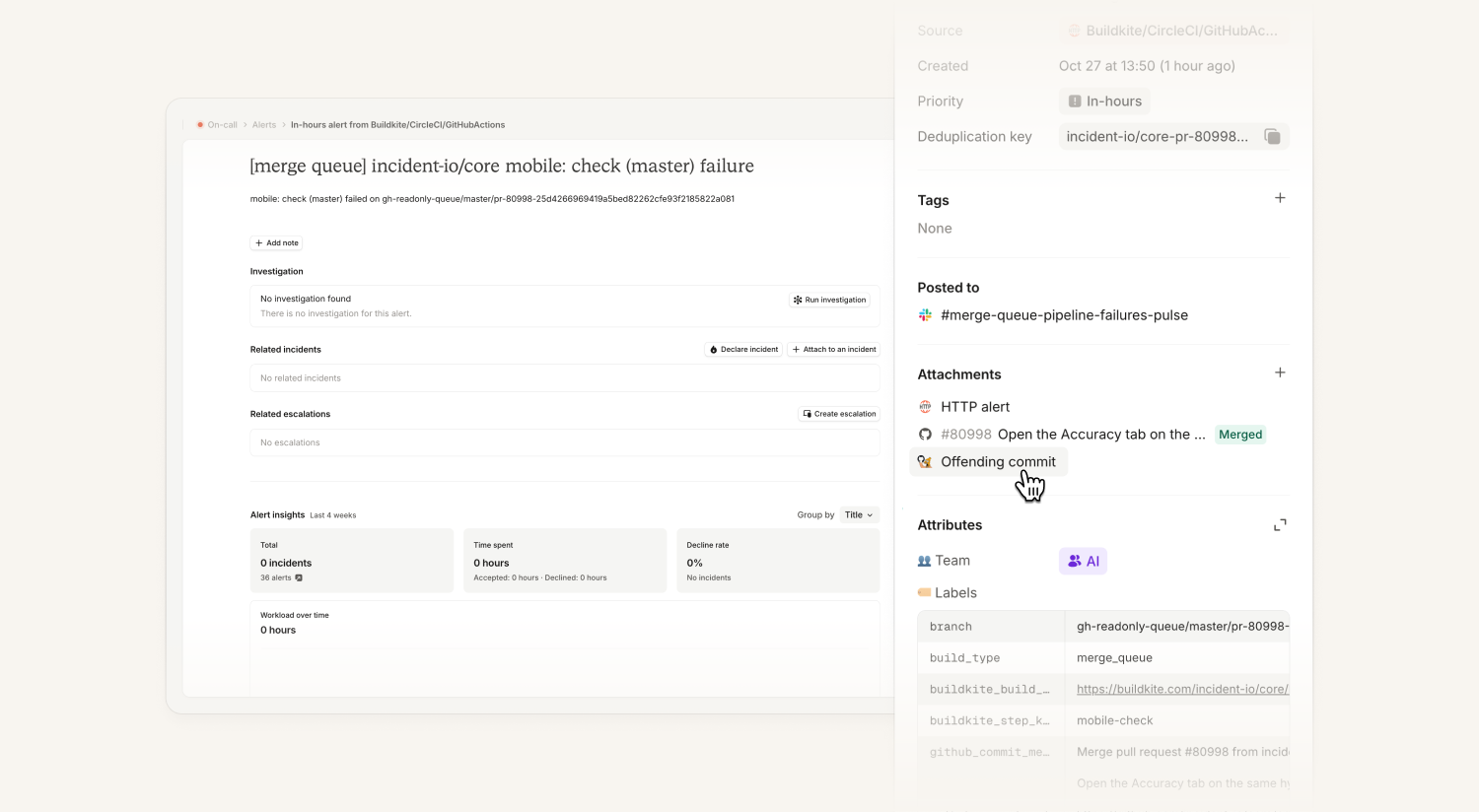
You can now add attachments to alerts, so you can track when you've added a ticket to fix a noisy alert, or link a pull request you've opened to stop an alert firing again.
Add them manually from the web dashboard, or through MCP or the public API. If the attachment is something like a GitHub pull request or a Linear ticket and you have the integration installed, we'll show rich information about it.
If you post a link in a Slack thread on an alert pulse, we'll offer to attach it to the alert.
Mark alerts as noise
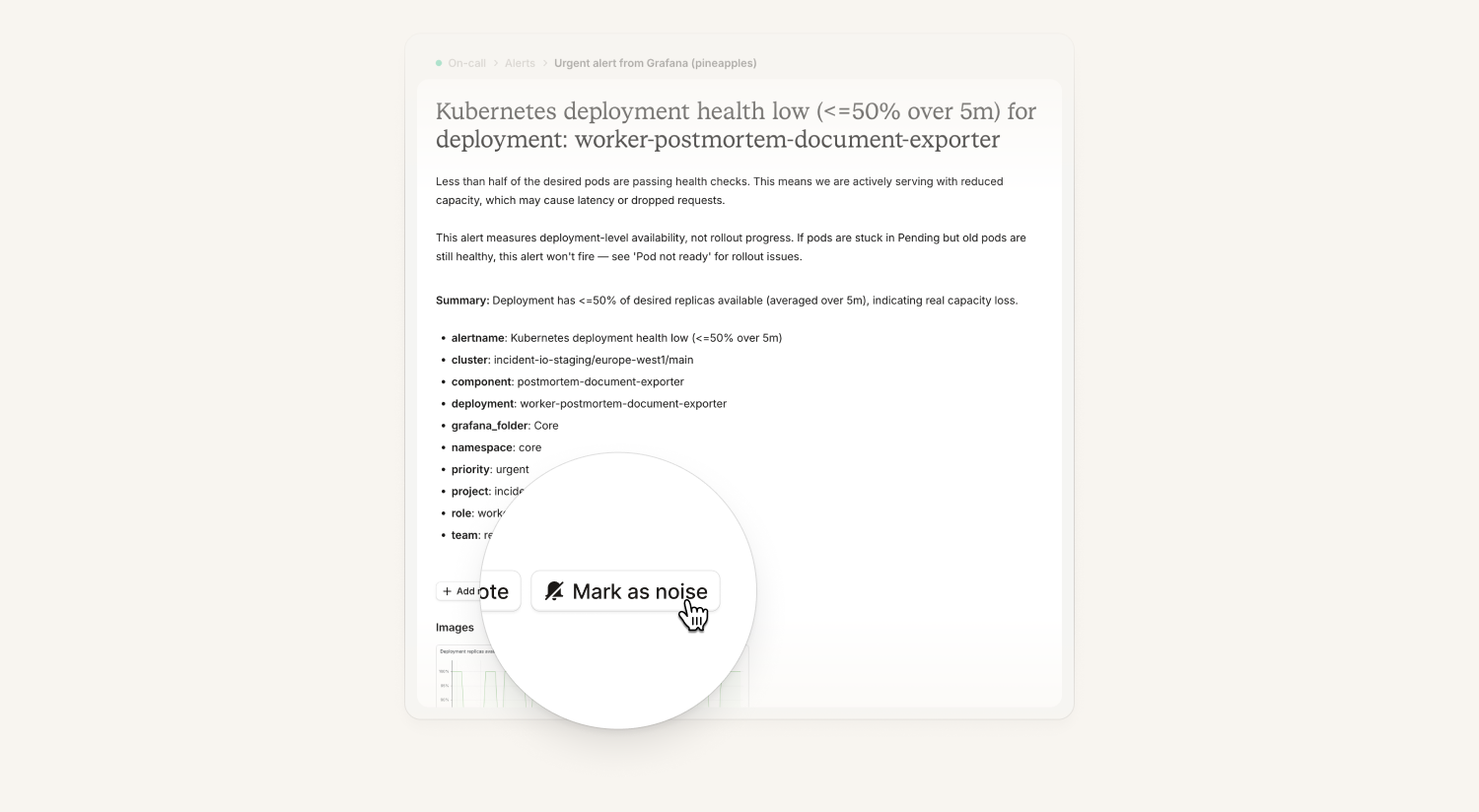
We've added buttons to let you quickly tag alerts as noisy. They're on the alert and escalation messages we send in Slack and Teams, and you'll also get the option after you decline an incident. Marking an alert as noise adds a noise tag to it, so you can see all your noisy alerts by filtering for the noise tag in both your alert list and in insights.
This gives you a quick way to curate your alerts, and it powers other parts of the product too: when an investigation runs, it can see that an alert fired before and someone marked it as noise, and it feeds upcoming work to help teams reduce alert noise.
If you'd like to change the button or make it more prominent, you can adjust that in your alert message templates.
Platform
Read-only / read-write access levels for our MCP
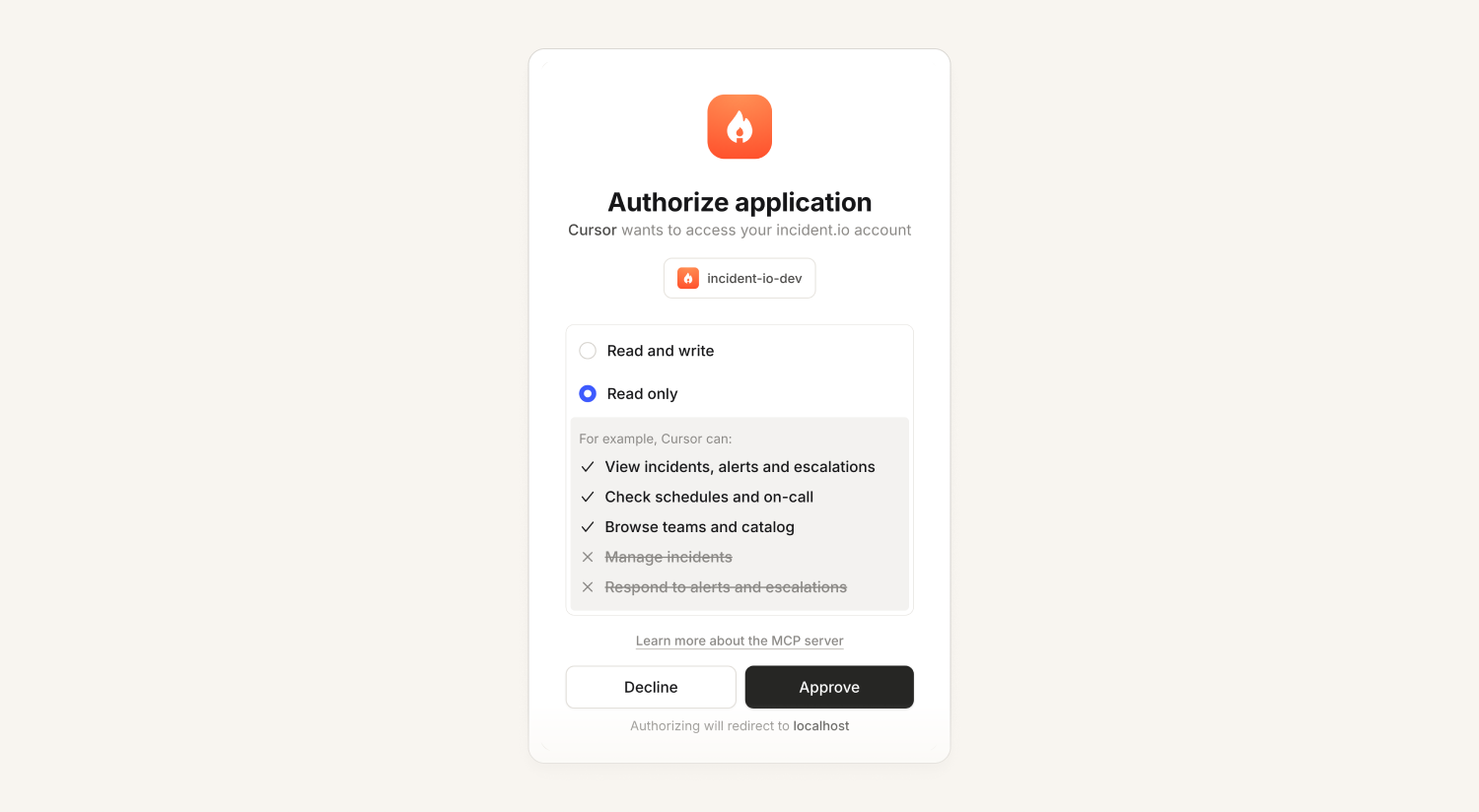
Until now, connecting a client to our MCP over OAuth was all or nothing: the connection could do anything your incident.io user could do, including changing and deleting data.
We now give you the option to choose read only or read and write when you connect**:** the OAuth consent screen asks which access level you want.
We’ve also added a new identity_show tool so that an agent can ask who it’s acting as, what kind of connection it has, and what scopes. That lets it plan around what it’s able to do rather than repeatedly trying and failing different tool calls.
Voice chat with the agent
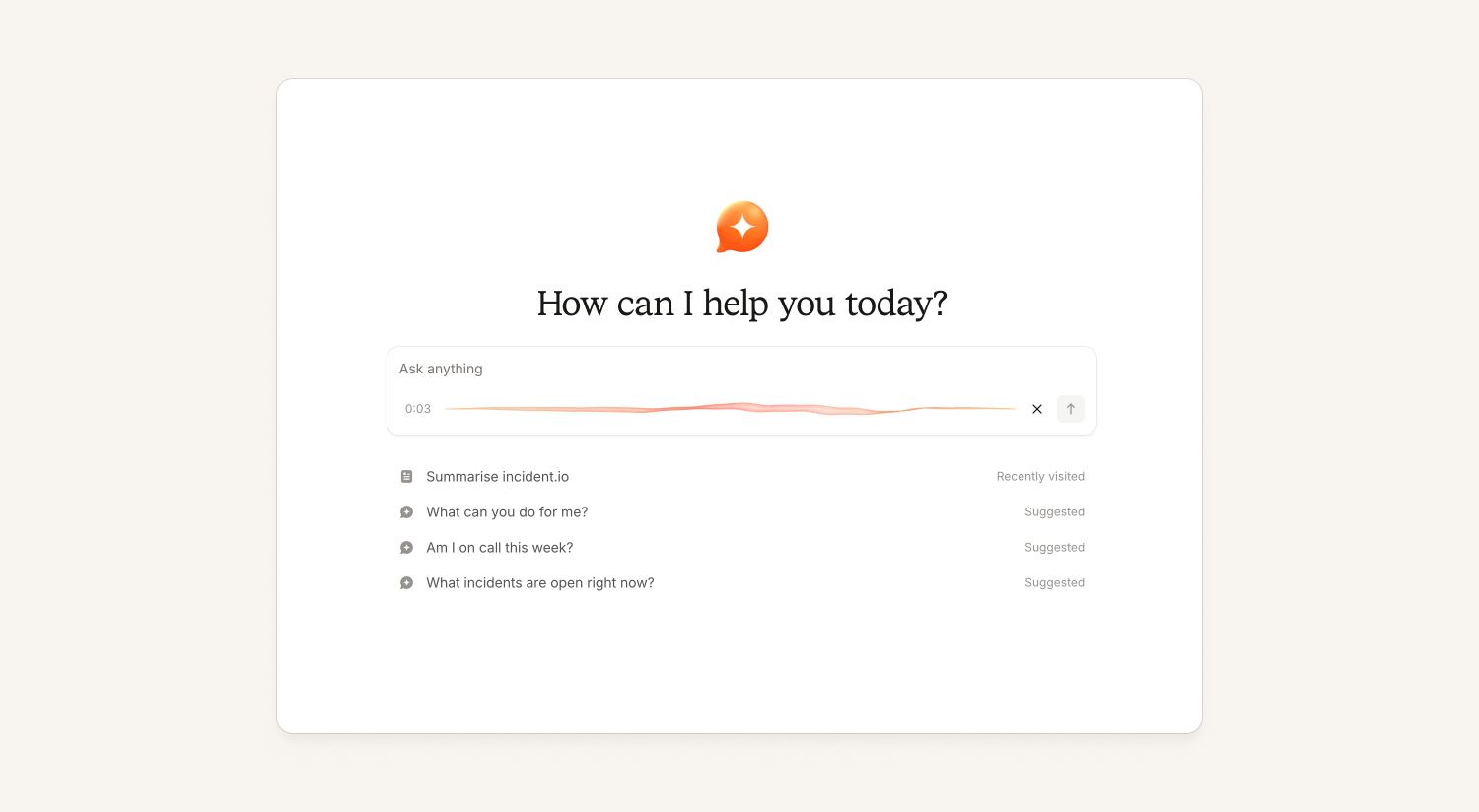
You can now voice chat with the agent on desktop and mobile - perfect for when you’re on the go, or tucked up in bed in the middle of the night. You can pick a language preference (adjustable in your user settings) to improve accuracy across the 99+ languages you can speak in.
iPhone Duo and Android foldable support
The mobile apps now have native iPhone Duo support and better Android foldable support. They take advantage of the larger screen to show agent chat by default on the home screen, a split list-detail view for incidents, alerts and escalations, and a split view for schedules.
We also handle the various places iOS can put its navigation and tab bars depending on the device's pose and orientation.
What else we've shipped
New
- On-callThere's a new Upwind alert source, so you can set up alerts from Upwind's cloud and AI infrastructure security product without a custom HTTP source.
- PlatformYou can now add your own aliases to catalog entries that are generated from your configuration, such as escalation paths, schedules and severities, and they're kept when the catalog syncs.
- PlatformYou can now optionally set an incident channel message retention period in Settings → Security, so messages are kept for as long as you choose (30 days or more).
Improvements
- On-callAlert messages are now more compact, so a channel full of firing alerts is less imposing.
- ResponseYou can now include the incident title and slack channel in form default values
- ResponseThe follow-ups page has had a redesign to line up with the rest of the app — full-width, with one grouped table per incident, bulk actions in the standard floating bar, and an "at a glance" sidebar.
- InvestigationsInvestigation messages in Slack now use an inverted icon, so they're easier to pick out from incident and Scribe messages.
Bug fixes
- ResponseFixed a bug where switching the members attribute in your Team settings and back could duplicate the User team attribute, stopping team members from being let straight into private incidents their team had been added to.
- ResponseFixed an issue where the Insights Teams dashboard could time out when you filtered by related properties 3 levels deep. Now filtered dashboards should be much faster.
- ResponseFixed an issue where the role bookmark preview in settings didn't match the title posted in Slack, and added help text explaining that a leading "Incident" is dropped from role names.
- ResponseFixed an issue where text typed after a pasted link in the post-mortem editor became part of the link.
So good, you’ll break things on purpose
Ready for modern incident management? Book a call with one of our experts today.
We’d love to talk to you about
- All-in-one incident management
- Our unmatched speed of deployment
- Why we’re loved by users and easily adopted
- How we work for the whole organization