Join us live: How incident.io builds skills for its own agents
Status page updates, now natively in Slack
November 17, 2026
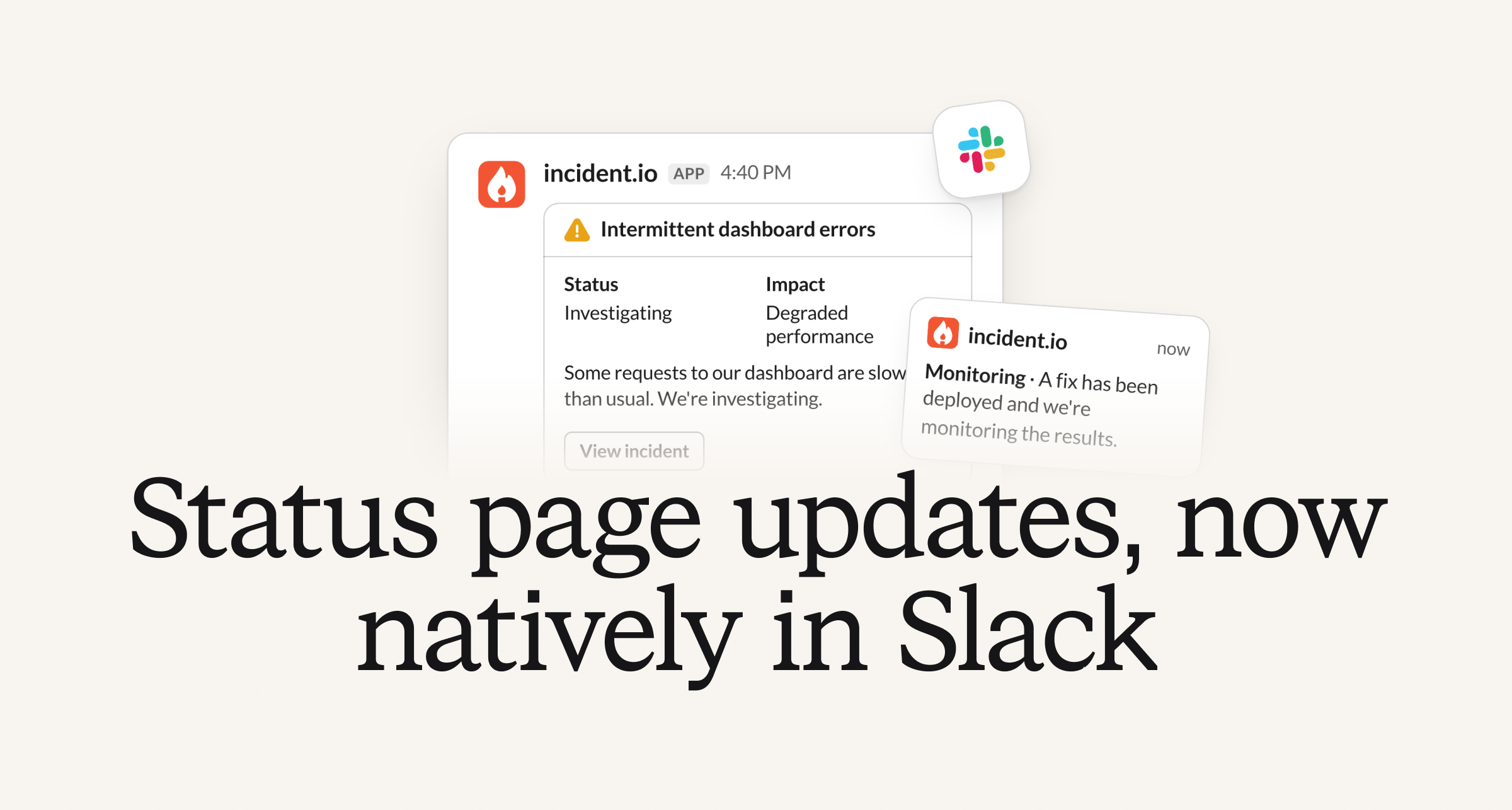
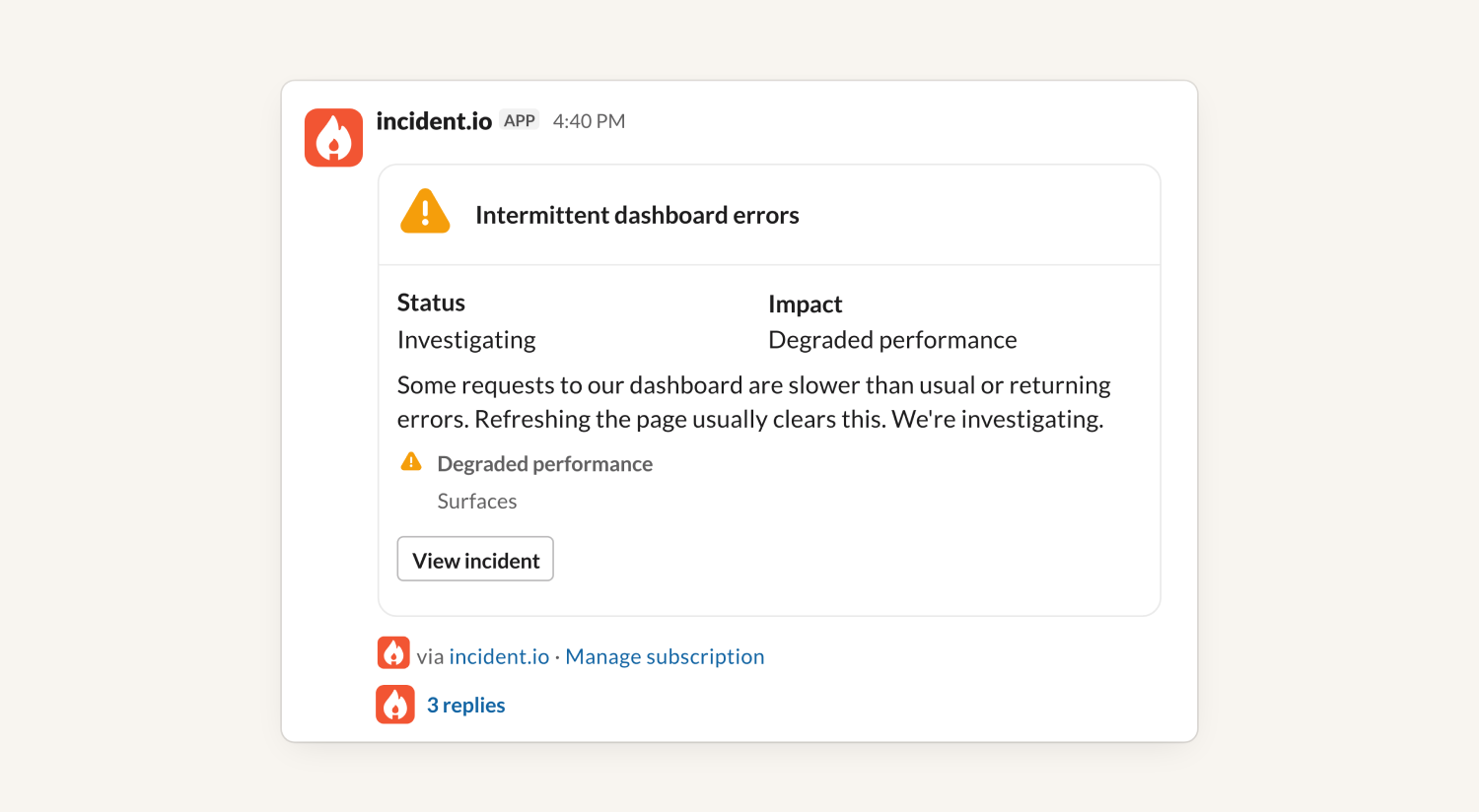
Your customers on Slack can now get your updates right where they’re already working. Replacing the Slack RSS feed subscription, our new Status pages via incident.io app posts your incident updates, scheduled maintenance and write-ups straight to their Slack channels.
What’s new
- Updates posted in seconds. Updates reach their channel as soon as you publish them.
- Pick and choose components. Subscribers can follow your whole page or only the components they use, so they only hear about incidents that affect them.
- One thread per incident. Each incident’s updates stay together in its own thread. To keep the channel quiet, subscribers can choose to only post key updates into the channel directly.
- View and manage subscriptions in one place. From the app’s Home tab, subscribers can see all the pages they’re subscribed to, grouped by channel, and manage subscribed components.
Customize how your updates appear
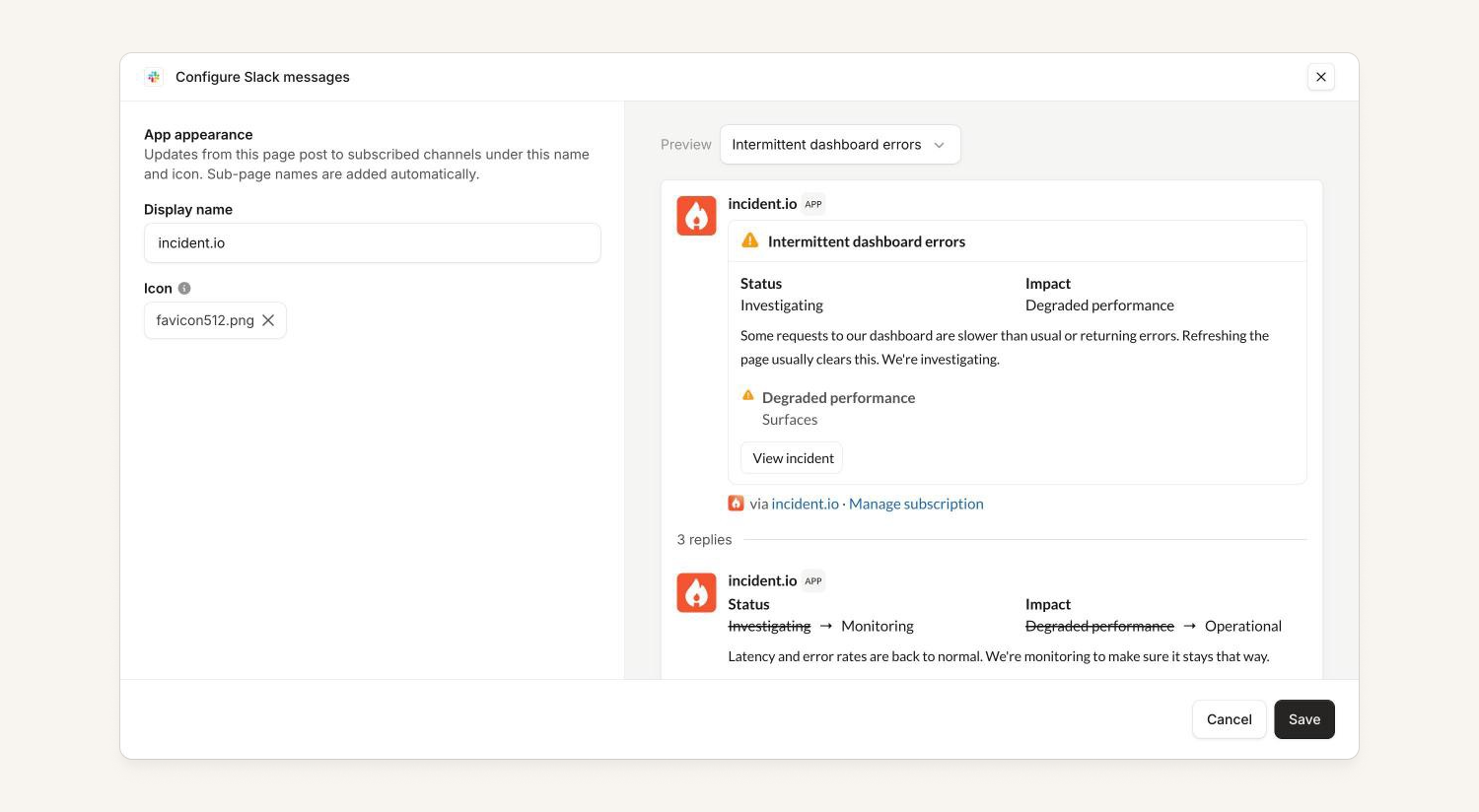
Updates post with your status page’s name and icon, or ones you choose. Preview how they’ll look in Slack using your past incidents.
All your subscribers in one place
Slack subscribers are listed alongside your email and SMS subscribers, so you can see and manage them together.
Slack subscriptions are available on all public status pages. Learn more in our Slack subscriptions docs.
On-call
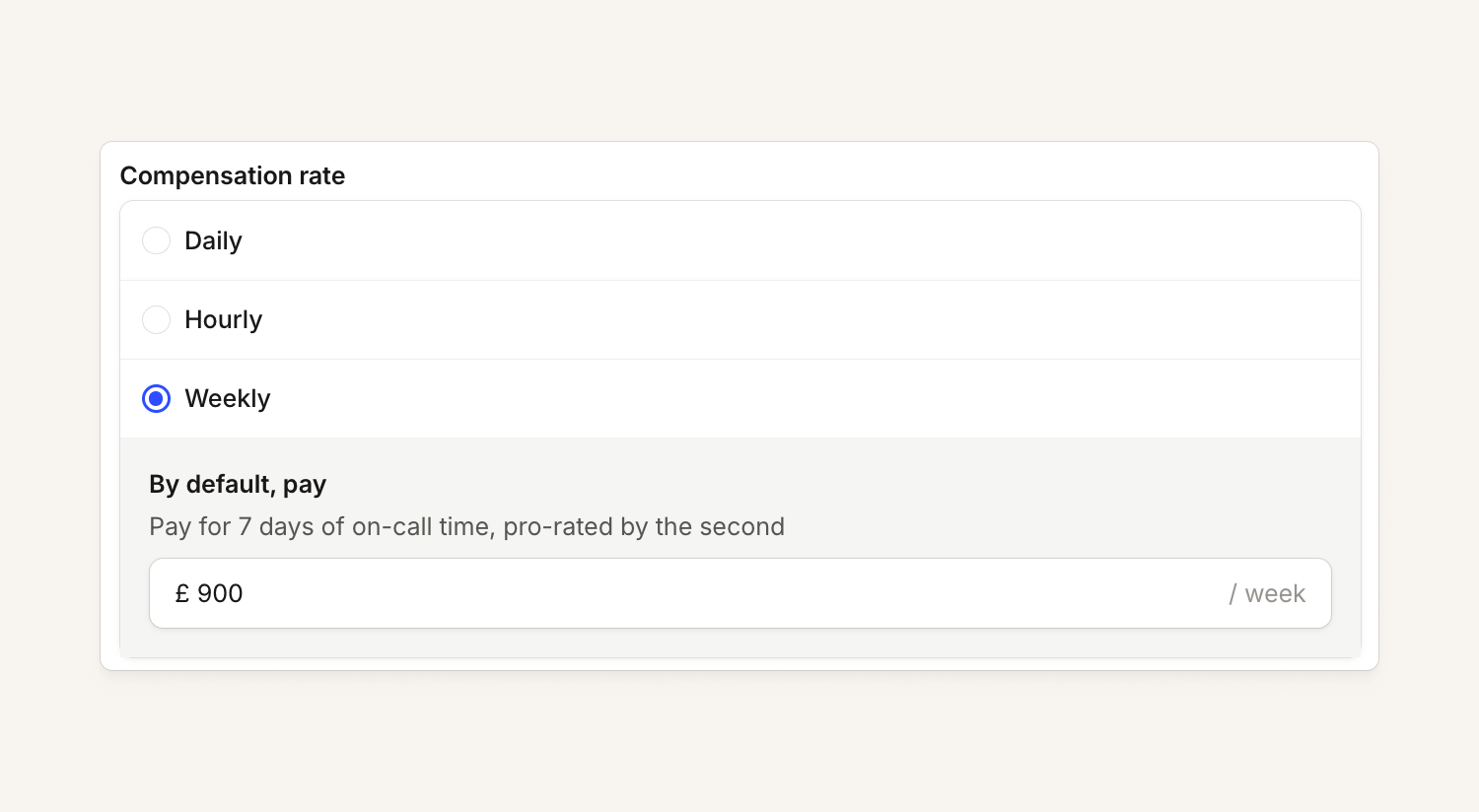
You can now set a weekly on-call pay rate
If you have a weekly rate that doesn't divide nicely into days or hours, you can now express that in your on-call pay configuration.
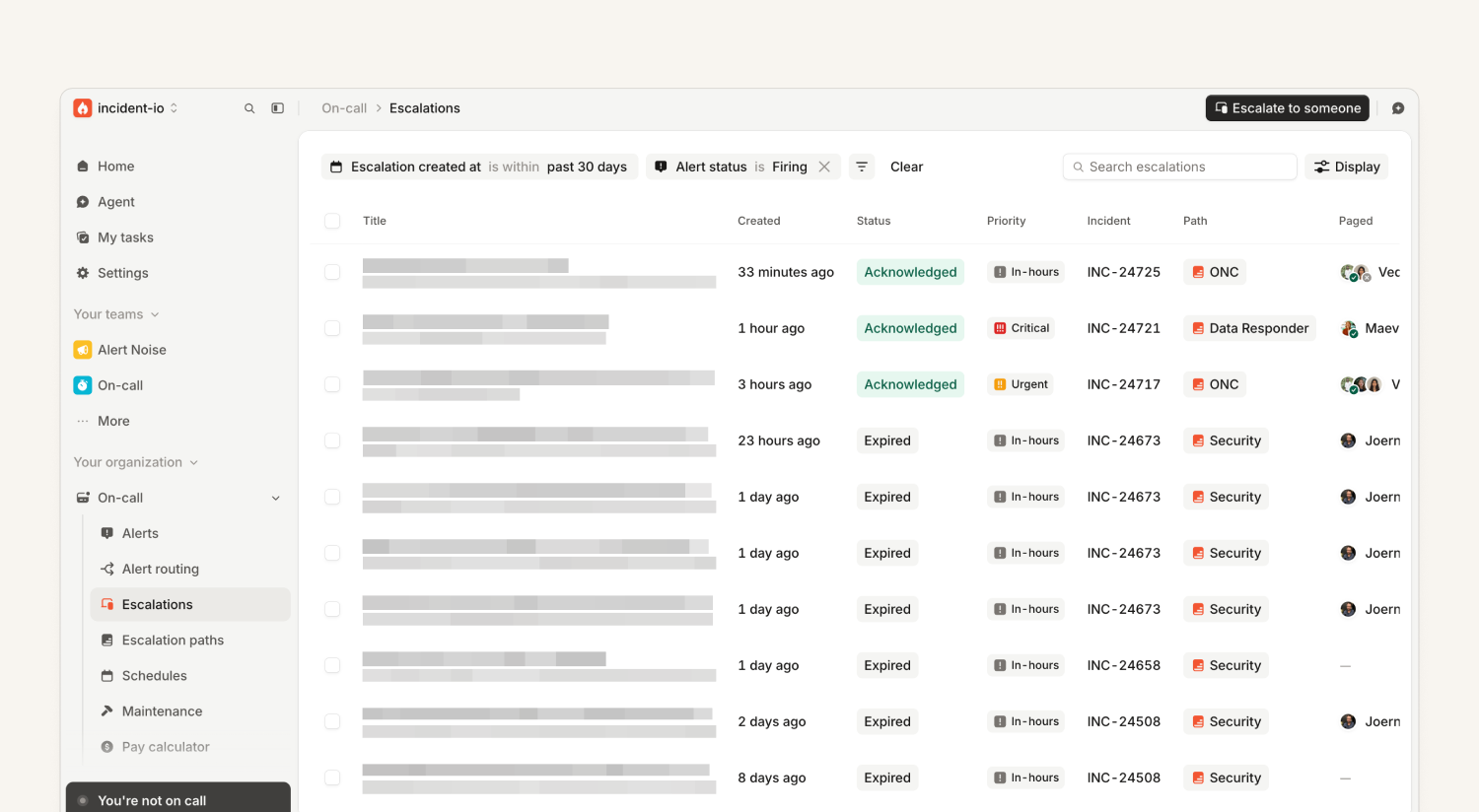
Filter escalations by whether their alert is still firing
Some teams work through a list of alerts they need to resolve, including alerts that come to them from other teams. If you'd rather work from the Escalations list, where you can filter by escalation path and other metadata, you can now also filter by whether the associated alert is still firing.
So you can now answer "Show me all escalations for my team that still have a firing alert".
Investigations
The agent and Investigations now share one identity in Slack
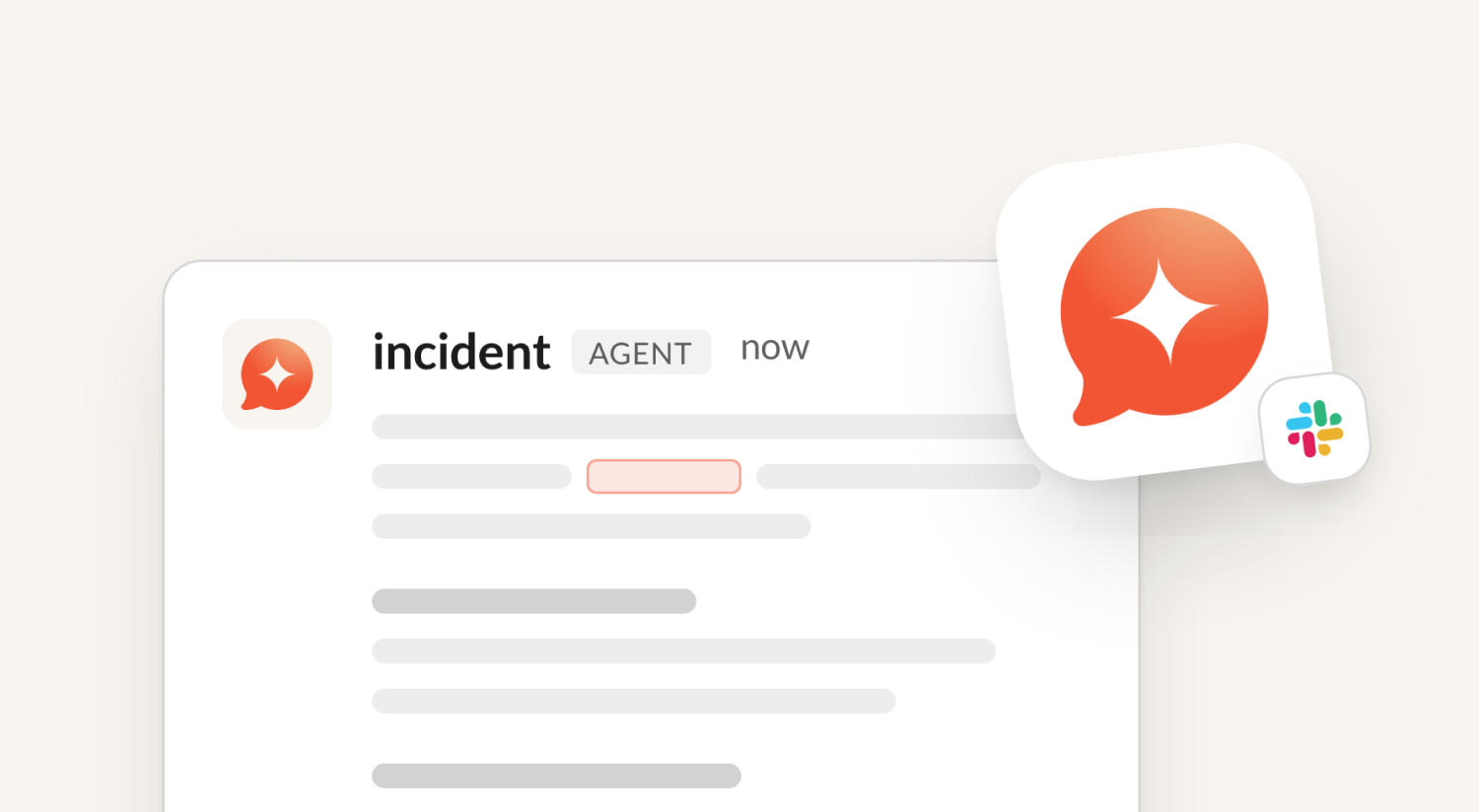
Agent conversations and messages posted by Investigations now both use the agent's logo and name in Slack. Previously, Investigations posted under a different logo and name, which made it less clear who you were talking to. Now there's one agent you can talk to and use as your copilot.
Every message from an investigation still includes a link to that investigation, so you can always see where it came from.
Improved agent thinking steps
When the agent works on a question in chat or Investigations, it shows a live list of "thinking steps". Those steps used to be named after the agent's internal tools, like Reading investigation.md or Resource show. So we gave them a glow-up!
- Step names that describe the work — looking at code, querying telemetry, reviewing past incident data and so on.
- Progress lines that make sense at a glance, without exposing raw queries or commands.
- Consistency across agent chat and Investigations.
Time to usefulness on the Investigations homepage
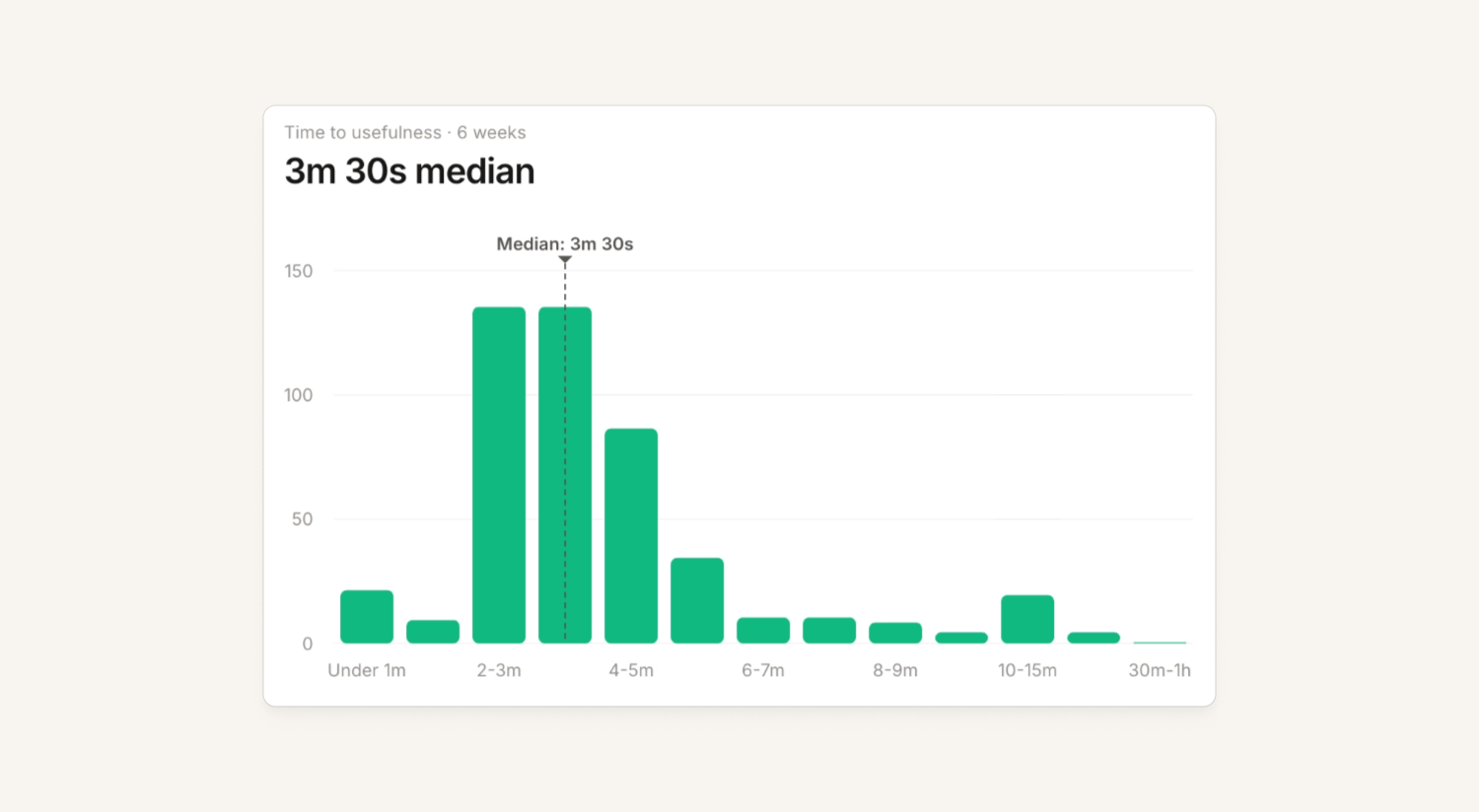
We’ve added a time to usefulness (TTU) metric:
- The median and distribution on the Investigations homepage
- The TTU for each incident, with the first useful signal marked on its investigation timeline
TTU highlights the moments where an investigation gave you accurate, new information: a heads-up, an accepted merge suggestion, or naming the root cause.
Alongside mean time to diagnosis (MTTD), TTU now replaces the autonomy metric, so you can see how quickly Investigations gets you to an answer.
Read more in our help docs: Measuring time to diagnosis and Measuring time to usefulness.
Drag and drop images into chat
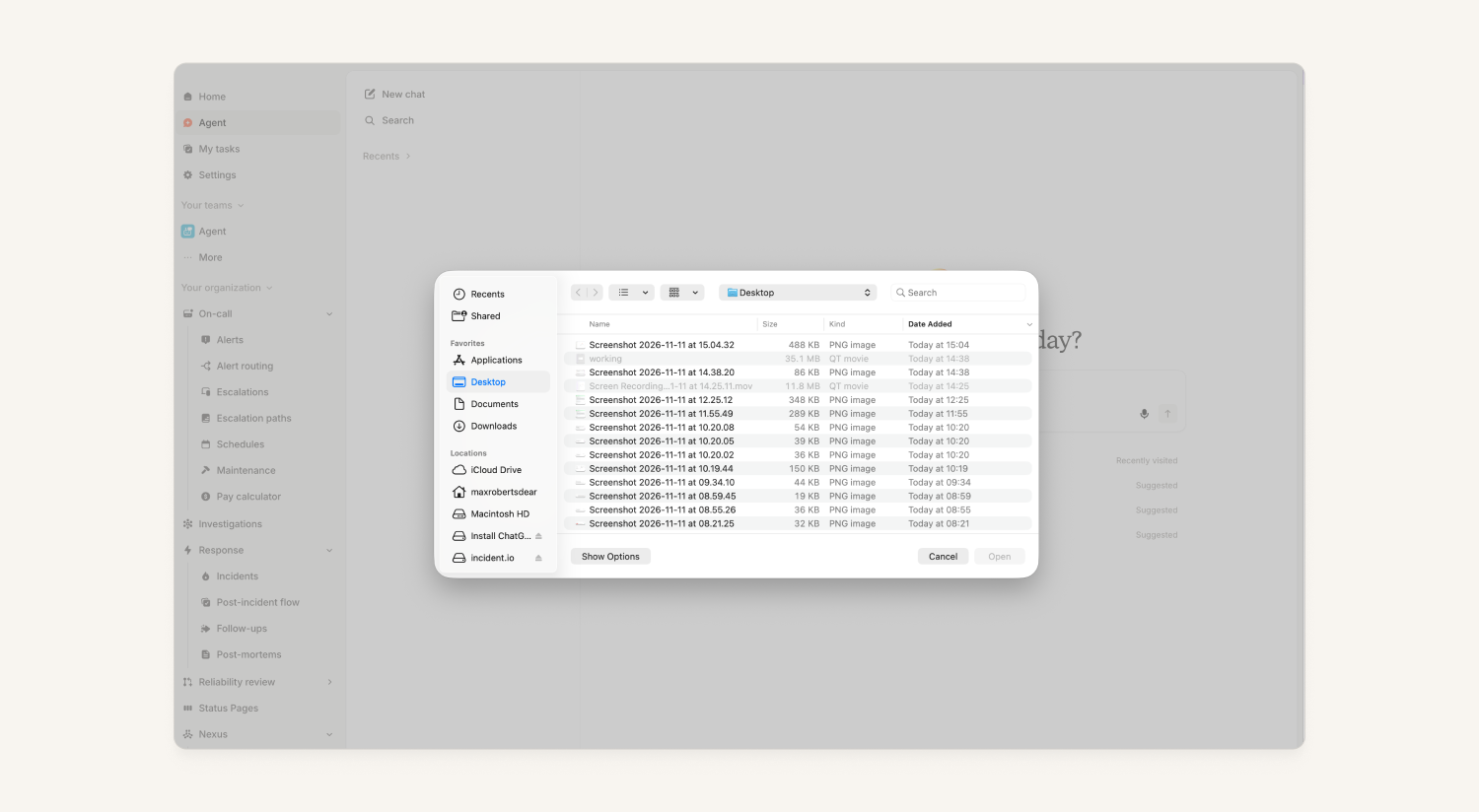
Sometimes a picture says it faster. You can now drag and drop images straight into your chat with the agent, or browse your files to pick one.
The agent can now access Slack
In channels the incident.io Slack app has been invited to, the agent can now:
- Read messages
- Post messages
- Invite users
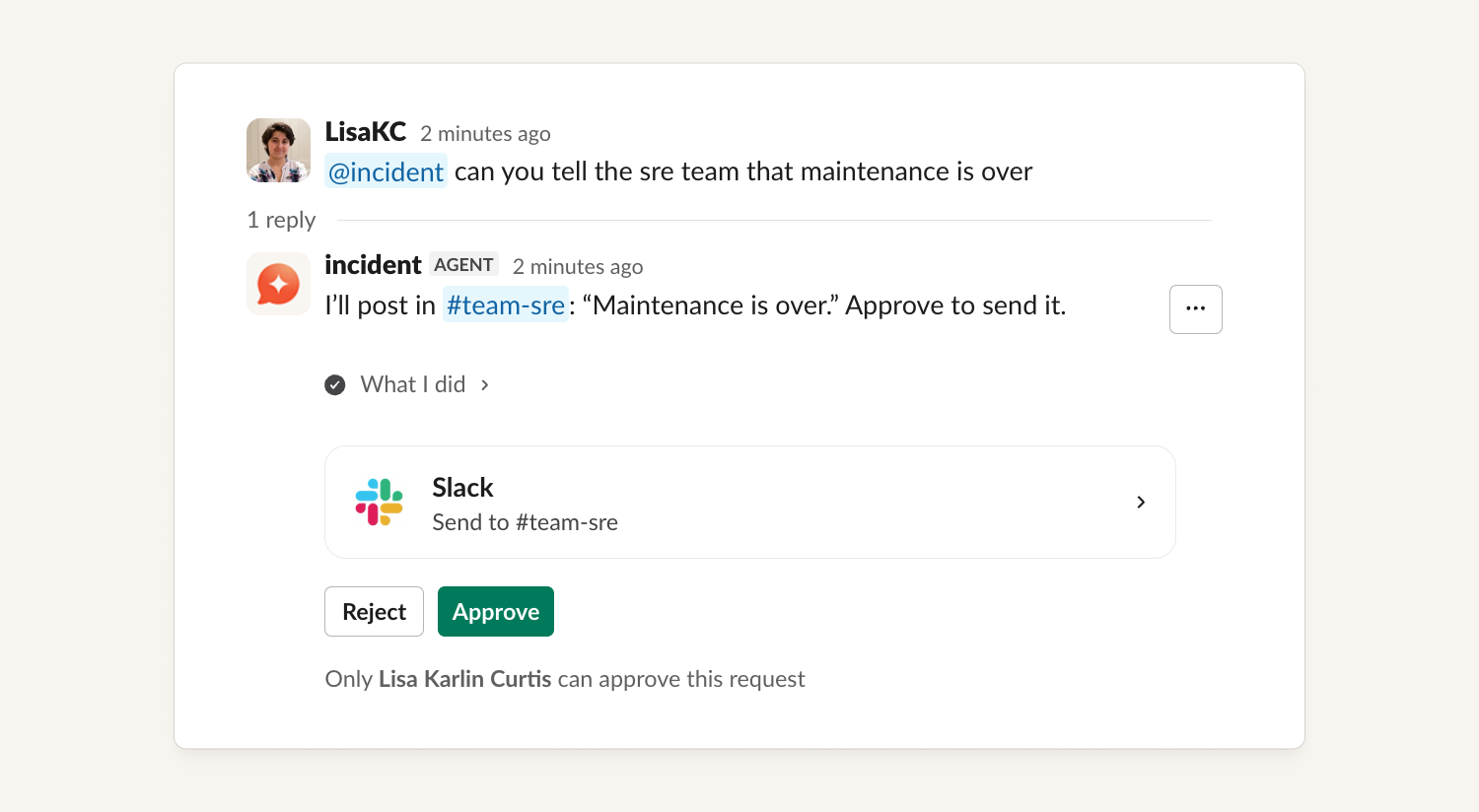
This unlocks flows like the one pictured, where the agent looks up a team's Slack channel in your catalog and sends them a message about your incident.
Nexus
Connect Azure DevOps MCP to Nexus
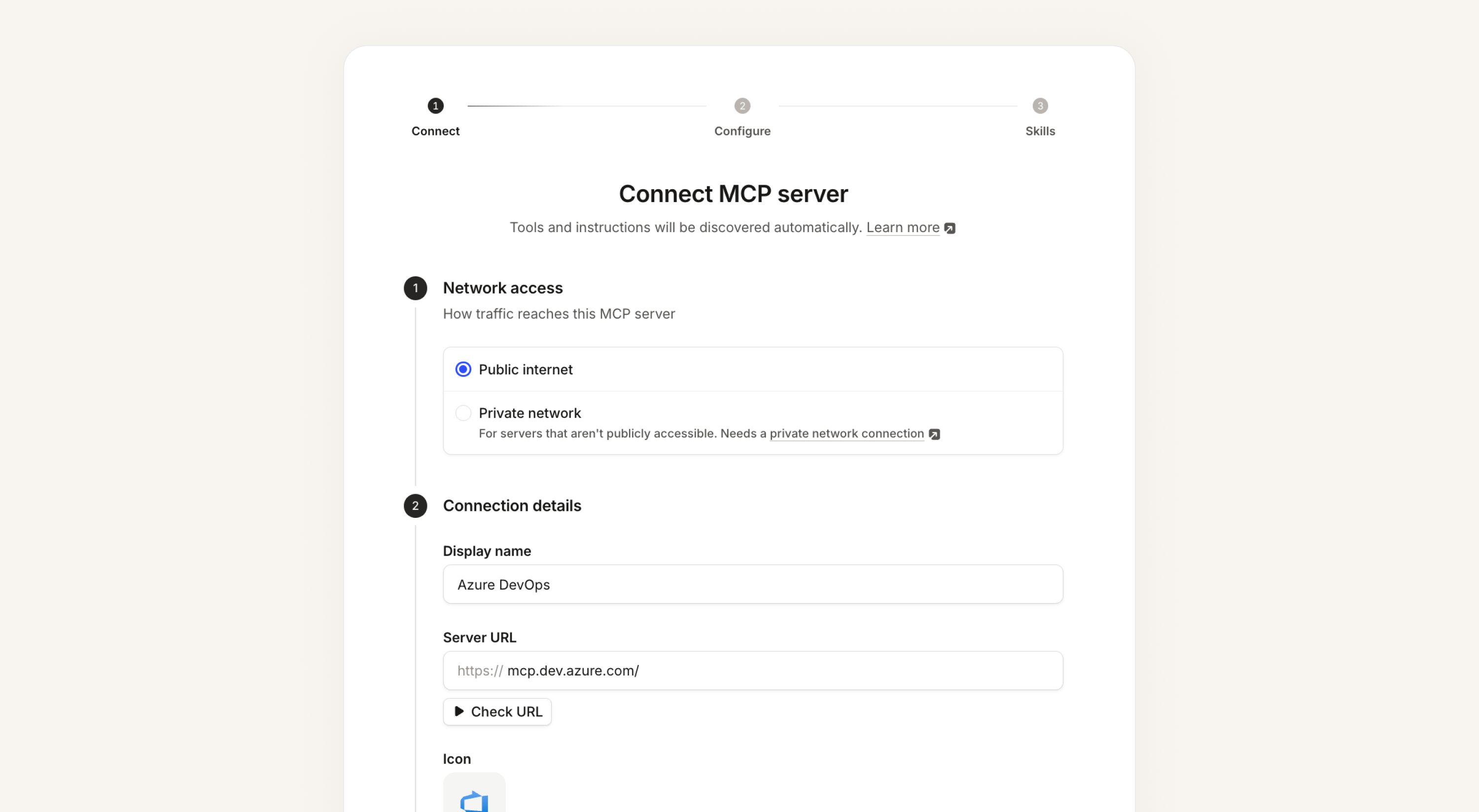
MCP connectors could already sign in with a bearer token or with OAuth through your browser. Microsoft's Azure DevOps MCP server accepts neither: it only takes a token from a Microsoft Entra app.
Now admins can pick Client credentials when they add an MCP connector, and enter an Entra app's client ID and secret. We get a short-lived token from Entra and refresh it for you. The agent can then use the tools for work items, repos, pull requests, pipelines, wikis and test plans. One connector covers every Azure DevOps organization the app has been added to.
This works for any other MCP server that signs in with client credentials too, including servers behind a private network proxy.
For setup steps, ask @incident help me connect Azure DevOps MCP.
Connect Observe as a telemetry data source
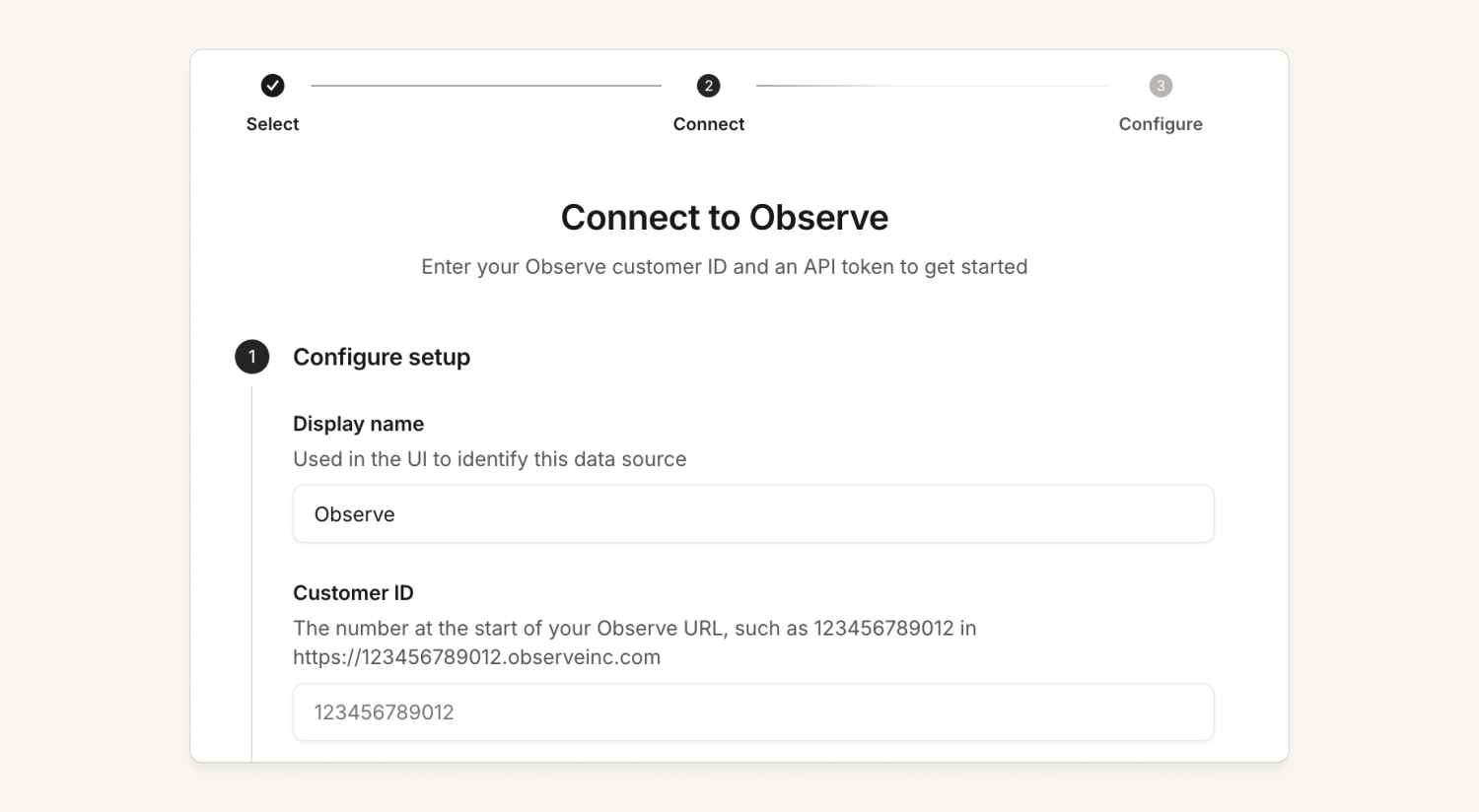
You can now connect Observe as a native telemetry integration, so your Observe logs, metrics and traces are available to the agent and Investigations.
Response
Improved table columns
You can customize the columns shown for incidents, alerts and escalations, and now they're easier to arrange:
- Your selected columns now appear at the top of the "Display" dropdown
- You can drag to reorder the columns in that menu
- You can also reorder the columns in the table itself by clicking and dragging them horizontally
Erase incident data from the dashboard
You can now erase an incident’s data from its overflow menu, without having to contact us. You’ll be asked to confirm before anything is erased.
The option is only available for people who have permission to manage sensitive data.
Status Pages
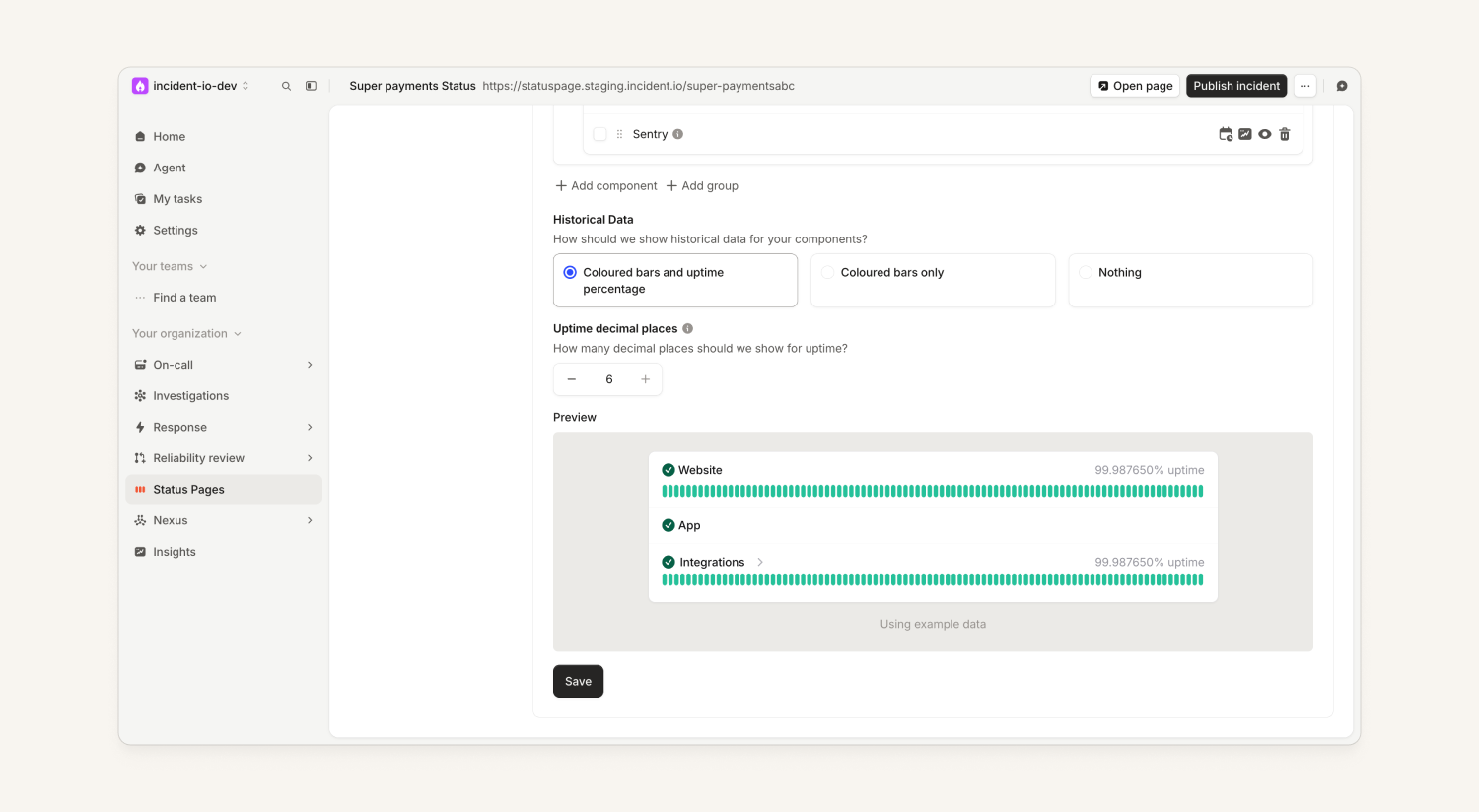
Choose how many decimal places your uptime shows
You can now set a minimum number of decimal places (2 to 6) for the uptime percentage on your status page, under Settings → Components. 2 is still the default, so existing pages won't change.
This is a minimum: if your uptime has more 9s than the decimal places you've selected, we'll keep showing decimal places until the first non-9 digit, because more 9s is always better. For example, if you've selected 2 decimal places and your uptime is 99.9996%, we'll show 99.9996% instead of 99.99%.
Preview status page emails and send yourself a test
In your status page settings, you can now:
- See the actual email template, rendered with placeholder incident data
- Send yourself a test email, so you can see exactly how it looks in a real email client
What else we've shipped
Improvements
- ResponseYou can now suppress the confirmation message posted in your incident channel when a workflow assigns an incident role, keeping the channel focused on what matters.
- ResponseYou can now split follow-ups by the person who created them in Insights, including a new follow-ups by creator table for custom dashboards.
- Status PagesWhen you delete a status page, we now list the incident templates and other resources that still depend on it, and show the specific error message if deletion is blocked.
- Status PagesYou can now link an existing incident when publishing a status page update, so you no longer need to connect the two afterwards.
- Status PagesYou can now choose the minimum number of decimal places your status page shows for uptime, from 2 up to 6.
- PlatformThe incident.io MCP server now supports OAuth refresh tokens, so long-running agents, scheduled tasks, and automations can renew access without you re-authorizing each time.
- The menu bar panel in the macOS app is now less transparent on macOS 26, making its text easier to read against your wallpaper.
Bug fixes
- On-callFixed an issue where on-call SMS pages sent to phones in Finland and Åland could be filed as spam; they're now sent from our registered incident.io sender.
- On-callFixed an issue where a sudden burst of ServiceNow webhooks could delay your ServiceNow alerts from being ingested for several minutes.
- On-callFixed an issue where new Sentry installs could get stuck as Pending, preventing you from creating a Sentry alert source.
- On-callFixed an issue where the Profile button in the Home header of the iOS app could appear as a "..." button that wasn't responding to taps
- On-callFixed a bug where adding a suggested custom field to an incident template didn't enable "Save changes", so the field couldn't be saved.
- On-callFixed an issue where Azure DevOps alerts stayed firing when a work item moved to a Removed state.
- On-callFixed an issue where an alert group summary could be posted to two Slack channels when a second alert joined the group within a second.
- On-callFixed a bug where, when viewing multiple schedules, a timezone you picked could be labeled with a different city that shares the same offset. The timeline row now shows the timezone you selected.
- On-callFixed an issue where an alert group summary could be posted to your route's fallback Slack channel instead of the channel your routing rules selected.
- ResponseFixed an issue where a post-mortem couldn't be opened if it contained a timestamp with an invalid date. The post-mortem now shows the invalid date as text which can be manually updated.
- ResponseFixed an issue where a scheduled workflow running at the same moment as a shift handover showed the previous on-call person, or nobody. Scheduled workflows now wait for the handover to complete and show who's on call.
- ResponseFixed an issue where a daily scheduled workflow or report set to an hour skipped by daylight saving could run at the wrong hour, or twice, the following day. It now runs at the next valid hour and returns to your chosen time after.
- ResponseFixed a bug where the /inc role Slack command could assign a role on an incident that didn't match the role's conditions. You'll now see a warning instead, matching how the roles modal and dashboard behave.
- ResponseFixed an issue where multi-line follow-up descriptions exported to Jira Cloud lost their line breaks and ran together. Line breaks are now preserved in the Jira ticket.
- ResponseFixed an issue where scheduled workflows and Insights report schedules set to the Amsterdam timezone ran an hour early.
- ResponseFixed an issue where the dashboard showed the Kyiv timezone as "Kiev" in timezone pickers and schedule timelines.
- ResponseFixed an issue where API keys with the post-mortems manage role couldn't create an in-app post-mortem from a template through MCP.
- ResponseFixed an issue where timeline comments over 1,000 characters failed without any message. You'll now see an error showing the limit and your comment's length, and your text stays in the box when posting or editing.
- ResponseFixed an issue where Slack channels in organizations on Slack Enterprise Grid could appear in the catalog under an unmatched enterprise ID, or be missing for a second workspace when the channel is shared across workspaces.
- ResponseFixed an issue where Scribe didn't join Google Meet calls that started more than 7 days after the call link was created, such as calls for planned maintenance declared well in advance.
- ResponseFixed an issue where the Slack "updated the summary" message kept the first person's name when several summary edits were rolled into it; it now names whoever made the latest edit.
- Status PagesFixed an issue where the setup banner on your status page stayed visible after clicking Go live until you refreshed the page.
- Status PagesFixed an issue where clicking an incident in a day's popover on the status page calendar could close the popover without opening the incident. This applies to both public and internal status pages.
- Status PagesFixed an issue where components placed on a status page through the API or Terraform could take a while to appear in the Status Page Component catalog; they now show up as soon as they're placed.
- Status PagesFixed an issue where the advanced customer status page workflow step could publish an incident to another customer's page when the affected customer had no page on that status page; the step now skips publishing in that case.
- PlatformFixed an issue where Microsoft Teams directory sync could create a duplicate account for someone whose SCIM-managed account was deactivated. Teams now matches the existing SCIM user instead.
- PlatformRead-only MCP connections can no longer post incident updates or change when a paused incident unpauses, so a read-only connection now truly can't change anything.
- Fixed an issue where grouping incident stats by a custom field in the MCP server could overcount incidents whose field value had changed, so counts now match your filtered results.
So good, you’ll break things on purpose
Ready for modern incident management? Book a call with one of our experts today.
We’d love to talk to you about
- All-in-one incident management
- Our unmatched speed of deployment
- Why we’re loved by users and easily adopted
- How we work for the whole organization