Reworking our Terraform provider
August 25, 2026
We're working through our Terraform provider resource by resource to make your infra-as-code setup easier to understand and maintain.
Alert sources
New resources: incident_alert_source_beta and incident_alert_source_attribute_beta
The main improvements are:
- Attributes are split out from their owning alert source, and each attribute now holds the expression(s) it uses.
- Improved handling of rich text: you can now write templated strings and markdown instead of a full prosemirror AST.
- The alert source config is validated at plan time, surfacing any errors that would cause the apply to fail.
- Some improvements to Terraform syntax sugar, to make it a bit more readable.
The old incident_alert_source resource is still around and working as usual, but we'll deprecate it once we're happy with the new ones.
Schedules
New resources: incident_schedule_beta and incident_schedule_rotation_beta
The big improvement here is removing "rotation versions" from Terraform. Adding or removing someone from a rotation now means editing the lineup in the rotation resource, and optionally choosing when the change takes effect: immediately (the default), after the current shift, or after a full rotation.
We also make it obvious when you’re about to make destructive changes such as when a rotation change would drop previously configured overrides.
We’ve also made it much easier to understand the Terraform plan so you have confidence in the change you’re making, and we now validate the schedule at plan time.
Escalation paths
New resource: incident_escalation_path_beta
Once again we’ve introduced a ‘validate’ step so that the full escalation path is validated at plan time, to reduce unexpected failures on apply.
We’ve also made it easier to read the conditions syntax by adding first-class support for conditions like priority_one_of and working_hours_active.
Tell us what you think
We’ve shipped these resources in beta so that we can continue to make improvements over the next few weeks before we mark them as ‘stable’.
So if you're managing incident.io with Terraform, we'd love to hear about any rough edges you’re still experiencing with the new resources. Talk to your CSM, or come and find us in our community Slack.
We’ll be working on Workflows next!
On-call
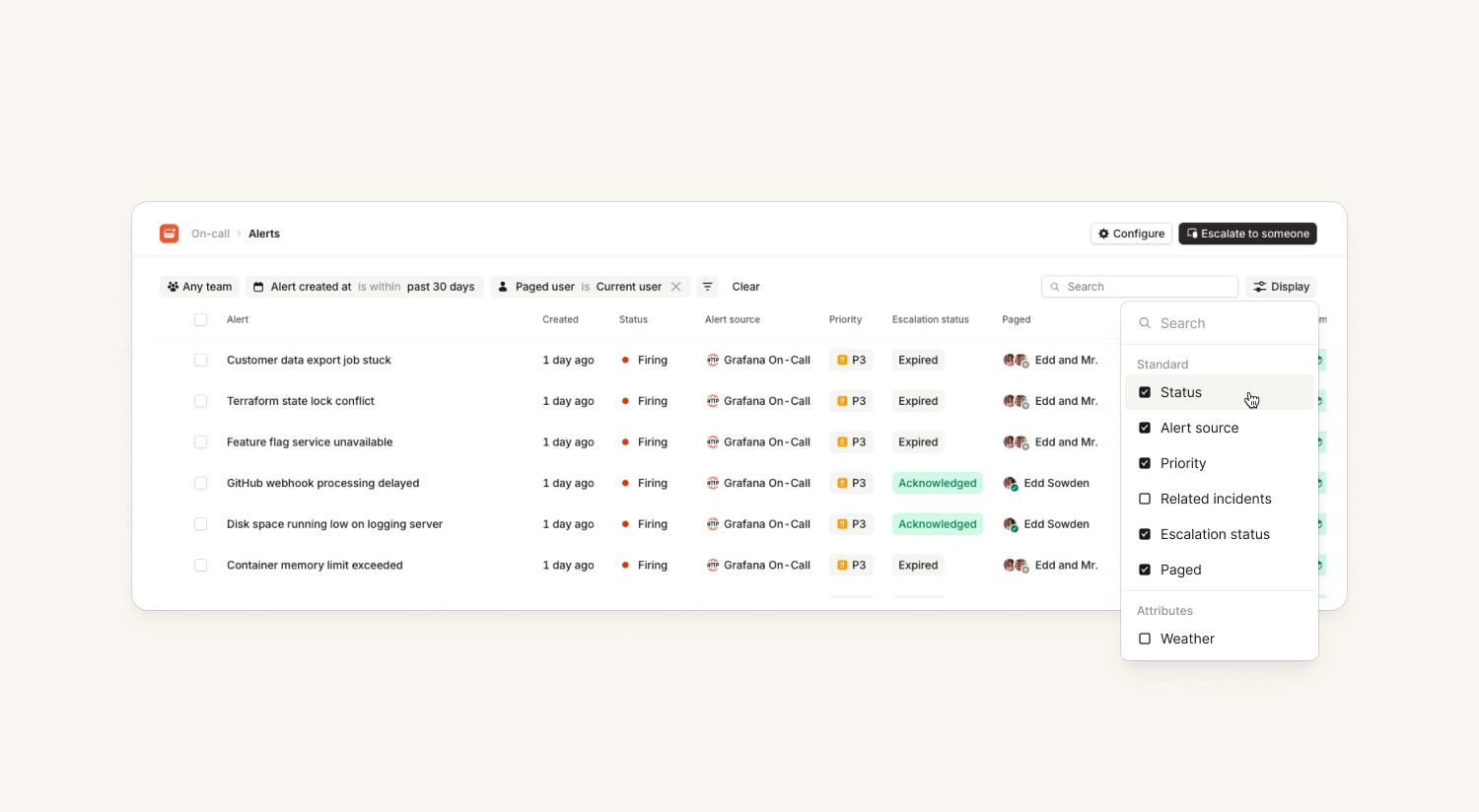
Alerts list with more escalation awareness
The alerts list in the dashboard now knows a lot more about related escalations. You can:
- see paged users and attached escalation states directly on the list
- filter alerts by the user they were escalated to, so you can find the ones that paged you
- filter to alerts with unacknowledged escalations
Better Grafana alert screenshots
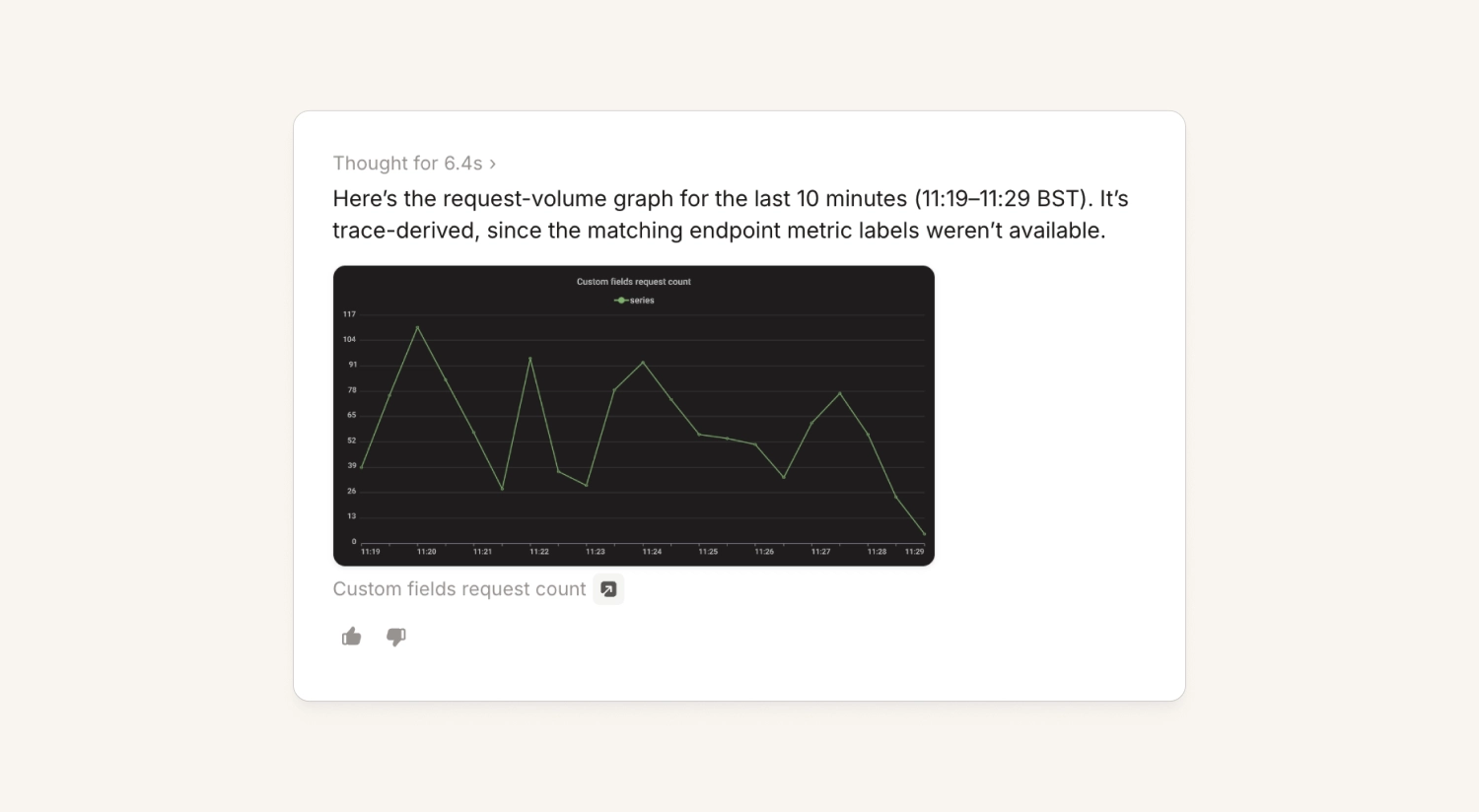
When a Grafana alert fires we attach a screenshot of the panel that triggered it. We now render through Grafana's dedicated single-panel route, so you get the panel on its own, filling the frame.
This applies everywhere that image shows up: the alert details page, the alert pulse message, the pinned summary in the incident channel and when talking to the agent.
Use a single API key for multiple heartbeat monitors
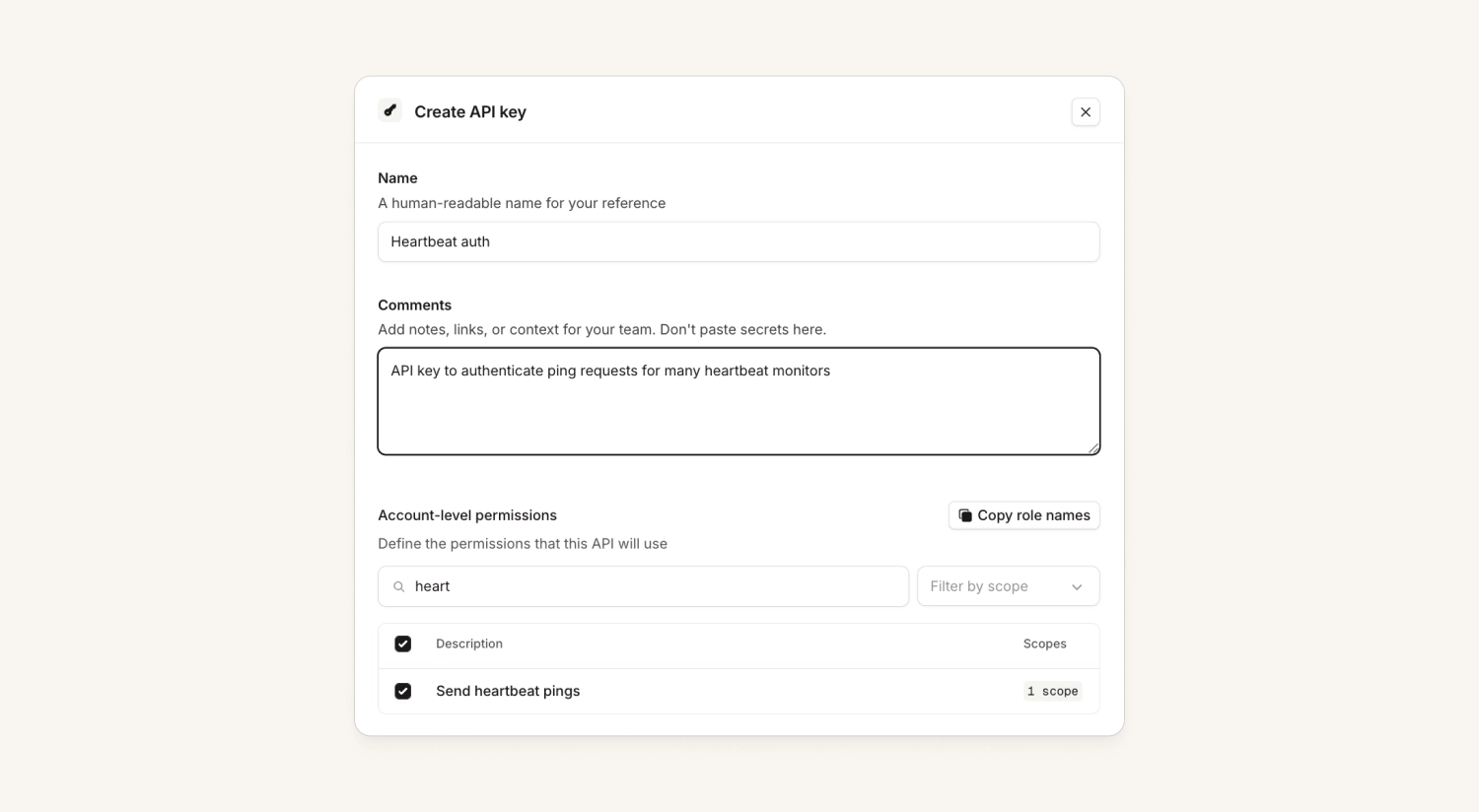
You can now create a single API key to send ping requests to many heartbeat monitors.
Previously each heartbeat had its own unique alert source token, which could be tricky to manage if a team had lots of different heartbeats.
Sync a Slack user group with the next on-call person
When you sync a schedule to a Slack user group, you could already pick 'Currently on-call' and 'Everyone on the schedule'. Now you can pick 'Next on call' too, so the handle holds whoever is up on the next shift rather than the person currently on it.
Email alerts include any image attachments
Previously, email alerts only preserved the text content of the email. Now they also show you the image(s) included in the email, which can be really useful if it includes a screenshot explaining the error someone’s experiencing.
These images are also visible to all our AI features, including Investigations.
Nexus
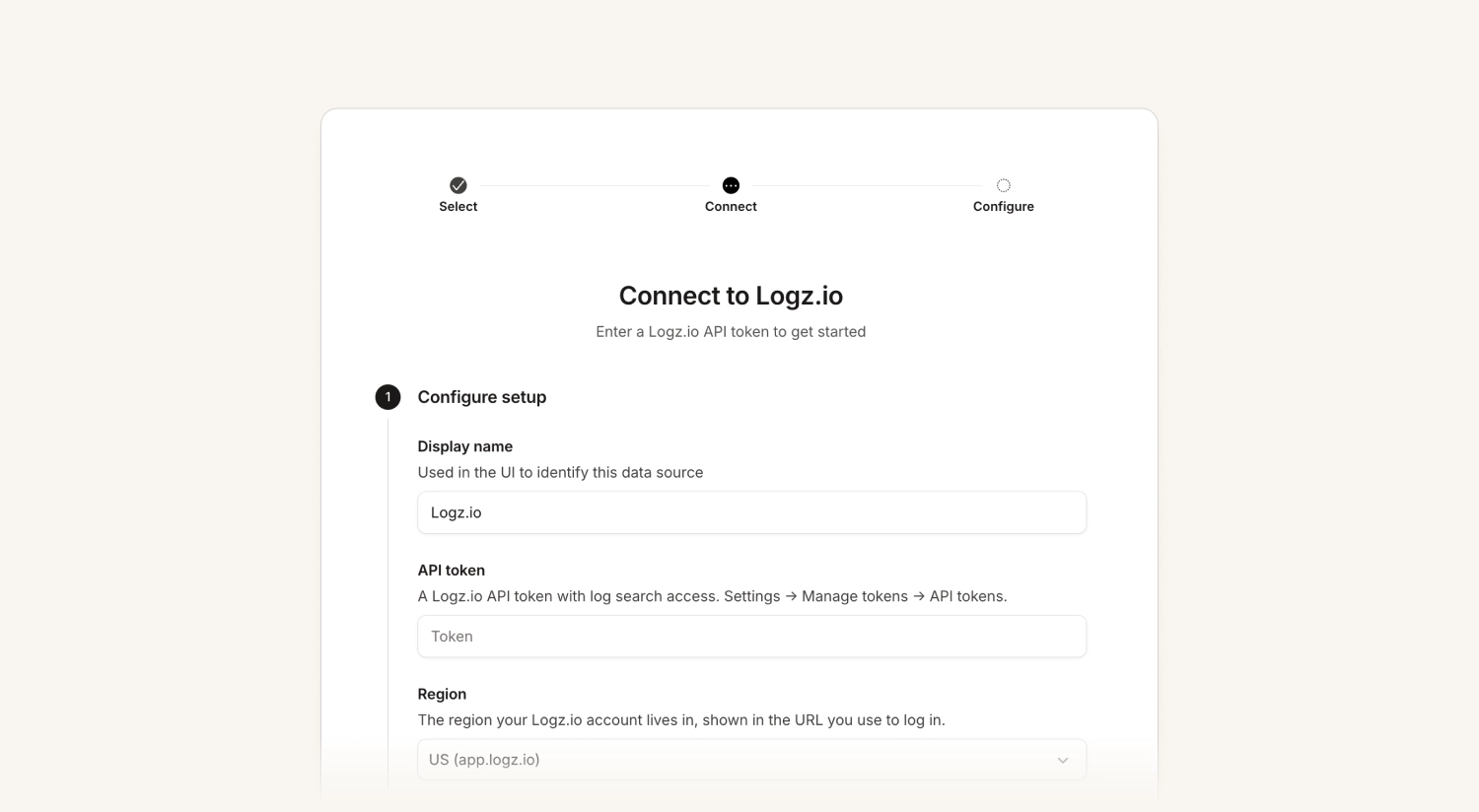
Telemetry support for Logz.io
Investigations customers can now connect Logz.io as a telemetry source provider. Customers who use Logz.io can connect their account to give us access to their logs and metrics. Read our docs to get started.
Audit logs for telemetry and connector access
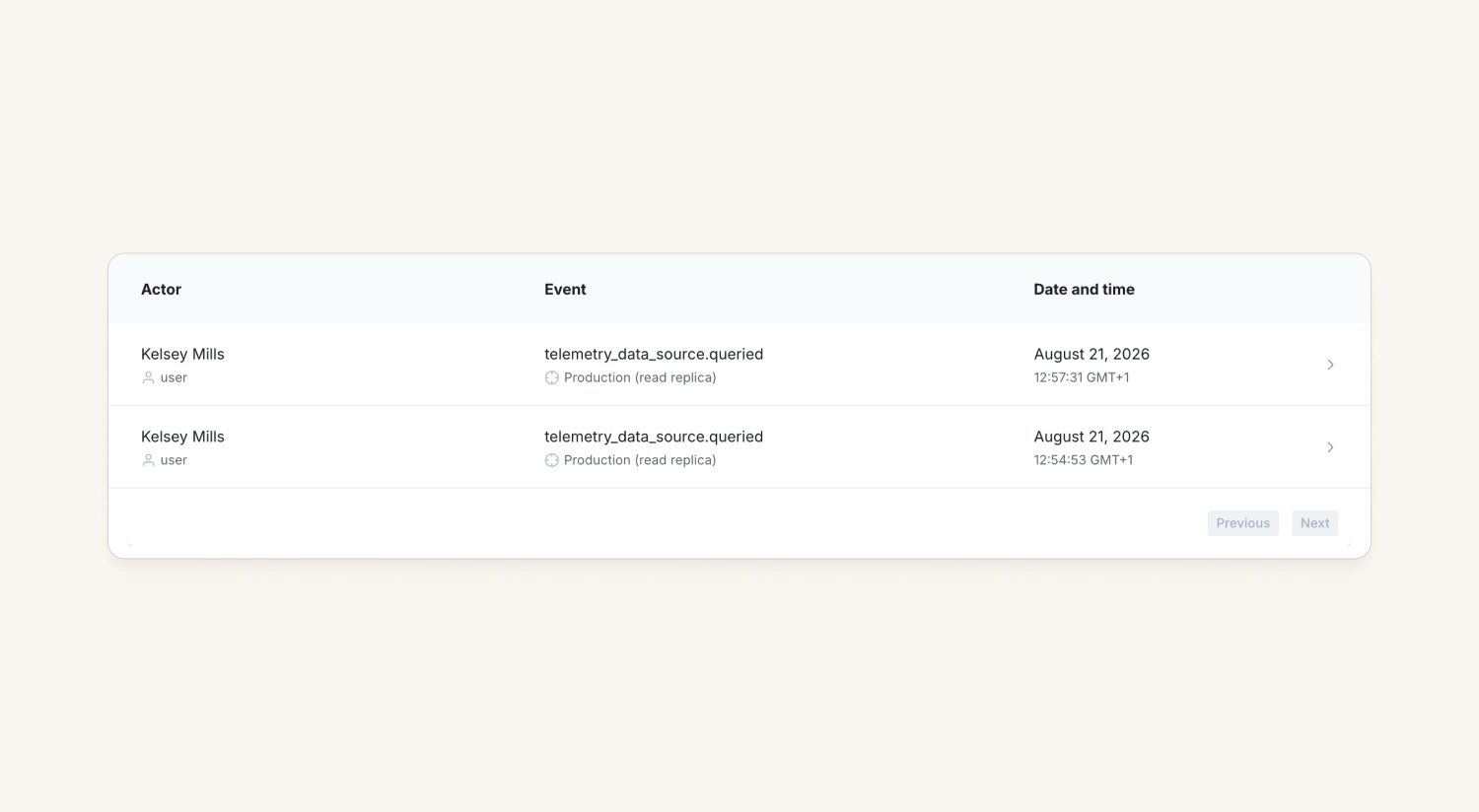
We now generate audit logs for telemetry data source queries and requests, and for calls to the extension connector tools. This builds on the existing audit logs for installing, uninstalling, and changing write grants.
If you wire up telemetry or extensions in Nexus, you can now track who accessed what and when — handy for security teams reviewing what they're connecting.
Response
Incident subscriptions via WhatsApp
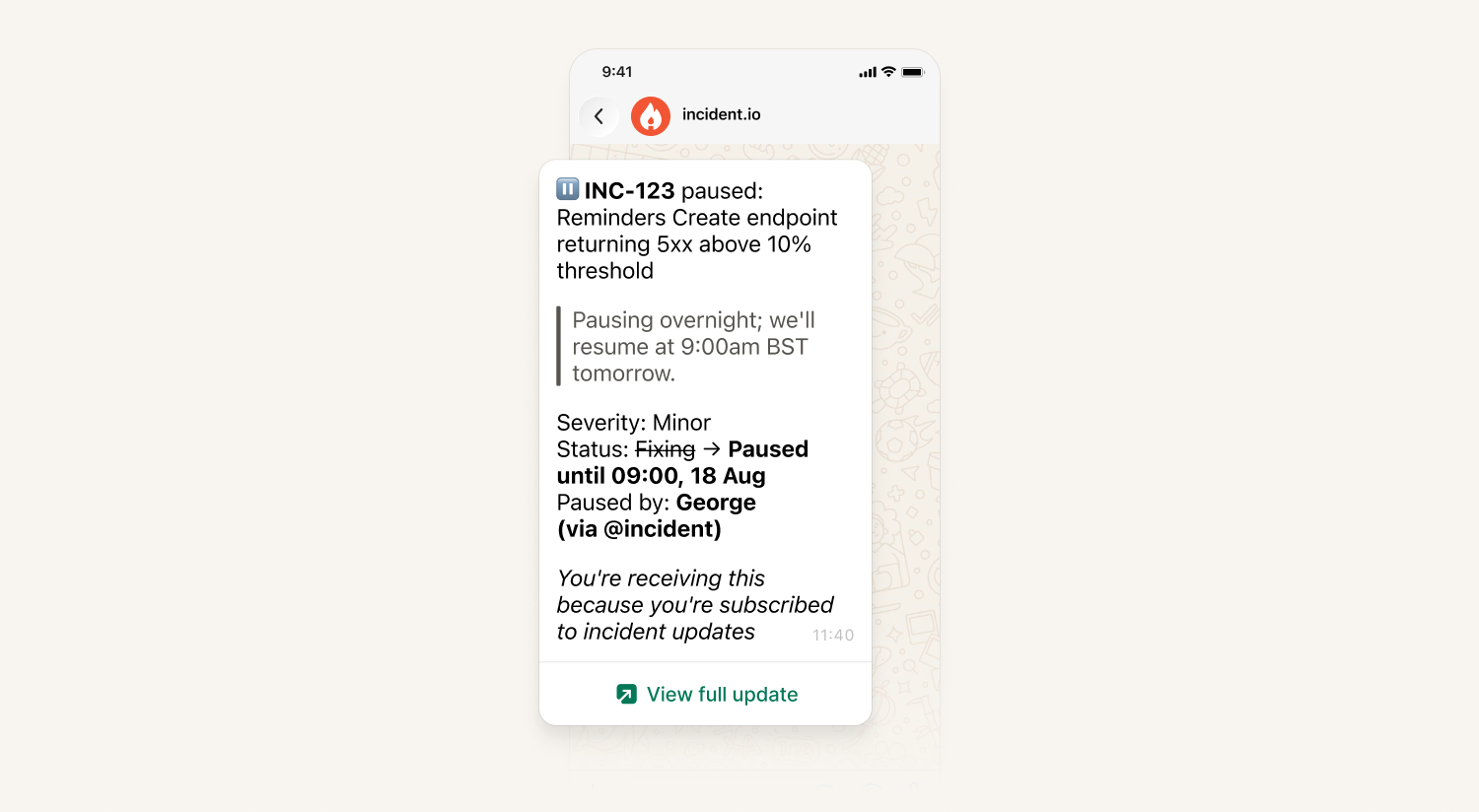
Users can now subscribe to incidents and receive updates over WhatsApp, so your stakeholders can follow along wherever they already are.
Support for ServiceNow dropdowns
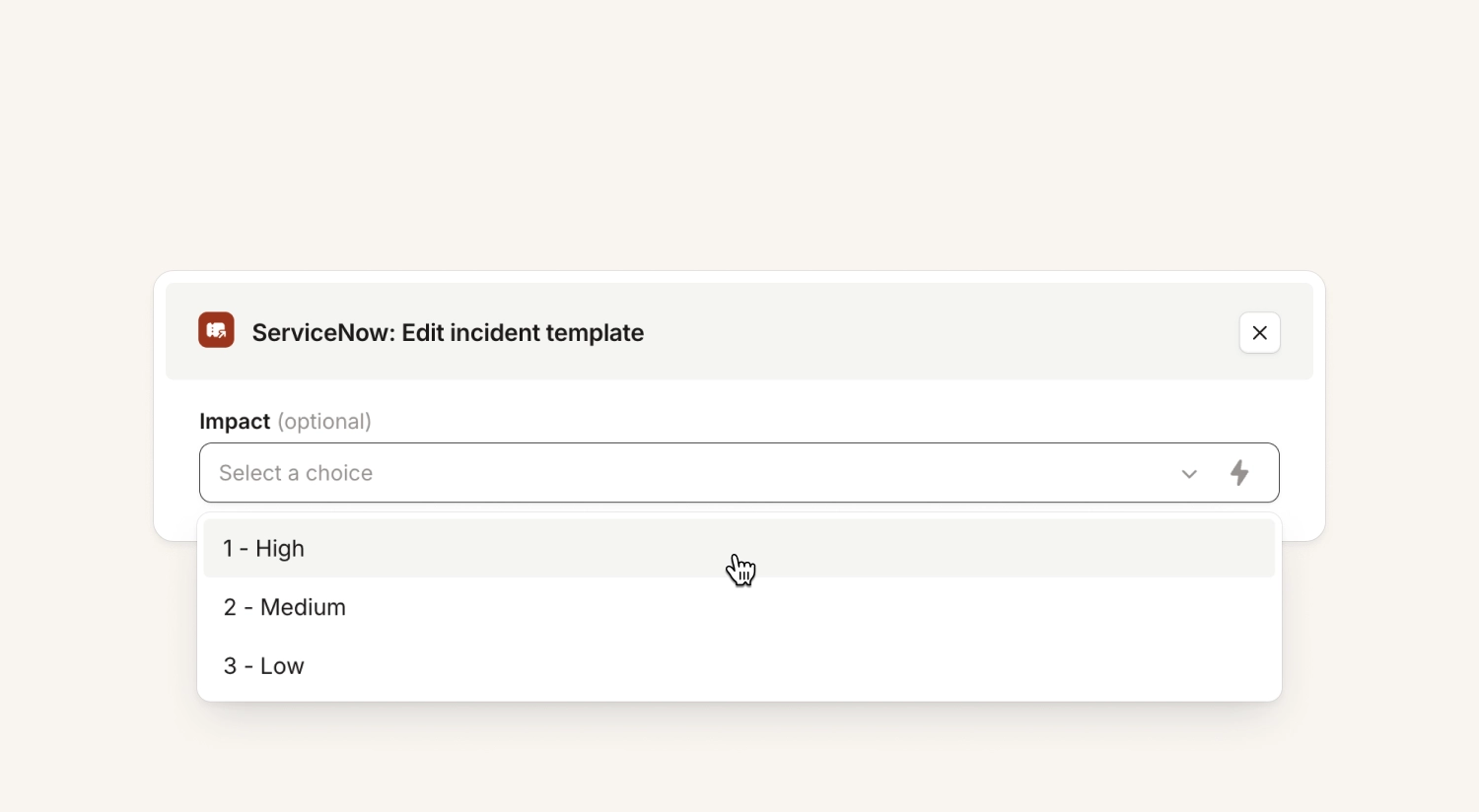
We now show you the available options in a ServiceNow dropdown (a 'choices' field in SNOW). That makes it much easier to set up your configuration correctly, so we send the right value to ServiceNow rather than you having to dig through your SNOW configuration to find out the choices are actually [1,2,3] under the hood.
You can also sync a ServiceNow field to the catalog directly from the incident ticket template. If a choice list changes in ServiceNow after you sync it, the change comes across automatically.
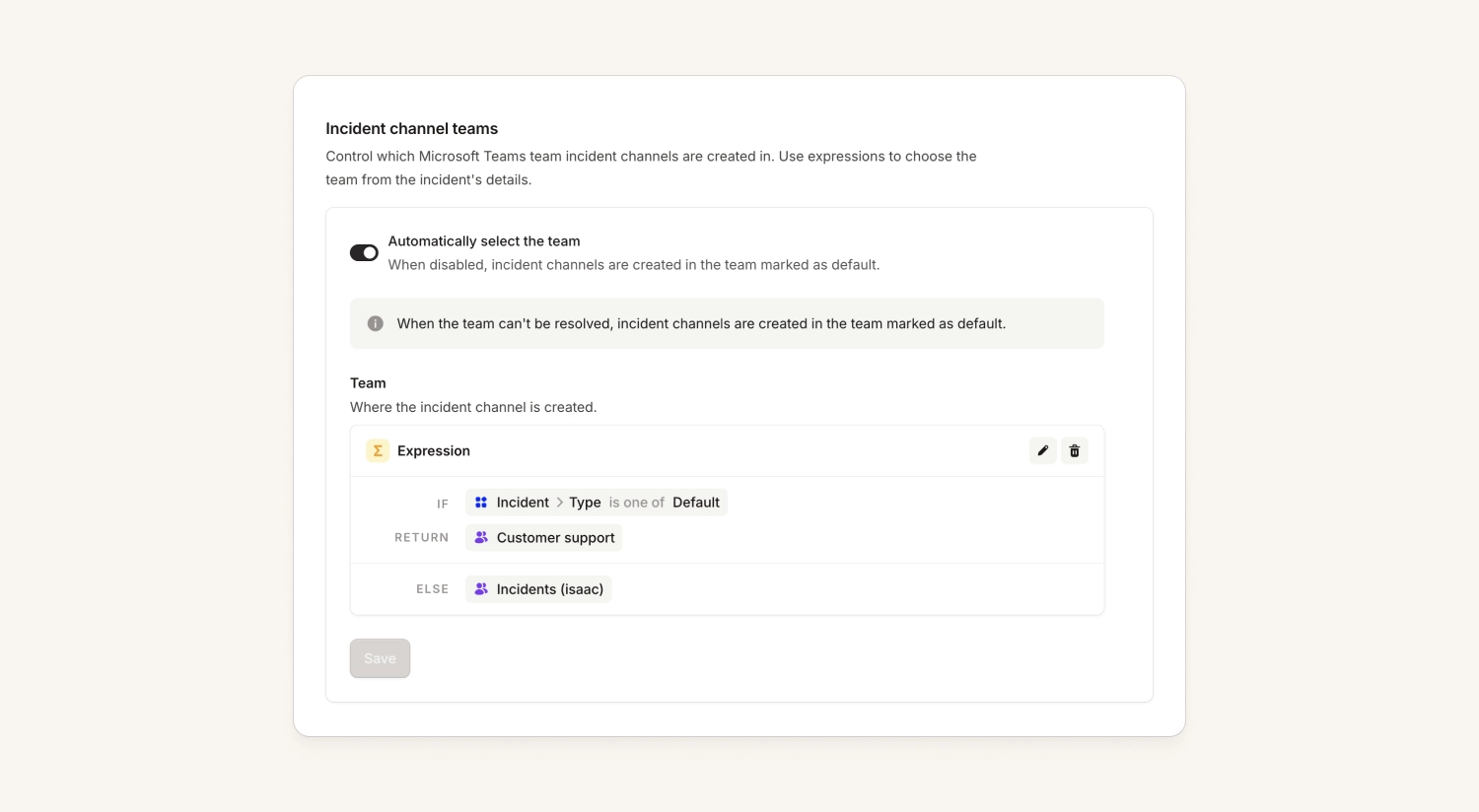
Create incident channels in different Teams within Microsoft Teams
Microsoft Teams customers previously had to pick a single team where all incident channels live. Now you can use an expression to determine which Team to use.
Note that we can't move channels between teams (as Microsoft’s API doesn’t support it), so this applies to the incident at the point the channel gets created.
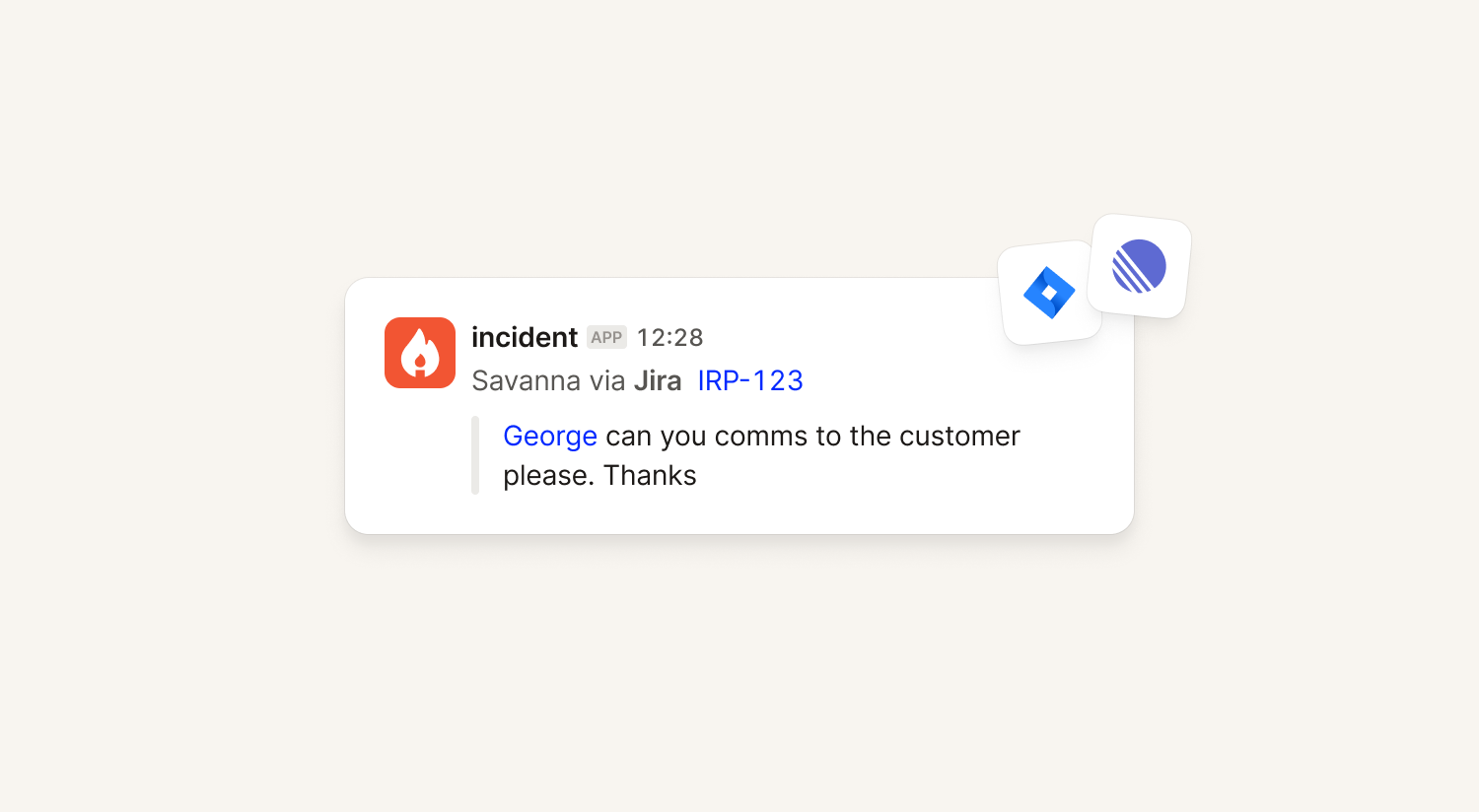
2-way sync for Jira and Linear incident tickets
Comments posted on a Jira or Linear incident ticket now show up in the "all activity" view of the incident, and get posted back into the channel.
Caveat: Comments won't sync instantly for customers connecting via our Atlassian Marketplace app. Connections via OAuth will have a sync within 60s of a new comment getting posted.
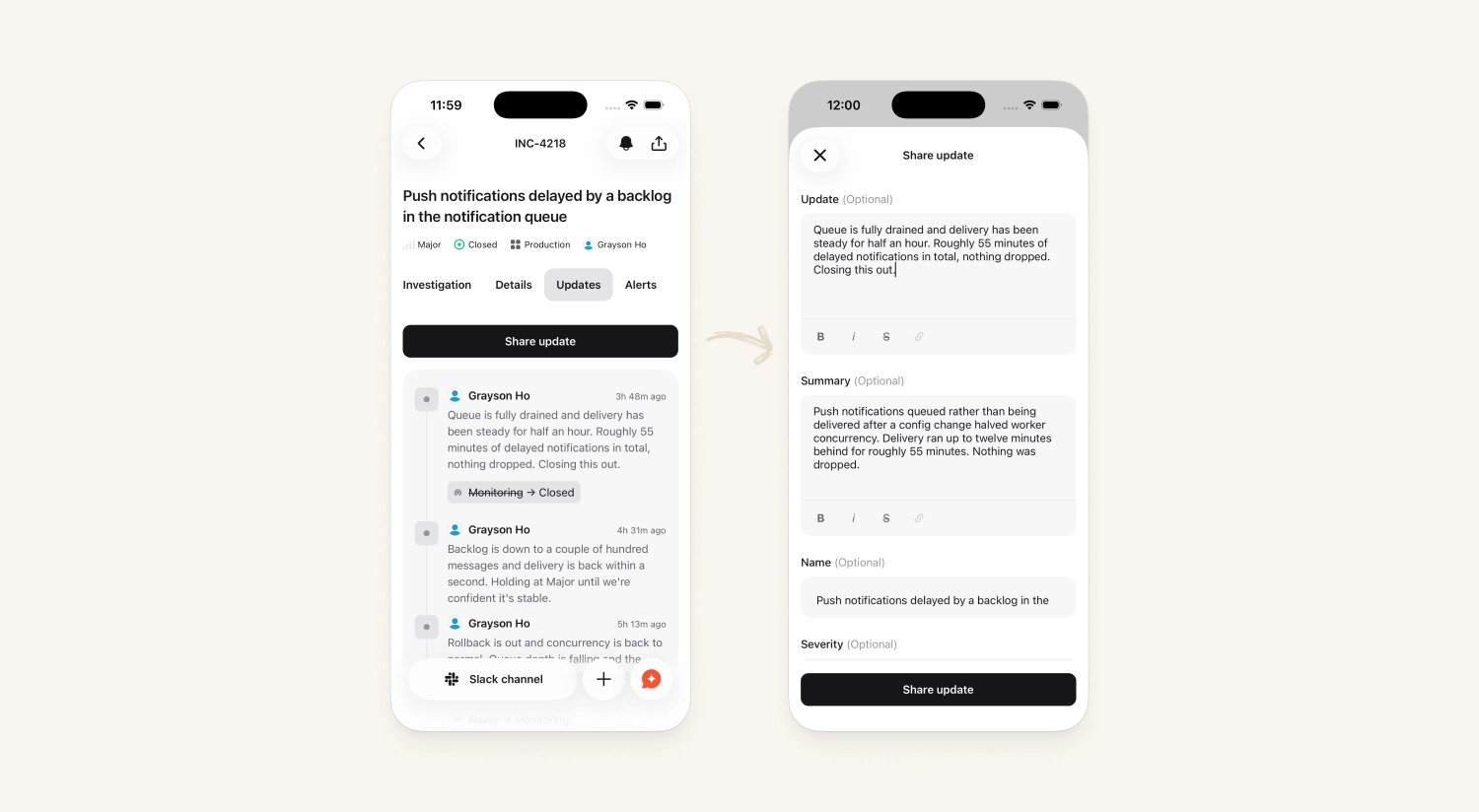
Post incident updates from mobile
You can now post an incident update straight from the mobile app. Open an incident's updates tab and there are two buttons for writing one.
Previously the only way to share progress from your phone was to type a message into the chat, which was a roundabout way of getting there.
Status Pages
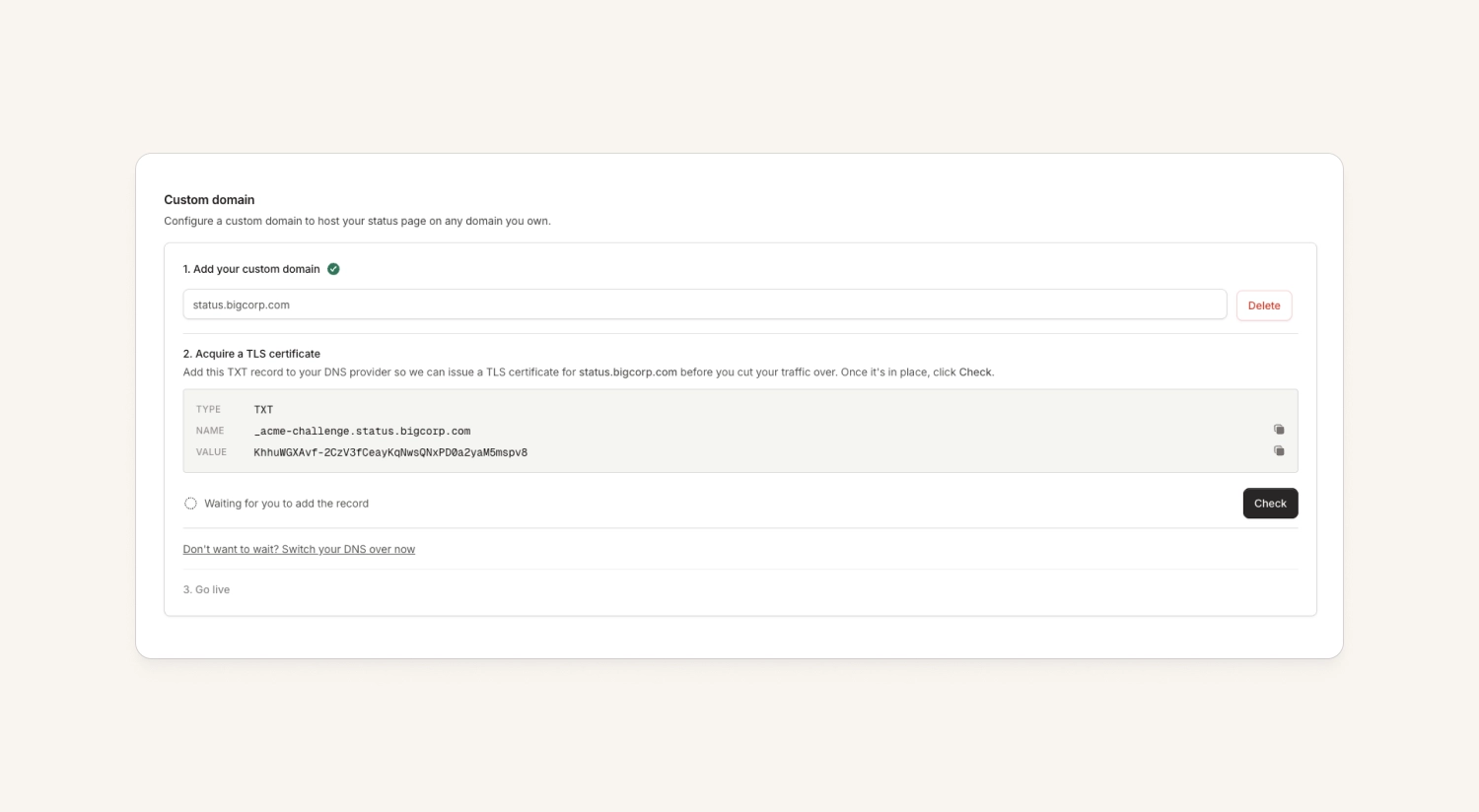
No more TLS errors when you migrate a status page
Previously, we'd only generate a TLS certificate after you migrated your status page to us. That meant anywhere from a couple of minutes up to half an hour of serving scary "invalid certificate" errors on a brand new status page.
Setting up a custom domain now strongly encourages you to complete a DNS-based challenge, so we can get a certificate first and then activate your custom domain.
What else we've shipped
New
- On-callImages are now captured as part of our email alert source. These appear on the alert, and anywhere the alert is posted in Slack.
- On-callMembers of teams in a private alert source's "visible to teams" configuration can now view the unredacted request payloads and responses for that alert source in the configuration page, making it easier to debug alert delivery issues without needing broader access.
- ResponseYou can now export the users table as a CSV
- ResponseYou can now convert an incident between standard and retrospective directly from the dashboard from the edit button.
- ResponseWhen exporting postmortems to Notion, you can choose to exclude custom field columns if you don't find them useful
Improvements
- On-callYou can now mark incoming call alert sources as private, just like other alert sources. This keeps voicemail recordings and related alerts restricted to the teams who should have access to them.
- On-callThe alerts list now shows an archived indicator when a catalog-backed alert attribute (such as a team) points to a catalog entry that has since been archived, matching the indicator already shown on the alert details view.
- ResponseFilter selections and date ranges on built-in Insights dashboards are now remembered between visits, so you won't have to reapply them each time you open a dashboard.
- ResponseWorkflows triggered by "A document is created or updated" can now use the document's status and the person who made the change as action variables, making it easier to notify the right owners when a postmortem or RCA moves into review or is completed.
- ResponseThe incident homepage now lets you link to an existing status page incident, not just create a new one — matching the linking flow that was already available from the status page side.
- InvestigationsWhen you manually start an investigation on an incident you're not already in, we'll now invite you to its Slack channel, so you don't miss the findings when they land.
Bug fixes
- On-callFixed an issue where an alert group summary in Slack could get stuck showing alerts as still firing even after every alert had resolved, with the Resolve and Acknowledge buttons unable to refresh it. These buttons now correctly update the message to reflect the current state.
- On-callFixed an issue where turning off grouping on an alert route could block you from saving if a Slack destination still had grouped messages enabled. Disabling grouping now also turns off grouped messages on any destinations.
- On-callYou can now snooze a repeating escalation after acknowledging it. Previously, acknowledging an escalation on a path with repeats configured permanently hid the snooze option, so responders kept getting re-paged on every repeat with no way to pause notifications short of resolving or reassigning the alert.
- On-callThe Create Incident button on an escalation now opens the same incident creation flow used elsewhere in the product, including your organization's configured Lifecycle Declare form
- On-callFixed an issue on iOS where selecting two schedules that shared an underlying layer would cause one of them to disappear from the calendar's day view and month dots. Both selected schedules now render correctly together.
- On-callFixed a bug where the "alert created or changed" workflow trigger only fired when an alert was resolved by the alert source, not when someone resolved it manually in the UI. Workflows using this trigger now fire consistently regardless of how the alert was resolved.
- On-callFixed a bug where team-scoped API keys with the "Create and manage escalations" scope returned a 403 missing-scope error, so these keys can now create, list, and view escalations as documented.
- On-callFixed a UI issue on the Routing requests page where scrolling through notification payloads across multiple pages could cause the view to jump or jitter, making it easier to inspect alert routing details.
- On-callFixed a bug where reacting with note emojis (like 📓 or ✏️) on alert Slack messages silently failed to create alert notes when the alert route was configured to send one message per group. Alert notes created via Slack reactions now work correctly for both single-alert and grouped alert messages.
- On-callFixed an issue where suggested on-call overrides for vacation or calendar conflicts could be shifted by several hours instead of aligning with the schedule's own time zone, so the "Create override" prefill now matches the correct local times.
- ResponseFixed a bug where an incident with an open child stream could get permanently stuck and never auto-close, even after the stream was later closed and all post-incident tasks were complete.
- ResponseFixed a bug where importing Slack history into retrospective incident timelines skipped messages sent by internal Slack guest users, which could leave imported timelines empty or incomplete for organizations migrating historical incidents.
- ResponseFixed a bug where a resolved comment could leave a stray highlight covering an entire post-mortem document, blocking anyone from adding new comments. Post-mortem documents now correctly clear highlighting once a comment thread is resolved or removed.
- InvestigationsInvestigations that query CloudWatch Logs Insights are now more reliable: we fixed a query-generation issue that caused searches containing forward slashes to fail, and corrected how retention-window errors were classified so investigations no longer treat them as query syntax mistakes.
- InvestigationsFixed a bug in the Grafana integration so that "View" links on the telemetry dashboards page now open the user-facing Grafana address instead of an internal one.
So good, you’ll break things on purpose
Ready for modern incident management? Book a call with one of our experts today.

We’d love to talk to you about
- All-in-one incident management
- Our unmatched speed of deployment
- Why we’re loved by users and easily adopted
- How we work for the whole organization



