Private alerts and escalations in Insights
June 15, 2026
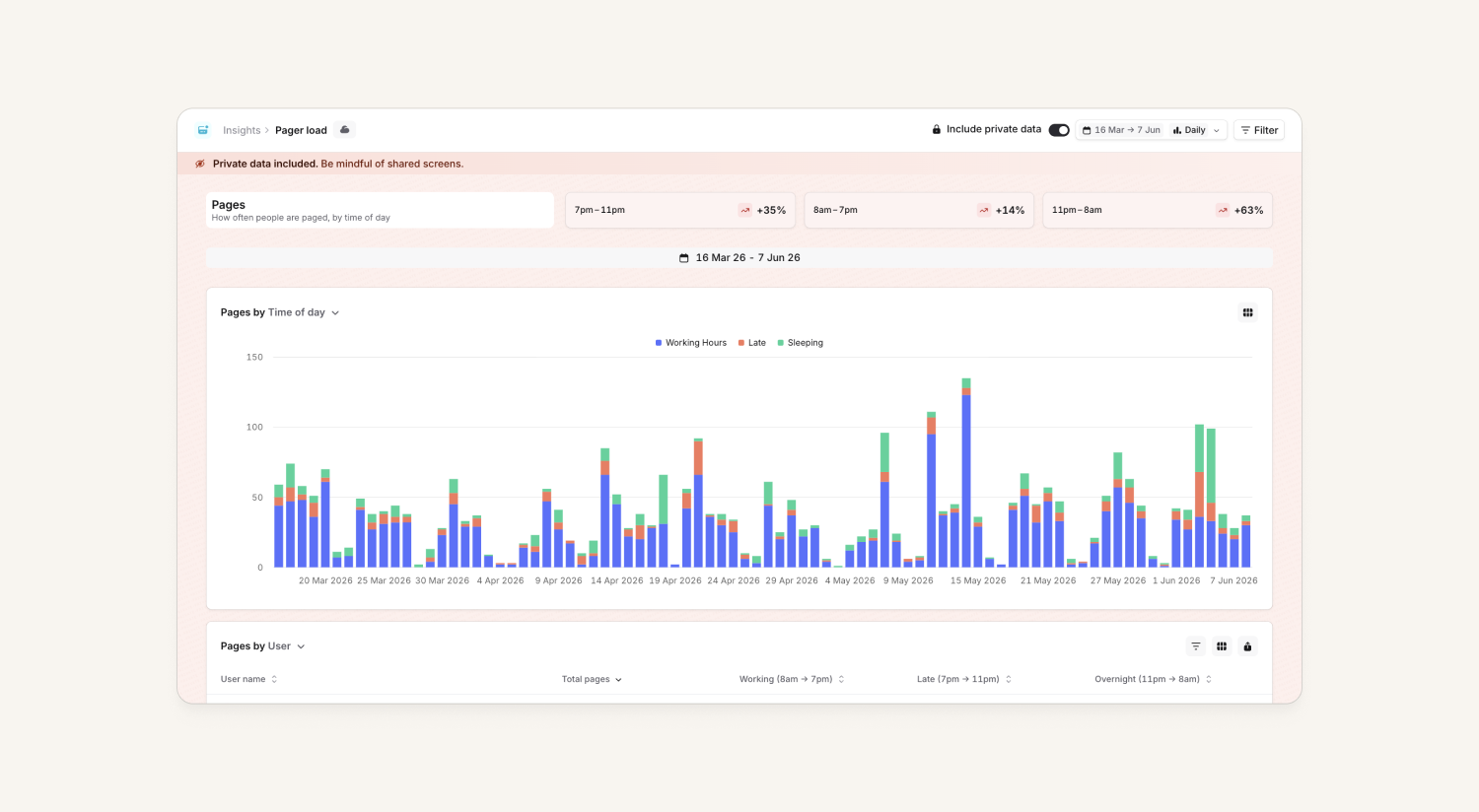
Owners can now find private alerts and escalations in Insights, specifically within the Pager load and Alerts dashboards. Until now, Insights excluded all private data which made it harder for owners to report to regulators or analyze performance for teams that handled sensitive alerts or escalations (ie. Security).
Owners, who already had access to view private alerts and escalations elsewhere in the dashboard, can now see corresponding data exposed in Insights if they wish. As a default, viewing private alerts and escalations will be off. Users will have to explicitly enable the include private data toggle on the dashboards to view.
View tasks by team
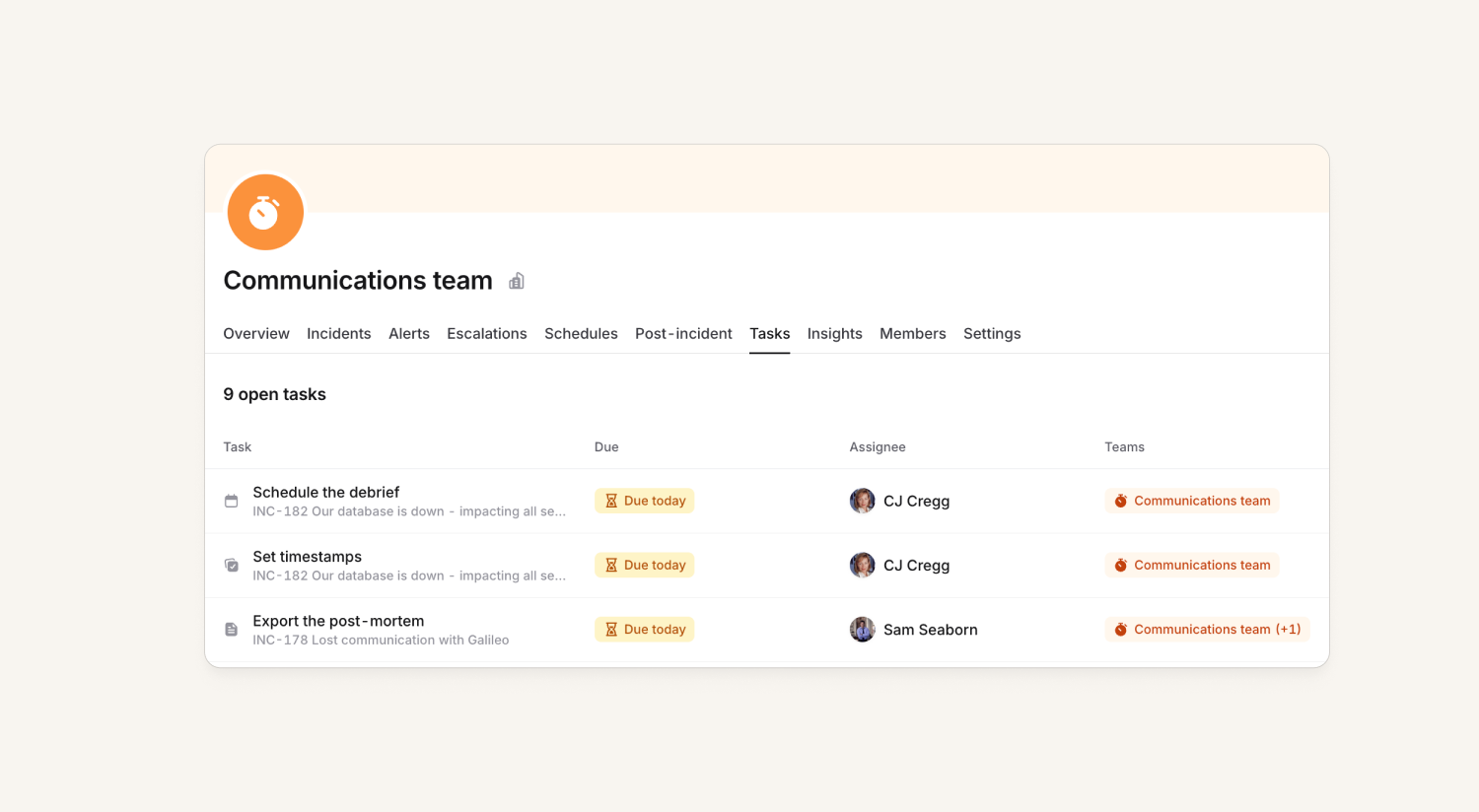
If you manage a team, it was surprisingly hard to answer a simple question: what work does my team need to do?
We've now pulled everything together in a new Tasks panel and tab on the team experience. The tab provides a filterable list of all of the outstanding work for a team (and it's sub-teams!) in one place. So, you can quickly see what work needs to be done across overdue follow-ups, post-incident tasks, on-call notification policy violations and more.
We've also made some changes to surface policy violations in the schedule and post-mortem lists. Plus, we’ve given the follow-ups page in the post-incident hub a much needed glow-up ✨
Recurring policy reminders
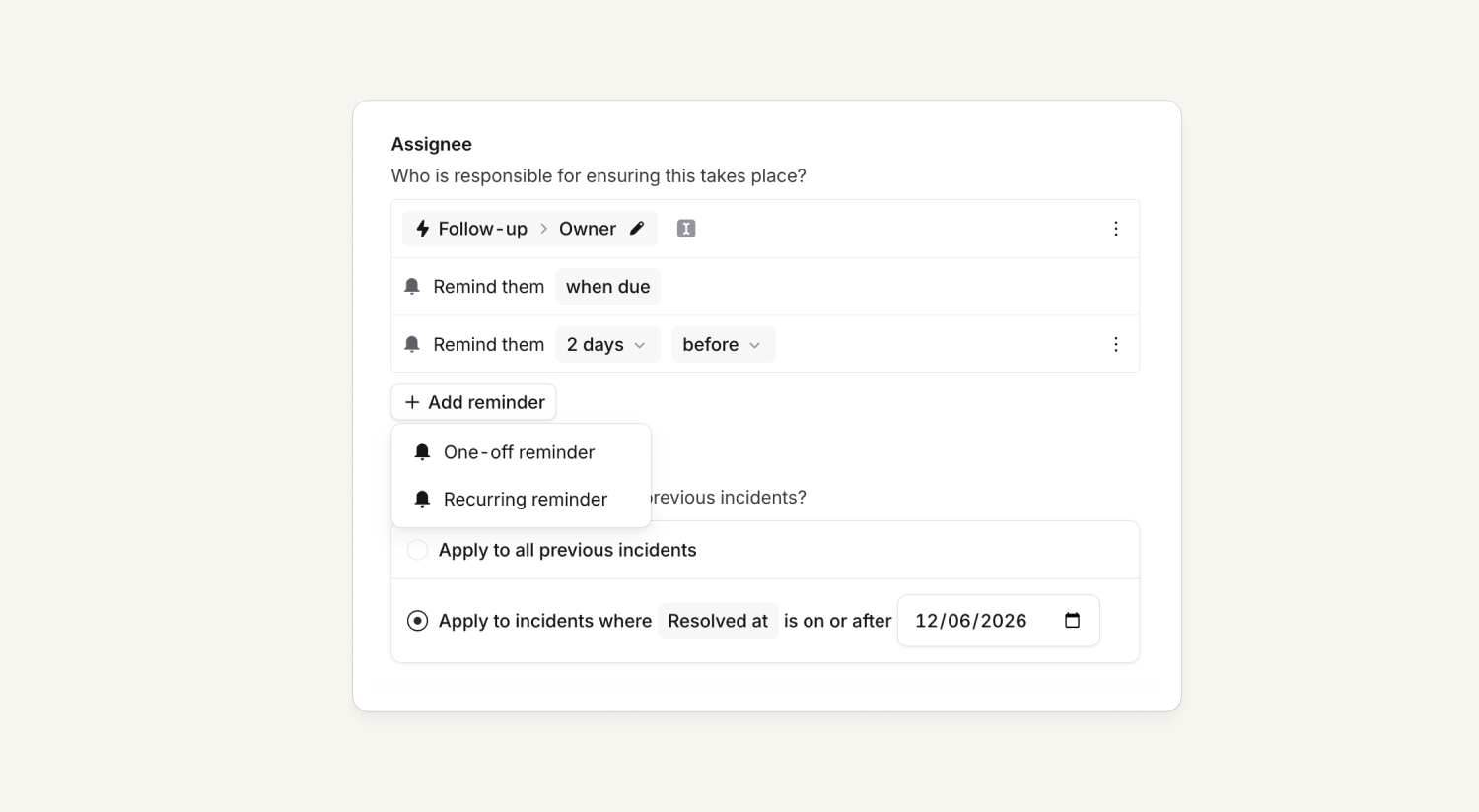
Policies can now have a recurring daily or weekly reminder! This is in addition to the existing "N days before/after" one-off reminders.
Fixed filters for catalog-backed custom fields
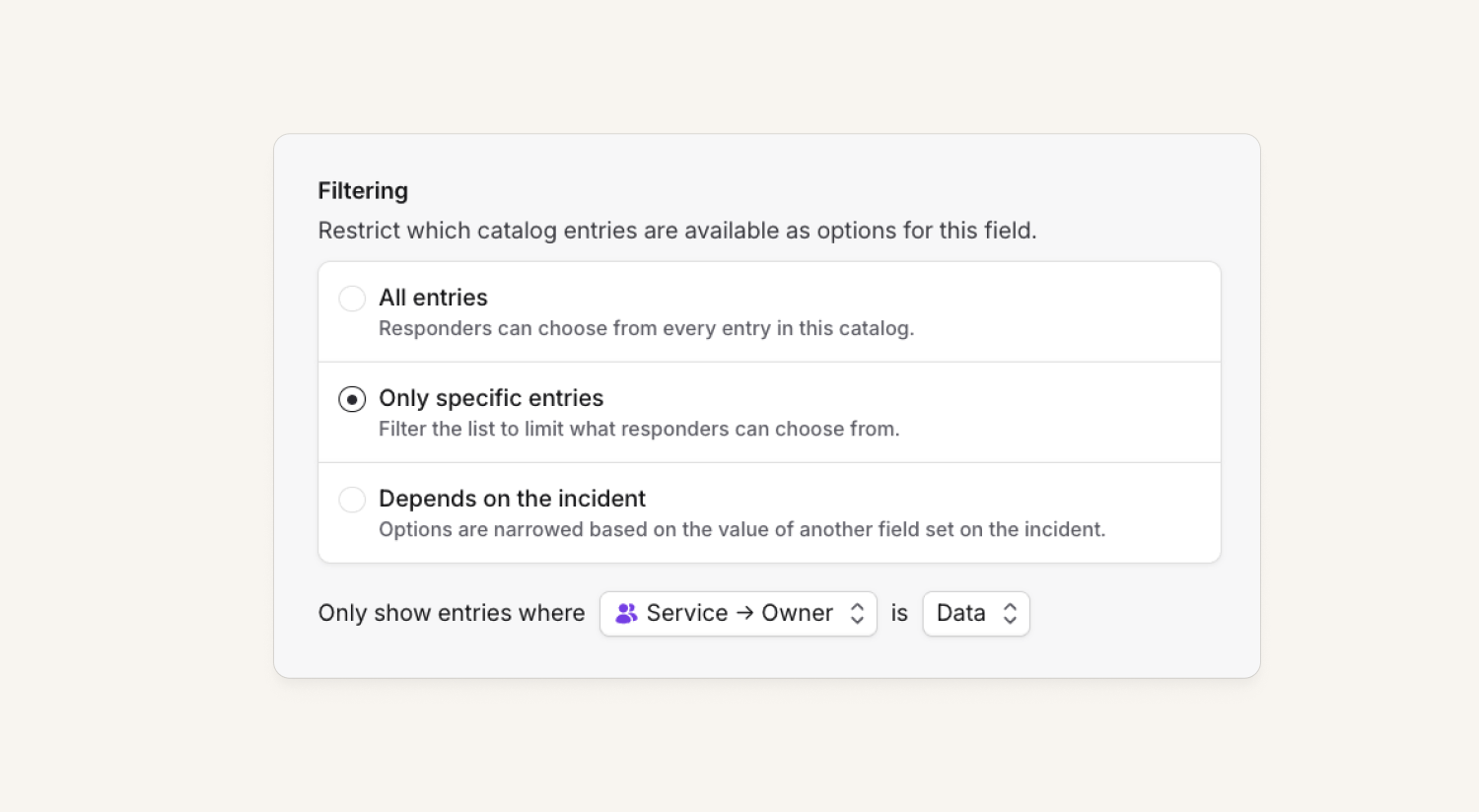
You can now pin a catalog-backed custom field to a fixed subset of entries, instead of showing the whole catalog type.
An admin picks a catalog attribute and the values they care about, and the dropdown only shows matching entries. So an Affected Feature field can show just the Features under Payments or Billing — no more scrolling past everything else.
You'll find it in advanced settings on the custom field form.
Regex for rich text fields in workflows
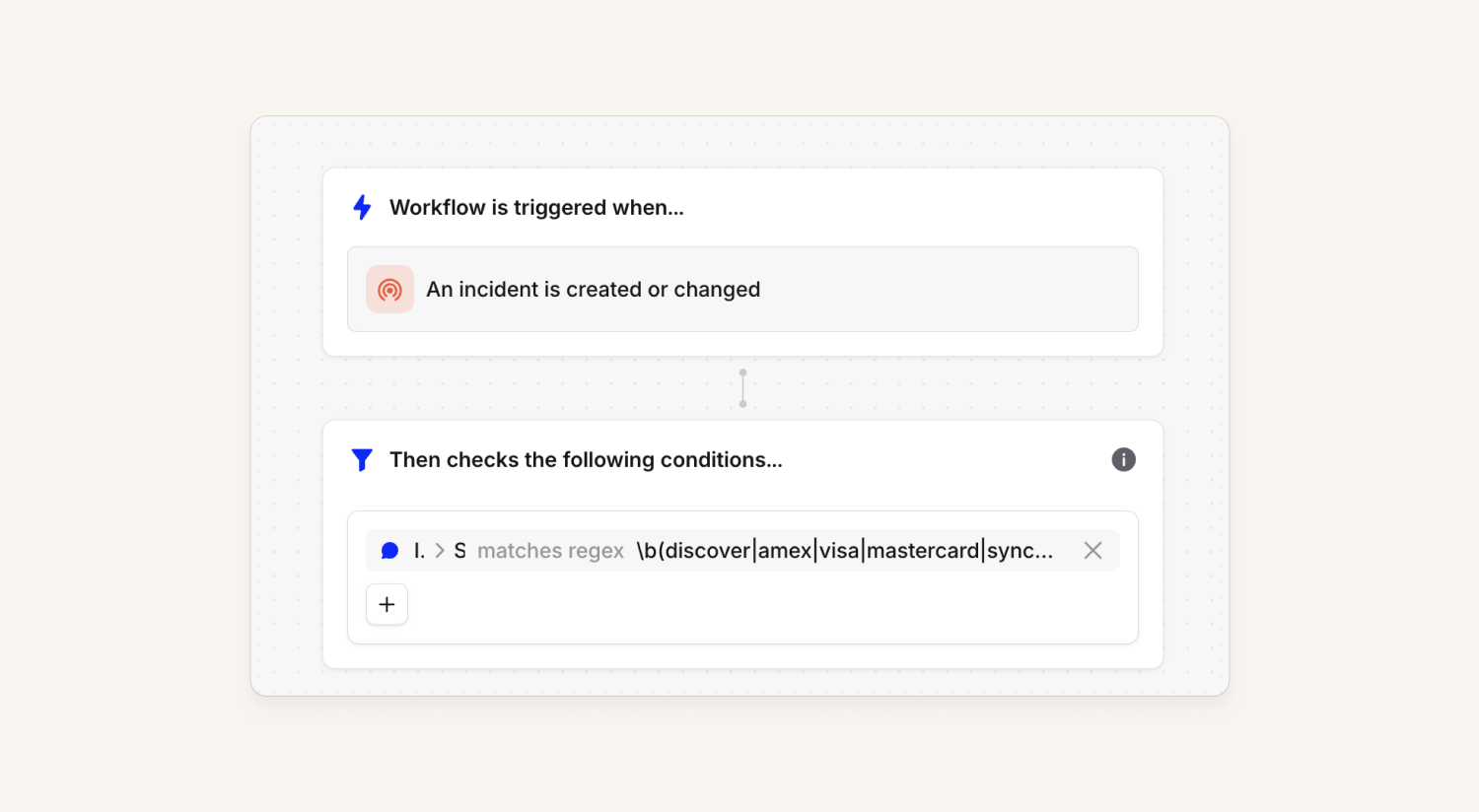
Customers can now use regex matching on rich text fields such as incident summaries. This unlocks the capability of matching on specific terms using word boundaries, but it also allows customers to self-serve many other fuzzy-matching needs they might have!
Schedule editor glow up
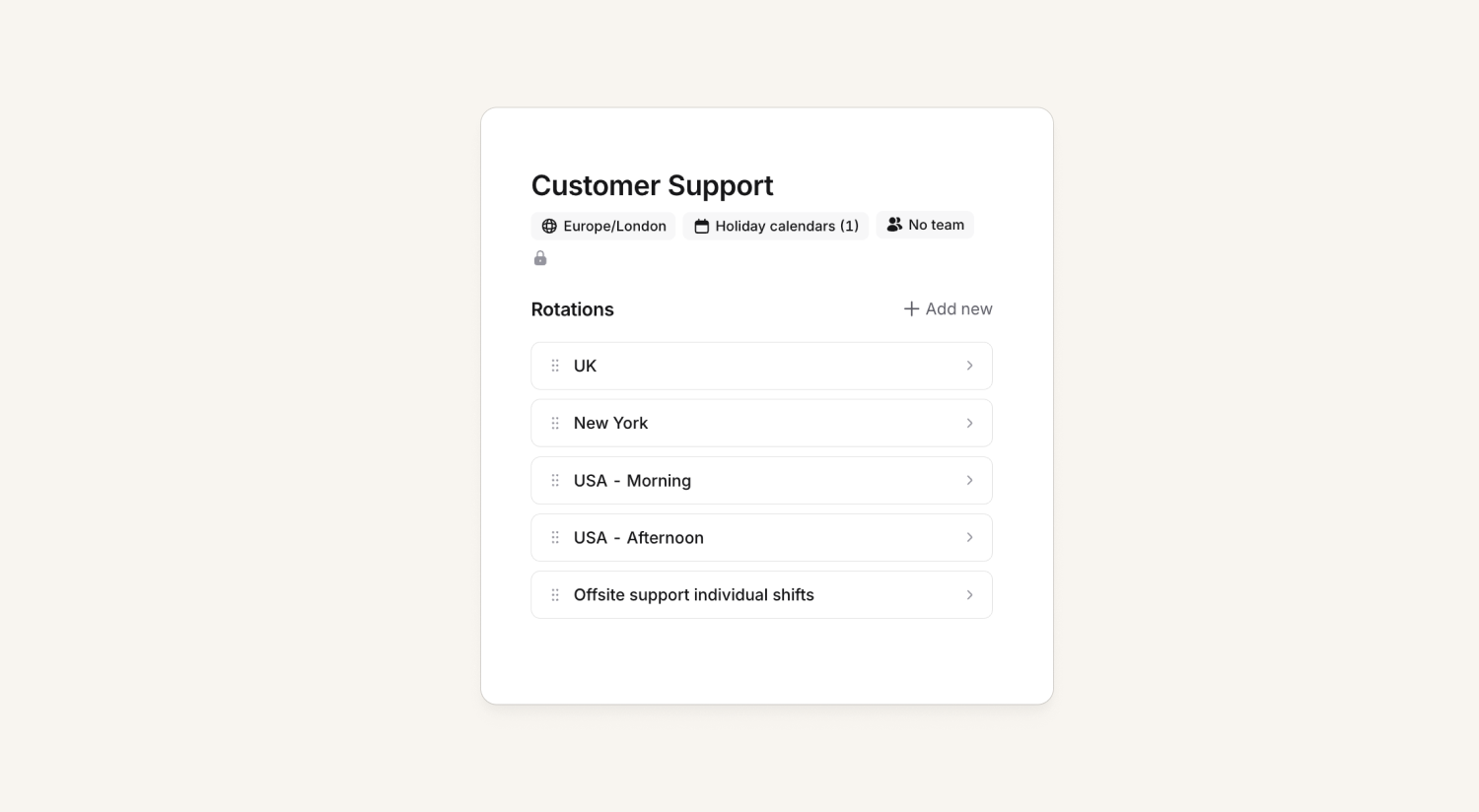
We have just shipped some changes to the schedule editor page that tidies it up a little, particularly in cases where you have many rotations.
Now, the name, team and holiday information is all in a small header at the top, and rotations are in their own expanded menus, rather than the tab layout we had before.
Don’t share incident updates
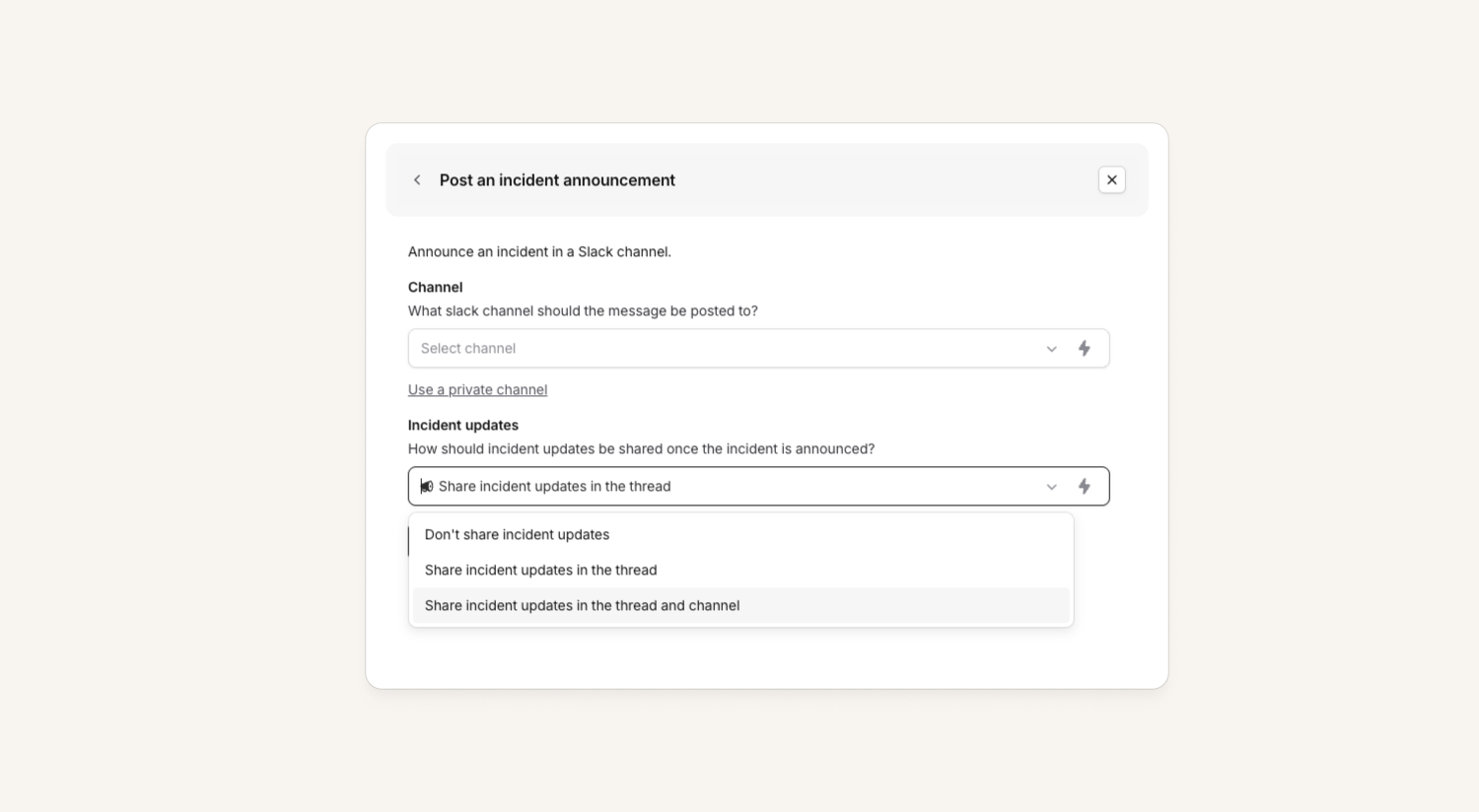
Until today, announcement rules supported two options for where incident updates should go:
- Updates in thread
- or updates in thread + channel
What if you don't want either of these? We now allow customers to disable incident updates completely for announcements by choosing Don't share incident updates. This is now live across every single feature that supports announcements:
- Announcement rules
- Workflows that include an announcement step
/inc announceinside of incident channels
Announce and post updates for private incidents
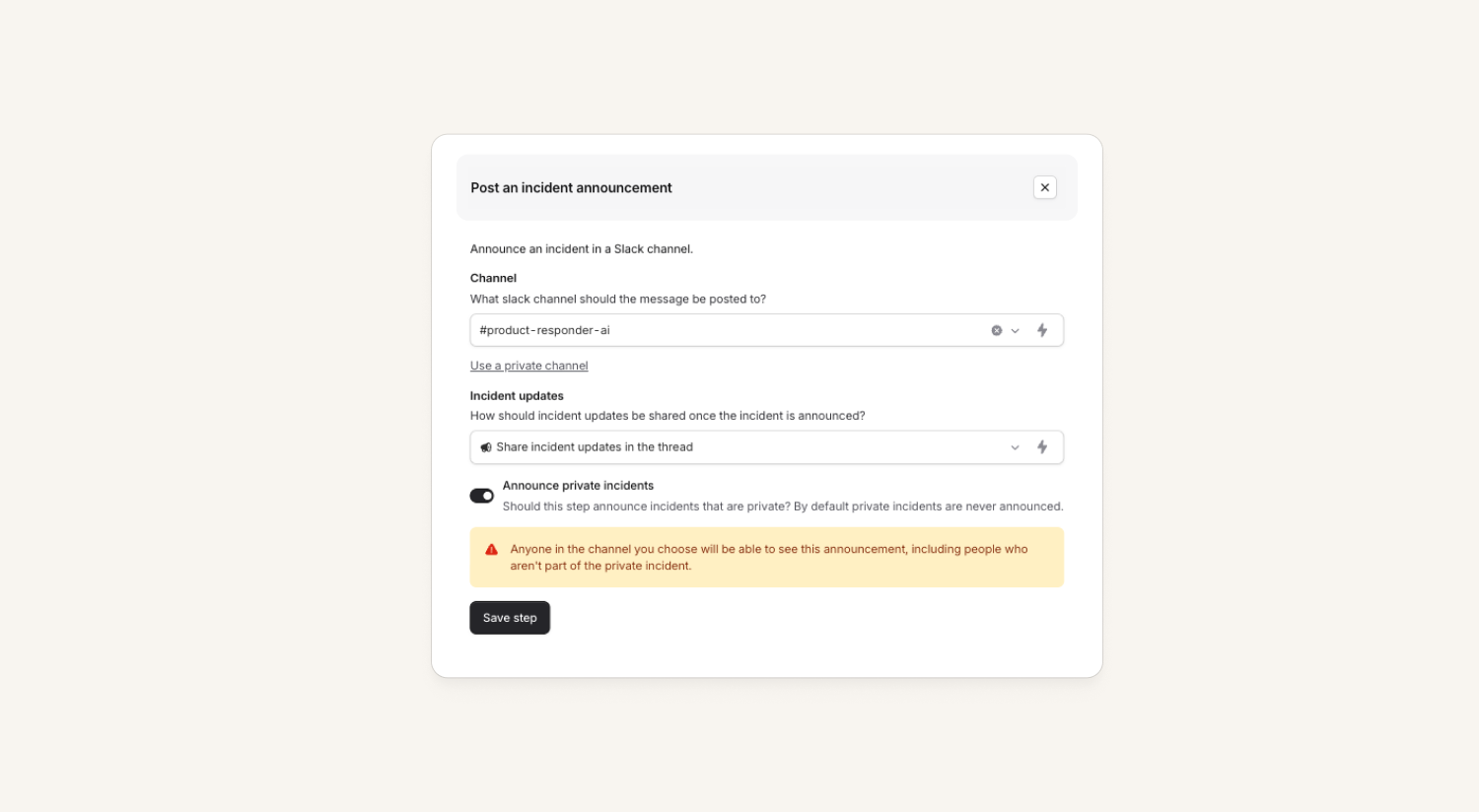
Before, both announcement rules and workflows skipped announcing any private incidents. Now, users have the option to enable announcements for private incidents in announcement rules, workflow settings, and via /inc announce!
- Workflow announcement steps can be enabled for private incidents if the whole workflow has been enabled to run on private incidents.
- Enabling announcement rules on private incidents are available for both Slack and Teams. Making a once-public incident private deletes any announcements made by a rule that does not allow private incidents.
Both of these require a new "Manage announcement rules for private incidents" permission, and anyone without this cannot edit any part of an announcement rule/workflow that announces private incidents.
Users who are in those channels but aren't part of the incident will be able to request access to join, that members of the incident can choose whether to accept or deny.
Workflow step to set custom fields
Sometimes an automated custom field doesn't quite do what you want it to do, and you want the full power of workflows to set a custom field. Well, now you can do just that. For example:
- When an incident is declared, apply defaults to some fields
- Tracking the highest severity the incident met during the whole lifecycle (sev 2 → sev 1 → sev 3)
What else we’ve shipped
New
- You can now use custom emojis for Slack quick action buttons
- Every successful login is now recorded in the audit log
- You can change the emoji on all bookmarks in incident channels, and use your own custom emojis
- Changing your Slack status when you're on call now lets you set short names for each schedule (in case it doesn't normally fit into a Slack status!)
- The API for follow-ups now includes the team they are assigned to, and can be filtered by team
- Added Cc and Bcc recipient fields to the "Send an email" workflow step, so you can copy additional stakeholders on workflow emails without changing the primary recipients
- Follow-ups are now available as a variable in the incident workflow scope, so you can reference and count them in workflow conditions and steps
Improvements
- Announcement posts can now include a button linking to the ticket for the incident in Linear, Asana, Github, and all other issue trackers
- When deduplicating on-call pay across schedules we'll show you which schedules are sharing pay, and how much of the pay for each schedule is shared
- You can choose whether or not to include unpaid shifts in on-call pay reports
- If you're using email addresses to create overrides using our API, these now match case-insensitive
- You now get a nice error message if your Github instance uses an IP allowlist
- You can now customize the emoji on any quick action button, including the built-in ones like Escalate and Update summary, with support for custom Slack workspace emoji
- The endpoint URL in the webhook.send workflow step now supports variable interpolation, so you can build dynamic webhook URLs from incident data
- When triggering a manual workflow from the Slack modal picker, we now show a confirmation modal listing the steps that will run
- Modal callouts in Slack now use Slack's native colored alert blocks, making warnings, errors, and info messages clearer at a glance
Bug fixes
- Paused incidents now show up under 'happening now' when you're managing an internal status page, which is consistent with how they show up on the page itself
- Fixed strikethrough, inline code, and code block rendering on status pages; Code blocks now preserve whitespace and indentation correctly
- Fixed an issue where you couldn't use a variable as a link URL in the rich text editor
- iOS contact settings in the mobile app now correctly syncs to our backend service
So good, you’ll break things on purpose
Ready for modern incident management? Book a call with one of our experts today.

We’d love to talk to you about
- All-in-one incident management
- Our unmatched speed of deployment
- Why we’re loved by users and easily adopted
- How we work for the whole organization



