New and improved custom dashboards
September 29, 2026
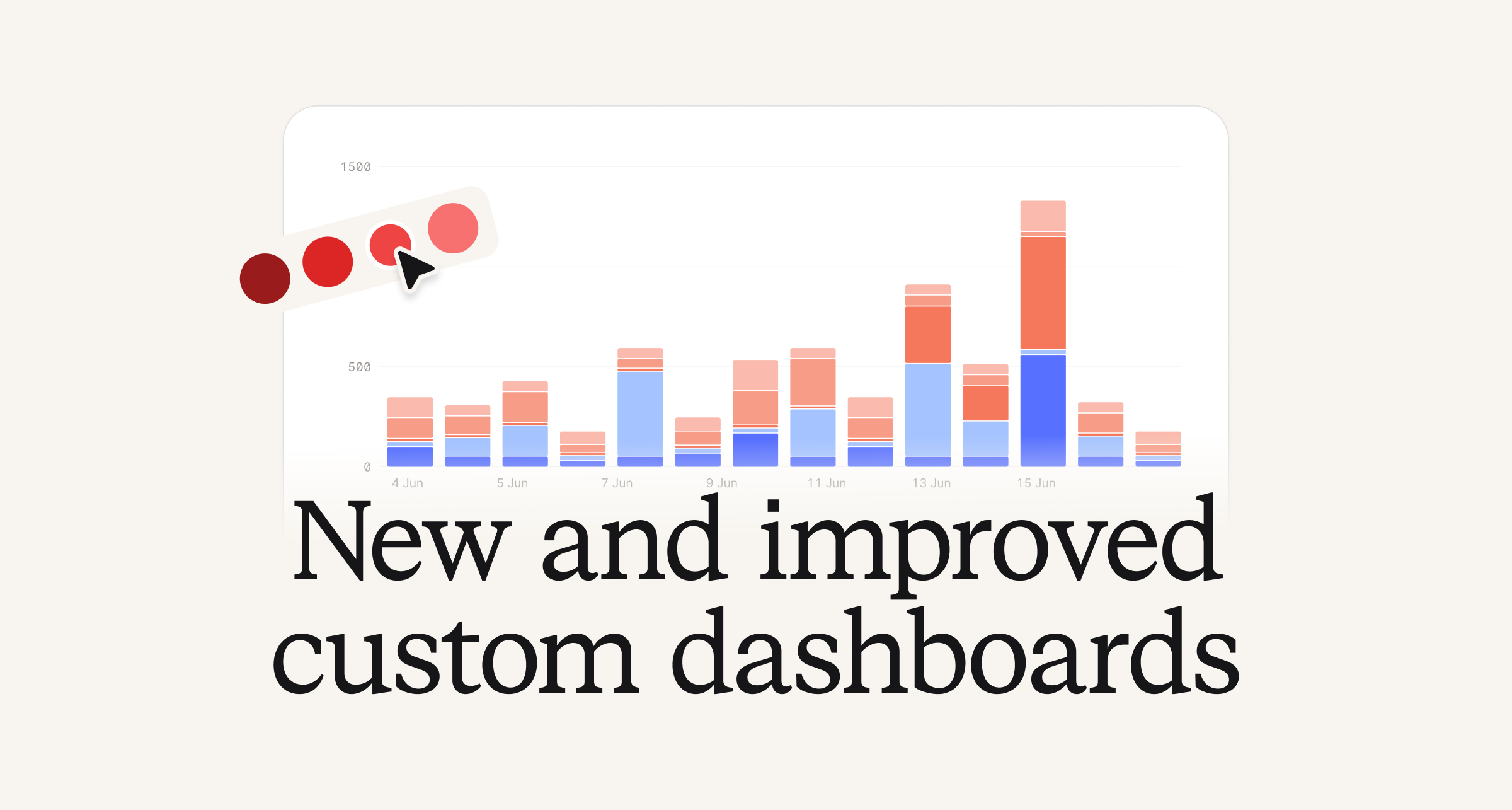
While we’ve had the ability to create custom dashboards, the functionality was a bit limited. We’ve given customers with access to custom dashboards with, you guessed it, much more customization!
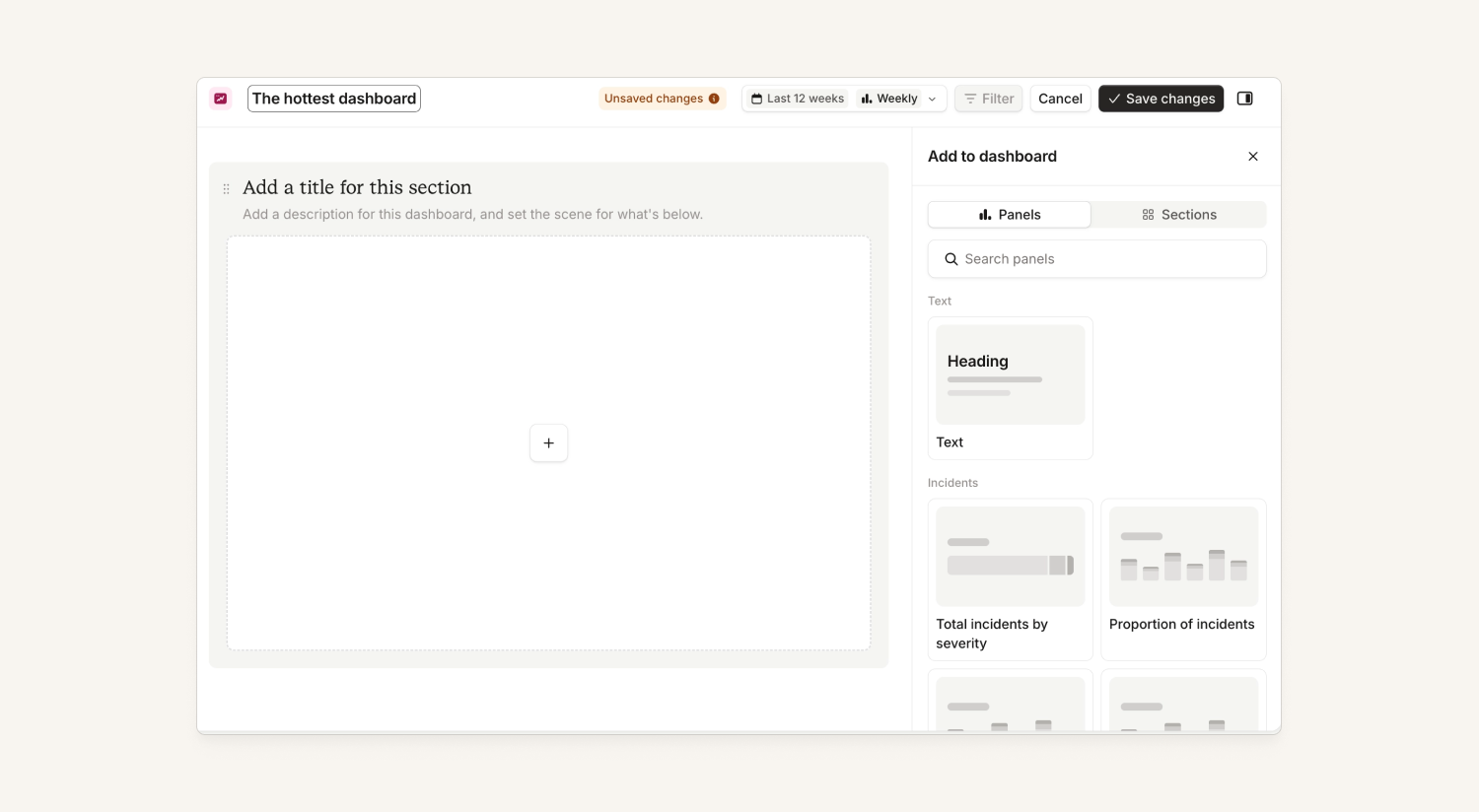
Insights now get new functionality such as:
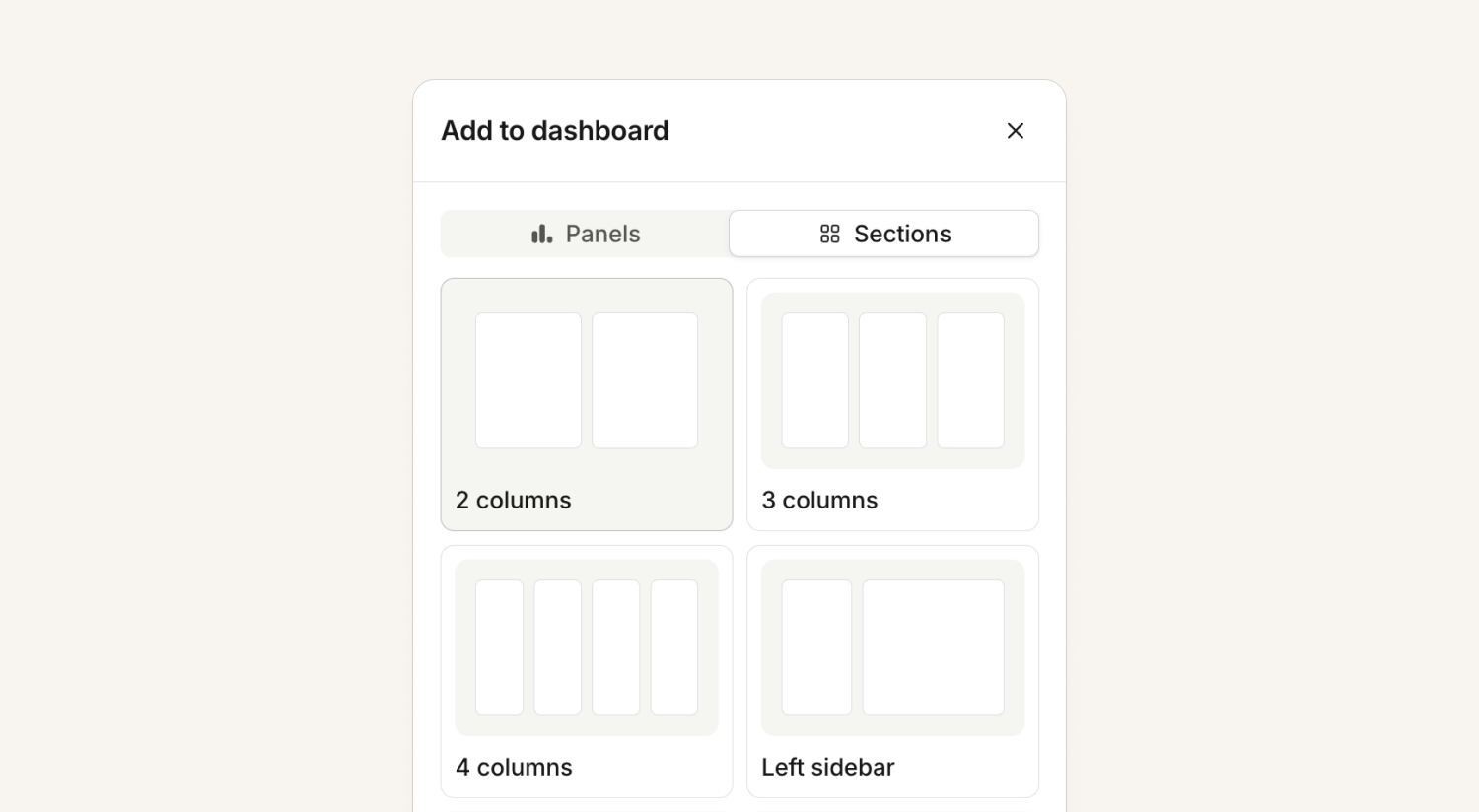
- Custom layouts, including the ability to stack things on top of each other and easily resize items
- Users can now customize charts by how the data is split or grouped by or what the chart looks like, or create their own charts from scratch
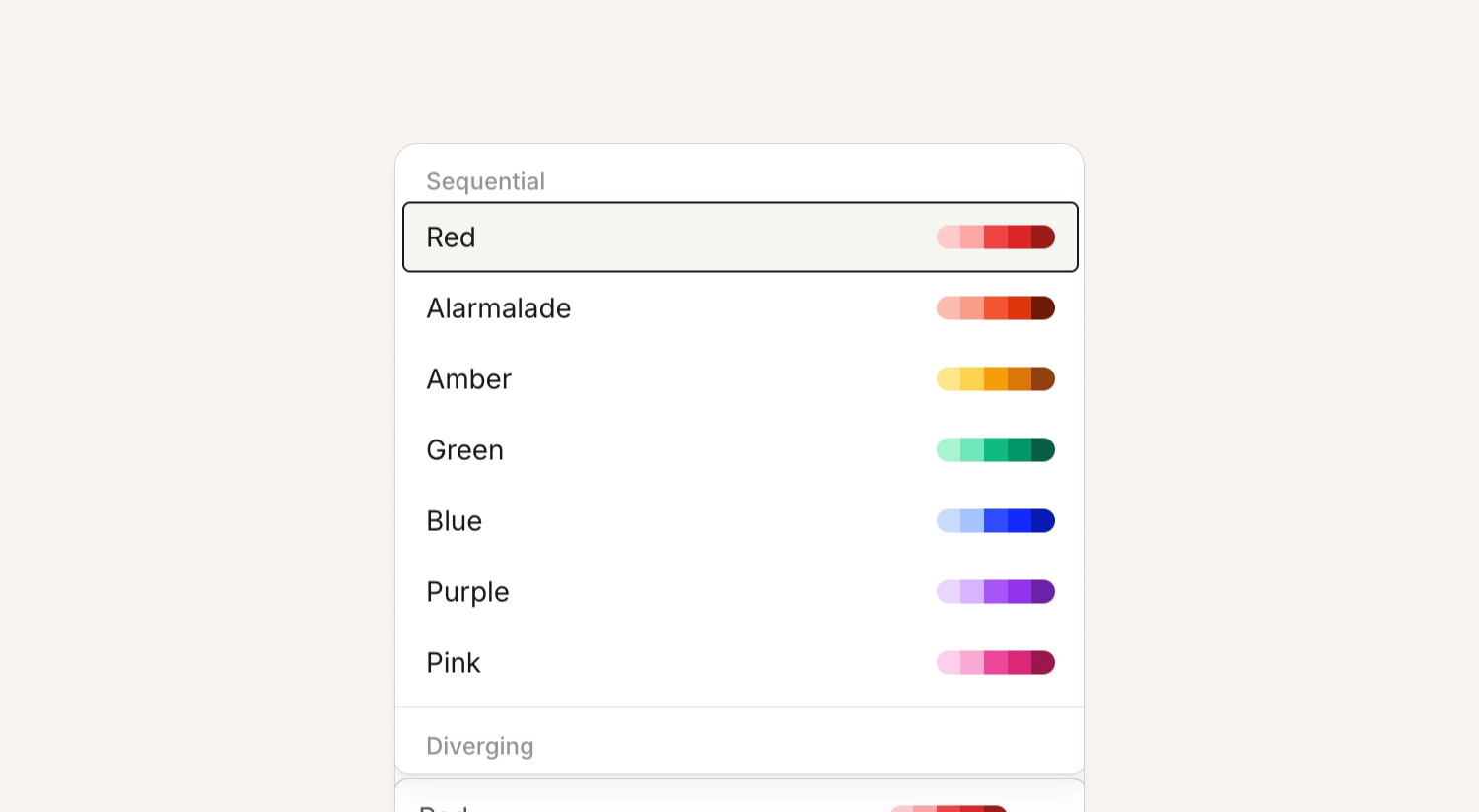
- Pick your own colors for your graphs
- Rich text panels with headers, links and mentions
- Filter the whole dashboard, or a section of panels or just one panel
- Scheduled reports get all the above along with our wonderful new styling
All these new tools will allow you to set up dashboards so you can better understand how your organization is performing based on what matters to you and your teams the most.
On-call
Updated schedules tab on mobile
We've just released a new schedules tab on mobile, aligning it much closer to what we have on web. You now have a calendar view that shows shifts at a glance that you expand or collapse. Plus, you can scroll continually up or down, rather than having to side swipe between days and months.
In addition, you can:
- View only your shifts or all the shifts of the schedules you've selected
- See that colors now match the web where each user has an assigned color, where previously mobile varied color per rotation
- There's a more prominent override/cover-request button, and the select a schedule drawer has been replaced with a new clearer modal
- Press and drag like you could before on the timeline, but now we support dragging across days, so you can create an override/cover-request overnight
- See holidays on mobile in the timeline
- Actually scroll the current time into view, rather than just the start of the day
In addition, performance is generally improved even with all the extra functionality! Check out all the new goodies on our latest release.
Logz.io alert source
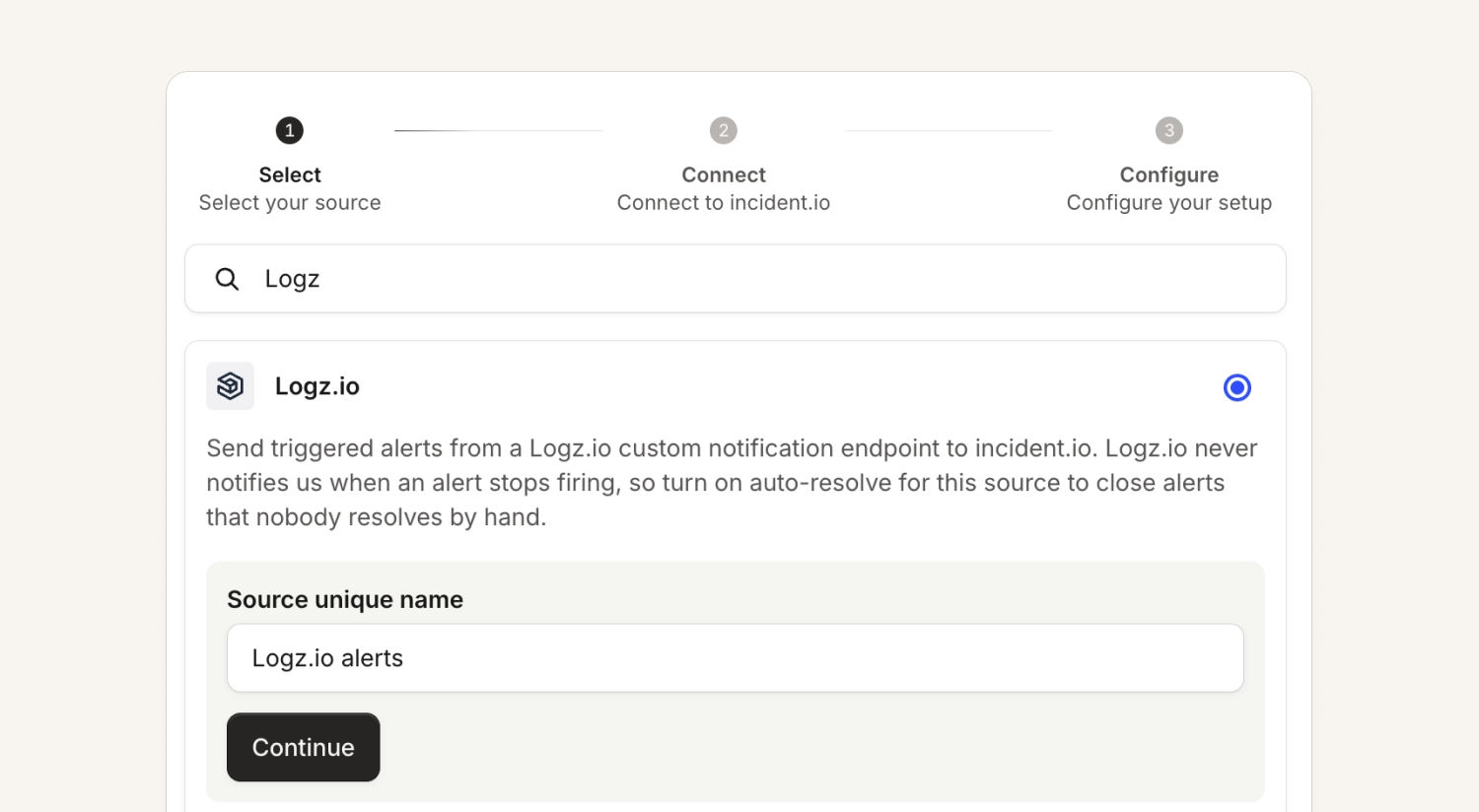
Logz.io is now an available alert source in our app.
Customers just need to create a custom endpoint under notification settings in Logz.io and point it at the URL shown when configuring a new source, as well add the Authorization header in the format of authorization=Bearer <token> in the Headers input box for the endpoint. Logz.io doesn’t resolve alerts, so customers should select the option to auto-resolve.
Check out our help documentation here.
PostHog alert source
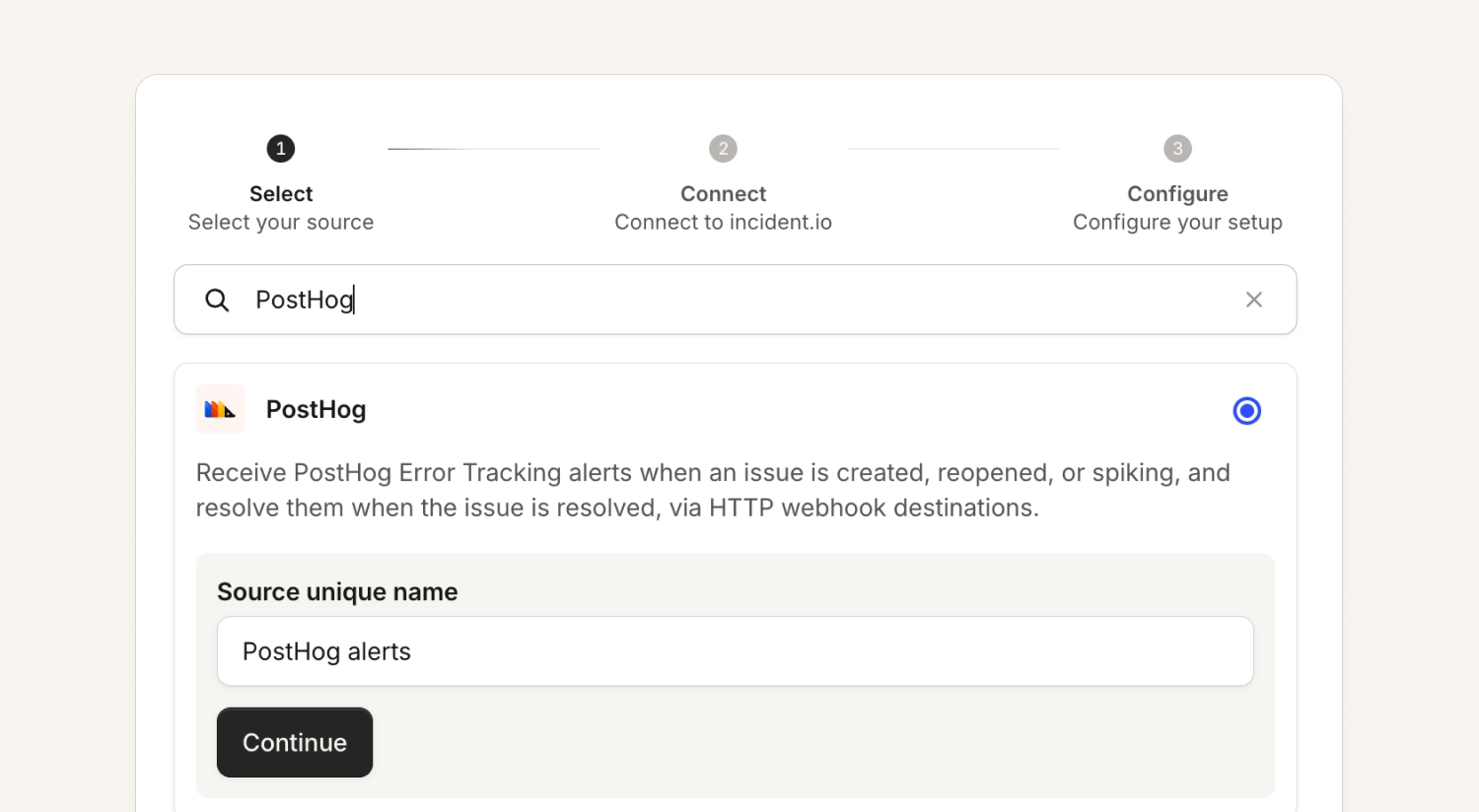
PostHog is now a native alert source, where you can point its Error Tracking webhooks (issue created, reopened, spiking, resolved) at the URL and token we show you.
Each new PostHog error becomes one alert with a link back to PostHog. Mark the issue resolved in PostHog and the alert resolves, and with auto-decline on the route the triage incident closes too.
Check out full help documentation here.
On-call readiness policies by rotation
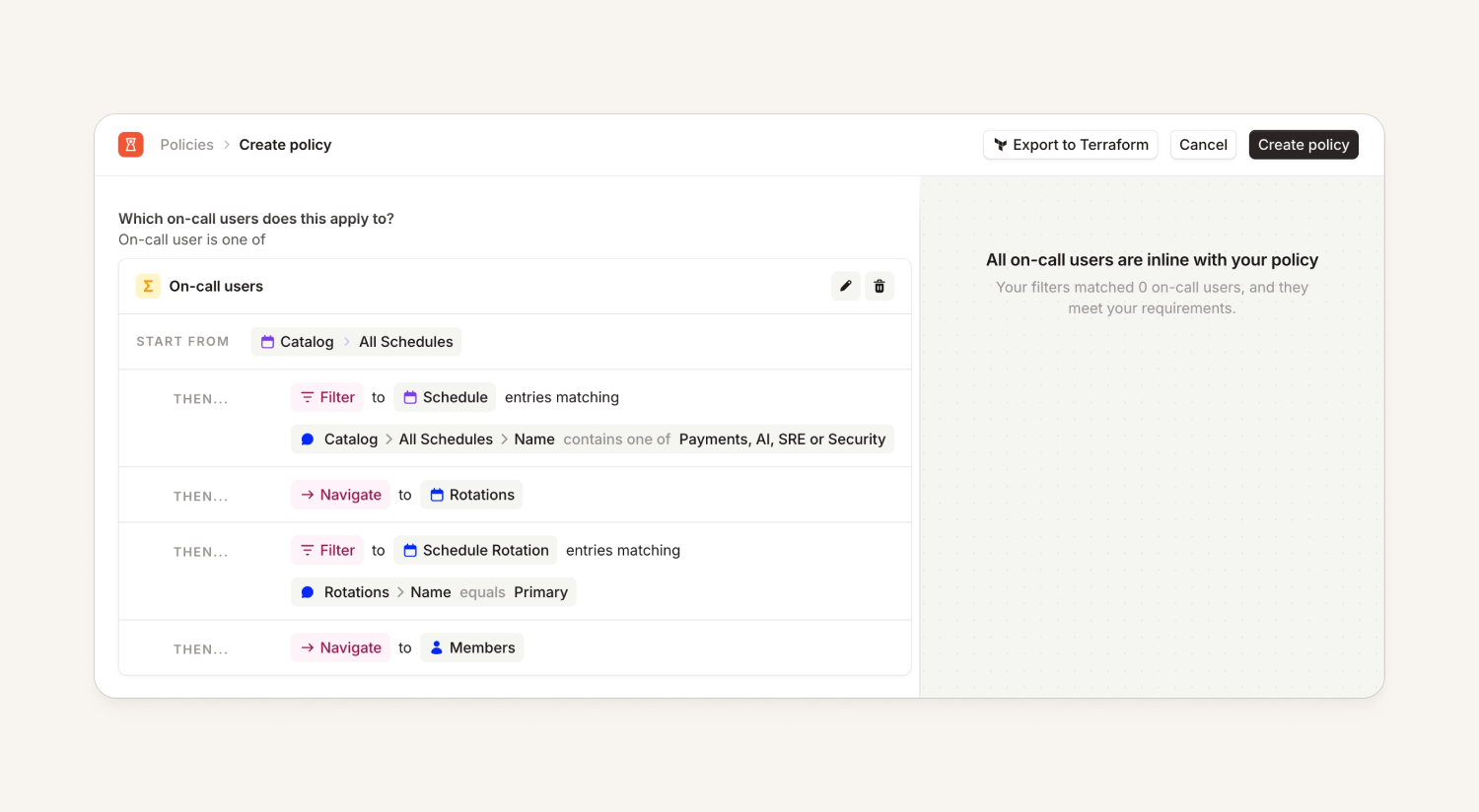
On-call readiness policies now support navigating and filtering by rotations. For example, a company that only wants people in their "Primary" rotation to have the app set up, but a secondary rotation doesn't have to, can define that in their policies so that only the right individuals are matched.
Team-based maintenance windows
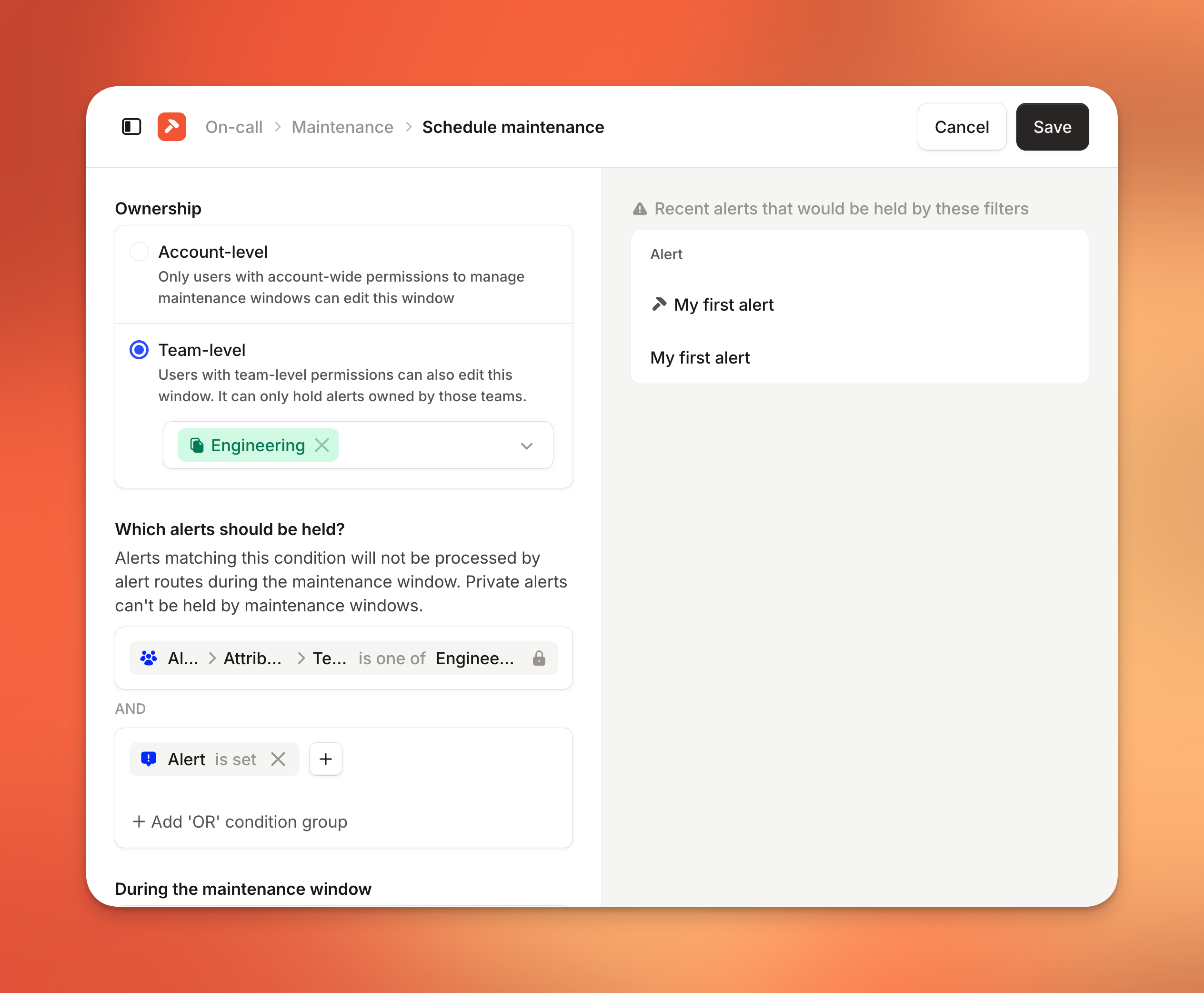
Maintenance windows can now be owned by a team. This can ensure that a maintenance window is not accidentally put in place that could silence alerts for a whole organization, instead just limiting scope to an individual team.
When creating a window you choose account-level or team-level. A team-level window only holds alerts owned by that team. Users with team-level maintenance window permissions can create and edit their own team's windows without account-wide access. Each team also gets a Maintenance tab under Settings listing its active and upcoming windows.
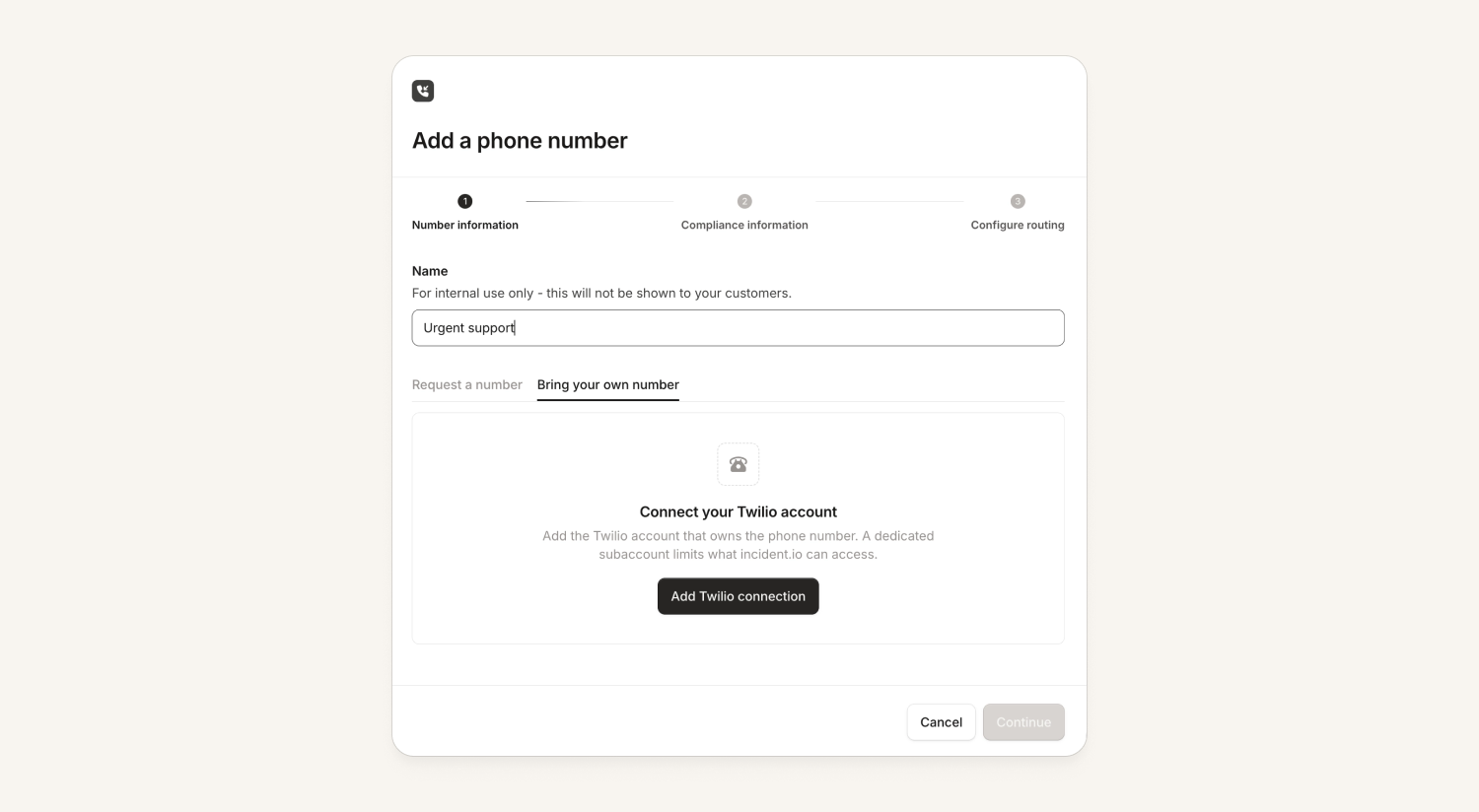
Bring your own Twilio account for call routing
Customers can now use their own Twilio account (and their own phone numbers!) for call routes.
This means the customer retains ownership and control over the number, while we receive calls to it and route them to responders.
Help documentation can be found here.
Platform
The incident.io plugin is available on Claude Code/Cowork and Cursor marketplaces
Our plugin (github.com/incident-io/skills) bundles the incident.io MCP with a set of skills that assist agents in using the MCP effectively. This is the easiest way to install the MCP into Claude, Cursor, Codex and many other harnesses, and supports auto updates so customers can get the newest version of skills as we ship them.
Find it on the Cursor and Claude (will appear soon on website, already available) marketplaces We support the Claude, Agent Plugins 1.0 and Codex formats, so most harnesses should be supported.
For installation instructions, refer to docs.incident.io/ai/remote-mcp.
Response
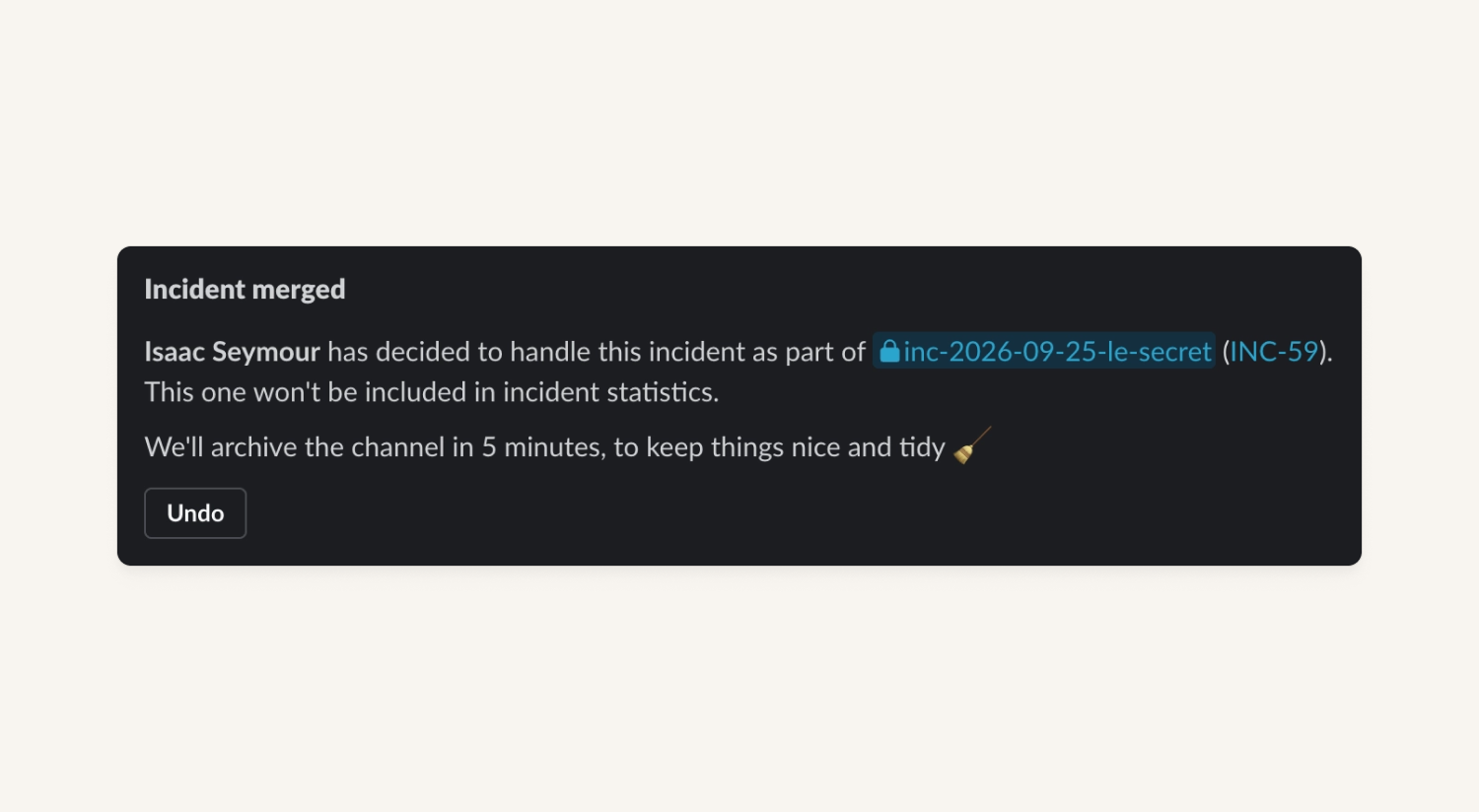
Merging incidents is now much more flexible
You can merge a public incident into a private one, so long as you have access to that private incident. In addition, incidents can be merged into a resolved incident, not just one that's still active.
When you merge incidents, we’ll also:
- Move follow-ups across when you merge an incident (and undo this if you un-merge)
- Any status page incidents linked to the response incident get moved across to the new incident on merge too.
What else we've shipped
New
- On-callYou can now filter by user when viewing multiple schedules! Quickly go to your own filtered schedules view from the on-call card, or search 'My schedules' using Cmd+k.
- On-callYou can now filter alert requests by status to find failed or rejected requests and debug them!
- On-callWe added on-call pay configuration to Terraform.
- On-callYou can now target on-call policies by schedule or rotation name, so you can build rules like "anyone on a rotation with out-of-hours in the name".
- ResponseYou can now manage announcement rules and templates through the API and Terraform.
- ResponseYou can now schedule a debrief as a Microsoft Teams call directly from incident.io, so it appears on Outlook calendars and stays tracked alongside the rest of the incident timeline.
- ResponseYou can now merge a public incident into a private incident you have access to.
Improvements
- ResponseYou can now merge incidents even when one of them is already resolved, closed, or declined.
- InvestigationsThe telemetry data sources view now shows when a source, or a specific capability of it, isn't currently queryable — for example because it's returning no data or a connected source it depends on isn't set up. The marker clears automatically once the issue resolves.
- InvestigationsInvestigations now only run automatically on the parent incident, not on incident streams — you can still trigger one manually on a stream if you need to.
- Status PagesWe now support sending status page email notifications from a custom sender address instead of the default no-reply@status.incident.io. Reach out to your account manager to get this configured for your status page.
Bug fixes
- On-callFixed an issue where deleting a rotation that an escalation path still targeted failed with a confusing generic error. The delete button is now disabled with a tooltip explaining which escalation paths are using that rotation.
- On-callFixed an issue where requesting cover from the stacked calendar view expanded the request to span whole days, instead of matching the shift's actual start and end times.
- On-callFixed an issue where the rotation filter on on-call pay reports only listed the rotations active today, instead of the rotations that actually existed during the report's date range.
- On-callFixed an issue where two people on a schedule could show up in the same color when viewing it, even though they appeared in distinct colors while editing.
- On-callFixed an issue on Android where requesting cover for an upcoming shift defaulted the start time to right now instead of the shift's actual start, forcing you to edit it manually.
- ResponseFixed an issue where emoji using a zero-width joiner, like 🙇♂️, would break apart when rendered in Slack messages, leaving a stray gender or modifier symbol floating next to the text.
- ResponseFixed an issue where boolean values weren't passed correctly into the webhook body when using the "Send a webhook" workflow action.
- InvestigationsFixed an issue where investigations could automatically run on retrospective incidents, using up part of your monthly investigation allowance on incidents that were only being logged after the fact.
- InvestigationsFixed an issue where clicking a post-incident investigation feedback button in Slack showed an "App took too long to respond" error, even though the feedback had already been saved successfully.
- NexusFixed an issue where testing an HTTP connector could fail with a "didn't return parseable JSON" error if the endpoint's valid response was larger than 64KB.
- Status PagesFixed an issue where a status page sub-page set to show coloured bars and uptime percentage would only display bars, with the percentage missing, when the parent page's historical data display was set to "Nothing".
- Status PagesFixed an issue where a status page pre-defined update template saved without an incident status couldn't be edited again — renaming or updating it would fail with a validation error.

So good, you’ll break things on purpose
Ready for modern incident management? Book a call with one of our experts today.

We’d love to talk to you about
- All-in-one incident management
- Our unmatched speed of deployment
- Why we’re loved by users and easily adopted
- How we work for the whole organization



