More powerful workflows
July 21, 2026
We’ve shipped a bunch of new workflow-related features including:
- Creating a workflow off of alert creation and resolution
- Storing secrets for workflows
- Signing workflow requests
- Better editing for webhook steps in workflows
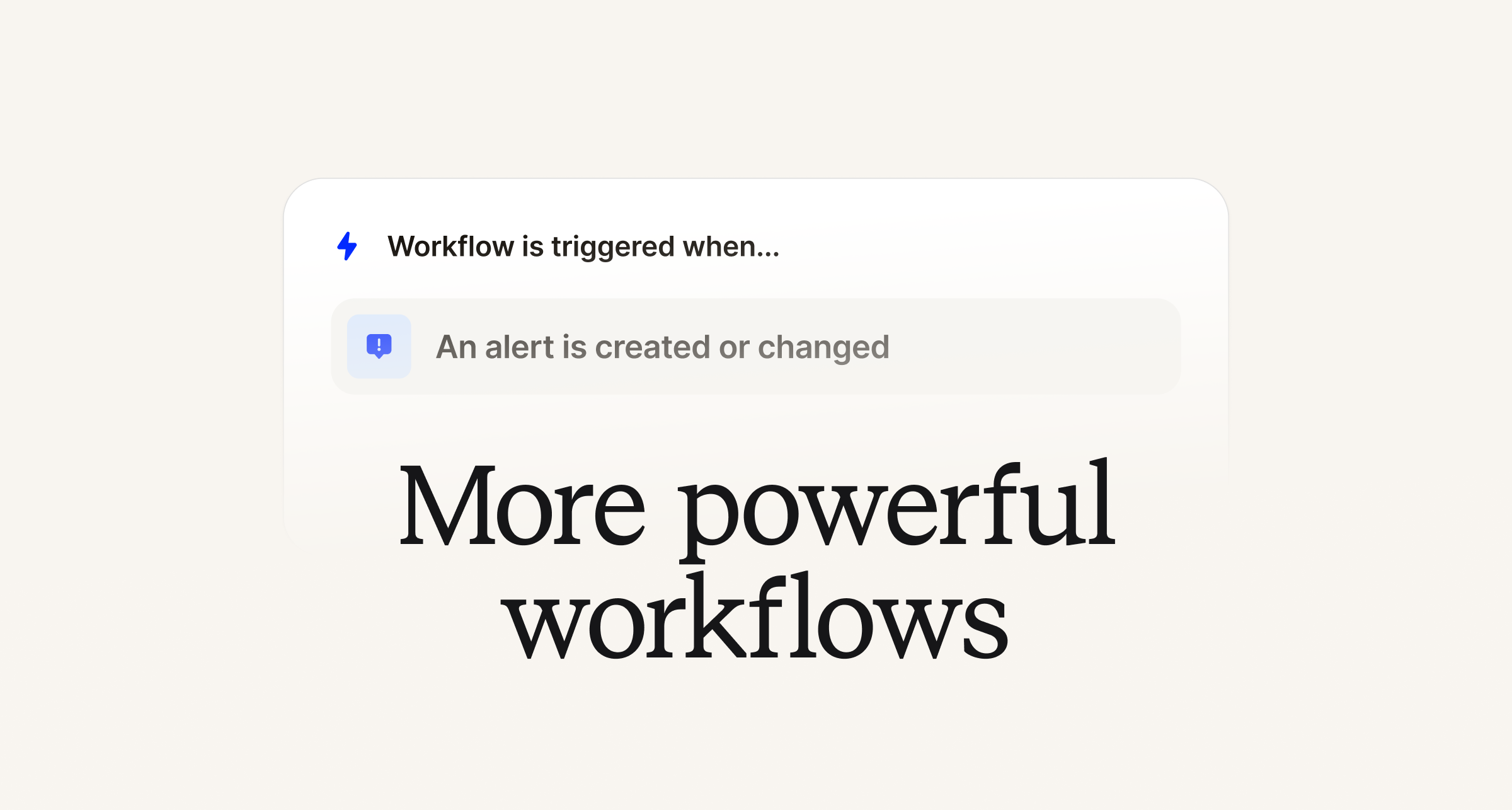
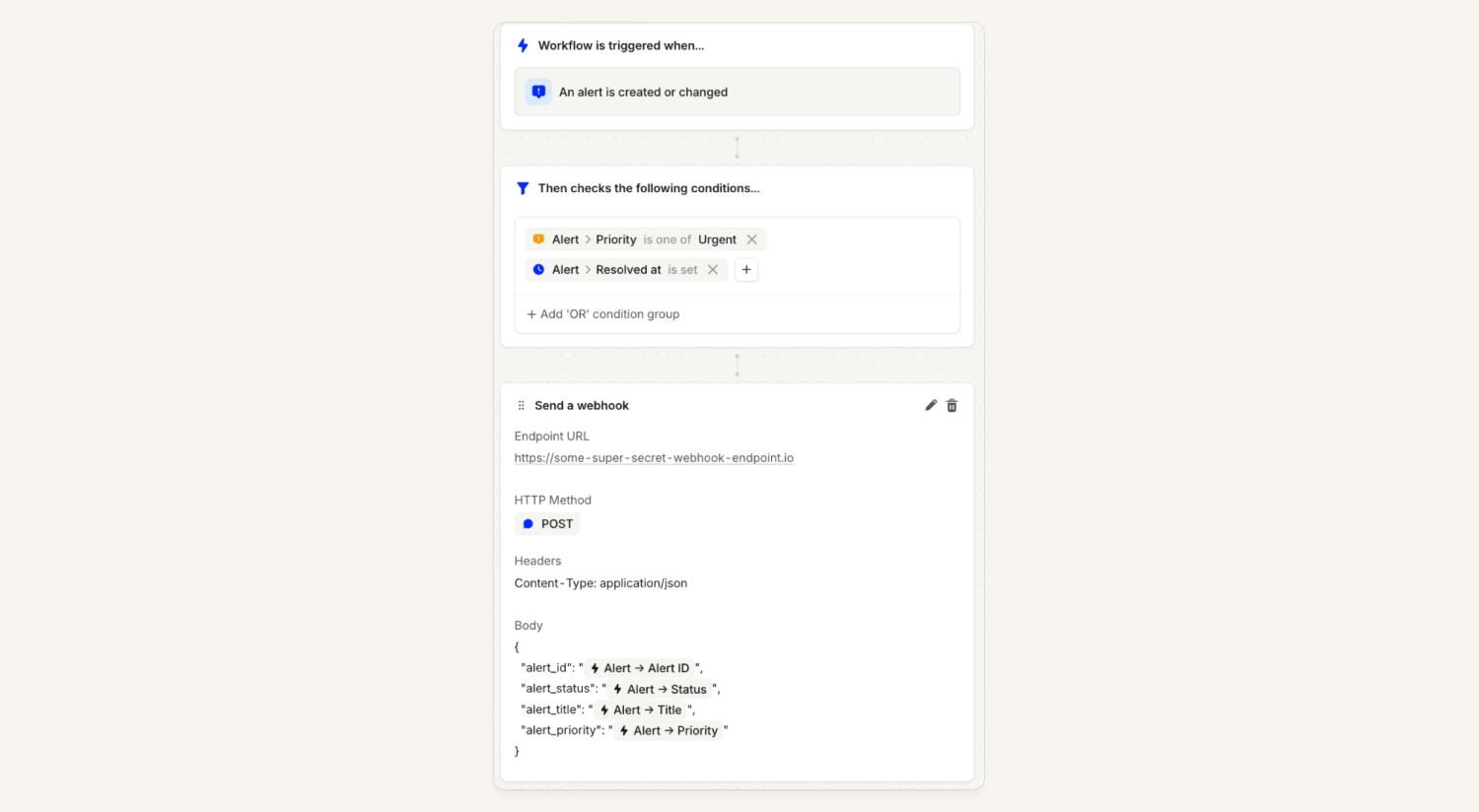
Alert trigger for workflows
You can now configure a workflow to run whenever an alert is created or resolved. For example, you can automatically send a webhook with a custom payload when your alert is resolved.
This is helpful if you would like to keep an external system, such an internal tool or a system we don’t have a native integration with, up-to-date with incident.io.
Secret store for workflows
Customers can now store sensitive strings as secrets, and reference them when sending webhooks from workflows!
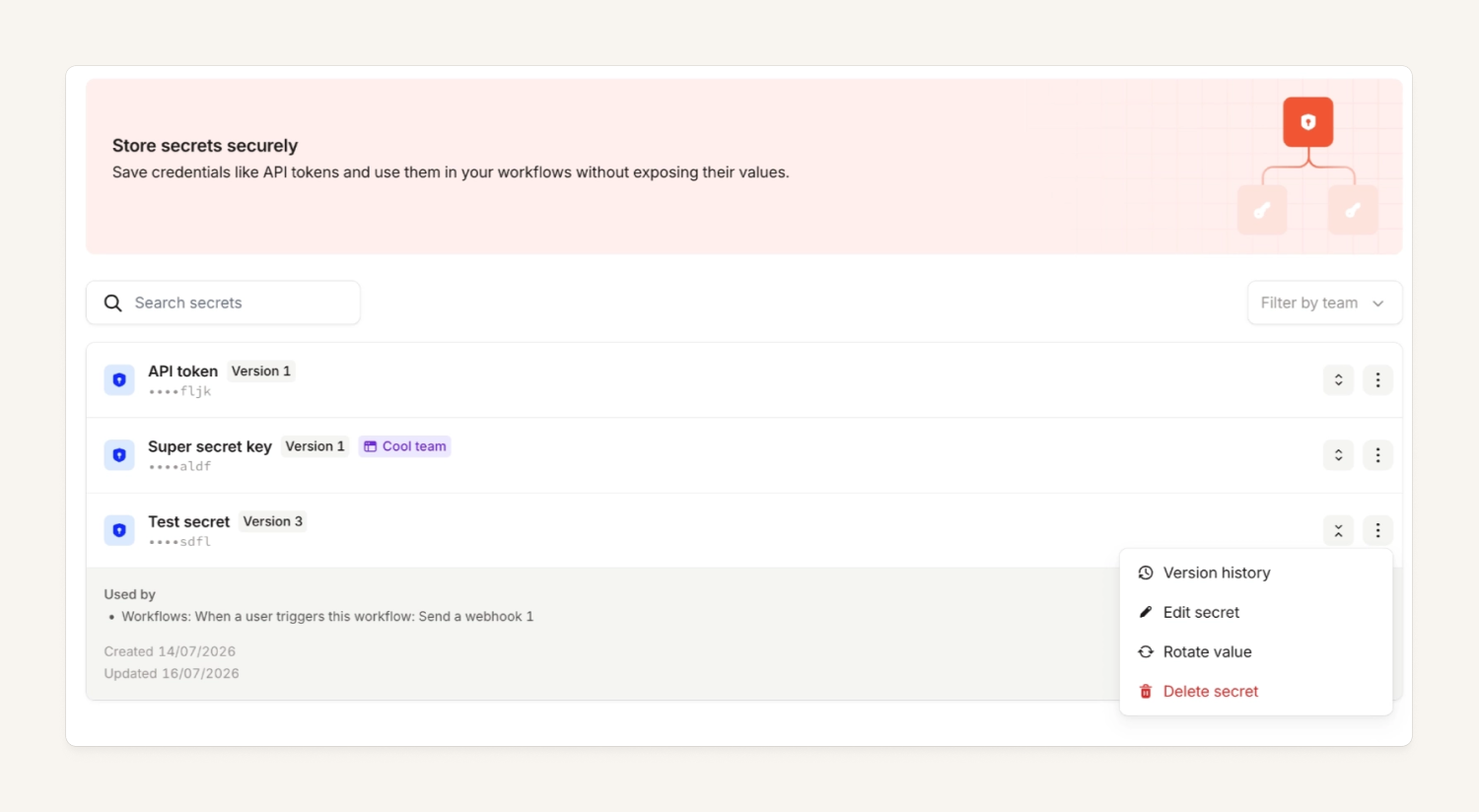
In Settings there is a new Secrets page where you can view your organization's secrets and their details. With the secrets.manage privilege (which Owners and Admins have by default) you can also create, update, delete, and rotate a secret, which will add a new version. On top of that, you can also check a secret's full version history and rotate secrets via the public API.
A secret can also be owned by a team, and there's a matching secrets page in the Team Settings menu where members can see their Team's secrets.
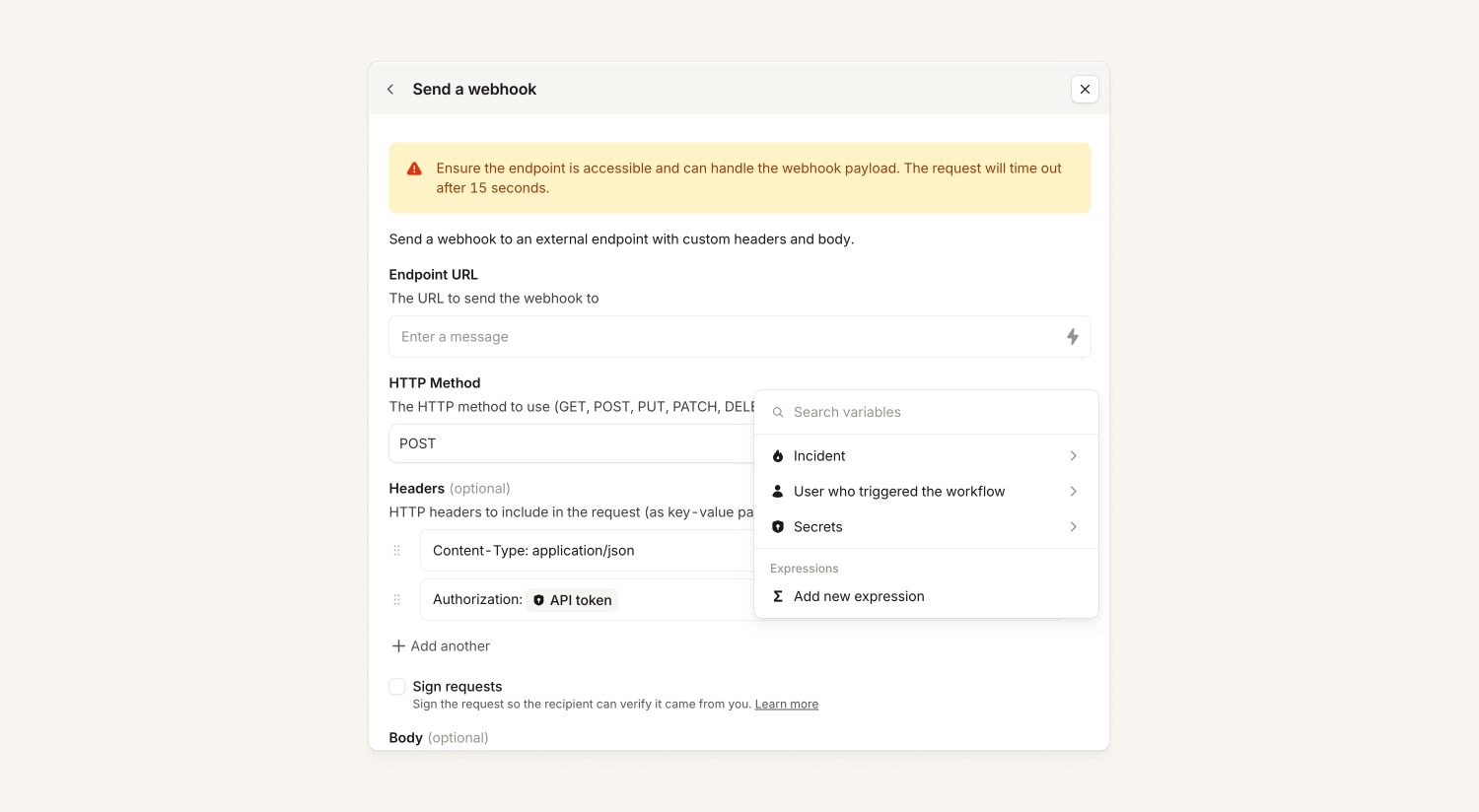
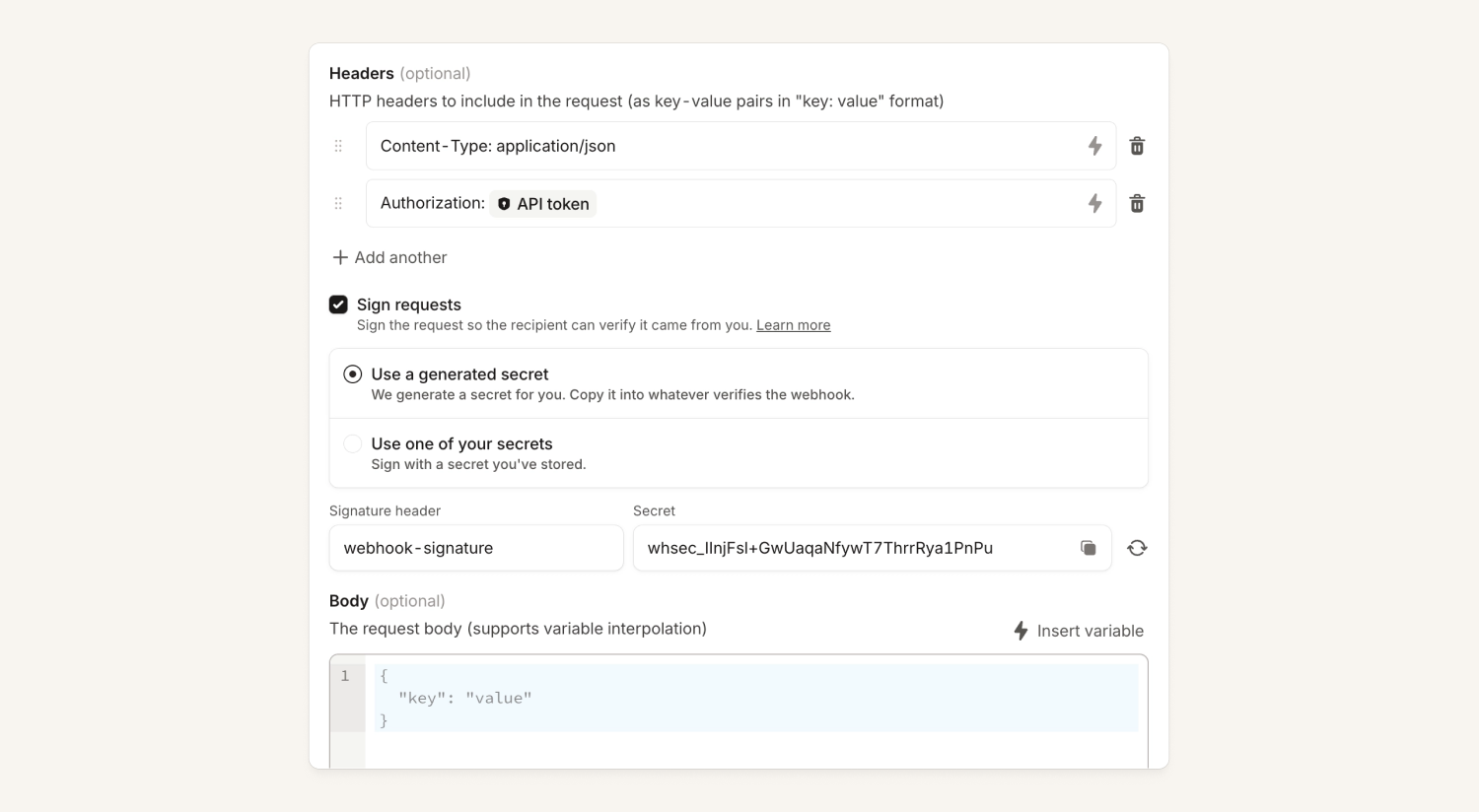
After creating a secret you can insert it as a variable in the headers for a webhook. We only display the secret name in the UI, so sensitive things like API keys or bearer tokens no longer have to sit there in plaintext. Secrets will only appear in the picker if you have the secrets.use privilege, which Owners and Admins have by default.
Sign workflow webhook requests
Customers can now verify that a webhook request actually came from us. They can either use one of their new secrets for this, or we can generate a random signing secret for them.
Improved editor for webhook steps in workflows
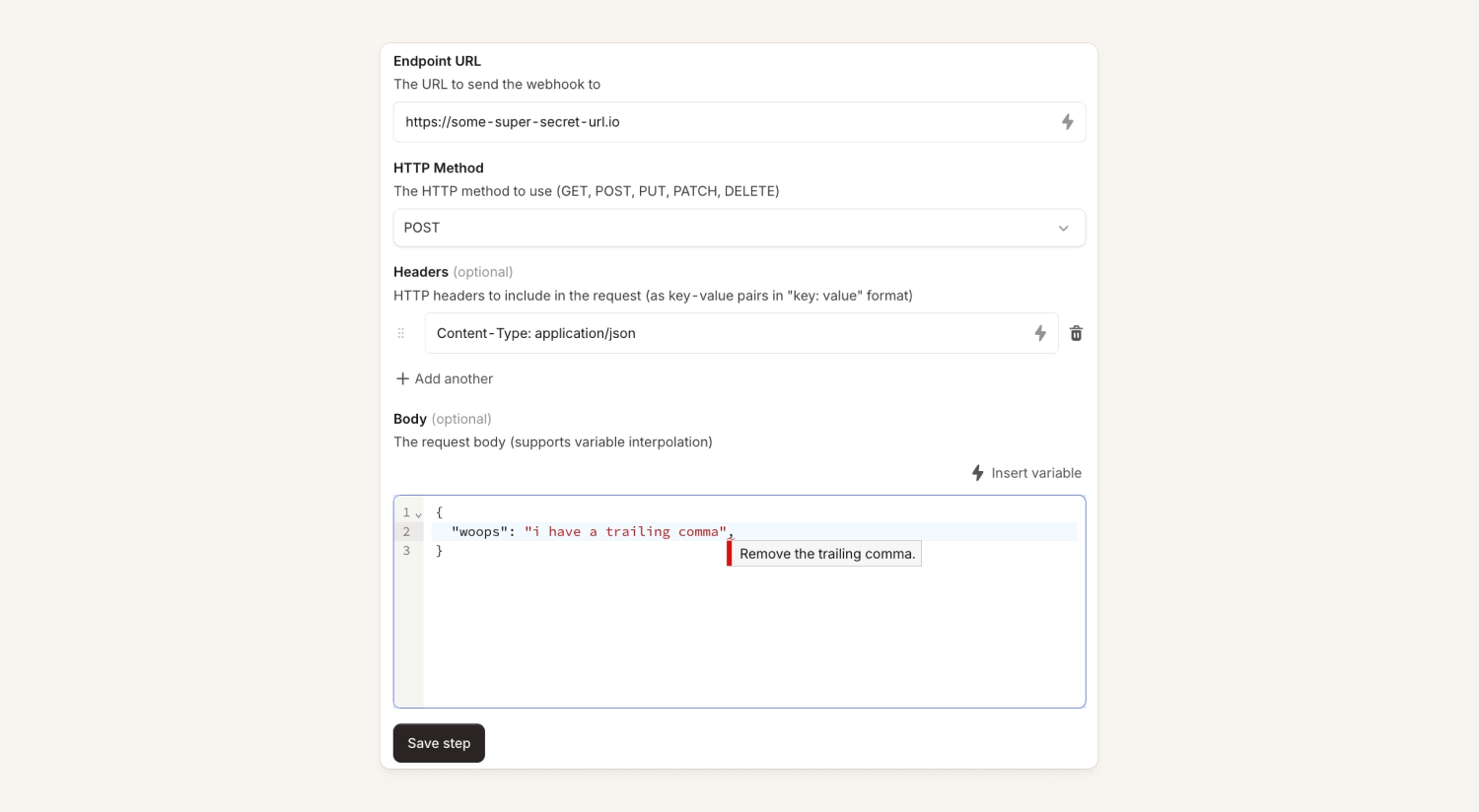
In workflows, you can set up a step to send a webhook, and you used to configure the request body in a rich text editor. We know that configuring JSON in the rich text editor wasn’t a great experience because it didn't provide syntax highlighting or validation. We've now introduced syntax highlighting and validation when we detect the body is JSON, so you can catch issues at edit time rather than waiting for the workflow to run.
Refreshed Insights dashboards
We’ve been uplifting our Insights dashboards, with our most recent work improving the MTTX, Follow-ups, Time spent on incidents and Alerts dashboards. Within each of these you’ll notice:
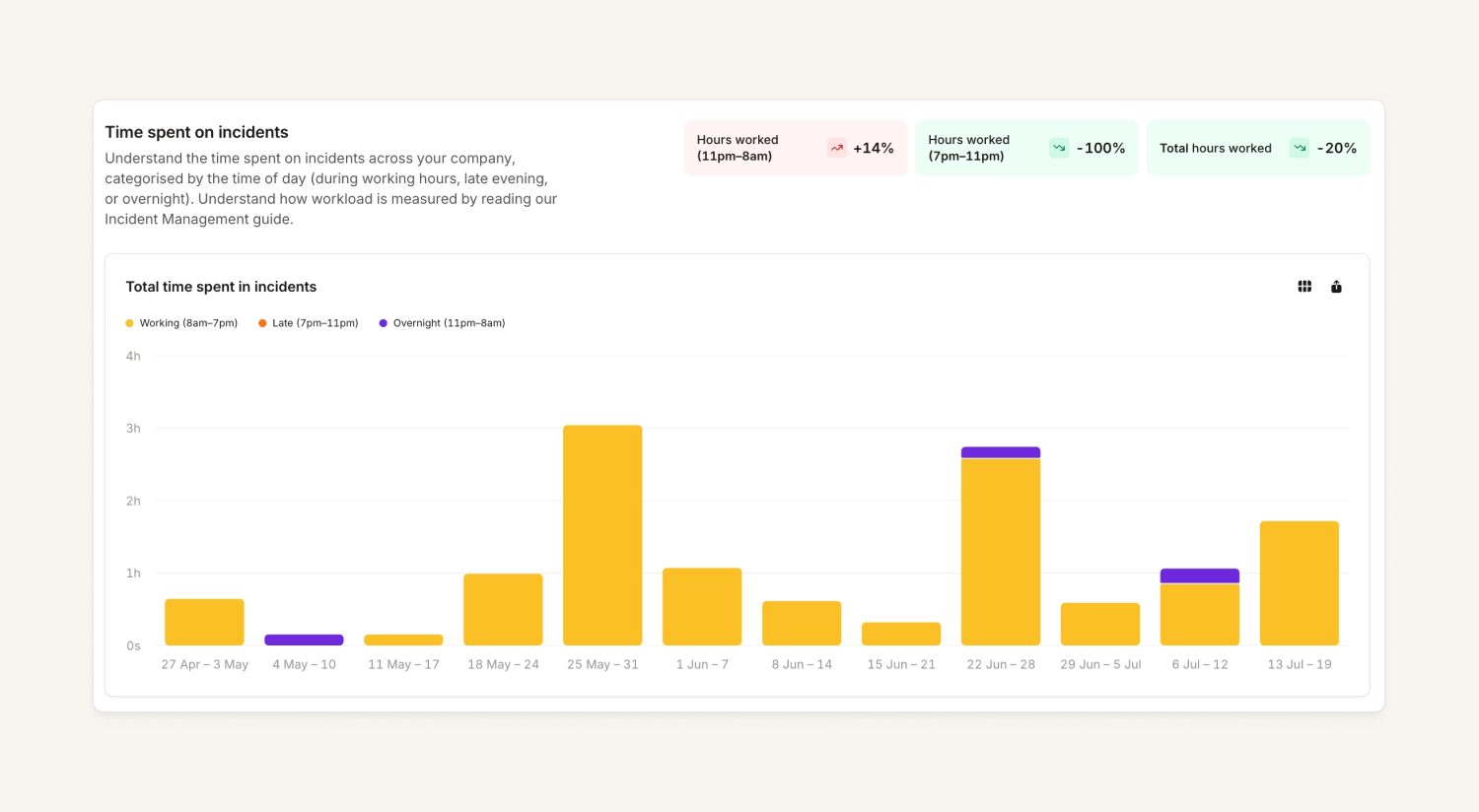
- Data is now near real-time so you can get a more up-to-date view of what’s going on across your organization
- You can drill down into specific incidents or users for even more visibility
- Graphs are polished up (just check out the fresh color palette on Time spent on Incidents dashboard)
Mean time to resolve alerts graph
While we were at it, we’ve added a new mean time to resolve (MTTR) graph for your alerts in the Alerts dashboard. You can group based on alert attributes (ie. teams, features, services) and deep dive on specific data points to see exactly which alerts are referenced.
More actions with the agent
We've filled some of the most requested gaps in what the incident agent can do. Across all surfaces the agent can now also:
- Set & suggest incident timestamps: Read and set timestamps, and suggest them on request
- Suggest custom fields: You can always set them directly, but now the agent can suggest them on request, so ambiguous values get proposed for confirmation
- Resolve incidents: Directly across all surfaces; if required fields or timestamps are missing, the agent can suggest them as part of resolving an incident
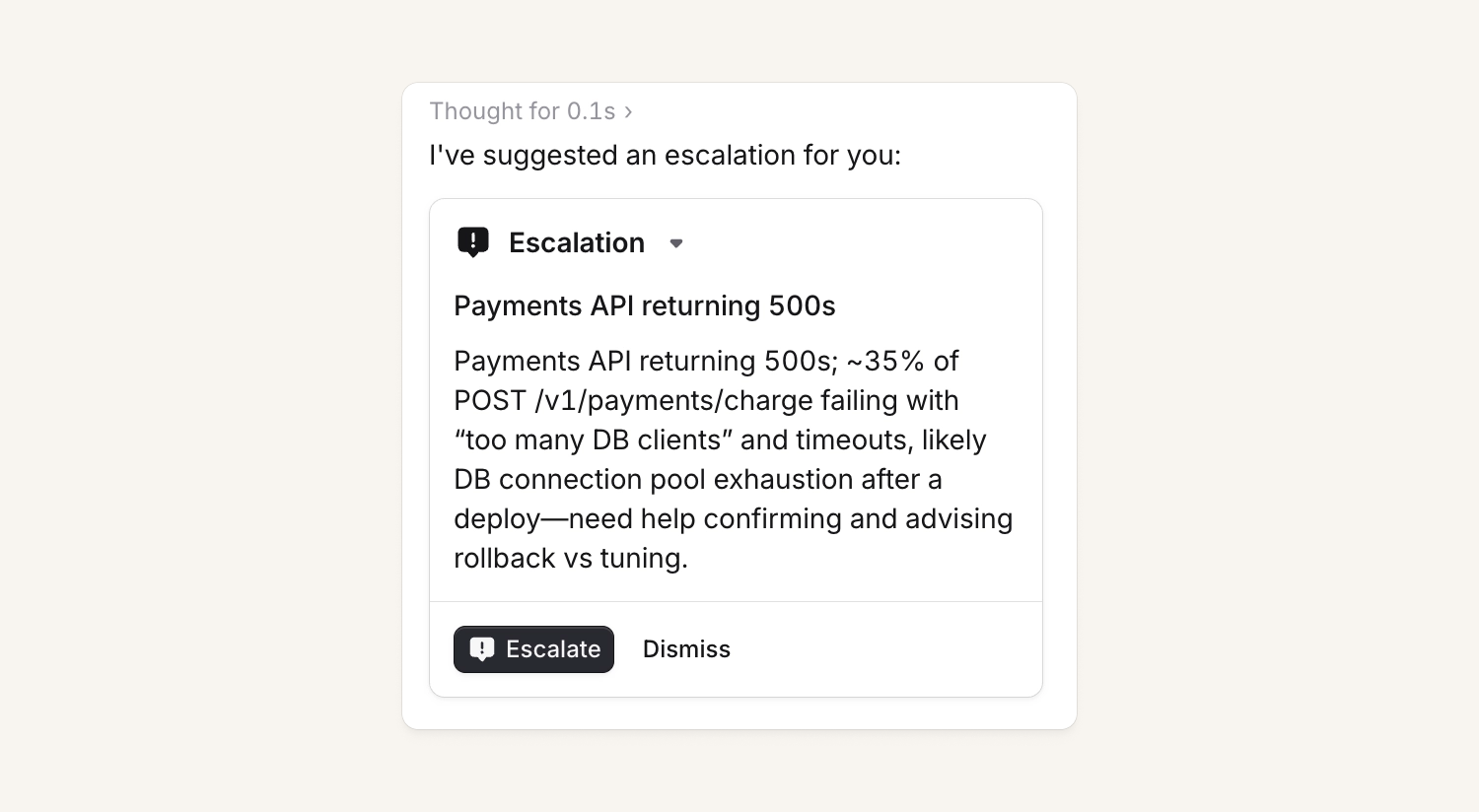
- Escalations: For organizations with on-call, we now support direct escalations and escalation suggestions
- Team-aware follow-ups: When the agent creates a follow-up it can now set the assigned team
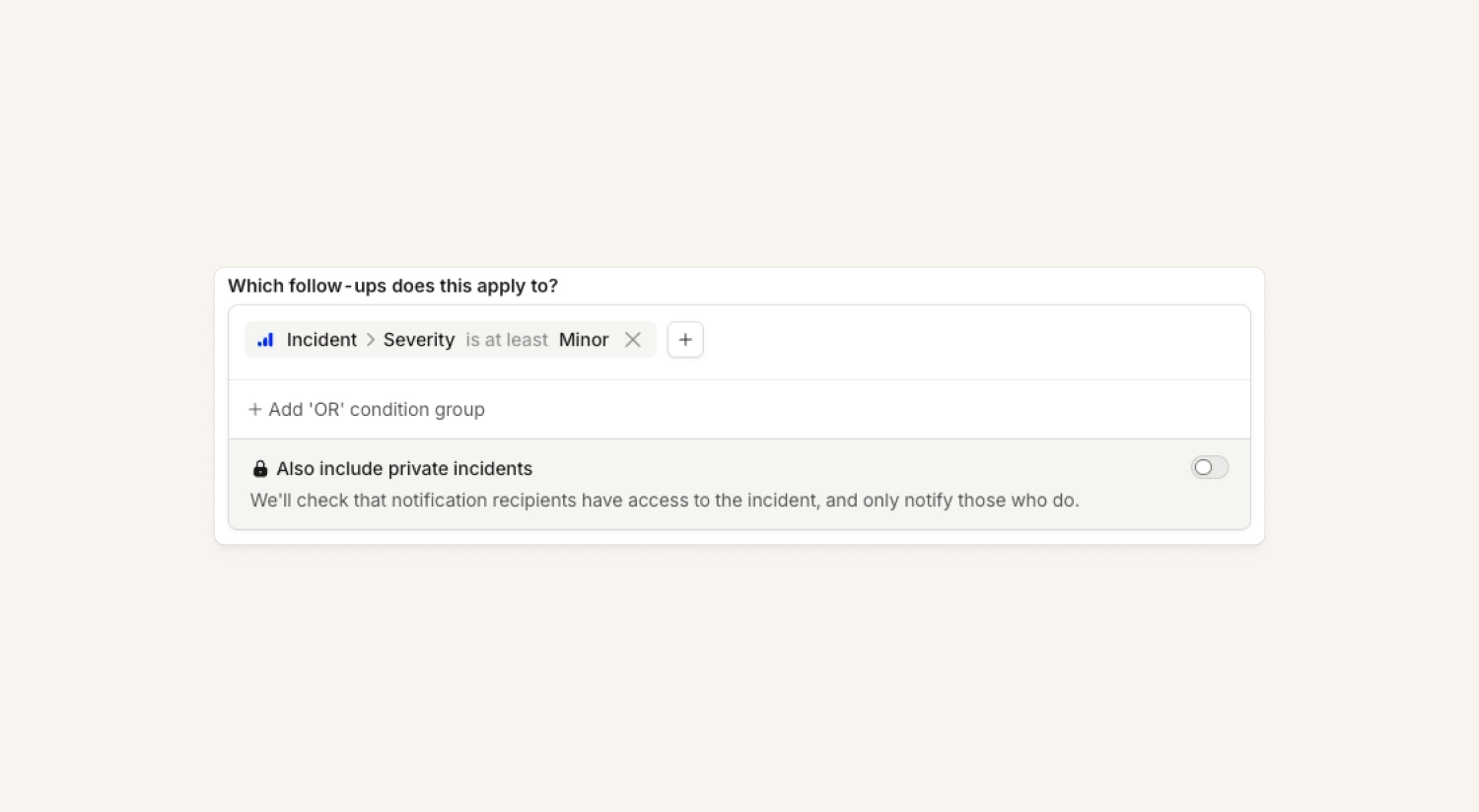
Policies can run on private incidents
Now you can opt individual policies in to run on private incidents. We will default the option to run a policy on private incidents to off for any incident-based policies (ie. follow-ups, post mortems).
If you use policies on private incidents, we’ll only notify people of policy violations if they can see the related incident. And, we only show violations in the dashboard to users who can see the related incident.
Team-owned catalog types
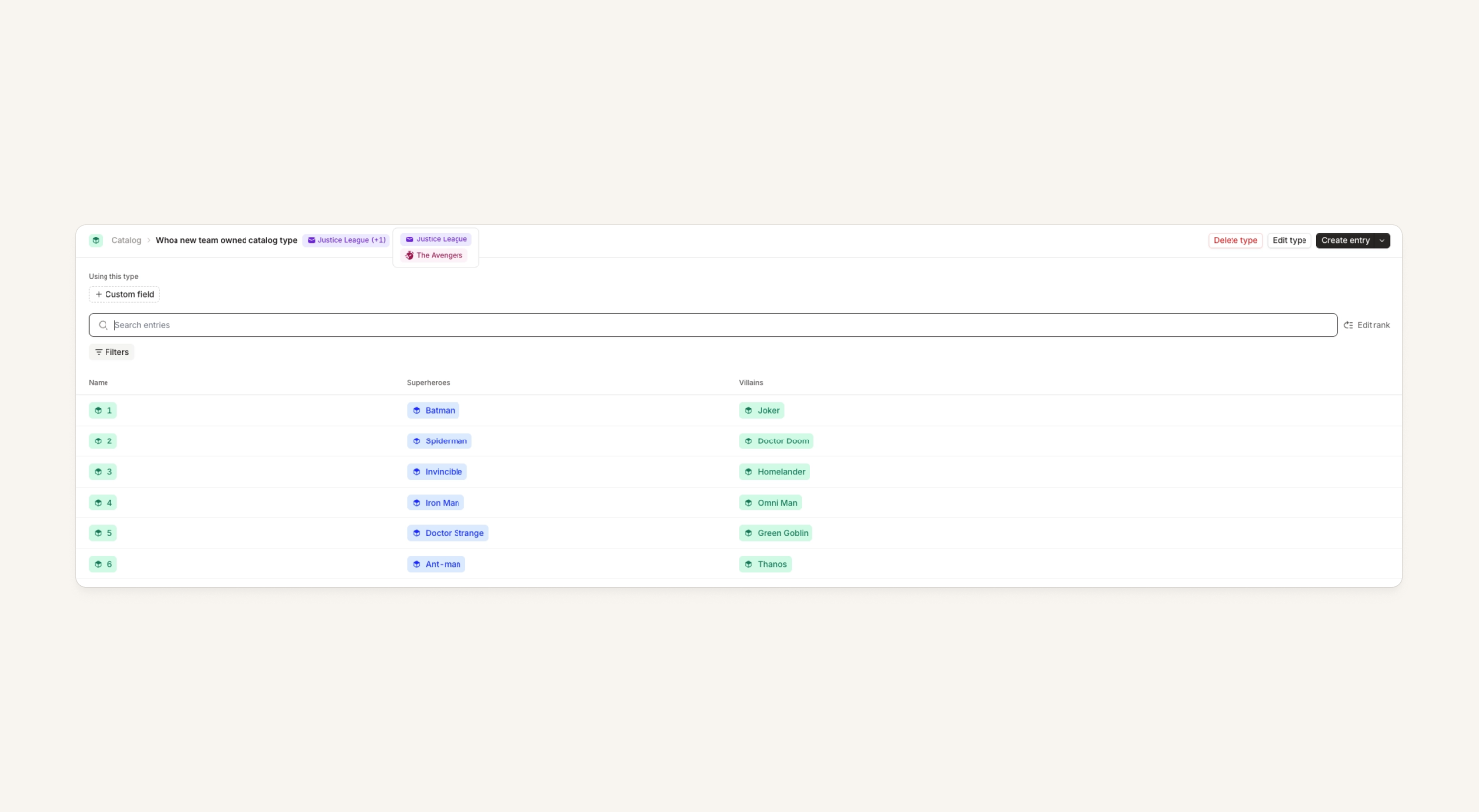
The catalog, for most customers, contains the source of truth for many things relating to their organization. Previously, making changes to catalog types and their entries required global permissions, which meant you could change any catalog type or any of their entries.
Now, you can set more granular permissions on the catalog. You can set which teams own which catalog types, then set up team permissions to restrict who can manage those types to only teams that own them. These restrictions extend to catalog entries too.
For customers who manage their catalog using GitHub, Terraform or the public API, you can apply team-scoped permissions for managing the catalog on your API keys, restricting API keys to only modify catalog types (and their entries) for teams they're scoped to.
Check out more in our help docs here.
HTTP alert sources now support query params
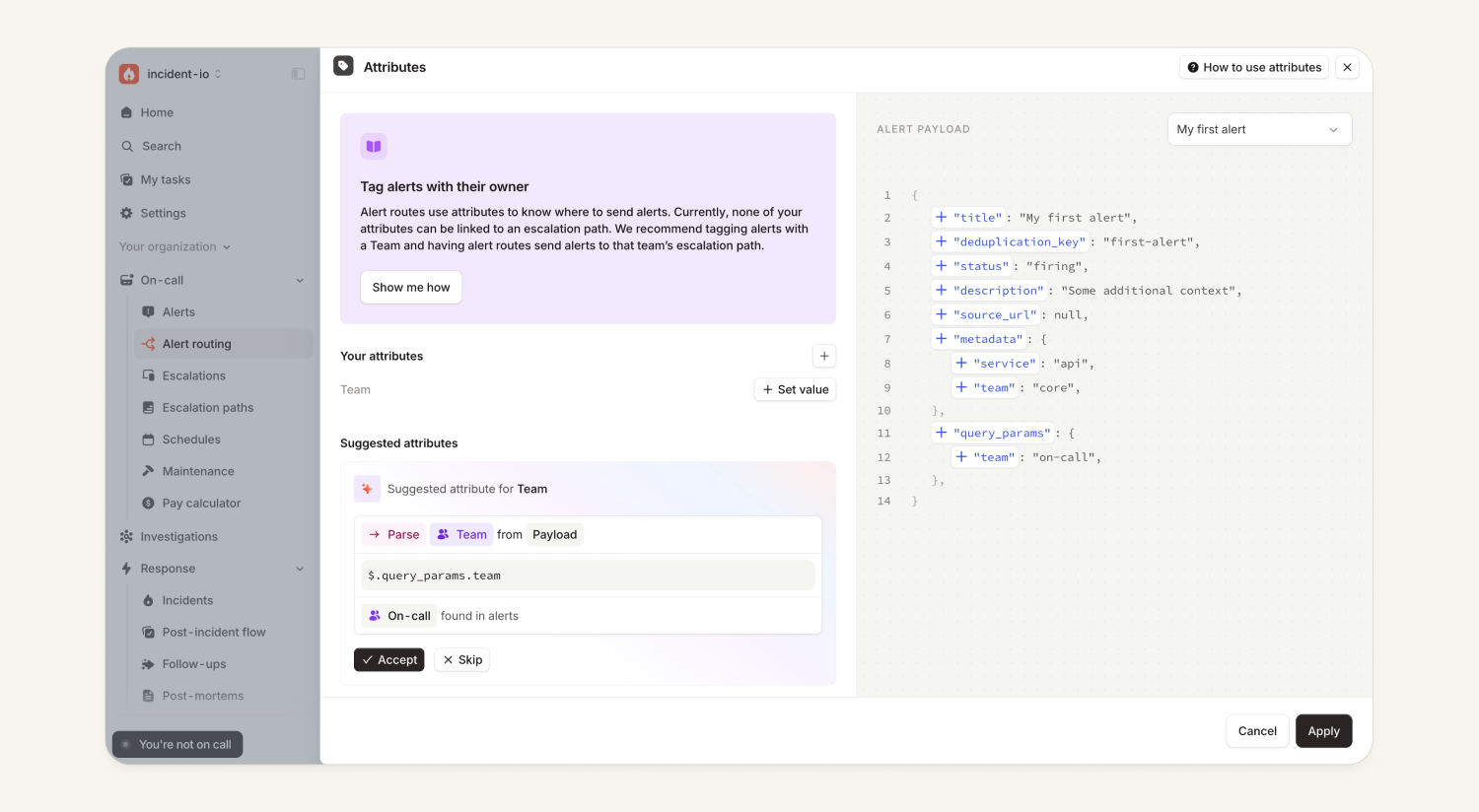
Our HTTP and custom HTTP alert sources now let you pull through query parameters to set alert attributes. This is helpful for organizations that have used other paging providers before moving to our On-call. Using query params allows you to have varying URLs still but consolidate configuration to less alert sources (versus an alert source per team or service).
Dash0 alert source
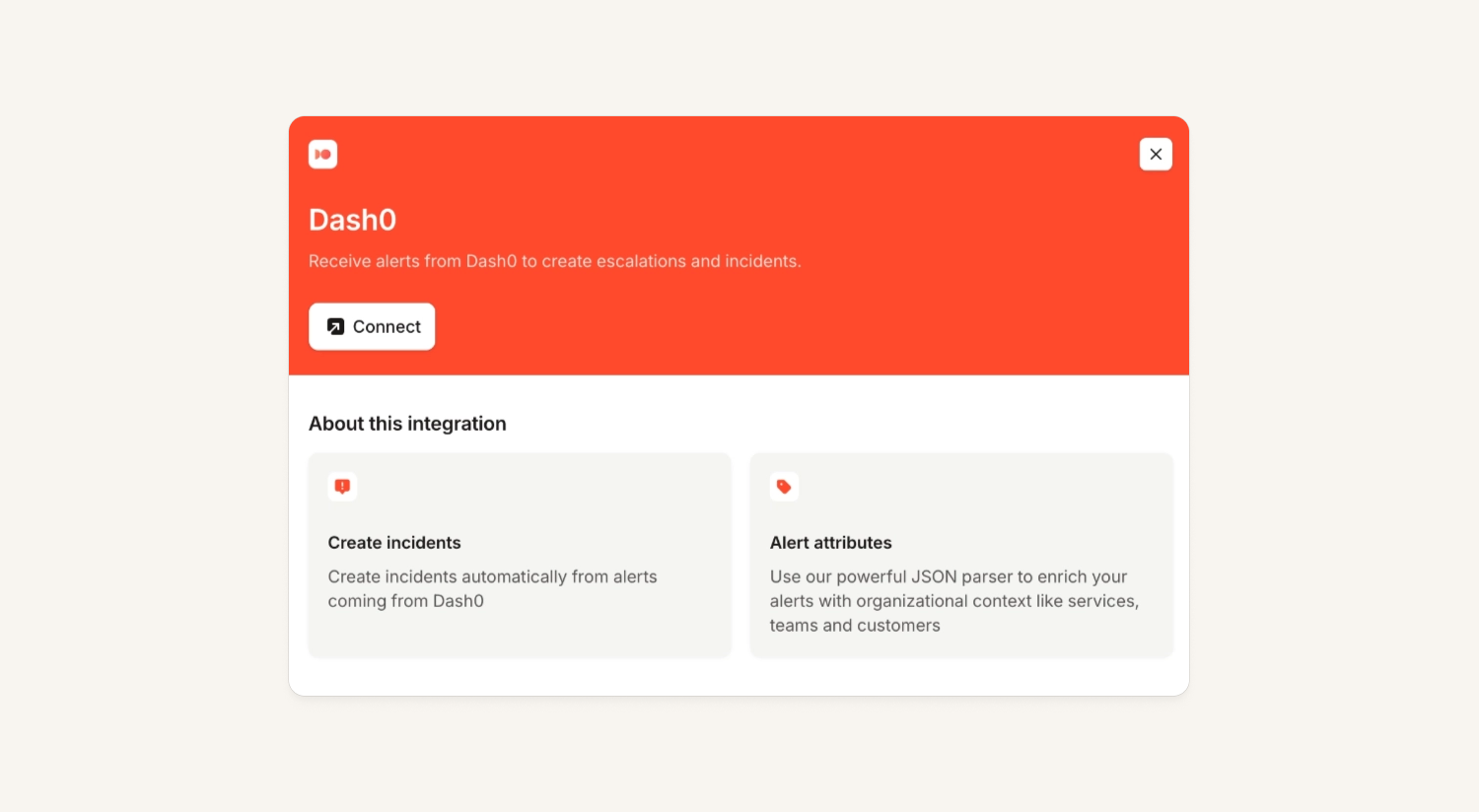
While you could integrate with Dash0 with our HTTP alert source, we now have a native alert source. This means you can create incidents and escalate from Dash) directly.
inc command line tool
We now have a command line tool (CLI) called inc. You can use our CLI to access and interact with our public API in a nice and polished format. This can be used directly to pull down information like incidents, schedules, escalations, or can be used when writing scripts, cron jobs, and CI actions. You can find it on our Github.
# What's on fire right now
inc incidents list --status-category live --fields reference,name,severity,incident_status

# Who's on call for a schedule today
inc schedules list
inc schedules entries 01H... --from 2026-07-20T00:00:00Z --until 2026-07-21T00:00:00Z

# Page someone from the terminal
inc escalations create --title "Database latency spike" --escalation-path-id 01H...

The scripting/jq crowd:
# Closed incidents this month, counted by severity
inc incidents list --status-category closed --jq 'group_by(.severity.name) | map({severity: .[0].severity.name, count: length})'

# Pull a post-mortem as markdown, straight into a doc
inc post-mortems content 01H... > postmortem.md
Please note, the MCP is our recommended way of interacting with our platform. The CLI exists as an alternative, but the MCP is more token efficient and optimized for LLMs.
What else we've shipped
New
- You can now attach any link to an incident, for example an impact tracking spreadsheet or a Google doc where you're drafting comms. We'll attach it as a Slack bookmark, and it'll show up in the 'attachments' section of the incident sidebar, and in the incident activity log too.
- You can now schedule workflows to run at specific times, on a recurring basis.
- Announcement templates now support rich text fields.
- You can now share a direct link to a specific notification delivery attempt on an escalation.
- The Alerts, Incidents, and Escalations tabs on team pages now inherit organization-wide saved views, so you can apply any globally saved view at a team level.
- You can now add comments to API Keys, making it easier to know what they're being used for and where they originated
- You can now choose to only include the first [n] characters of a variable in rich text.
- For those using the new sidebar (shared last week), the on-call indicator at the bottom left will now turn red if you've been paged.
- Introducing the Create retrospective status page incidents API, which lets customers import all their historical incidents via API much more easily.
Improvements
- You can now respond with a message when declining a cover request — useful to add some context, or just say sorry!
- Voicemail transcript quality is now better and faster
- We've made phone numbers in the call routes list copyable with a single click, so you can quickly grab a number without having to select and copy it manually.
- We've fixed a spacing issue in the schedule handover UI where the out-of-hours changeover note ran too close to the "Weekly" label.
- We've split app push notifications out into a separate row per app in the escalation notification drawer. If a responder has multiple mobile apps registered, you can now see exactly which app received or missed a push.
- You can now search for a specific follow-up directly from the post-mortem editor's Follow-ups block, making it much easier to find one on long post-mortems.
- Follow-up search now matches by incident reference (e.g. INC-132), ID, and name, in addition to follow-up titles.
- The "cancel incident" button is no longer shown on declined incidents, since it's not possible to cancel a declined incident.
- You can now use the "affected versions" Jira field when exporting incidents and follow-ups.
- Before merging an incident, all of its streams must now be closed, avoiding orphaned stream state.
Bug fixes
- Fixed an issue where importing on-call schedules from PagerDuty could drop an active override that started before the import window, incorrectly handing on-call to the next scheduled override.
- Fixed an issue where importing a PagerDuty schedule with overlapping overrides arbitrarily picked which override took precedence — imports now align with PagerDuty's shift resolution.
- Fixed an issue where the "Create schedule" button appeared twice on the Schedules page.
- Fixed an issue where a "Notify channel" step set to "Don't wait" would be silently skipped if it came immediately after a Delay step in an escalation path. Notify channel steps now always post once.
- Fixed a calendar-matching bug for German names with umlauts when the Slack name used the transliterated spelling.
- Fixed an issue where the Team attribute on alert sources looked broken when it had no value set — it now uses the same "set value" flow as every other attribute.
- Fixed an issue where you couldn't delete or cancel maintenance windows after losing access to the plan that includes the feature.
- Fixed an issue where the "Omit if unset" toggle for array-type workflow variables implied behaviour it didn't deliver — it's now hidden for array variables.
- Fixed an issue for some Android devices hitting a Firebase usage limit, improving push notification deliverability.
- Fixed an issue where the cover request details modal showed shift times in your organization's default timezone instead of your own.
- Fixed an issue where some alert routes with "Send alerts to Slack" managed via Terraform stopped delivering messages to their configured channel (escalation notifications were unaffected).
- Fixed an issue where clicking "Add people" on a cover request in the schedule view could silently fail to open the drawer.
- Fixed an issue where saving a Slack channel on an alert route's "Send alerts to Slack" setting showed an ID instead of the channel name.
- Fixed an issue where creating a cover request could fail for Microsoft Teams organizations if the requester's notification channel had expired.
- Fixed an issue where switching your Team catalog type could fail due to stale references.
- You can now reuse an external ID that was previously used by a since-deleted catalog entry.
- Fixed an issue where a status page maintenance window could be saved with an end time before its start time (which activated it immediately).
- Fixed an issue where exporting a follow-up to a Jira project your integration can't access showed a generic error — you'll now see a clear inline message explaining the access problem.
- Fixed an issue in the Terraform provider where importing an incident_catalog_type_attribute could crash with a "Value Conversion Error"; it now returns a clear message.
- Long incident names are now truncated when exporting to Jira, to avoid hitting the ticket length limit.
- Fixed an issue where Slack channels converted from private to public weren't added to Catalog for several hours — they now sync immediately.
- Fixed an issue on the team page where the "Parent Teams" dropdown rendered behind the surrounding overlay.
- Some Microsoft Teams customers saw a "Slack channel" input when declaring a retrospective incident, which did nothing — it's now removed.
- Fixed a bug preventing manually attaching alerts to an incident in some cases.
So good, you’ll break things on purpose
Ready for modern incident management? Book a call with one of our experts today.

We’d love to talk to you about
- All-in-one incident management
- Our unmatched speed of deployment
- Why we’re loved by users and easily adopted
- How we work for the whole organization



