Incident role restrictions
April 8, 2026
We know that there are certain incidents that require experienced hands to manage them throughout the whole process. They can ensure that proper steps are followed and essential workflows like paging your CEO or notifying regulators only happen if absolutely required. So, to keep these types of incidents under the control of users you specify, we’ve added new permissions including:
- Limiting who can be assigned an incident role
- Limiting what an incident role can do
- Limiting who can set an incident severity
Incident role restrictions
Organizations can now set restrictions on incident roles based on incident type. This can be helpful if you need to ensure certain incident steps are done in a certain way, so should only be done by those trained and know the correct procedures to follow.
This allows configuration such as:
- Only the Security team can act as an incident lead for Security incidents. The incident lead can be the only one that can set the incident severity, create updates and change the status of Security incidents.
- Only the incident management team can act as the Debrief facilitator role in Production incidents. This role can be the only ones to create (or delete) debriefs for Production incidents.
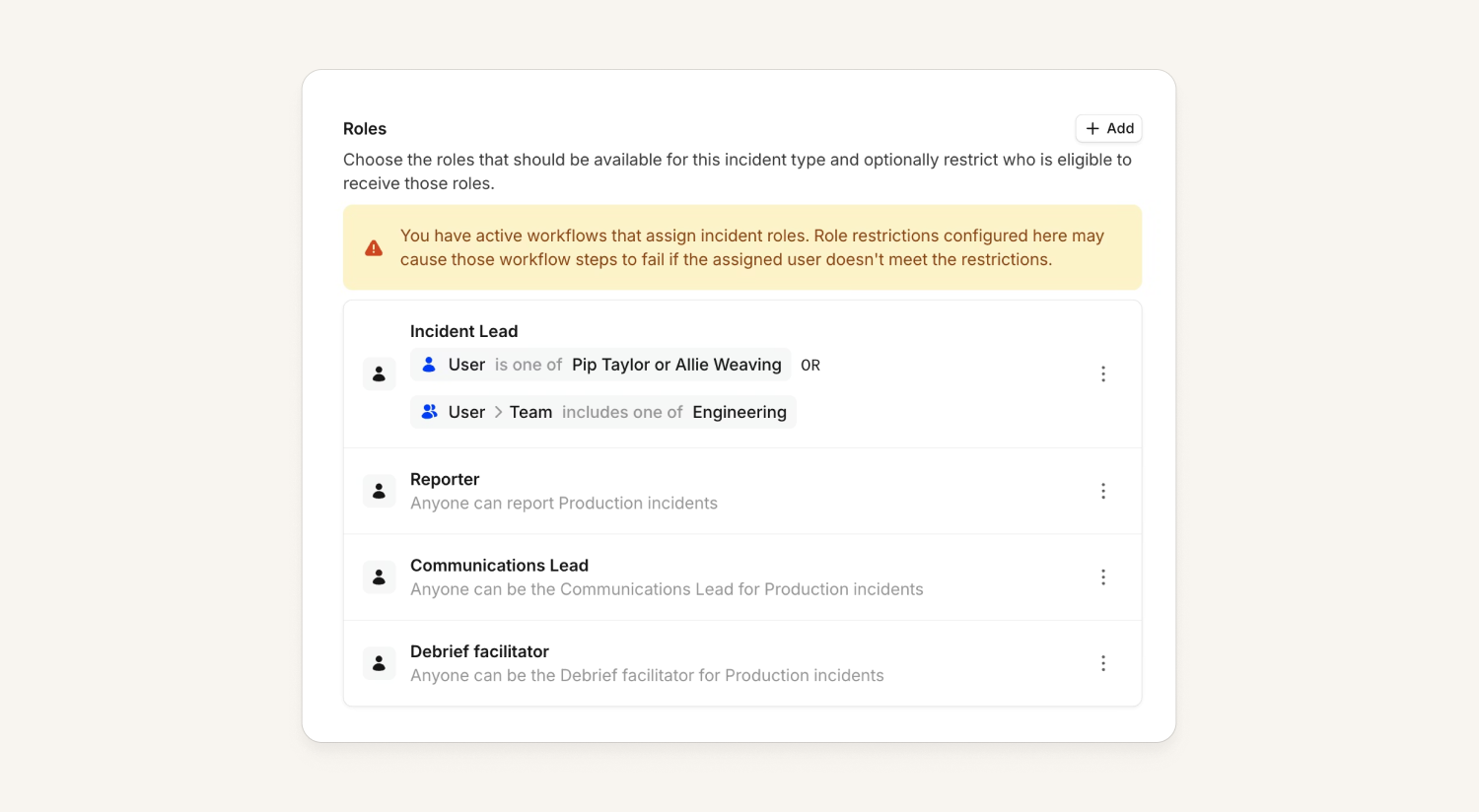
Generally, we suggest keeping incident roles open to allow anyone to be able to jump in and quickly help during an incident. However, if you are on our Enterprise plan and you need to keep things locked down to a specific set of individuals or teams, you can follow configuration steps in our help docs.
Restrict who can set incident severities
In addition to restricting what incident roles can do within an incident, we’ve released the ability to restrict who can set particular incident severities. For example, organizations can now say only the incident management team can set Production incidents to a Critical severity.
This is helpful as it can avoid unnecessarily triggering workflows, pages, and more that may be tied to a certain severity of incident. Keeping this locked down to experienced individuals can avoid these steps triggering unless required.
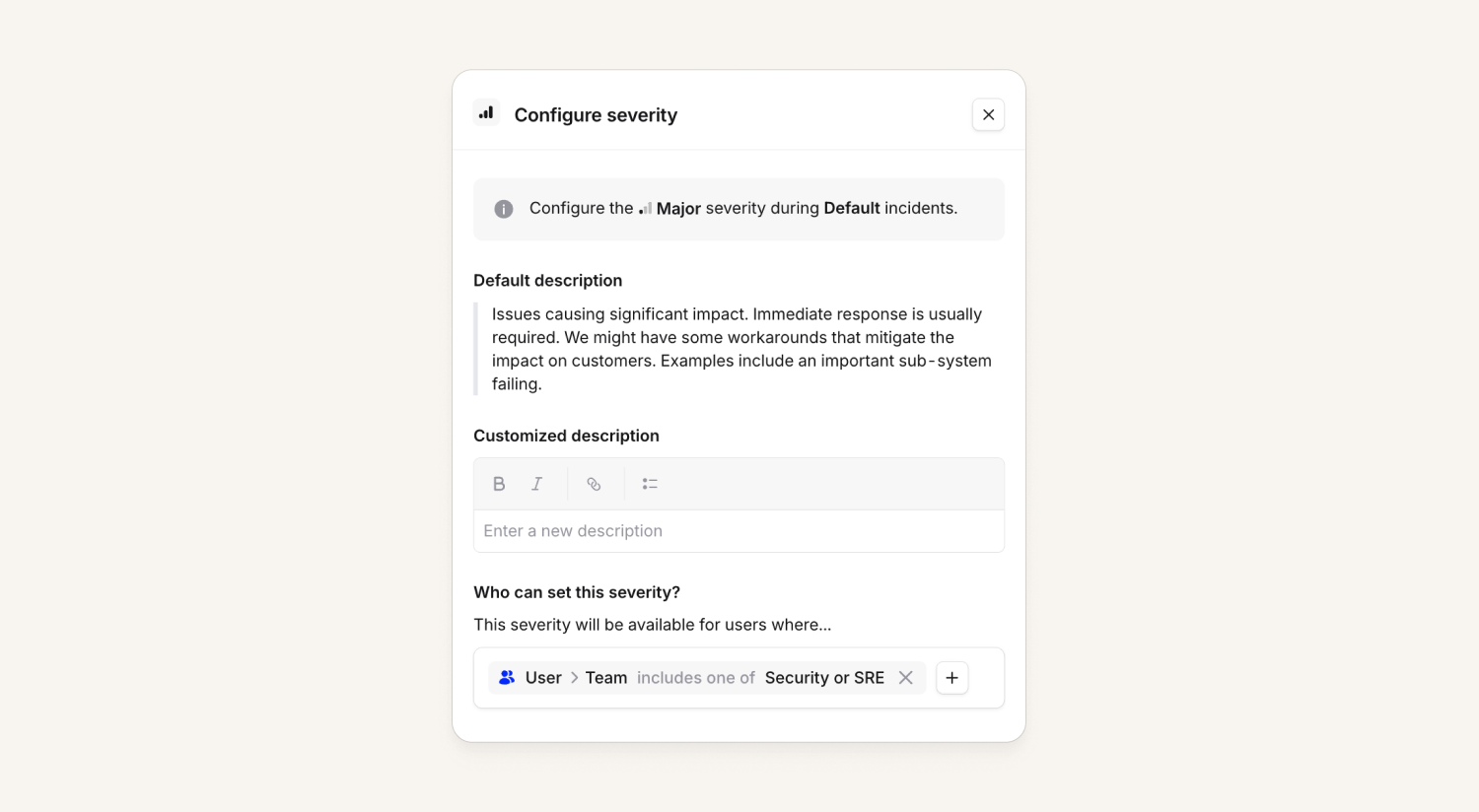
This feature can be enabled per incident type, not in the general severity configuration, and is available for our Pro and Enterprise customers. Please refer to our help docs for more details.
What else we've shipped
Improvements
- You can now export from the post-mortem document page
- You can now delete the timeline and follow-ups sections from post-mortem templates
- Allow acknowledging snoozed escalations instead of canceling
- You can now navigate to an alert source's alerts from the alert source's dropdown menu in the routing screen
- You can now resize columns in the escalations list
- Auto exported Jira server tickets will now trigger workflows that use the "when an incident is created or changed" trigger
Bug fixes
- Fixed an issue in pay calculator reports where a custom holiday could not be added on the last day of a report window
So good, you’ll break things on purpose
Ready for modern incident management? Book a call with one of our experts today.

We’d love to talk to you about
- All-in-one incident management
- Our unmatched speed of deployment
- Why we’re loved by users and easily adopted
- How we work for the whole organization



