incident.io for Mac
June 9, 2026
When you’re debugging an incident from your terminal or a coding agent, jumping back into Slack to manage the incident can be an unwanted distraction. We built our new macOS app to solve exactly this problem, and we’re excited to share it’s now in public beta.
What can the macOS app do?
Designed natively for Mac, with both notch and standard menu bar modes, the app guides you through your entire incident response journey without breaking your focus:
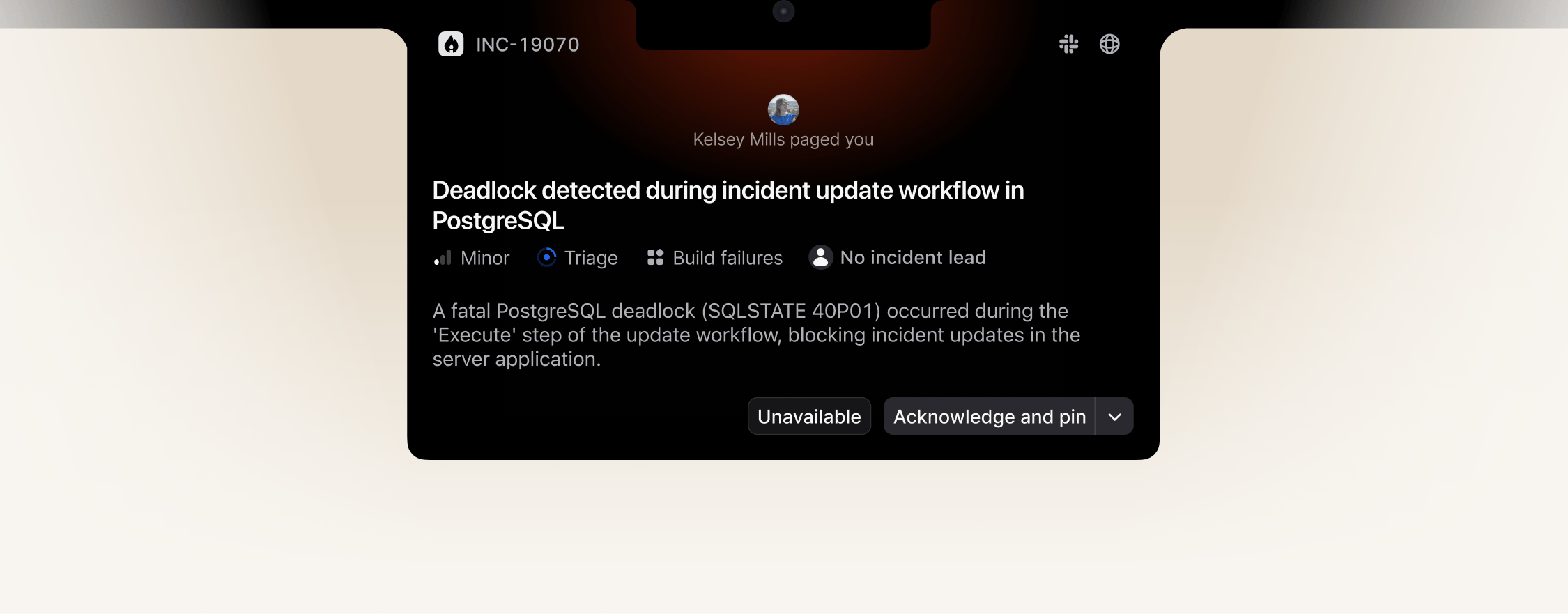
Get paged and jump right in: You can receive high-urgency escalations directly in your notch or notification centre. From there, you can pin the incident and jump straight into your terminal to start debugging.
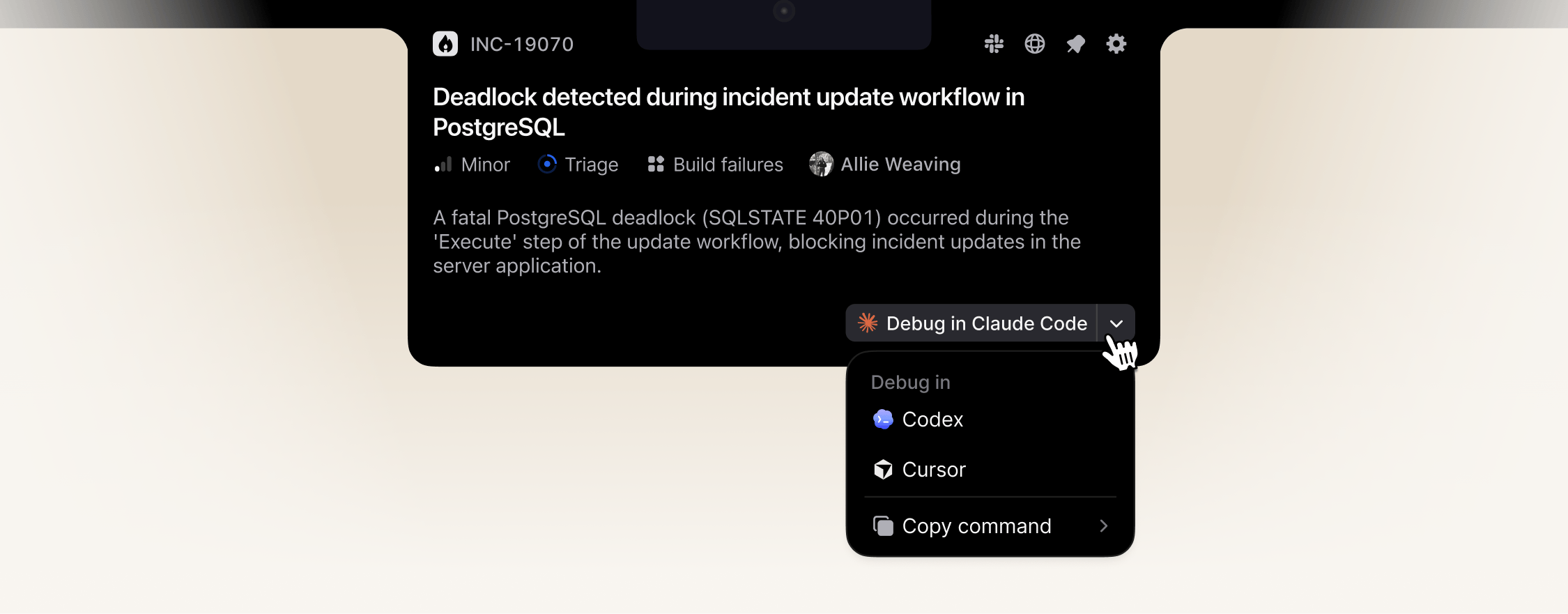
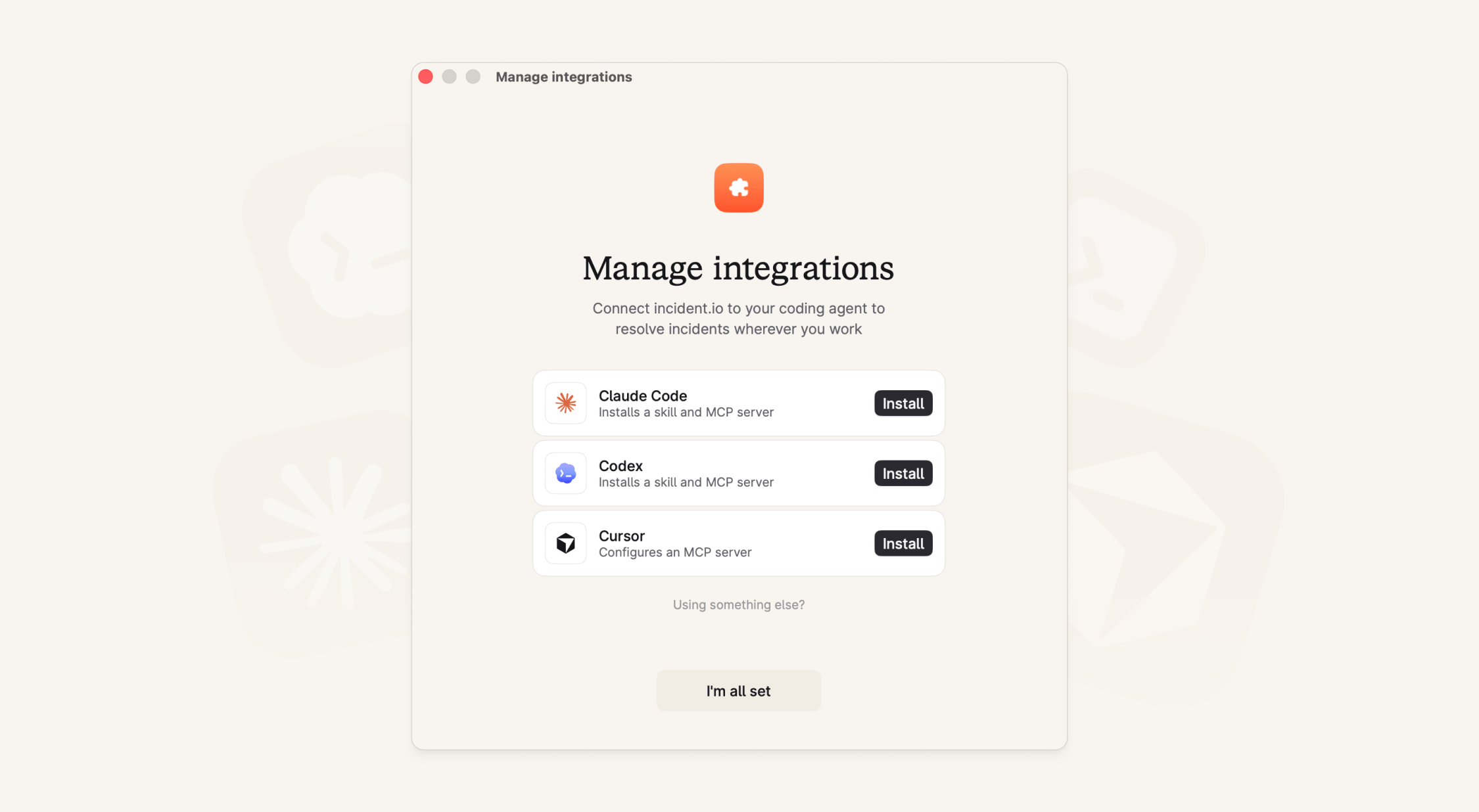
Debug with your agent of choice: The macOS app comes with an MCP and direct integrations with Claude Code, Codex, Cursor, or a custom agent of your choice. You have all the tools you need to debug the incident right where you are.
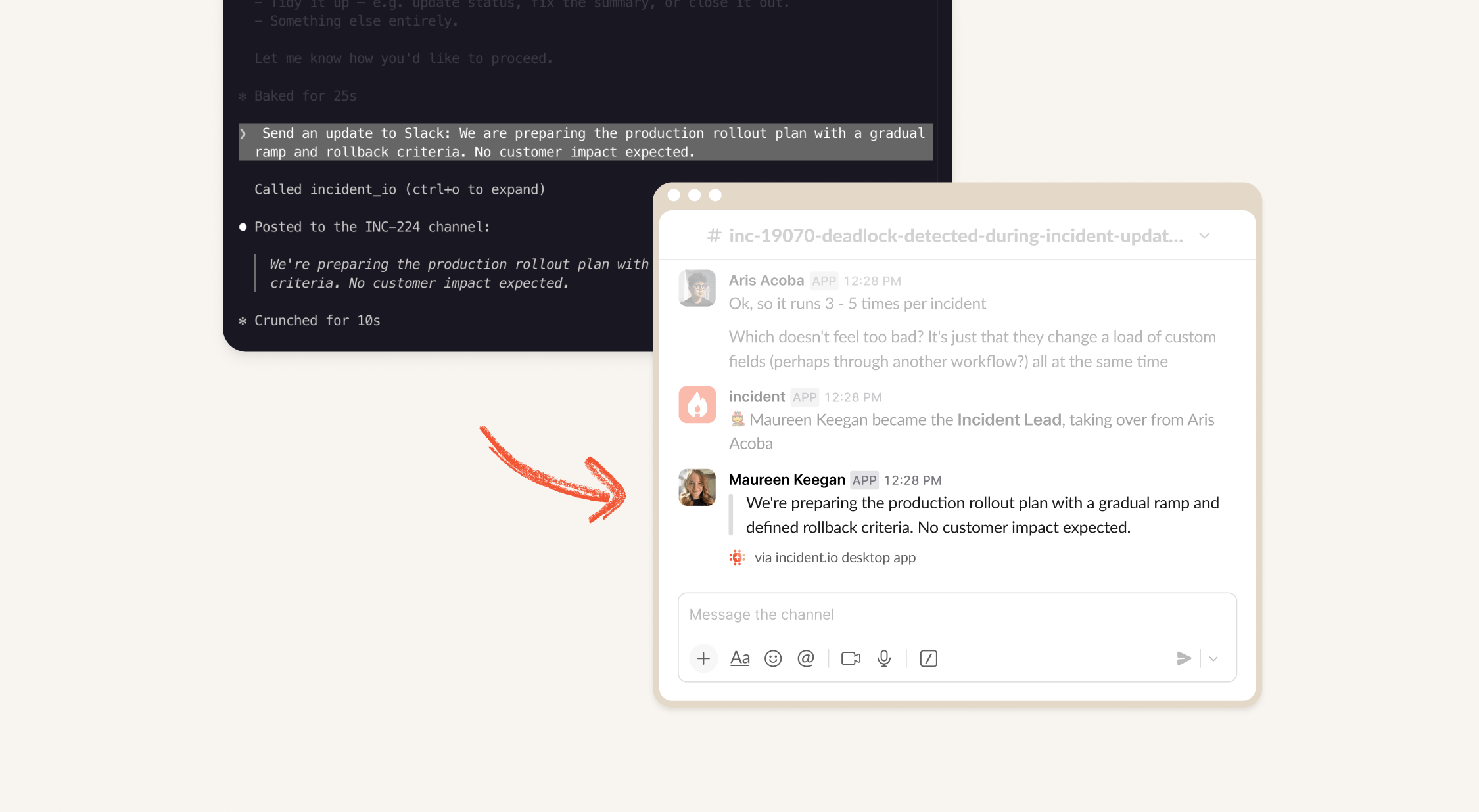
Share findings without leaving your terminal: Found the smoking gun? You can post your findings directly back to the incident Slack channel via the MCP, so you never have to tab away from your terminal to update the team.
Stay in the loop: You can keep your head down in the code while still tracking what your colleagues are doing. If someone posts an incident update or updates the status page, you'll get real-time alerts right to your notch or notification centre.

What can you do with the MCP?
You get full access to manage incidents, alerts, on-call schedules, catalog, and workflows. You can also interact directly with our Agent (the same as you can today via @incident in Slack or the web dashboard), whether you're in the middle of an incident or just want to ask questions about your data.
When responding to incidents your agent will launch with full context which means it can:
- Intelligently debug with full knowledge of any alerts or details from the reporter
- Stay up to date with any changes in the incident like new updates or changes to the summary
- Perform actions for you like “Update severity to Major, and escalate to level 2”
You can read about all the tools available via the MCP in our docs.
Diving deeper into your incidents
If you have early access to AI SRE / Investigations (currently in private beta) you can also "Talk to Production" and run incident investigations, working directly with our Agent to debug live incidents with all the context in your account alongside telemetry, logs and errors. For example:
- "Investigate why we're seeing elevated error rates on the checkout service"
- "What's the current load on our production database and how does that compare to normal?"
- "Have any of my recent deployments affected error rates in production?"
Not on macOS?
If your team works out of a cloud developer environment, or on a different OS, we’ve still got you covered though our dedicated remote MCP.
Getting started
The public beta is available to all paying customers. Simply head here to download the app, and we’ll guide you through setting up and configuring your coding agents as part of the onboarding flow.
**We’re rolling out to customers gradually over the next few days. If you don’t see the app available for download just yet, don’t worry - it’ll be there soon! If you want priority access, join the waitlist and we’ll bump you up the list
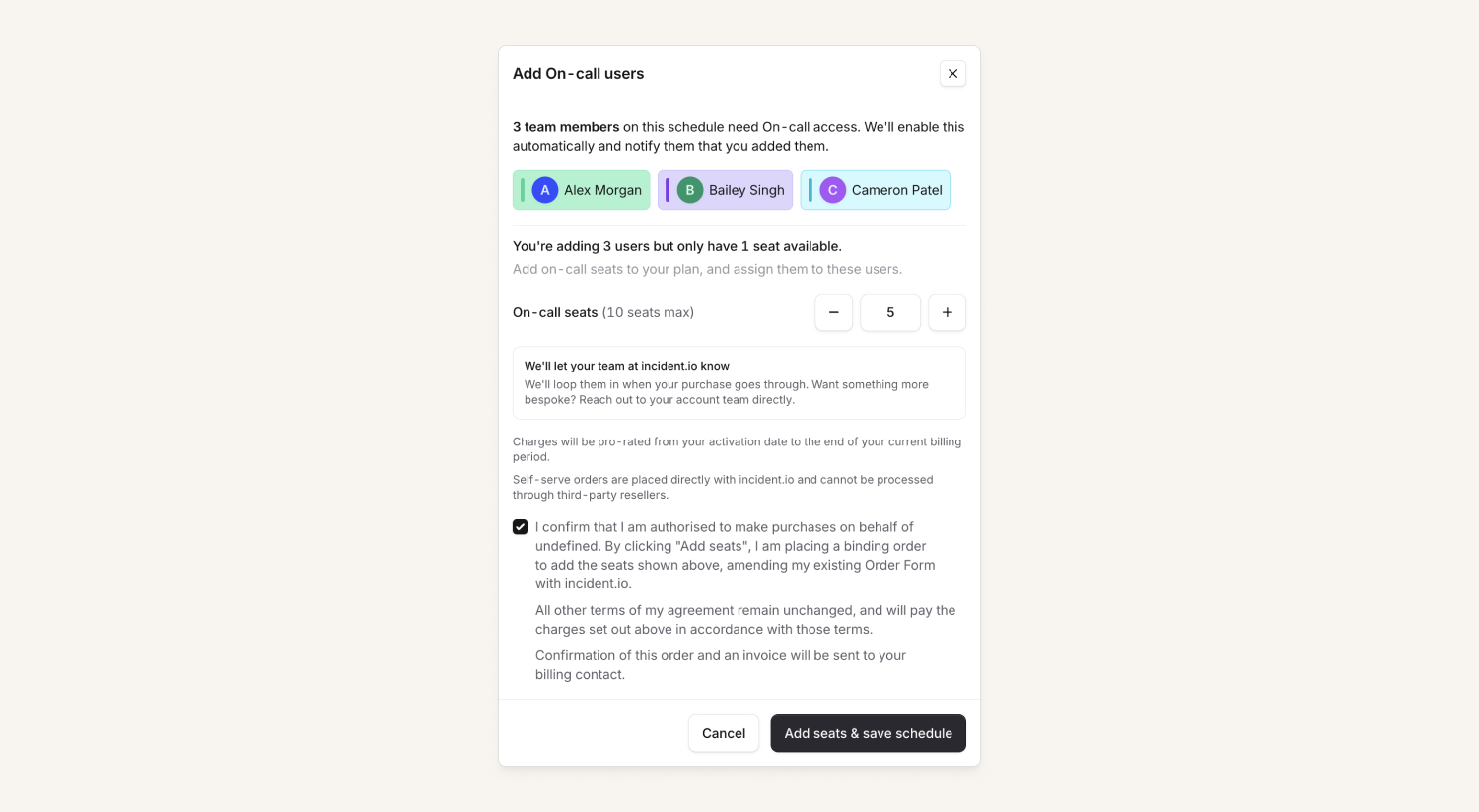
On-call self-serve additional seats.
For On-call customers on annual contracts, you can now request additional seats directly from within incident.io without having to reach out to your account team to kick off the process. From your billing settings, you can submit a seat expansion request, then your account team will be automatically notified, confirm the pricing, and process the order.
New workflow step to add a custom timeline event
Some customers want more visibility of when particular workflows run on incidents. You can now add a custom event to the incident timeline as part of a workflow, so you can easily see when it was run.
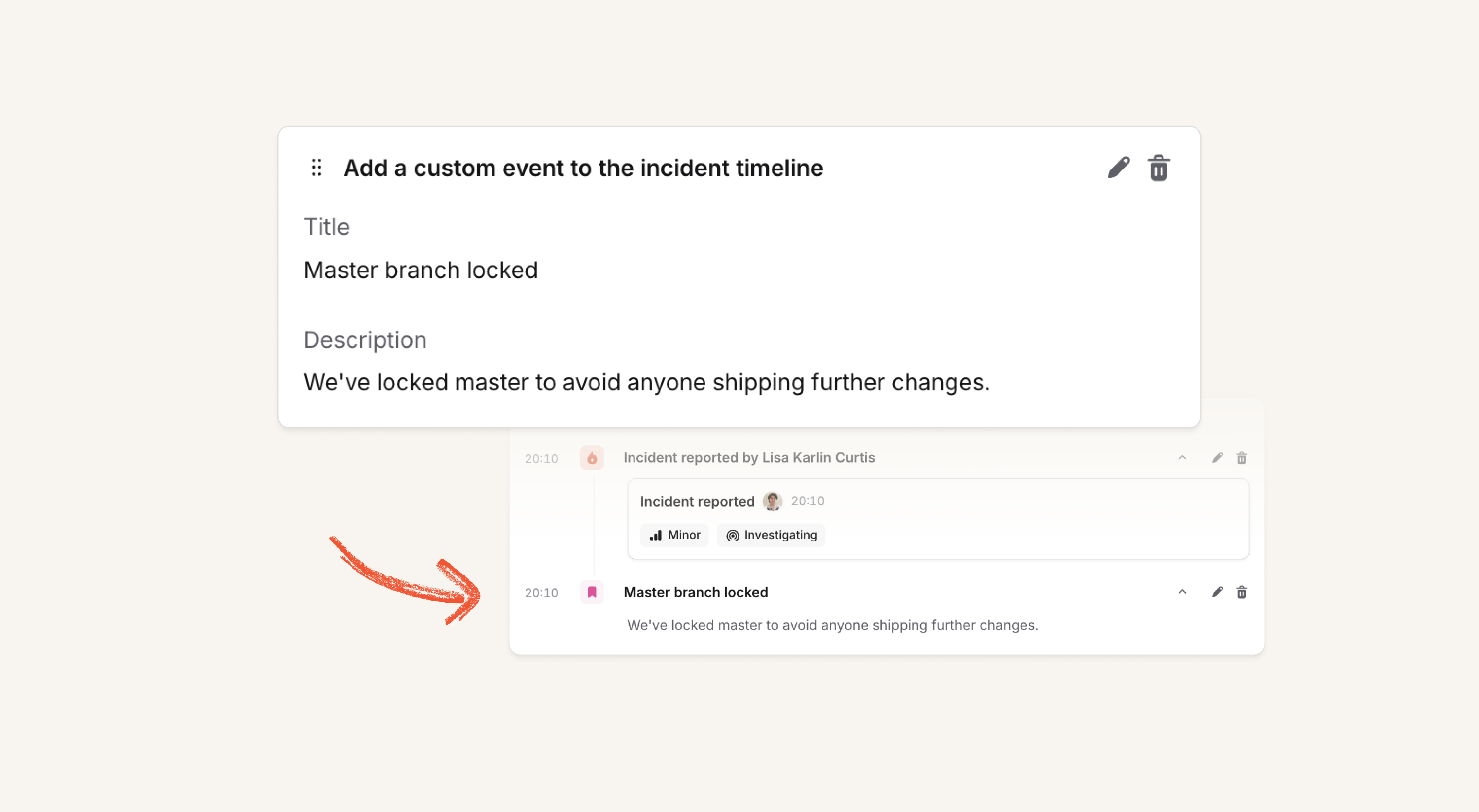
This is particularly useful for workflows that take actions that aren't otherwise visible in the timeline - for example locking the master branch or sending a bunch of emails to stakeholders.
What else we’ve shipped
New
- The post-mortem document editor version history drawer now shows author avatars for each version
- We've added a new "Created at" column on the Escalations table
- You can now filter catalog entries in the dashboard
- We’ve added custom field option previews and advanced settings to reduce some configuration clutter
- The incident status can now be used in the incident's channel name
- The public API now supports creating incident attachments from from GitHub pull request URLs and the URLs of other supported attachment types
- You can now pass an
incident_idwhen creating an escalation using the API to automatically link that escalation to an existing incident - The manage catalog types/entries permissions have been split into more granular permissions for specifically creating, editing and deleting
- We now sync the
Request typefield from JSM for Jira issues
Improvements
- We've updated the "Join teams call" icon on mobile to better distinguish it from "Join the incident channel"
- We've improved the calendar view on schedules if your schedule has many rotations
- When viewing a maintenance window in the dashboard, we include the description of what the maintenance is for
- From your team's page, you can now create an escalation path for your team, as well as attach existing ones
- Descriptions from Elasticsearch alerts are now parsed as markdown, preserving your formatting
- The On-call pay calculator includes shifts that are too short to be paid
- When a holiday is observed on a different day (for example when it would otherwise fall on a weekend), this is now shown in the UI
- Escalations that page a specific user directly no longer refer to "level 1," so it's clearer that they didn't use an escalation path
- The holiday section above your schedule is now only as big as necessary - it used to sometimes expand to be very tall!
Bug fixes
- Fixed a Terraform provider bug that would incorrectly error with inconsistent results after apply when using param bindings
- Exporting an escalation path that uses "escalate to a specific rota" to Terraform now includes that configuration
- The latest release of our Terraform provider fixes bugs around dynamically generating escalation paths in your Terraform code, and handling rich text better (See here)
So good, you’ll break things on purpose
Ready for modern incident management? Book a call with one of our experts today.

We’d love to talk to you about
- All-in-one incident management
- Our unmatched speed of deployment
- Why we’re loved by users and easily adopted
- How we work for the whole organization



