Heartbeat monitoring
April 14, 2026
Heartbeat monitoring flips the usual alerting model: instead of your monitoring tool pushing an alert when something breaks, your service sends regular “I’m alive” pings to incident.io. If pings stop arriving within the expected window, an alert is fired to detect silent failures. This is useful for:
- Cron jobs and scheduled tasks: know immediately if a job silently stops running
- Third-party integrations and service dependencies: catch failures in external systems before they show up on status pages
- Monitoring your monitoring stack: ensure Prometheus, AlertManager, or other tools are actually running and healthy
You can set up your heartbeats under Settings → On-call, then connect them to any alert routes to ensure the right people know when a system is down.
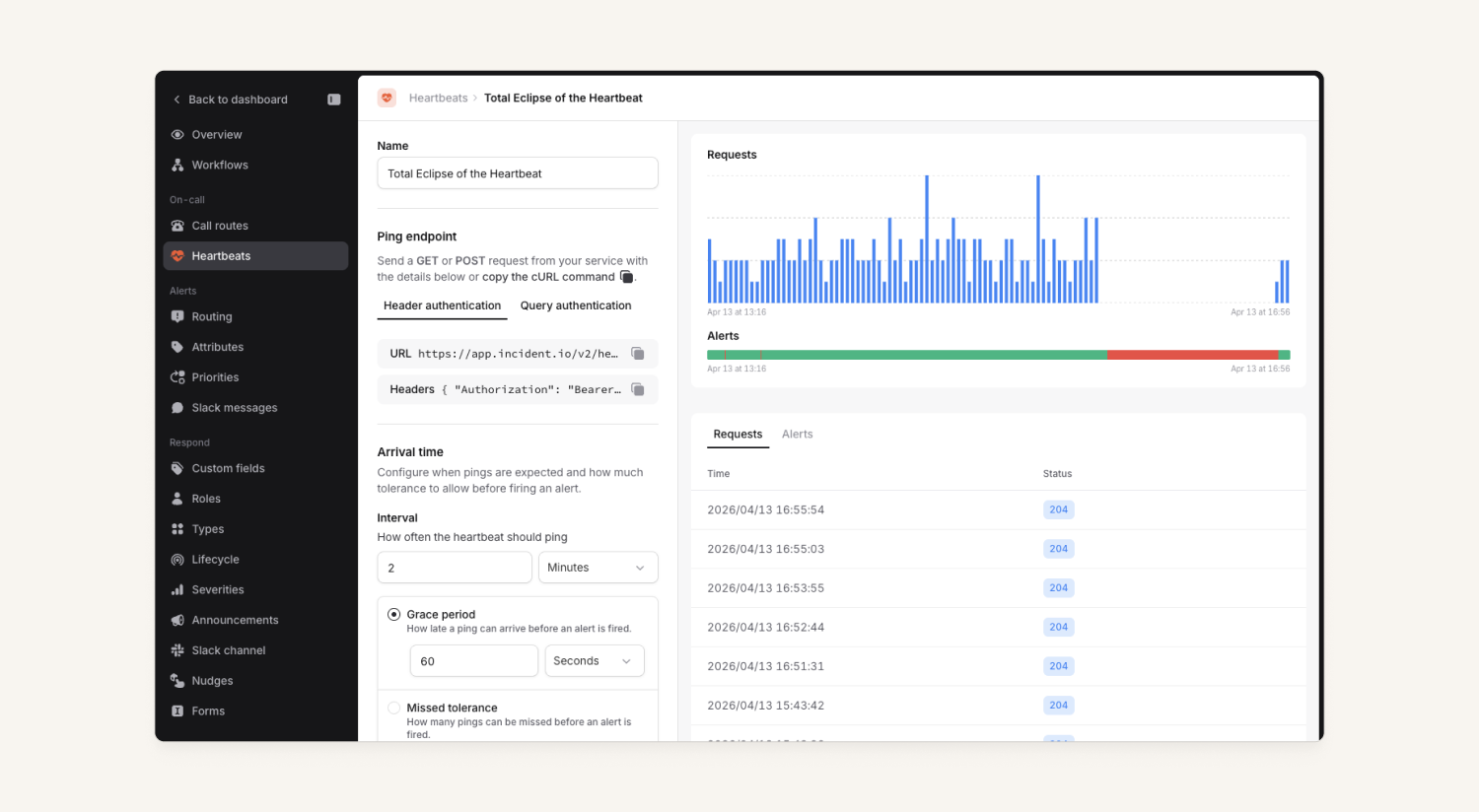
This will be available for all paying, On-call plans. Check out more details in our help docs.
Images in incident announcements and updates
Users can now upload images with their incident announcements and updates, and view them on the incident timeline within the dashboard.
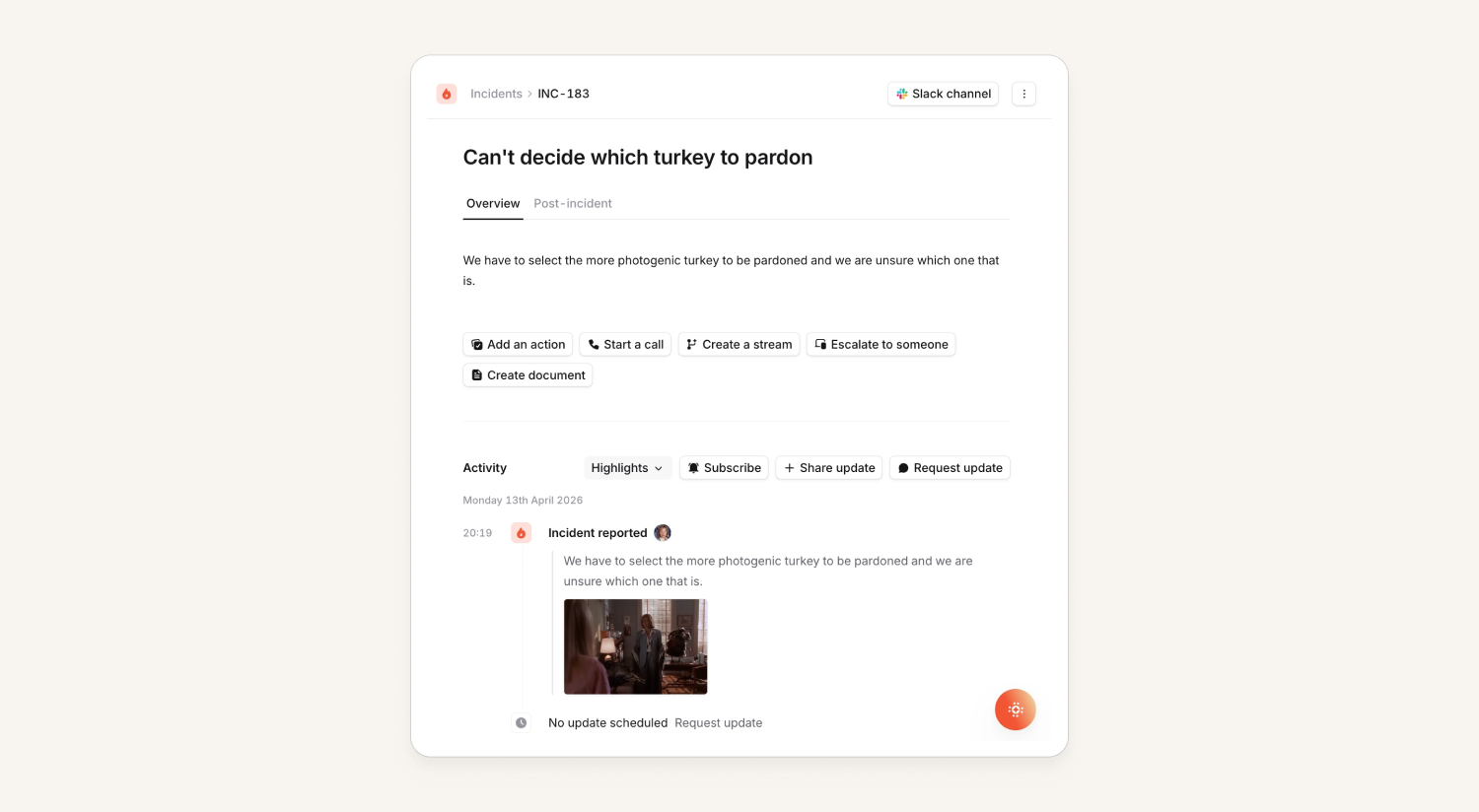
Previously, this was only available via Slack forms. Now, if you add the images field to your Declare, Update and/or Resolve forms, your users can add images as they complete the form in Slack or the dashboard.
Images that are included in these forms will be posted back to Slack and Teams as threaded replies to the relevant announcement post or incident update message.
For more details, check out our help docs here.
Generate post-mortem document workflow step
You can now configure workflows to automatically create post-mortem documents. For those leveraging our AI-enabled templates, that means you can automatically get an AI generated post-mortem document!
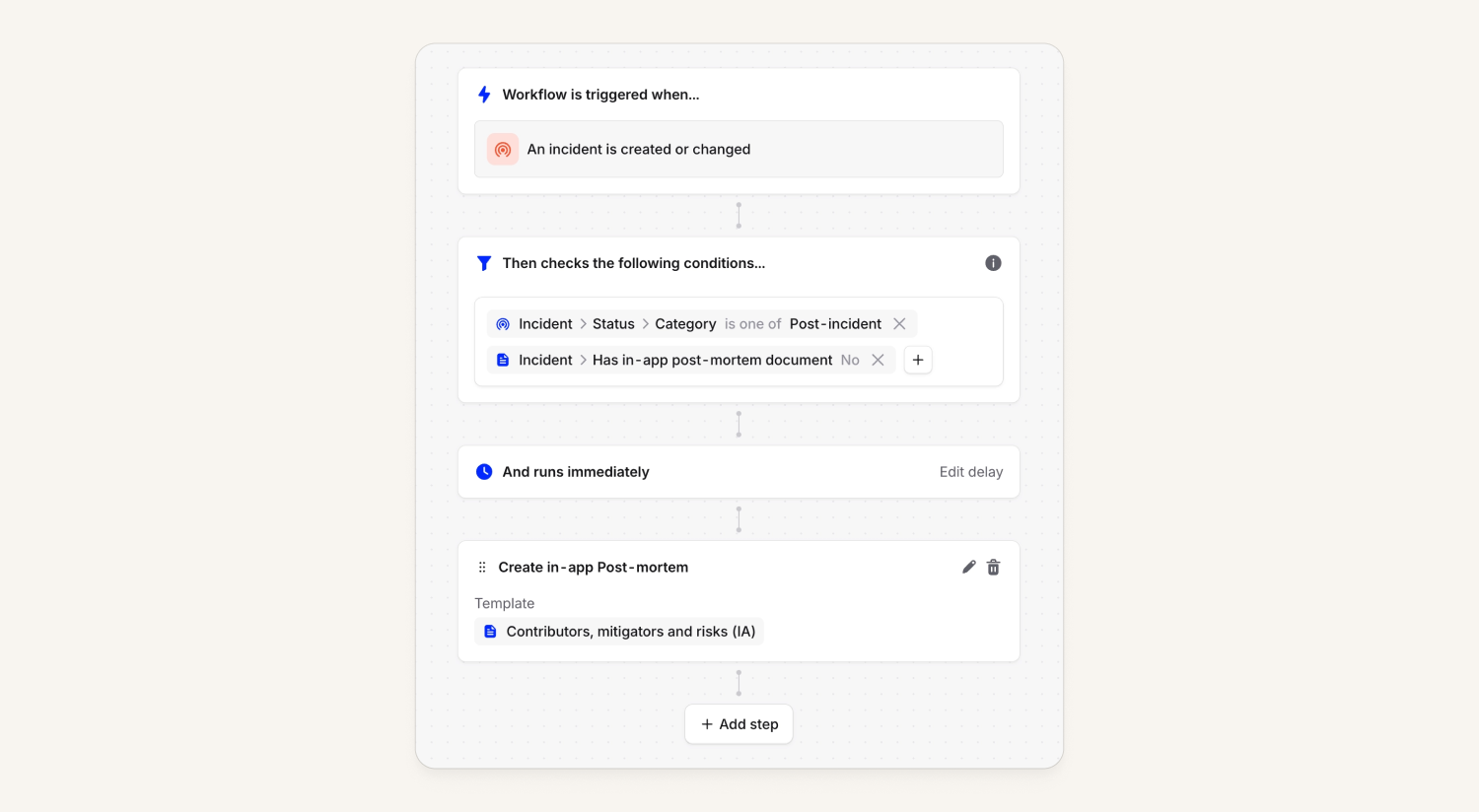
As a little cherry on top, this means that even customers who don't want to use our in-app post-mortem editor can experience the glory of the AI generated post-mortems, by setting up a workflow to create a document automatically and then a second workflow to automatically export documents when they finish generating! They'll get their external post-mortem documents created in Google Docs (or other destination of their choosing), full of AI-generated goodness
What else we've shipped
New
- We now return the endpoint URL for webhook-based alert sources in the Alert Sources API and in Terraform
- We now allow for emoji reactions on post-mortem document comments
- The Schedules API now includes the next shifts, as well as current shifts
- We've made previewing the alerts for an alert source run faster
Improvements
- We've tidied up combinations of hrefs and on-click handlers so that you can consistently open dashboard pages in a new tab using cmd+click or the middle mouse button
- We're truncating user names better in the schedule user picker
Bug fixes
- Fixed an issue that prevented saving escalation provider routing in the escalation form
- Fixed a bug where we included shifts from schedules deleted before the report window when creating a pay calculator report with duplicated config
- Fixed a bug where we would drop Monday working hour intervals from some configurations when importing schedules from PagerDuty
- Fixed a bug where you could not escalate to the next level from an escalation that was itself created from escalating to the next level
- Fixed a bug where we cleared customised alert display filters when you added a new alert filter in the alerts list
So good, you’ll break things on purpose
Ready for modern incident management? Book a call with one of our experts today.

We’d love to talk to you about
- All-in-one incident management
- Our unmatched speed of deployment
- Why we’re loved by users and easily adopted
- How we work for the whole organization



