Join live: What happens when your AI goes down?
Migrations made easy
May 4, 2026
We know that migrating to a new on-call provider can be intimidating. So, we’ve added even more tooling to make migrations quicker and easier!
Migrate notification rules settings from Opsgenie and PagerDuty
Opsgenie and PagerDuty customers can now import user notification settings for all their users straight from the dashboard. You can do this for all users or just for a single user or team, if preferred.
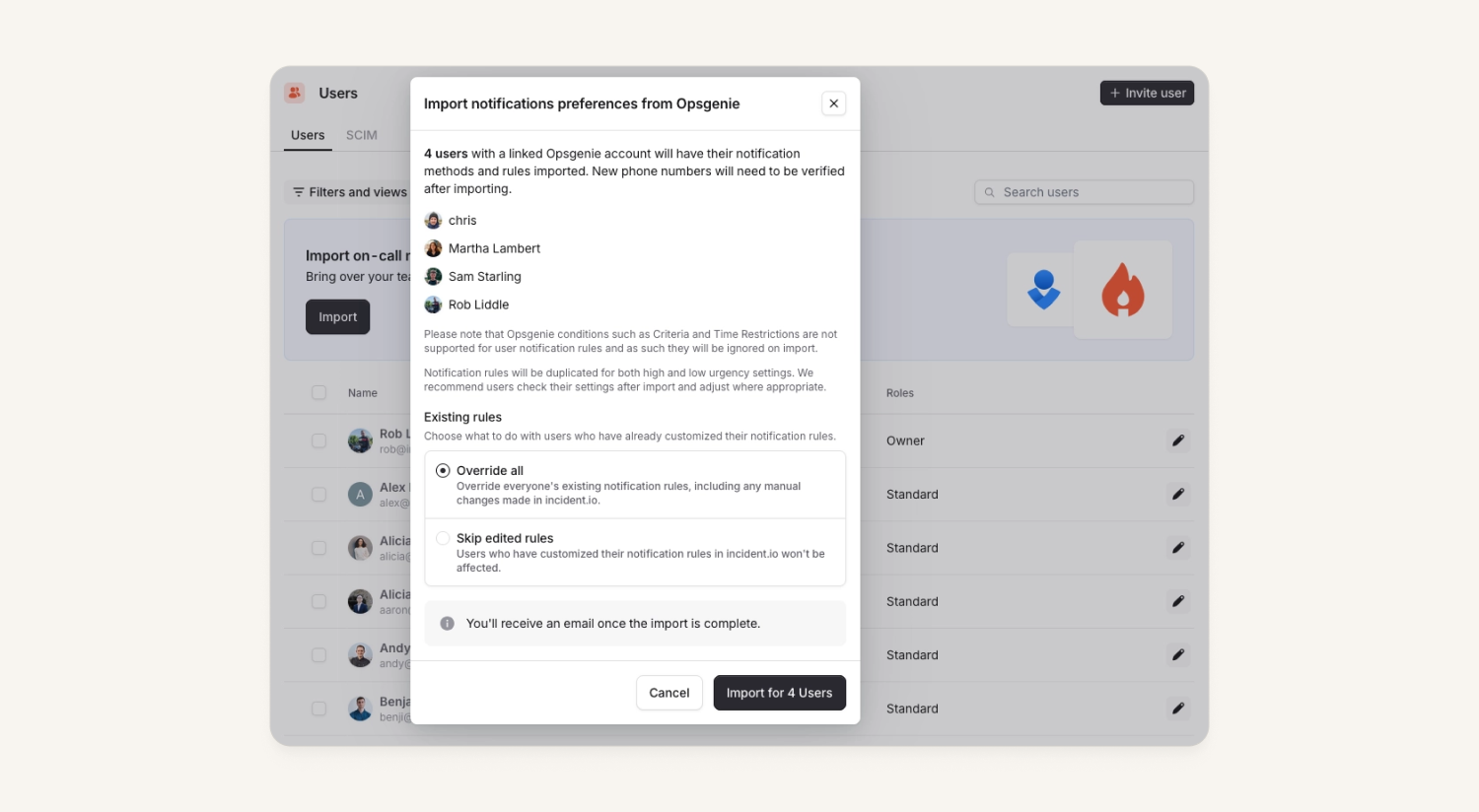
You can decide if you’d like to use the notification rules from PagerDuty or Opsgenie or if you’d like to skip users who have already adjusted their notifications settings within incident.io.
To leverage this, head over to Settings → Users or from the members tab on your team pages.
Bulk import PagerDuty schedules
While we’ve had the ability to import schedules from PageDuty for a while, customers can now use the new "Import all" button. This will kick-off a bulk import of all your ready-to-go PagerDuty schedules at once!
Filter PagerDuty alerts by PagerDuty service
Customers can now filter within their PagerDuty alert source to only create alerts from defined PagerDuty services. All other alerts will be dropped.
This is useful for customers who've only migrated a few of their teams, and are using our PagerDuty alert source to ingest alerts. Up until now this meant that a large number of alerts would be ingested for other teams into our platform that aren't needed or relevant.
You can find this setting in the PagerDuty alert source window within Settings.
What else has shipped
🆕 If you use Splunk On-call, you can now use our escalate form for paging
🆕 You can now customize the escalate form to page via a Catalog type even if you don't have incident.io On-call
New
- We’ve added new global permissions for
View pay configurationsandView pay reports - Post-mortem document API now returns external documents as well
So good, you’ll break things on purpose
Ready for modern incident management? Book a call with one of our experts today.

We’d love to talk to you about
- All-in-one incident management
- Our unmatched speed of deployment
- Why we’re loved by users and easily adopted
- How we work for the whole organization


