Bidirectional sync for incident tickets
September 15, 2026
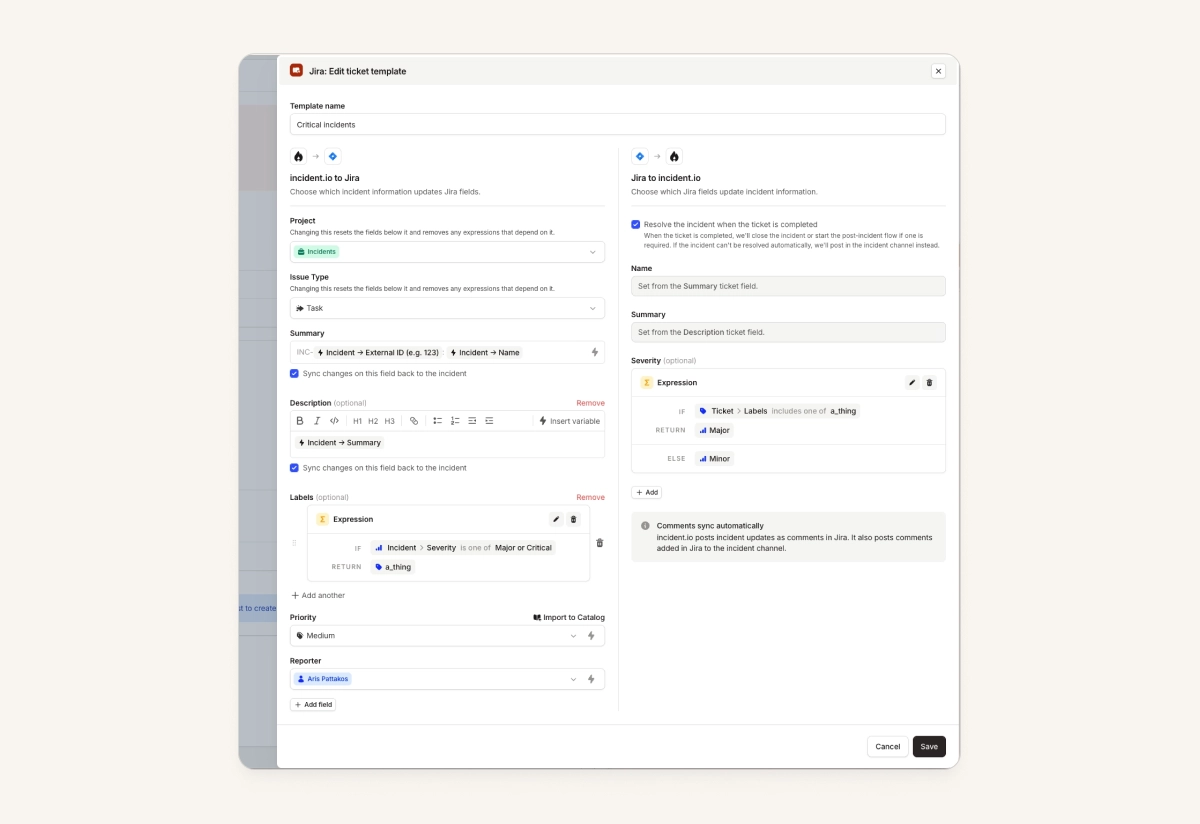
You can now configure incident tickets to update the incident when the ticket changes, as well as updating the ticket when the incident changes.
This applies to all incident ticket integrations, including: ServiceNow, Jira Cloud, Jira Server, Linear, Github, Gitlab, Linear, Azure DevOps, Salesforce Service Cloud, and Freshservice.
This unlocks things such as:
- Updating the impact and urgency on the ServiceNow incident will update the incident.io severity
- Adding timestamps on your Jira ticket syncs them back to incident timestamps
- Marking the Linear ticket for the incident as 'done' will resolve the incident (via the post-incident flow, if configured!)
See docs here for more details.
On-call
Merge PagerDuty schedules as you import them
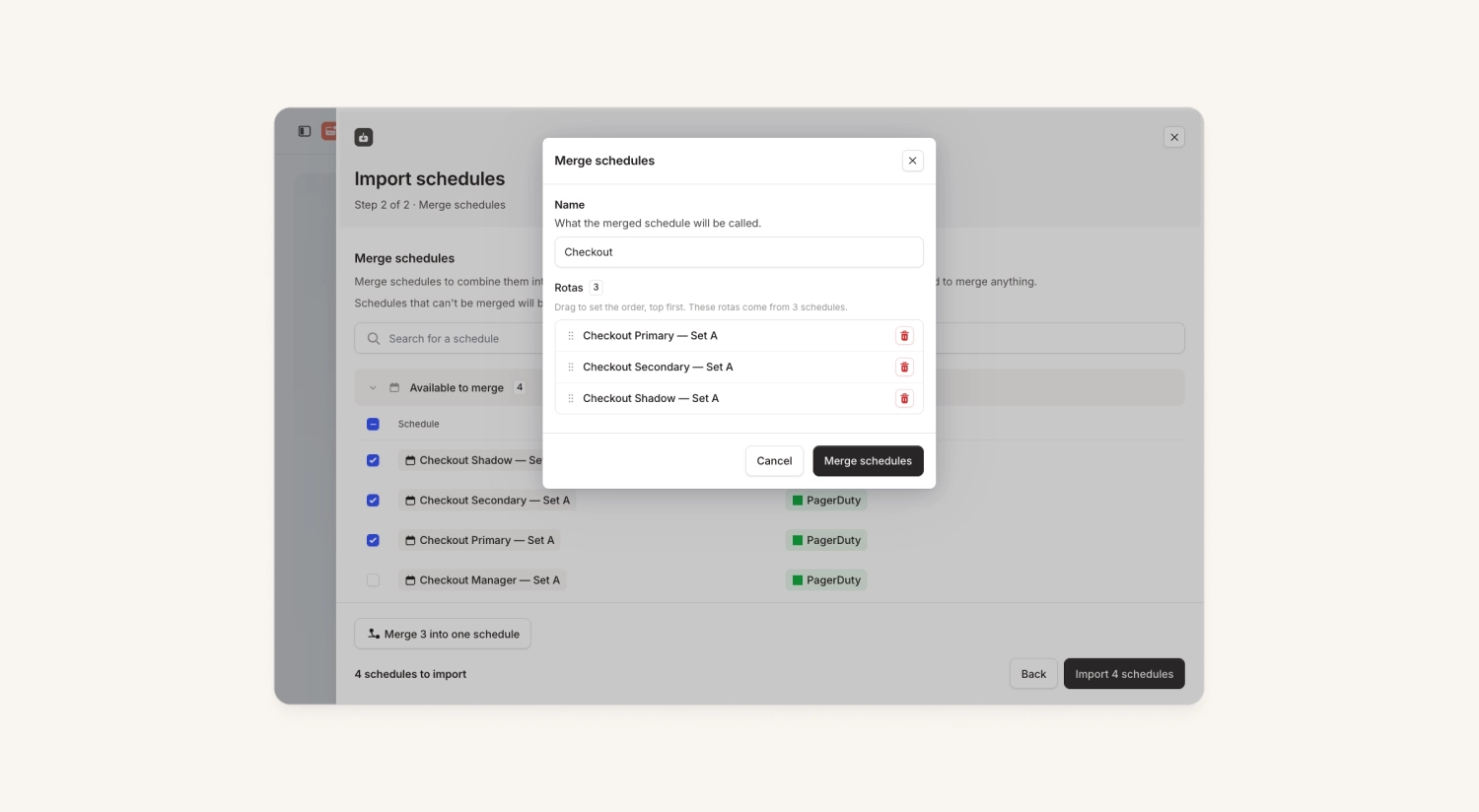
Our schedules support multiple ‘rotations’ that you can page separately, meaning you can represent, for example, a primary, secondary and shadow rotation in a single schedule.
When migrating from PagerDuty, you can now choose to ‘merge’ schedules together as you import them, so that your configuration is as streamlined as possible from day 1.
Tags on alerts
Until now, all of an alert's metadata came as attributes set by your alert source. Now you can tag alerts yourself too, for example to categorize them as noise. You can:
- Assign or remove tags in the dashboard, mobile app, via the public API or MCP
- Filter and bulk-assign tags in the alerts list
- Manage your tag vocabulary in Settings
Learn more in our docs.
Wiz integration
We now have a native integration with Wiz, which lets you:
- Ingest Wiz Issues, Threats and/or Detections as alerts
- Auto-resolve those alerts when the issue is resolved in Wiz
- Optionally, we can resolve the Wiz Issue when you resolve the alert in incident.io
Investigations
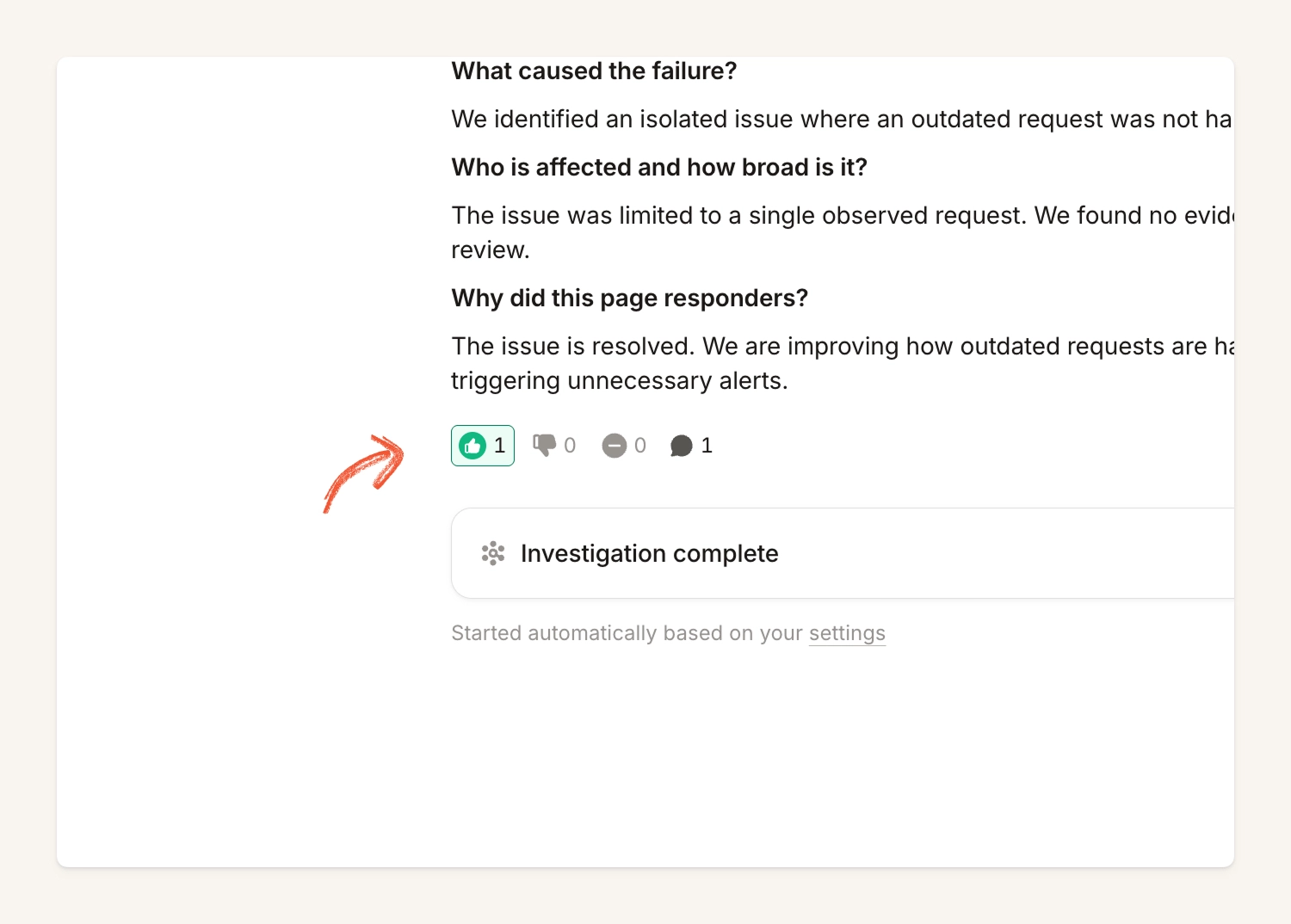
You can now give feedback on an investigation from the dashboard
Previously you could only submit feedback via Slack, Teams or MCP. You can now also submit feedback on the investigations tab in the dashboard.
This can be particularly useful when trying to submit feedback on an incident whose channel has been archived.
Response
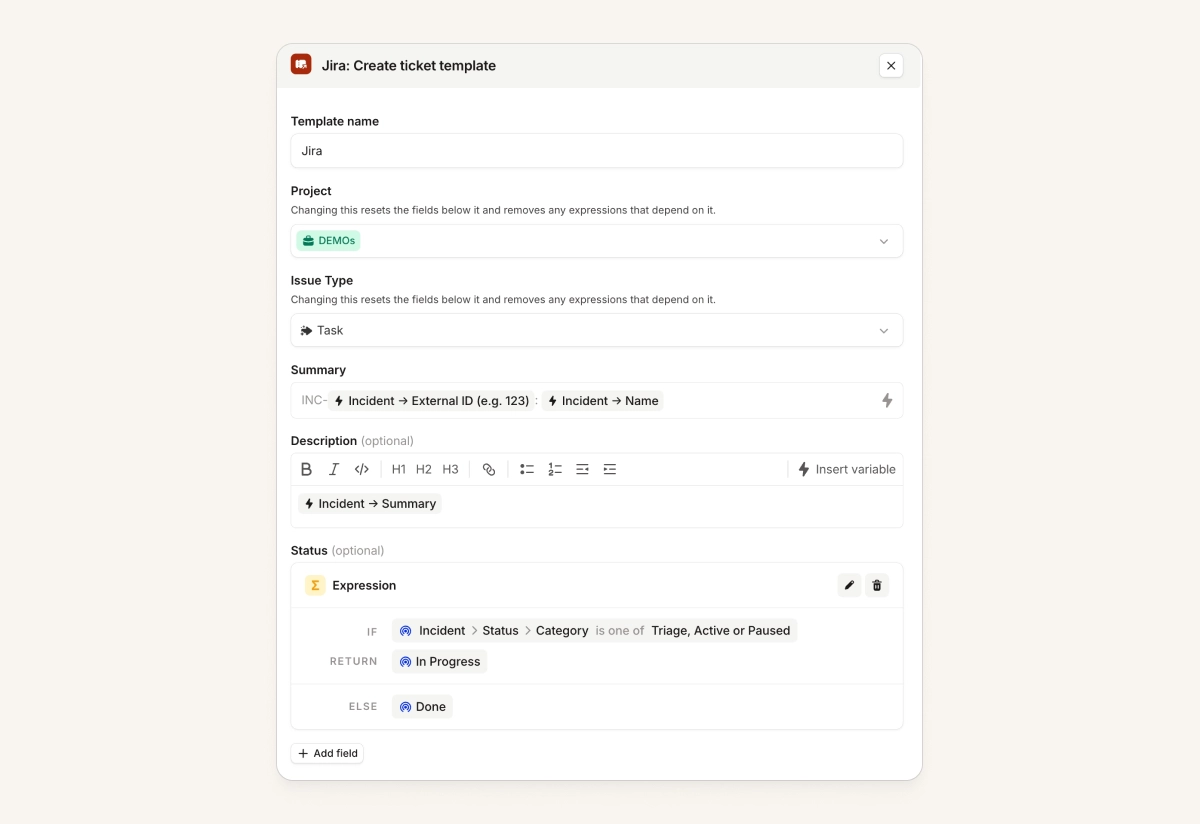
Control the Jira, Github and Gitlab ticket status from the incident
You can now move the incident ticket between statuses as the incident evolves. For example, you can close out the Jira ticket when the incident gets resolved.
This was already possible in our other incident ticket integrations, and now it's available for Jira, GitHub and GitLab too.
Note: if we can't update the status due to restrictions in Jira (e.g. required fields), we'll show this in the dashboard, and other properties will still sync
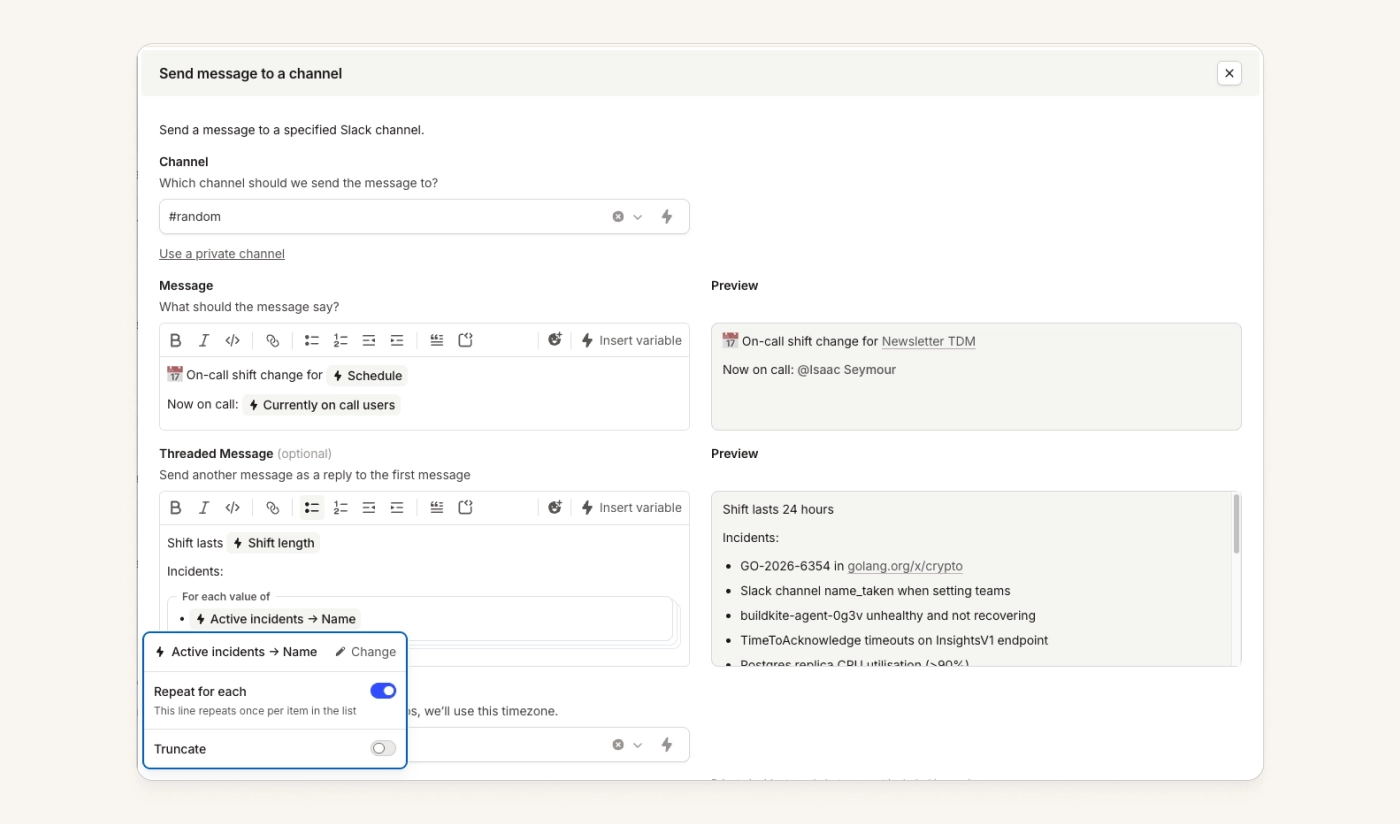
Repeat variables in rich text templates
When you insert a variable into a template, if that variable has multiple values (e.g. a list of incidents or a list of teams), you can now format that list more clearly by using a 'repeated variable'.
We also now include a live preview alongside every rich text input in a workflow step, to help you figure out what your template will look like in reality.
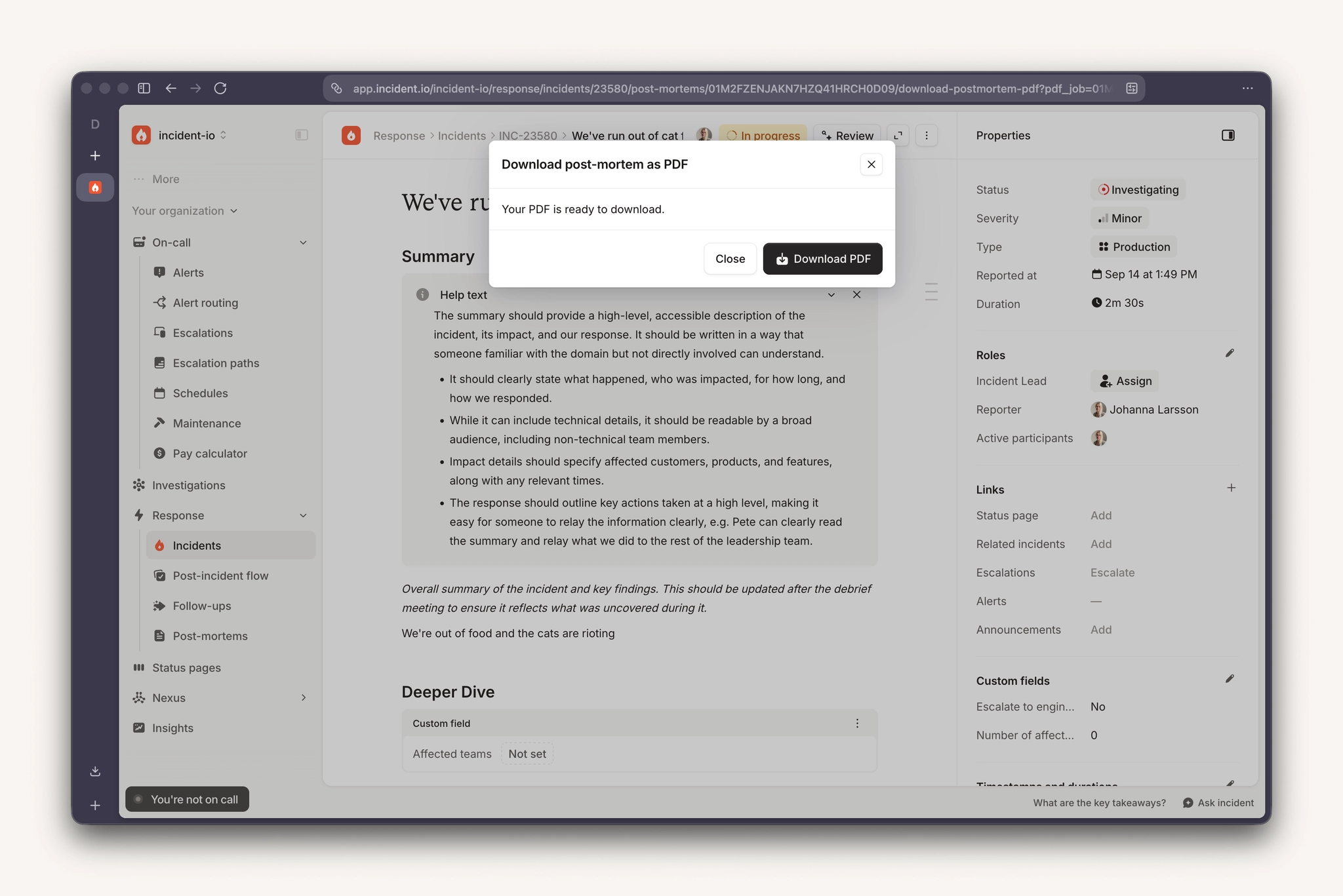
Download post-mortem as PDF
You can now click "Download as PDF" in the actions menu on a post-mortem to generate a download link and grab the doc as PDF. Once downloaded, the PDF is yours to share. Note that the links are short-lived so you must download the PDF to use it.
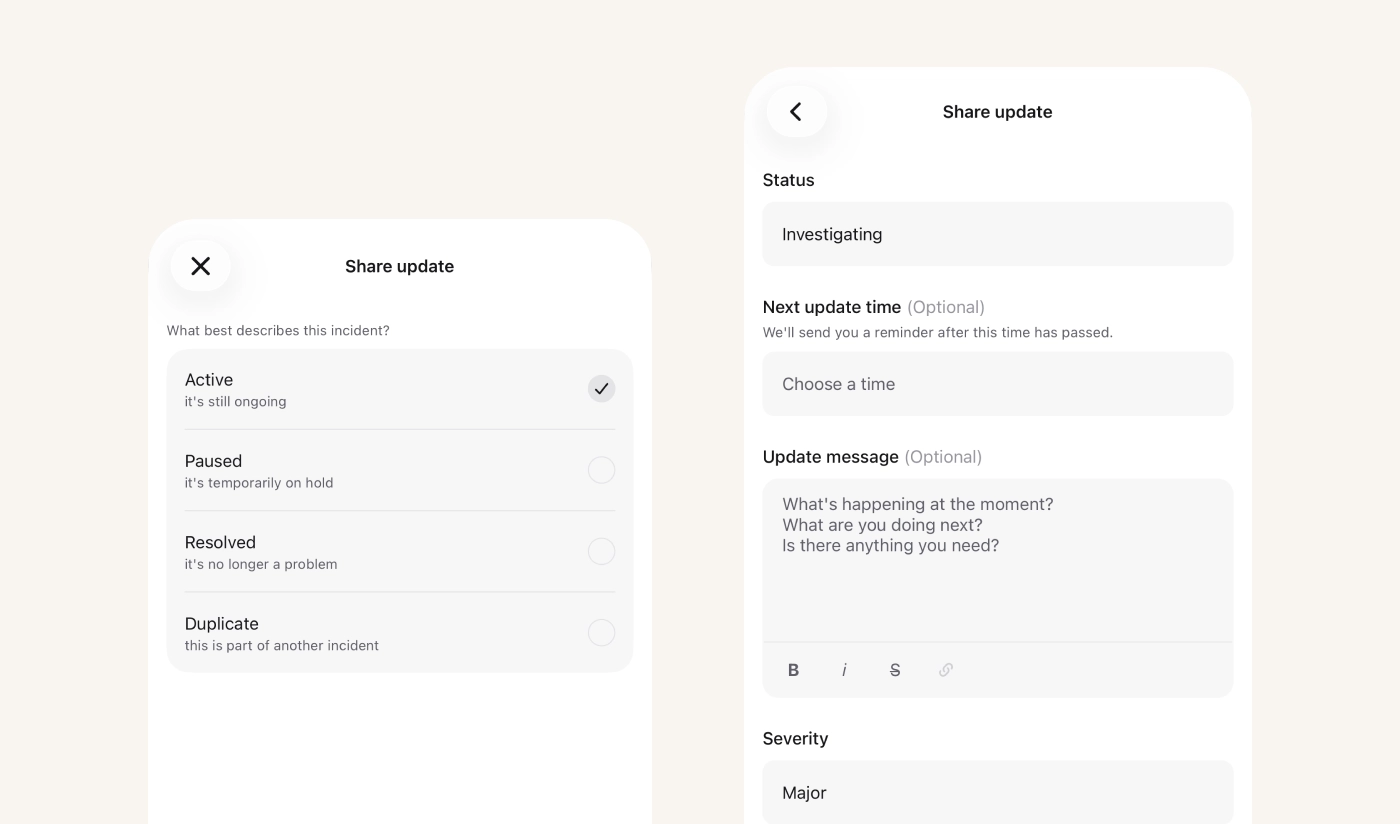
Update an incident’s status from your phone
Until recently you could only update the status of an incident from the mobile app via the agent. Now you can click your way there the same way that you can on web.
This is available from version 1.14.14 on both iOS and Android.
API & Terraform
Terraform provider v7 released
We've just released a new major version of our Terraform provider, v7. In this version, the various resources we've been introducing over the past couple of months as beta resources are now promoted to general availability, replacing the old resources with the same name. This means that any customers who were holding out on using the new resources because of their "beta" status can now confidently start using them.
As a recap, the resources with a new shape are:
incident_alert_sourceandincident_alert_source_attributeincident_escalation_pathincident_scheduleandincident_schedule_rotation
and they all have matching data sources too.
We’ve also made a number of other improvements:
- You can now manage API Keys and Secrets from Terraform
- You can now pause a heartbeat alert source
- We’ve added lots of new data sources including IP addresses and maintenance windows
Because we're now using the same names for differently shaped resources, there's a couple of migration steps to go through to move from v6 to v7. We've added a guide on how to do this, and thanks to Terraform's moved blocks it's not difficult at all.
New in the public API
Incident timeline and activity logs — read an incident's timeline, add your own custom items and edit what's on it, or pull the full activity log behind it.
Call routes — list and update your call routes, manage the options on a phone tree, and control which numbers are allowed to call each route.
Reassigning escalations — redirect an escalation that went to the wrong path or the wrong people, using the correct alert.
Status page maintenance windows — edit and delete maintenance windows, not just create them and post updates.
What else we've shipped
New
- On-callYou can now declare or attach an incident directly from a single alert on mobile, and reassign escalations from the mobile app — bringing mobile in line with Slack, Teams, and the web dashboard.
- ResponseYou can now select an announcement template dynamically from a team's catalog entry in an announcement workflow step, with the organization default used as a fallback.
- ResponseYou can now search for permissions when configuring additional role permissions for incident types, making it quicker to find the specific permission you need.
- Status PagesYou can now search status page incidents by name and filter them by component, making it easier to find specific incidents on busy status pages.
- PlatformYou can now fetch our outbound IP ranges directly from the public API, so you can automatically detect changes and new IPs for allowlisting rather than checking the docs.
Improvements
- On-callWe've added a holiday icon next to cover request candidates who are on holiday during the shift being covered, so you can see at a glance who's unlikely to respond.
- On-callThe on-call card in the web app now shows which level you're on when you're always on-call for an escalation path, matching the level detail already shown on mobile.
- On-callSMS pages to Turkish phone numbers now send from our registered alphanumeric sender ID.
- On-callIn the monthly schedule views you can now pinch to expand or collapse the height of the rows (we remember your preference), and stacked mode splits a shift spanning multiple days into its specific days instead of one continuous bar.
- InvestigationsYou can now connect Kubernetes to Nexus and scope the connection to only the namespaces you specify.
- NexusYou can now configure custom certificate authorities for self-hosted GitLab integrations.
Bug fixes
- On-callFixed an issue where the schedule view could show week-long gaps in projected shifts for weekly rotations, even though the shifts were actually scheduled continuously.
- On-callFixed an issue where the schedule calendar view could display shifts out of chronological order on days with overrides.
- On-callFixed an issue where the web sidebar's "You're on call" widget showed upcoming, not-yet-started shifts on other escalation paths in the same green highlight as active shifts, making it look like you were already reachable on them.
- On-callFixed an issue where editing one rotation in a schedule could unintentionally nudge the handovers and working hours of other rotations in the same schedule.
- ResponseThe chatbot will now make it clearer when you're asking it to take an action it can't do.
- ResponseFixed an issue where importing a post-mortem via the API dropped the language on mermaid (and other) code fences, causing diagrams to render as plain unhighlighted code instead of rendering correctly.
- ResponseFixed an issue where responders could be credited with a full night of on-call workload hours even when there was no incident activity, because call participants without a recorded "left" time kept accruing hours after their call had actually ended.
- ResponseFixed an issue where HTTP custom alert sources using deferred handling couldn't shard or deduplicate alerts based on query parameters.
- ResponseFixed an issue where the Debrief start time post-mortem template variable always rendered as (not set), even when the debrief was already scheduled.
- ResponseFixed an issue where opening a Jira incident ticket or follow-up template would show an error page if the linked Jira issue type had been deleted. You can now open the template, see which fields are still set, and choose a new issue type or delete the template.
- ResponseFixed an issue where archiving an organization blocked us from reconnecting the same Microsoft account to a new organization.
- ResponseFixed an issue where post-mortem documents could fail to load with a rendering error for users whose browser didn't report a timezone.
- ResponseFixed an issue where a workflow step that would have posted a duplicate announcement to a channel showed as succeeded in the workflow activity log even though no message was sent.
- ResponseFixed an issue where clicking Insert variable on a Jira rich-text custom field in an incident ticket template collapsed the field instead of opening the variable picker.
- ResponseFixed an issue where completing a post-mortem through the post-incident flow didn't fire the "a document is created or updated" workflow trigger, so workflows relying on that trigger — like automatic exports — wouldn't run.
- ResponseFixed an issue where creating a Notion post-mortem destination could fail with a permissions error even though the incident.io connection had access, including when pasting a database link with extra URL parameters.
- ResponseFixed an issue where incident members added shortly after declaring an incident in Microsoft Teams weren't added to the Teams group chat.
- ResponseFixed an issue where required custom fields on the resolve form weren't enforced when an incident was closed outside of that form, such as via auto-close or when closing from a paused status.
- ResponseFixed an issue where closing an incident could fail silently when a required custom field on the resolve form didn't surface an error, including when "No value" was an allowed option.
- ResponseFixed an issue where the Connected accounts section on a catalog User entry could show an error instead of the user's linked accounts.
- InvestigationsFixed an issue where adding a large amount of context to an investigation could make the timeline render as an endless wall of text; long entries are now clamped with a "View more" option.
- InvestigationsFixed an issue where the incident bot couldn't find the Jira ticket linked directly to an incident, only follow-ups that had been exported to Jira.
- InvestigationsFixed an issue where running /inc investigate on an existing investigation without an Investigation message could return a server error instead of a helpful response.
- InvestigationsFixed an issue where clicking a citation source link on the investigation timeline could return a 404 error instead of opening the resource.
- NexusFixed an issue where connecting GitHub repositories with a large number of files could cause the document connection wizard to hang indefinitely instead of completing.
- NexusFixed an issue where Grafana dashboard sync silently stopped after 1,000 dashboards, so organizations with larger dashboard estates couldn't find or attach all of their dashboards in the telemetry add dashboard modal.
- Status PagesFixed a cosmetic issue where unrecognized paths ending in /login on a status page returned an empty 200 response instead of a 404.
- PlatformFixed an issue where changes generated through our agent would intermittently fail to push to the repository
- PlatformFixed an issue where code changes done via our agent to GitLab repositories with push rules requiring a verified commit author would always be rejected.
- PlatformFixed an issue where asking the agent to retry a code change that had failed would be refused, forcing you to start an entirely new request
So good, you’ll break things on purpose
Ready for modern incident management? Book a call with one of our experts today.

We’d love to talk to you about
- All-in-one incident management
- Our unmatched speed of deployment
- Why we’re loved by users and easily adopted
- How we work for the whole organization



